



![Main image of 20Gbps USB3.2 Gen2x2 USB-C Front Panel Adapter, Motherboard Header Extension Cable, USB-C and USB to USB3.2 Type-E Key-A 20-Pin and 19-Pin USB3.0 Connectors with PCIe Bracket[G-AD-ETC2A-20G]](https://c1.neweggimages.com/productimage/nb640/C1TXD2511140UM68OFD.jpg)
![Alt view image 2 of 7 - 20Gbps USB3.2 Gen2x2 USB-C Front Panel Adapter, Motherboard Header Extension Cable, USB-C and USB to USB3.2 Type-E Key-A 20-Pin and 19-Pin USB3.0 Connectors with PCIe Bracket[G-AD-ETC2A-20G]](https://c1.neweggimages.com/productimage/nb640/C1TXD2511140UM6HL32.jpg)
![Alt view image 3 of 7 - 20Gbps USB3.2 Gen2x2 USB-C Front Panel Adapter, Motherboard Header Extension Cable, USB-C and USB to USB3.2 Type-E Key-A 20-Pin and 19-Pin USB3.0 Connectors with PCIe Bracket[G-AD-ETC2A-20G]](https://c1.neweggimages.com/productimage/nb640/C1TXD2511140UM69BB4.jpg)
![Alt view image 4 of 7 - 20Gbps USB3.2 Gen2x2 USB-C Front Panel Adapter, Motherboard Header Extension Cable, USB-C and USB to USB3.2 Type-E Key-A 20-Pin and 19-Pin USB3.0 Connectors with PCIe Bracket[G-AD-ETC2A-20G]](https://c1.neweggimages.com/productimage/nb640/C1TXD2511140UM6BAC3.jpg)
![Alt view image 5 of 7 - 20Gbps USB3.2 Gen2x2 USB-C Front Panel Adapter, Motherboard Header Extension Cable, USB-C and USB to USB3.2 Type-E Key-A 20-Pin and 19-Pin USB3.0 Connectors with PCIe Bracket[G-AD-ETC2A-20G]](https://c1.neweggimages.com/productimage/nb640/C1TXD2511140UM6BZ4D.jpg)
![Alt view image 6 of 7 - 20Gbps USB3.2 Gen2x2 USB-C Front Panel Adapter, Motherboard Header Extension Cable, USB-C and USB to USB3.2 Type-E Key-A 20-Pin and 19-Pin USB3.0 Connectors with PCIe Bracket[G-AD-ETC2A-20G]](https://c1.neweggimages.com/productimage/nb640/C1TXD2511140UM6GL00.jpg)
![Alt view image 7 of 7 - 20Gbps USB3.2 Gen2x2 USB-C Front Panel Adapter, Motherboard Header Extension Cable, USB-C and USB to USB3.2 Type-E Key-A 20-Pin and 19-Pin USB3.0 Connectors with PCIe Bracket[G-AD-ETC2A-20G]](https://c1.neweggimages.com/productimage/nb640/C1TXD2511140UMCJOD5.jpg)


USB 3.2 Gen 2x2 Type-C and USB 3.0 Front Panel Header Extension Cable with PCI Bracket
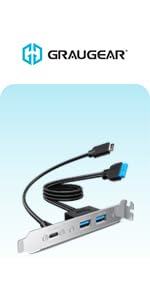
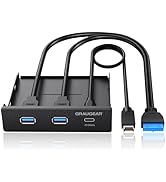
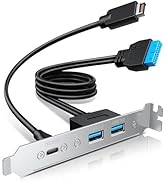
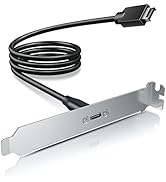
GRAUGEAR extension cable is designed to provide your an easy way to convert the motherboard's USB 3.2 TYPE-E and USB 3.0 interface to USB-C and USB Type-A ports on the back of the computer case. The Type-C reversible design simplifies the connection and allows you to plug in any way without worrying about it being upside-down.

20Gbps USB 3.2 Gen 2x2 SuperSpeed
USB-C port features the latest USB 3.2 Gen 2x2 standard, which supports an extremely fast data transmission rate up to 20Gbps. It is faster enough to transfer of files within a short time. USB 3.0 ports, compliant with the USB 3.0 standard, supports up to 5Gbps of bandwidth, which enables you to connect variety of your USB devices with ease.
Note:
- It is a type-c standard cable so it is inherently be able to operate at the USB Type-C(including both USB 3.2 Gen 2x2 20Gbps and Gen2 10Gbps) speeds. The specialized controller is required in the machine to see a full 20Gbps.
- Before buying, make sure your motherboard with the support of USB 3.2/USB 3.1 header for the front panel. Some old motherboard do not have USB 3.2 Type-E/Key-A 20-pin header, suggest to use a usb front panel adapter(Type-E Key-A to 20-pin header) adapter when installing.

High Quality Expansion For Desktop
Enhance the high-speed data transfer capabilities and durable construction on the computer with GRAUGEAR front panel header extension cable, it offers a convenient and efficient way to expand the connectivity options of a desktop computer.

20Gbps USB-C Port
It is applicable to equipment with USB 3.2 Gen 2x2 Type-C public interface and supports data transmission up to 20Gbps, and is also backward compatible with USB 3.2 Gen2 10Gbps/USB3.2 Gen1 5Gbps.

Dual USB 3.0 Ports
Extend your device with USB 3.0 connectors, offering unparalleled performance, stability, and affordability for diverse applications.

USB 3.0 19-pin Connector
Convert USB 3.0 19-pin socket of the motherboard to dual USB ports. Data transfer speed is based on USB 3.0, which is up to 5Gbps maximum.

USB 3.2 Gen 2 Type-E (Key-A) Connector
Convert USB 3.2 Type-E socket of the motherboard to a USB-C port, and fix it through the chassis PCI position to facilitate the connection and use of USB Type-C devices.

High Standard Material
With a sturdy metal shield, the dual-layer EMI/EFI shielding prevents internal and external interference.
 GRAUGEAR 20Gbps USB3.2 Gen2x2 USB-C Front Panel Adapter, Motherboard Header E... | 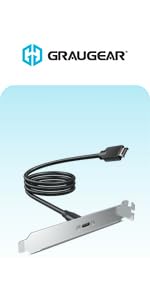 GRAUGEAR 20Gbps USB 3.2 Gen 2x2 USB-C Front Panel Type-C Adapter, Motherboard... |  GRAUGEAR 3.5 Inch Front Panel USB Hub, Internal USB Hub with 20Gbps USB3.2 Ge... |  GRAUGEAR 3.5 Inch Front Panel USB C Hub, SD/microSD Internal Card Reader, 20G... | 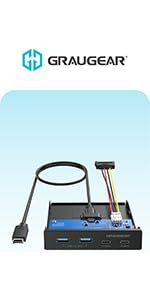 GRAUGEAR 3.5 Inch Front Panel Hub, 4 Ports Internal Metal USB Hub, 2X USB-C 1... | 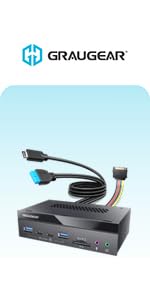 GRAUGEAR 5.25 Inch 10Gbps USB 3.2 PC Front Panel Card Reader with Audio Ports... | |
|---|---|---|---|---|---|---|
| Customer Reviews | — | — | — | — | — | — |
| Price | — | — | — | — | — | — |
| Model | G-AD-ETC2A-20G | G-AD-ETC-10G | G-MP01 | G-MP01CR | G-MP02 | G-MP03CR-AU |
| Size | 4.72 Inches (PCI bracket) | 4.72 Inches (PCI bracket) | 3.5 Inches | 3.5 Inches | 3.5 Inches | 5.25 Inches |
| USB-C Port | ? | ? | ? | ? | ? | ? |
| USB-A Port | ? | no data | ? | ? | ? | ? |
| USB Front Panel Header | USB C 3.2 Gen 2 Key-A 20-pin + USB 3.0 19-pin | USB C 3.2 Gen 2 Key-A 20-pin | USB C 3.2 Gen 2 Key-A 20-pin + USB 3.0 19-pin | USB C 3.2 Gen 2 Key-A 20-pin + USB 3.0 19-pin | USB C 3.2 Gen 2 Key-A 20-pin | USB C 3.2 Gen 2 Key-A 20-pin + USB 3.0 19-pin |
| Installation Position of the PC Case | Back | Back | Front | Front | Front | Front |
| Cabel Length | 23.6 Inches | 23.6 Inches | 23.6 Inches | 23.6 Inches | 23.6 Inches | 23.6 Inches |
| Card Reader | no data | no data | no data | ? | no data | ? |
| Audio Ports | no data | no data | no data | no data | no data | ? |

GRAUGEAR USA
We delivers reliable, high-performance solutions for PC users worldwide — from memory upgrades to essential accessories and needs.
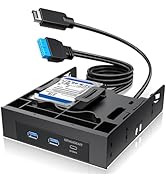
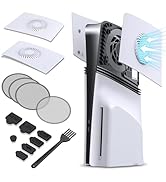
Hot New Releases
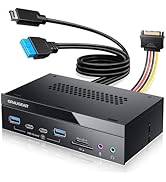
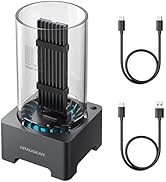
Bestsellers
M.2 SSD Enclosure/Docking
PC Front Panel I/O Hub
![[10Gbps] GRAUGEAR USB-C to USB-A Adapter, Support Double Sided 10Gbps Data Transfer, 3A Fast Char...](//c1.neweggimages.com/sellingpilot/modules/product/a-plus/eaca0213021ea7a7195010729c1482e47aaf3d5b86625e7ba3539a1e219245e1.jpg)
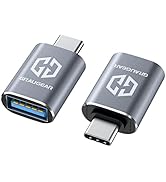
USB Adapter/Adapter Cable
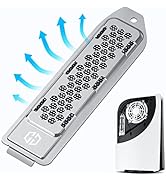
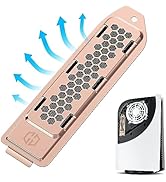
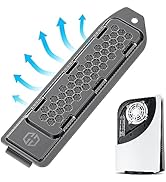
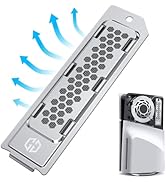
PS5 SSD Heatsink Cover
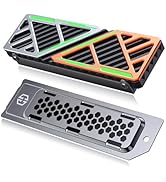
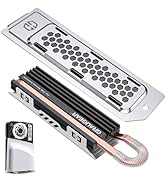
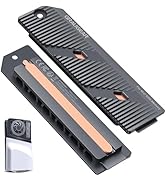
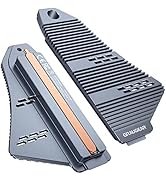
PS5 SSD Heatsink Cover/Kit
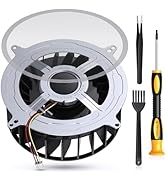
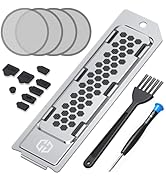
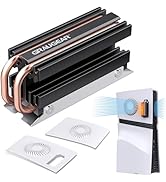
PS5 Cooling Series
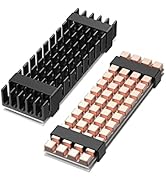
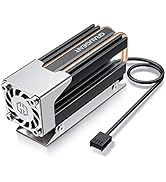
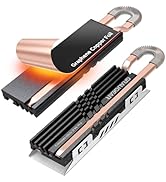
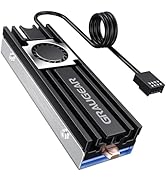
M.2 SSD Heatsink Cooler

- Our Purpose
We strive to build trust through innovation, creating technology that not only empowers users today but also contributes to a more sustainable tomorrow.
- What We Do
By connecting people, technology, and ideas, we design solutions that make PCs more powerful, flexible, and future-ready — helping everyone move forward with confidence.
Does PS5 SSD overheat?
The PS5 SSD can reach temperatures of up to 71 degrees Celsius. Excessively high temperatures may affect the life of the SSD, so it's best to have a heat sink on hand.
Do I really need a heatsink for NVME SSD?
This is not common with consumer SSDs, but monitoring the temperature of your SSD can help prolong its life.
How can I improve my PS5 cooling?
Sony recommends installing a heatsink to the internal PS5 SSD in order to maintain performance. A heatsink works by cooling down the SSD and transferring the heat away from the device.
![[10Gbps] GRAUGEAR USB-C to USB-A Adapter, Support Double Sided 10Gbps Data Transfer, 3A Fast Char...](http://c1.neweggimages.com/sellingpilot/modules/product/a-plus/eaca0213021ea7a7195010729c1482e47aaf3d5b86625e7ba3539a1e219245e1.jpg)

USB 3.2 Gen 2x2 Type-C and USB 3.0 Front Panel Header Extension Cable with PCI Bracket
GRAUGEAR extension cable is designed to provide your an easy way to convert the motherboard's USB 3.2 TYPE-E and USB 3.0 interface to USB-C and USB Type-A ports on the back of the computer case. The Type-C reversible design simplifies the connection and allows you to plug in any way without worrying about it being upside-down.
20Gbps USB 3.2 Gen 2x2 SuperSpeed
USB-C port features the latest USB 3.2 Gen 2x2 standard, which supports an extremely fast data transmission rate up to 20Gbps. It is faster enough to transfer of files within a short time. USB 3.0 ports, compliant with the USB 3.0 standard, supports up to 5Gbps of bandwidth, which enables you to connect variety of your USB devices with ease.
Note:
- It is a type-c standard cable so it is inherently be able to operate at the USB Type-C(including both USB 3.2 Gen 2x2 20Gbps and Gen2 10Gbps) speeds. The specialized controller is required in the machine to see a full 20Gbps.
- Before buying, make sure your motherboard with the support of USB 3.2/USB 3.1 header for the front panel. Some old motherboard do not have USB 3.2 Type-E/Key-A 20-pin header, suggest to use a usb front panel adapter(Type-E Key-A to 20-pin header) adapter when installing.
High Quality Expansion For Desktop
Enhance the high-speed data transfer capabilities and durable construction on the computer with GRAUGEAR front panel header extension cable, it offers a convenient and efficient way to expand the connectivity options of a desktop computer.
20Gbps USB-C Port
It is applicable to equipment with USB 3.2 Gen 2x2 Type-C public interface and supports data transmission up to 20Gbps, and is also backward compatible with USB 3.2 Gen2 10Gbps/USB3.2 Gen1 5Gbps.
Dual USB 3.0 Ports
Extend your device with USB 3.0 connectors, offering unparalleled performance, stability, and affordability for diverse applications.
USB 3.0 19-pin Connector
Convert USB 3.0 19-pin socket of the motherboard to dual USB ports. Data transfer speed is based on USB 3.0, which is up to 5Gbps maximum.
USB 3.2 Gen 2 Type-E (Key-A) Connector
Convert USB 3.2 Type-E socket of the motherboard to a USB-C port, and fix it through the chassis PCI position to facilitate the connection and use of USB Type-C devices.
High Standard Material
With a sturdy metal shield, the dual-layer EMI/EFI shielding prevents internal and external interference.
GRAUGEAR 20Gbps USB3.2 Gen2x2 USB-C Front Panel Adapter, Motherboard Header E... | GRAUGEAR 20Gbps USB 3.2 Gen 2x2 USB-C Front Panel Type-C Adapter, Motherboard... | GRAUGEAR 3.5 Inch Front Panel USB Hub, Internal USB Hub with 20Gbps USB3.2 Ge... | GRAUGEAR 3.5 Inch Front Panel USB C Hub, SD/microSD Internal Card Reader, 20G... | GRAUGEAR 3.5 Inch Front Panel Hub, 4 Ports Internal Metal USB Hub, 2X USB-C 1... | GRAUGEAR 5.25 Inch 10Gbps USB 3.2 PC Front Panel Card Reader with Audio Ports... | |
|---|---|---|---|---|---|---|
| Customer Reviews | — | — | — | — | — | — |
| Price | — | — | — | — | — | — |
| Model | G-AD-ETC2A-20G | G-AD-ETC-10G | G-MP01 | G-MP01CR | G-MP02 | G-MP03CR-AU |
| Size | 4.72 Inches (PCI bracket) | 4.72 Inches (PCI bracket) | 3.5 Inches | 3.5 Inches | 3.5 Inches | 5.25 Inches |
| USB-C Port | ? | ? | ? | ? | ? | ? |
| USB-A Port | ? | no data | ? | ? | ? | ? |
| USB Front Panel Header | USB C 3.2 Gen 2 Key-A 20-pin + USB 3.0 19-pin | USB C 3.2 Gen 2 Key-A 20-pin | USB C 3.2 Gen 2 Key-A 20-pin + USB 3.0 19-pin | USB C 3.2 Gen 2 Key-A 20-pin + USB 3.0 19-pin | USB C 3.2 Gen 2 Key-A 20-pin | USB C 3.2 Gen 2 Key-A 20-pin + USB 3.0 19-pin |
| Installation Position of the PC Case | Back | Back | Front | Front | Front | Front |
| Cabel Length | 23.6 Inches | 23.6 Inches | 23.6 Inches | 23.6 Inches | 23.6 Inches | 23.6 Inches |
| Card Reader | no data | no data | no data | ? | no data | ? |
| Audio Ports | no data | no data | no data | no data | no data | ? |
GRAUGEAR USA
We delivers reliable, high-performance solutions for PC users worldwide — from memory upgrades to essential accessories and needs.
Hot New Releases
Bestsellers
M.2 SSD Enclosure/Docking
PC Front Panel I/O Hub
USB Adapter/Adapter Cable
PS5 SSD Heatsink Cover
PS5 SSD Heatsink Cover/Kit
PS5 Cooling Series
M.2 SSD Heatsink Cooler
- Our Purpose
We strive to build trust through innovation, creating technology that not only empowers users today but also contributes to a more sustainable tomorrow.
- What We Do
By connecting people, technology, and ideas, we design solutions that make PCs more powerful, flexible, and future-ready — helping everyone move forward with confidence.
Does PS5 SSD overheat?
The PS5 SSD can reach temperatures of up to 71 degrees Celsius. Excessively high temperatures may affect the life of the SSD, so it's best to have a heat sink on hand.
Do I really need a heatsink for NVME SSD?
This is not common with consumer SSDs, but monitoring the temperature of your SSD can help prolong its life.
How can I improve my PS5 cooling?
Sony recommends installing a heatsink to the internal PS5 SSD in order to maintain performance. A heatsink works by cooling down the SSD and transferring the heat away from the device.