

Your Browsing History
- Free 30-day Returns
$76.99

Meet Your Seller


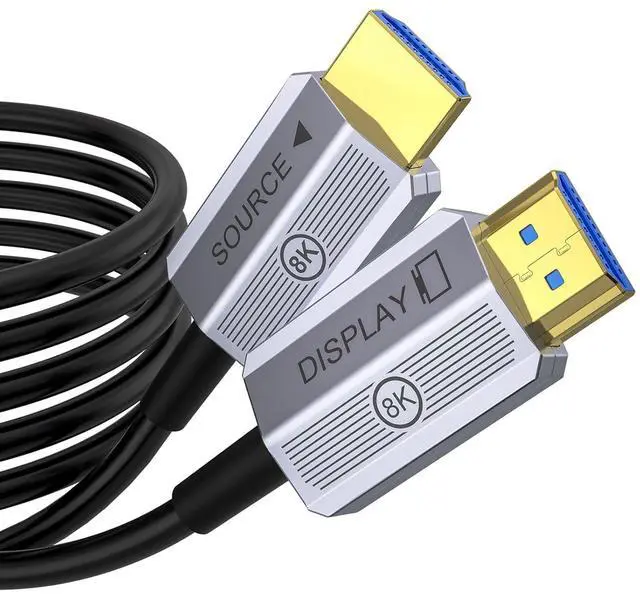


8K Fiber Optic HDMI Cable 100ft, 48Gbps Long HDMI 2.1 Cable 8K@60Hz/4K@120Hz, Ultra HD HDR, Directional (Source to Display), for PS5 4 3/Xbox/TV/Monitor/Laptop/Projector/Blu-ray
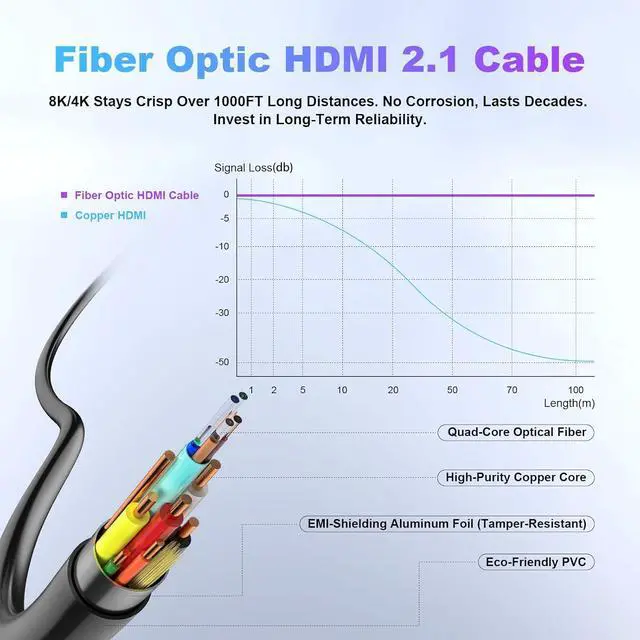
- 8K/4K Ultra HD Over Long DistancesOur 100 ft hdmi cable delivers flawless 4K@120Hz, 8K@60Hz, and HDR signals up to 1000ft+ without signal degradationunlike copper cables that lose quality beyond 15ft.
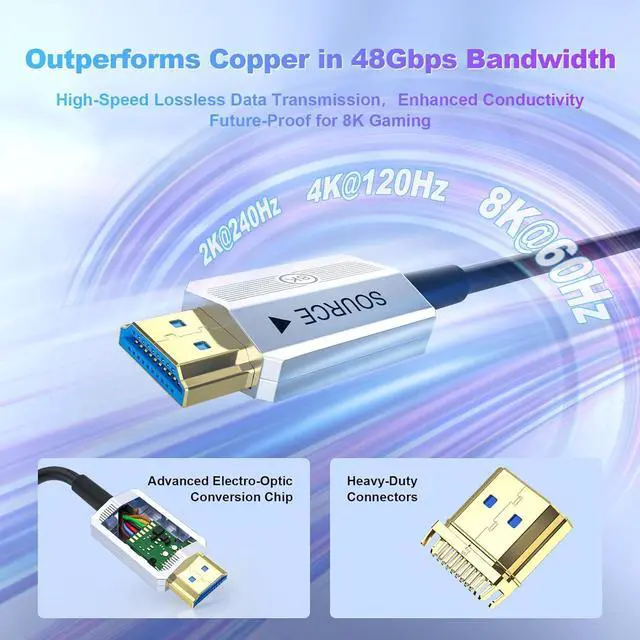
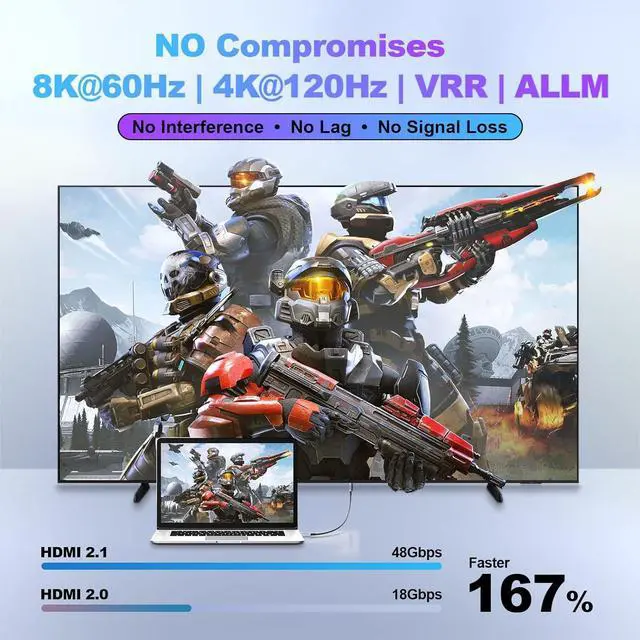
- HDMI 2.1 | 48Gbps Bandwidthhdmi fiber optic cable supports 8K@60Hz, 4K@120Hz, VRR, ALLM for next-gen gaming (PS5/Xbox Series X) and home theater setups. Fully future-proof for 8K TVs and GPU
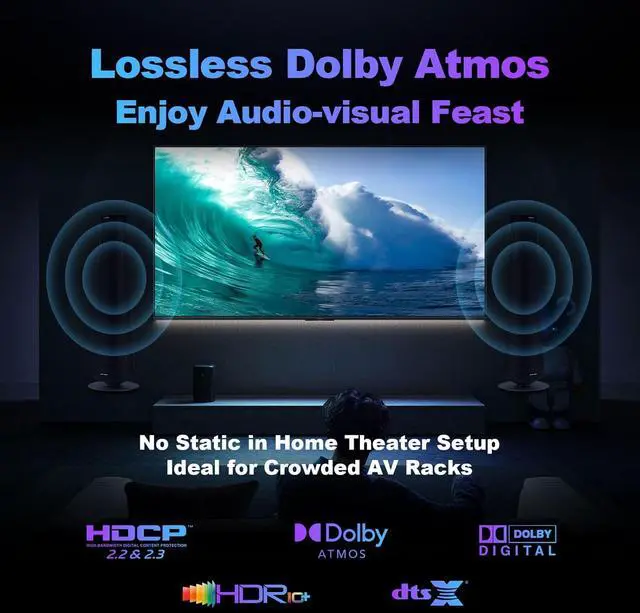
- Zero Interference | Perfect for Complex SetupsFiber optic technology of our active hdmi cable eliminates EMI/RFI noise from power cables, speakers, or Wi-Fi routersideal for professional AV racks and crowded wiring
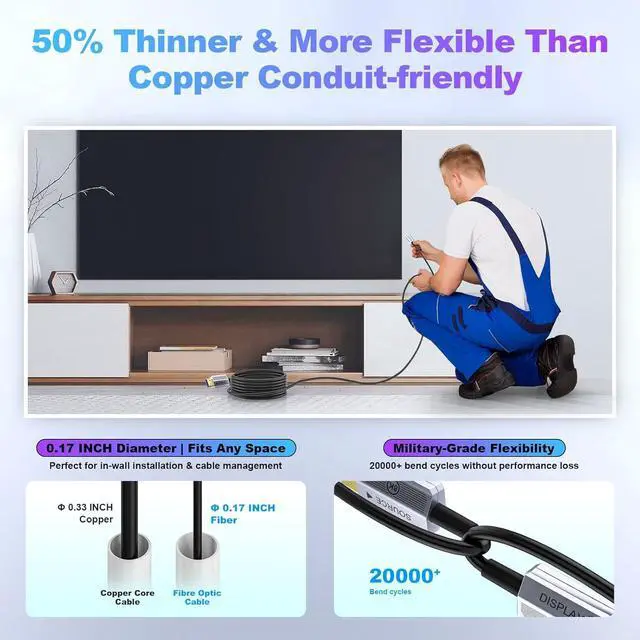
- Ultra-Thin & Flexible DesignOur hdmi cable 100ft is 50% thinner and lighter than copper cables, with 360° bendability for easy in-wall conduit routing or tight spaces behind TVs
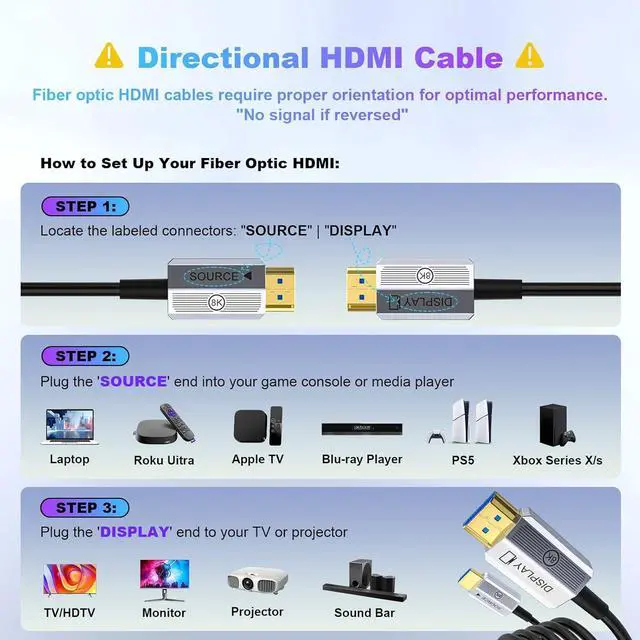
- Durable & Low MaintenanceNo copper oxidationlasts for decades. Directional Design: Plug SOURCE end to player/PC and DISPLAY end to TV (marked clearly). Please plug fiber optic hdmi c
+
+
Overview
Specs
Reviews

Any questions? Our AI mode will help you find out quickly.
Try me now
1Support Future-Proof 10K2SupportFull 3D3Support 12Bit HDR4Support 3 Modes1Fiber vs Copper2Ideal for Gamer3Ideal for Home Theater4Professional/Business Use5Increase Productivity1HowToUse Directional HDMI2HDMI Anywhere3Wide Compatibility Note: 60ft+(65ft 75ft 100ft 150ft) HDMI cables do not support ARC/eARC due to length limits. (For ARC/eARC, use shorter cables.)
Version: 2.1 Version. Backwards compatible with 2.0b/2.0a/2.0/1.4/1.3/1.2/1.1
Resolution: 10k@30Hz, 8K@60Hz, 4K@144Hz 120Hz, 2k@240Hz 144Hz, 1080p
Data Transfer Rate: 48 Gigabits Per Second Connector Type: Standard HDMI
Compatibility: Fits most standard HDMI devices; e.g. Television/Gaming Console/Monitor/Speaker/Laptop/Personal Computer/Projector/Amplifier/Entertainment/Sound/Video Conference System/TV/PS5 4 3/Xbox Series X/Blu-ray players and more
Support Variable Refresh Rate(VRR); Support Quick Media Switching(QMS); Support Quick Frame Transport(QFT);
Support Auto Low Latency Mode (ALLM); Support Display Stream Compression(DSC);
Support Dynamic HDR & Static HDR (HDR); Support HDCP2.2&2.3 (supports all versions) (HDCP);
Support 3D Audio-Visual (3D); Support DTS:X & Dolby Audio (DTS:X/ Dolby Audio)
Troubleshooting Steps:1. Fiber cables are directional - make sure they're plugged in the right way. 2. Test the cable with other equipment to see if it works normally. 3. Rule out any compatibility issues between devices.
Note: 60ft+ Fiber Optic HDMI cables don't support ARC/eARC due to length limits 8K Fiber Optic HDMI Cable Specification
Version: 2.1 Version. Backwards compatible with 2.0b/2.0a/2.0/1.4/1.3/1.2/1.1
Resolution: 10k@30Hz, 8K@60Hz, 4K@144Hz 120Hz, 2k@240Hz 144Hz, 1080p
Data Transfer Rate: 48 Gigabits Per Second Connector Type: Standard HDMI
Compatibility: Fits most standard HDMI devices; e.g. Television/Gaming Console/Monitor/Speaker/Laptop/Personal Computer/Projector/Amplifier/Entertainment/Sound/Video Conference System/TV/PS5 4 3/Xbox Series X/Blu-ray players and more
Support Variable Refresh Rate(VRR); Support Quick Media Switching(QMS); Support Quick Frame Transport(QFT);
Support Auto Low Latency Mode (ALLM); Support Display Stream Compression(DSC);
Support Dynamic HDR & Static HDR (HDR); Support HDCP2.2&2.3 (supports all versions) (HDCP);
Support 3D Audio-Visual (3D); Support DTS:X & Dolby Audio (DTS:X/ Dolby Audio)
Troubleshooting Steps:1. Fiber cables are directional - make sure they're plugged in the right way. 2. Test the cable with other equipment to see if it works normally. 3. Rule out any compatibility issues between devices.
Note: 60ft+ Fiber Optic HDMI cables don't support ARC/eARC due to length limits 8K Fiber Optic HDMI Cable Specification
Warranty & Returns
Warranty, Returns, And Additional Information
Warranty
- Please contact the Seller directly for warranty information. Warranty information may also be found on the Manufacturer's website.
- CONTACT
Return Policies
- Return for refund within: 30 days
- Return for replacement within: 30 days
- This item is covered by CITY BUSINESS Official Return Policy
Manufacturer Contact Info
- For a directory of all our manufacturers, please click below.
- Manufacturers Directory
LOADING...