

Your Browsing History

Meet Your Seller
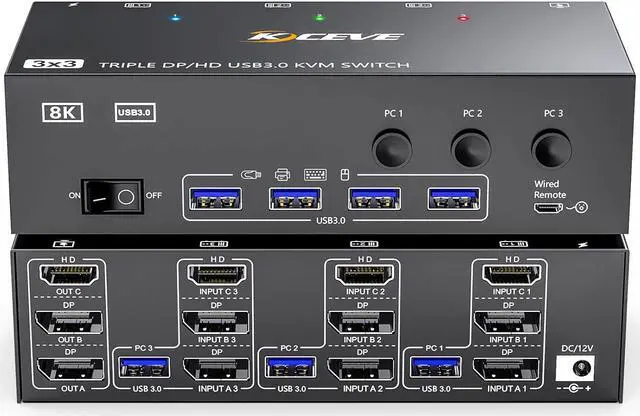


KVM Switch 3 Monitors 3 Computers 8K@60Hz, MLEEDA HDMI + 2* Displayport Triple Monitor KVM Switch with 4 USB 3.0 Ports for Keyboard Mouse Printer, Wired Remote and Power Adapter Included
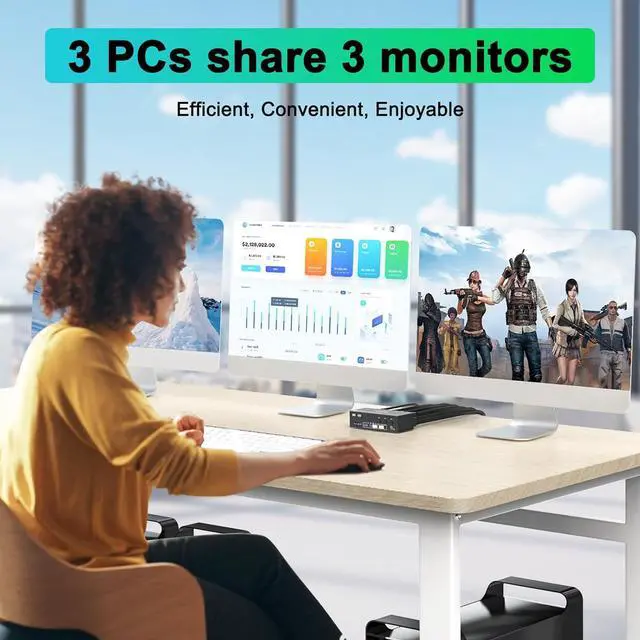
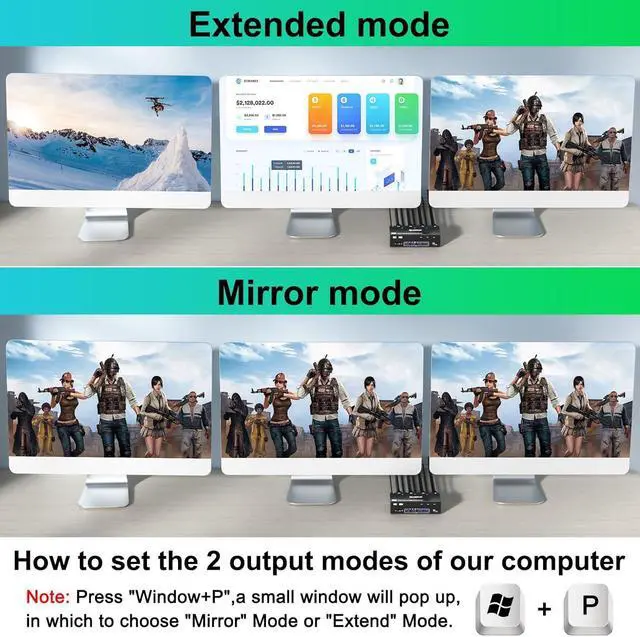
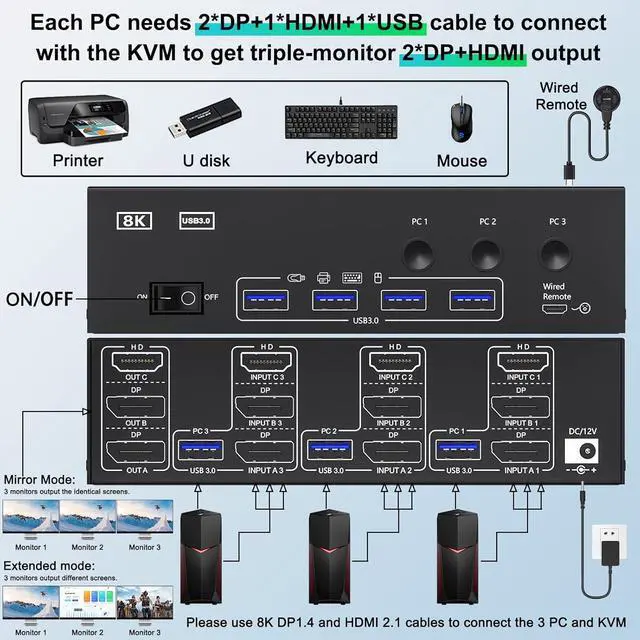
- KVM Switch 3 Monitors 3 Computers This 3 computers 3 monitors KVM switch perfect for hooking up 3 desktops /laptops to share one set of wired or wireless keyboard mouse and 3 monitors (supports extended and mirrored display modes). Please note: extended mode can output three different screens and mirror mode can output three identical screens.
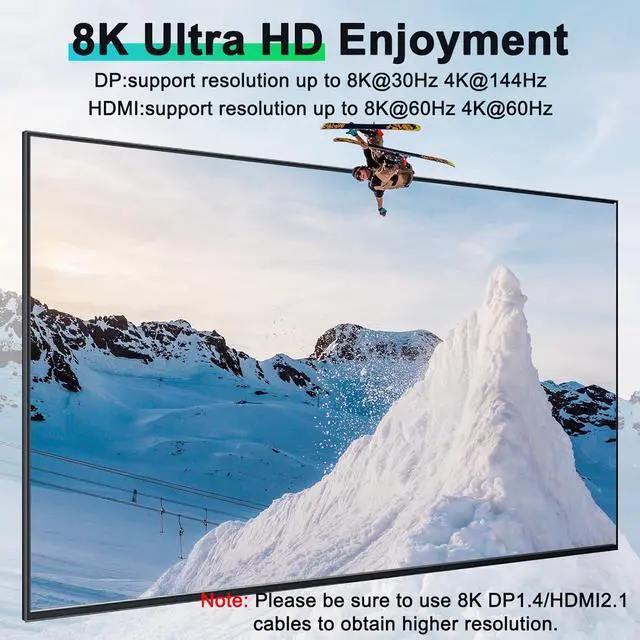
- KVM Switch Triple Monitor Ultra HD 8K 3 Monitors KVM Switch Displayport: support resolution up to 8K@30Hz /4K@144Hz, HDMI: support resolution up to 8K@60Hz/4K@120Hz and backward compatible with lower resolution.Note: Final resolution is also subject to graphic cards, monitors, cables and adapters.
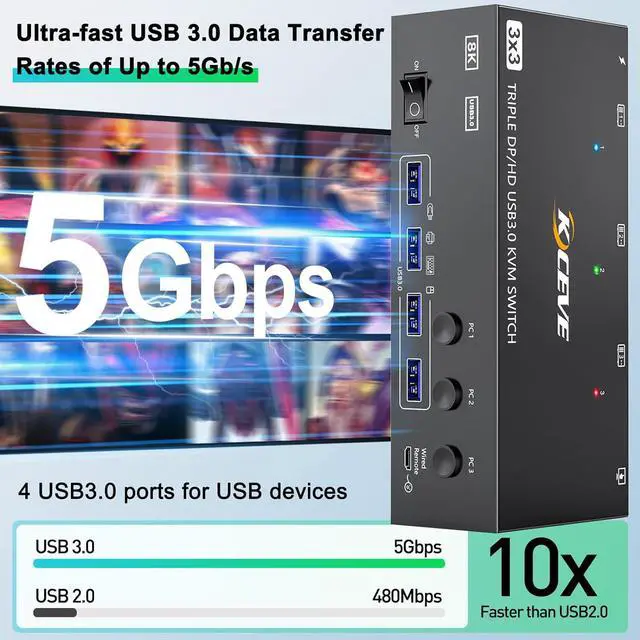
- HDMI Displayport KVM Switch with 4 USB 3.0 Port Triple monitor KVM switches with 4 integrated USB 3.0 ports,supports ultra-fast 5Gbps data transmission,which can recognize keyboard, mouse, printer, scaner, USB flash drive and other USB devices.
- Great Compatibility & 2 Switching Mode MLEEDA KVM switch 3 monitors driver-free for Windows, M
+
+
Overview
Specs
Reviews

Any questions? Our AI mode will help you find out quickly.
Try me now
Supports wired or wireless keyboard and mouse.
USB 3.0 with ultra-fast data transfer up to 5Gb/s.
Support resolutions up to 8K@60Hz, 4K@144Hz.
Each PC requires 1*HDMI+2*DP+1* USB cable to connect the 3 monitor KVM switch,OUT A, OUT B, OUT C connect to 3 monitors.Support DP to HDMI, USB-C to HDMI, USB-C to DP converter and USB-C docking station.
Please confirm whether your computers support 1*HDMI+2*Displayport before placing an order.
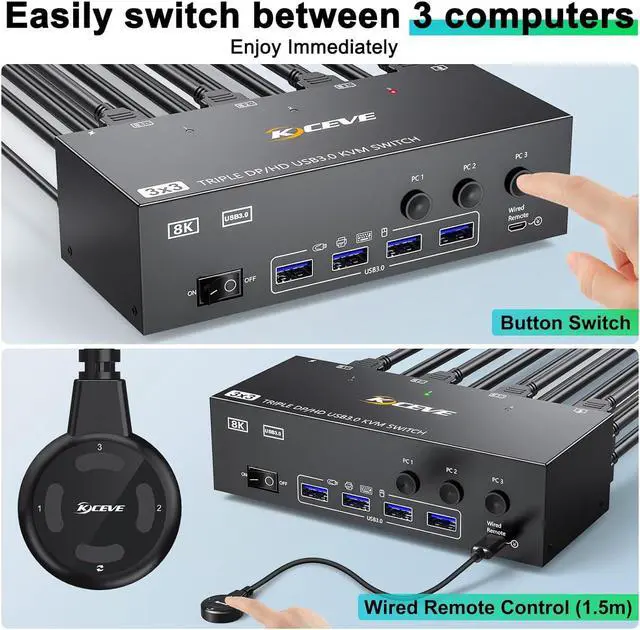
Switching mode: button switch and wired remote.
Two output modes: Mirror and Extended mode.
12V power adapter, the recognition is more stable.
Windows OS: Press the shortcut key "WIN+P" and then select "Extension" or "mirror"
Mac OS: Set [Mirror Mode]: Select [Apple Icon] [System Preferences], click [Display] [Arrange], and then check [Mirror Display];
Set [Extended Mode]: When [Mirror Display] is unchecked, "Extended Mode" can be achieved.
Why do some monitors work fine and others not when the cables are connected the same way?
This depends on factors such as the version of cable used, the length of the individual cables, and whether adapters are used.
It is recommended to use HDMI2.1, DP1.4 cable, and the length of a single cable should not exceed 1.5m.
Can the KVM switch's USB port be used for high-power USB devices such as hard drives?
Yes, but please plug in the 12V power adapter (included in the package) for stable performance.
Does the DisplayPort 1.4 KVM switch support Hotkey switching?
No, it DOES NOT support Hotkey switching,but supports button switch and wired remote1.5m
Does this KVM switch support EDID emulation?
NO, It does not support EDID emulation, the window arrangement will be slightly shifted after switching.
Triple Monitor KVM Switch--For users sharing 3 Monitors between 3 Computers aplus content video Connection diagram of 3 monitors KVM switch How to set the output mode aplus content video Is the triple monitor KVM Switch compatible with computers or laptops only with USB-C ports?
Why do some monitors work fine and others not when the cables are connected the same way?
Can the KVM switch's USB port be used for high-power USB devices such as hard drives?
Does the DisplayPort 1.4 KVM switch support Hotkey switching?
Does this KVM switch support EDID emulation?
USB 3.0 with ultra-fast data transfer up to 5Gb/s.
Support resolutions up to 8K@60Hz, 4K@144Hz.
Each PC requires 1*HDMI+2*DP+1* USB cable to connect the 3 monitor KVM switch,OUT A, OUT B, OUT C connect to 3 monitors.Support DP to HDMI, USB-C to HDMI, USB-C to DP converter and USB-C docking station.
Please confirm whether your computers support 1*HDMI+2*Displayport before placing an order.
Switching mode: button switch and wired remote.
Two output modes: Mirror and Extended mode.
12V power adapter, the recognition is more stable.
Windows OS: Press the shortcut key "WIN+P" and then select "Extension" or "mirror"
Mac OS: Set [Mirror Mode]: Select [Apple Icon] [System Preferences], click [Display] [Arrange], and then check [Mirror Display];
Set [Extended Mode]: When [Mirror Display] is unchecked, "Extended Mode" can be achieved.
Why do some monitors work fine and others not when the cables are connected the same way?
This depends on factors such as the version of cable used, the length of the individual cables, and whether adapters are used.
It is recommended to use HDMI2.1, DP1.4 cable, and the length of a single cable should not exceed 1.5m.
Can the KVM switch's USB port be used for high-power USB devices such as hard drives?
Yes, but please plug in the 12V power adapter (included in the package) for stable performance.
Does the DisplayPort 1.4 KVM switch support Hotkey switching?
No, it DOES NOT support Hotkey switching,but supports button switch and wired remote1.5m
Does this KVM switch support EDID emulation?
NO, It does not support EDID emulation, the window arrangement will be slightly shifted after switching.
Triple Monitor KVM Switch--For users sharing 3 Monitors between 3 Computers aplus content video Connection diagram of 3 monitors KVM switch How to set the output mode aplus content video Is the triple monitor KVM Switch compatible with computers or laptops only with USB-C ports?
Why do some monitors work fine and others not when the cables are connected the same way?
Can the KVM switch's USB port be used for high-power USB devices such as hard drives?
Does the DisplayPort 1.4 KVM switch support Hotkey switching?
Does this KVM switch support EDID emulation?
Warranty & Returns
Warranty, Returns, And Additional Information
Warranty
- Please contact the Seller directly for warranty information. Warranty information may also be found on the Manufacturer's website.
- CONTACT
Return Policies
- Return for refund within: 30 days
- Return for replacement within: 30 days
- This item is covered by FluffyNest Return Policy
Manufacturer Contact Info
- For a directory of all our manufacturers, please click below.
- Manufacturers Directory
LOADING...