

Your Browsing History

Meet Your Seller

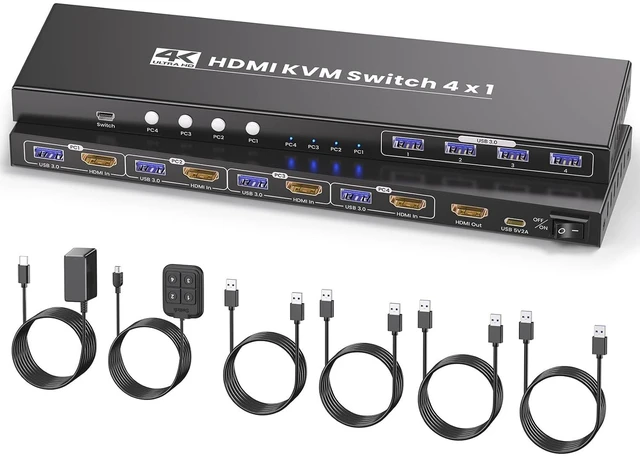


4K@60Hz HDMI KVM Switch 1 Monitors 4 Computers, USB 3.0 4 Port HDMI KVM Switch for 4 Computers Share 1 Set of Keyboard, Mouse, Monitor and 4 USB 3.0 Ports
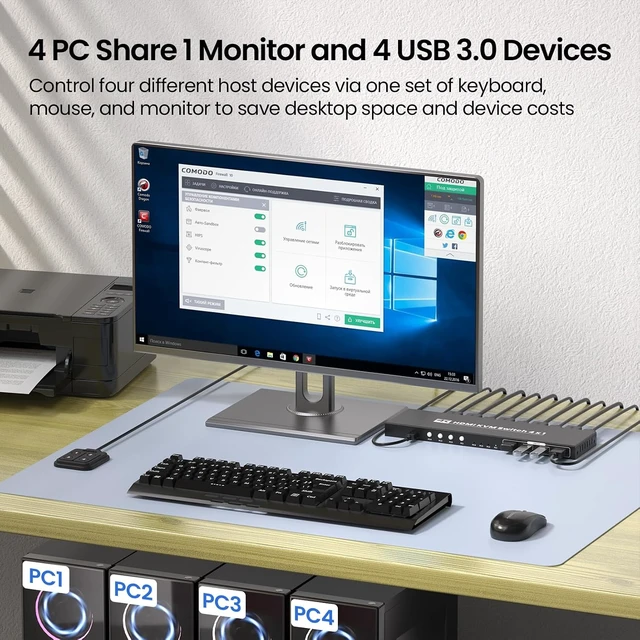
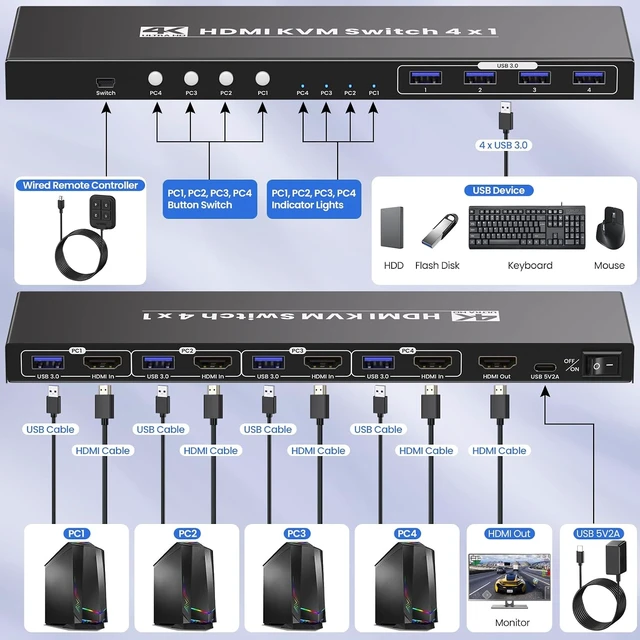
- 4 Port HDMI KVM SwitchEasily switch among four different HDMI-enabled computers without having to constantly plug and unplug cables. This 4 port HDMI KVM switch allows you to control up to four computers or servers using a single set of keyboard, mouse and monitor. Note: you must use USB cables to connect the USB ports of computers and the KVM, otherwise the 4 USB 3.0 ports on the front of the KVM will not work.
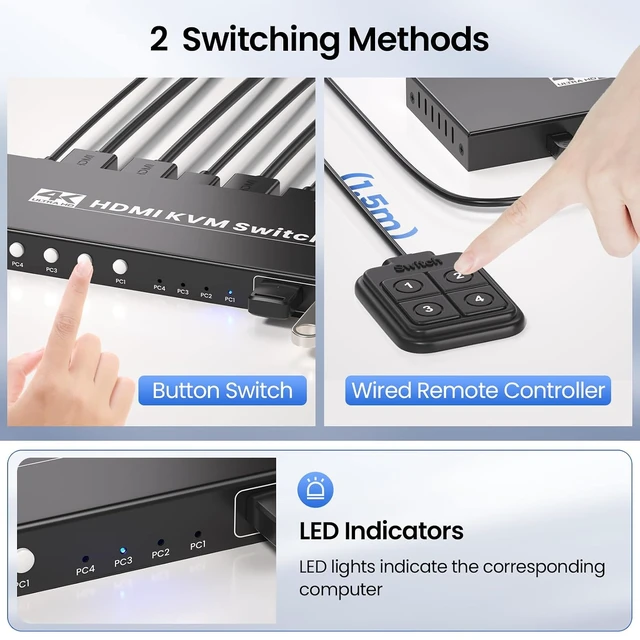
- Button Switching & External Controller SwitchingQuickly switch among 4 computers using the easy-access push buttons on the 4 port HDMI KVM switcher or via an external controller. Note: hotkey switching is not supported.
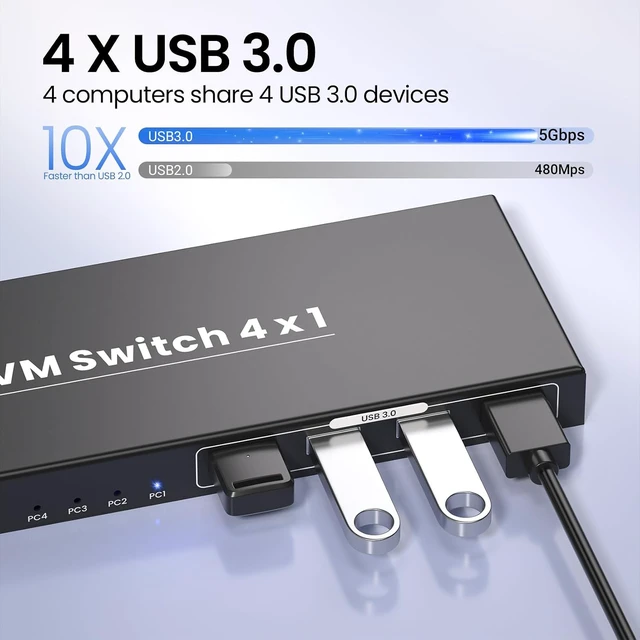
- 4 Port USB 3.0 Hub IntegrationShare peripherals like your keyboard, mouse, and USB storage across all connected devices, saving space and reducing clutter. The USB 3.0 ports provide fast data transfer speeds, allowing you to effortlessly switch between devices and multitask efficiently.
- Ultra HD 4K@60Hz Resolutions Input and OutputThe HDMI KVM Switch
+
+
Overview
Specs
Reviews

Any questions? Our AI mode will help you find out quickly.
Try me now
Take control of multiple devices with ease using this 4 port HDMI KVM Switch. It's ideal for those who need to manage up to four computers or servers with a single set of keyboard, mouse and monitor. This 4K HDMI KVM swith 1 monitors 4 computers allows you to streamline your workspace without sacrificing performance.
Quickly switch among 4 computers using the easy-access push buttons on the KVM switcher or via an external controller.
Note: hotkey switching is not supported.
Experience fast data transfer speeds and reliable performance with the integrated USB 3.0 interface, ensuring smooth operation of peripherals connected to your 4 computers.
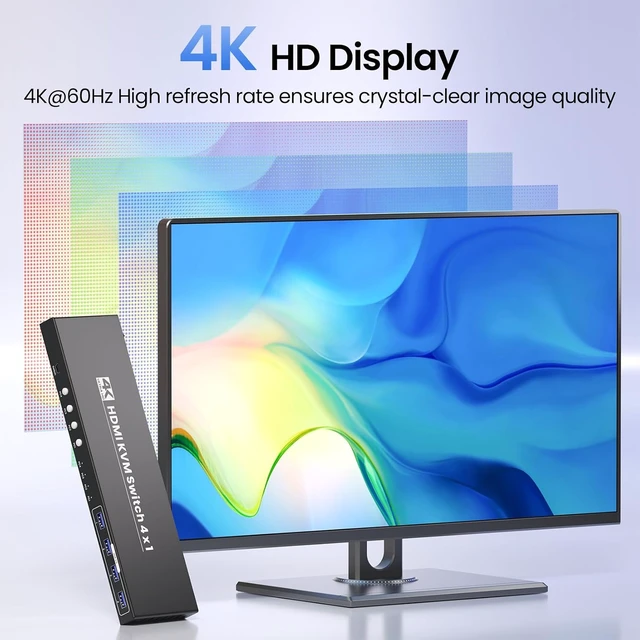
Elevate your visual experience with support for 4K@60Hz UHD resolution, allowing you to enjoy crisp, detailed images and vibrant colors across all 4 connected computers on a single monitor.
Use USB cables to connect the USB ports of 4 computers and the KVM, otherwise the 4 USB 3.0 ports on the front of the KVM will not work.
Use HDMI cable(not included) to connect HDMI output port of the KVM to HDMI monitor.
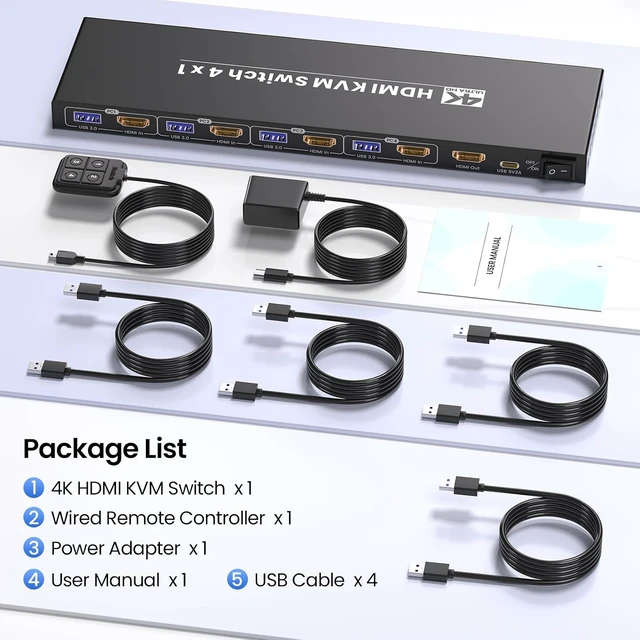
Use the included USB power adapter to power on the KVM switch.
Connnect all USB devices(such as keboard, mouse, camera, printer and more) to the KVM switch.
4 Port 4K HDMI KVM Switch with 4 Port USB 3.0 Hub--HDMI KVM Switch 1 Monitors 4 Computers Easy transition among 4 computers and maximize your productivity Effortless Front-panel Pushbuttons or External Controller Enable Quick and Convenient Switching Integrated 4 x USB 3.0 Ports Deliver Fast Data Transfer Speeds Elevate Your Multi-computer Setup with The 4K 4 Port HDMI KVM Switch Operation Steps Step 1 Step 2 Step 3 Step 4
Quickly switch among 4 computers using the easy-access push buttons on the KVM switcher or via an external controller.
Note: hotkey switching is not supported.
Experience fast data transfer speeds and reliable performance with the integrated USB 3.0 interface, ensuring smooth operation of peripherals connected to your 4 computers.
Elevate your visual experience with support for 4K@60Hz UHD resolution, allowing you to enjoy crisp, detailed images and vibrant colors across all 4 connected computers on a single monitor.
Use USB cables to connect the USB ports of 4 computers and the KVM, otherwise the 4 USB 3.0 ports on the front of the KVM will not work.
Use HDMI cable(not included) to connect HDMI output port of the KVM to HDMI monitor.
Use the included USB power adapter to power on the KVM switch.
Connnect all USB devices(such as keboard, mouse, camera, printer and more) to the KVM switch.
4 Port 4K HDMI KVM Switch with 4 Port USB 3.0 Hub--HDMI KVM Switch 1 Monitors 4 Computers Easy transition among 4 computers and maximize your productivity Effortless Front-panel Pushbuttons or External Controller Enable Quick and Convenient Switching Integrated 4 x USB 3.0 Ports Deliver Fast Data Transfer Speeds Elevate Your Multi-computer Setup with The 4K 4 Port HDMI KVM Switch Operation Steps Step 1 Step 2 Step 3 Step 4
Warranty & Returns
Warranty, Returns, And Additional Information
Warranty
- Please contact the Seller directly for warranty information. Warranty information may also be found on the Manufacturer's website.
- CONTACT
Return Policies
- Return for refund within: 30 days
- Return for replacement within: 30 days
- This item is covered by FluffyNest Return Policy
Manufacturer Contact Info
- For a directory of all our manufacturers, please click below.
- Manufacturers Directory
LOADING...