

Your Browsing History

Meet Your Seller
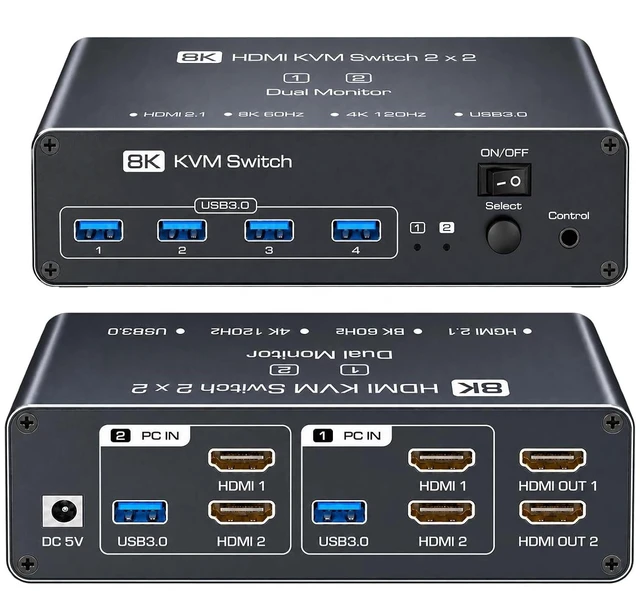


HDMI KVM Switch 2 Monitors 2 Computers, Dual Monitor, Dual HDMI, USB 3.0
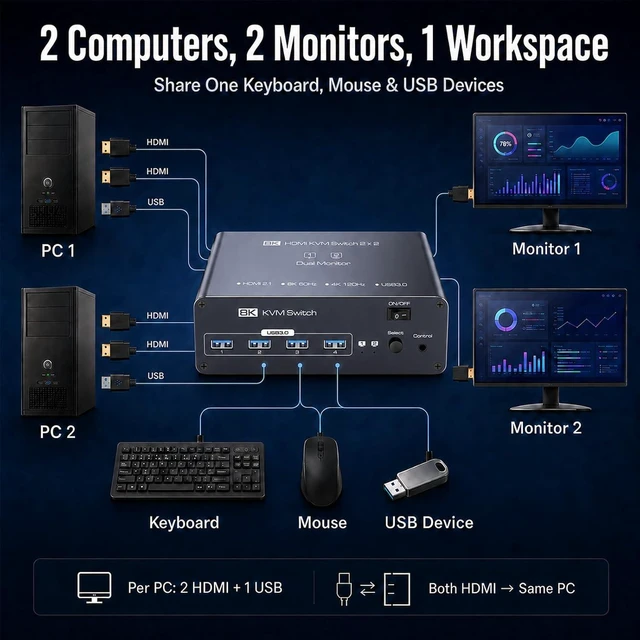
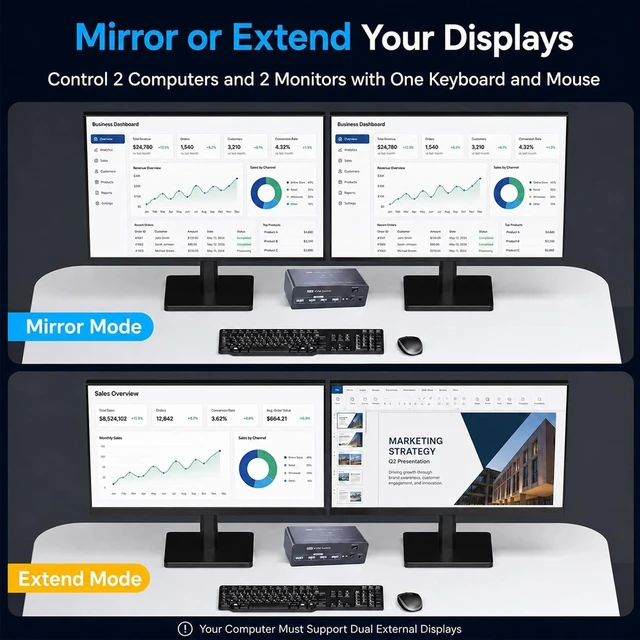
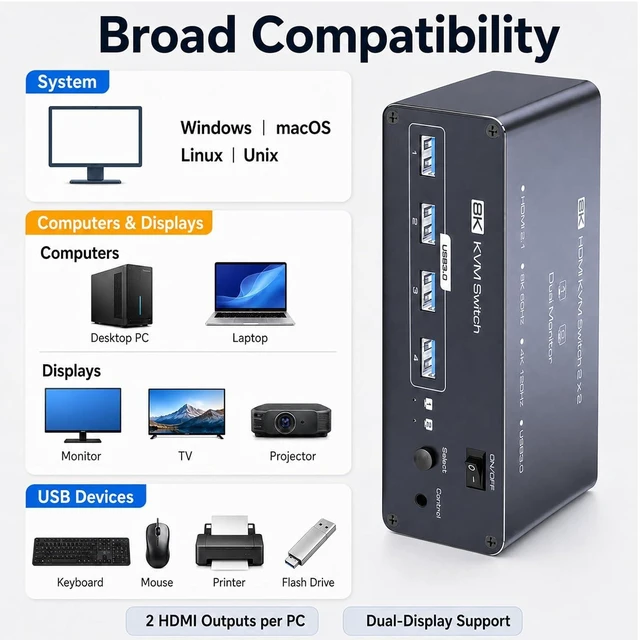
- 2 Computers, 2 Monitors: This dual monitor KVM switch lets two PCs share two displays, one keyboard, one mouse and USB devices. Use it as a monitor switch for 2 computers to move your dual-screen setup between work and personal PCs without repeatedly reconnecting cablesideal for home office and multi-PC workstations
- Mirror or Extend Your Desktop: Use this KVM switch 2 computers 2 monitors setup to mirror the same content on both displays or extend your desktop for more workspace. Each computer requires 2 HDMI outputs, 1 USB port and dual-display support; both HDMI connections in each PC group must come from the same computer
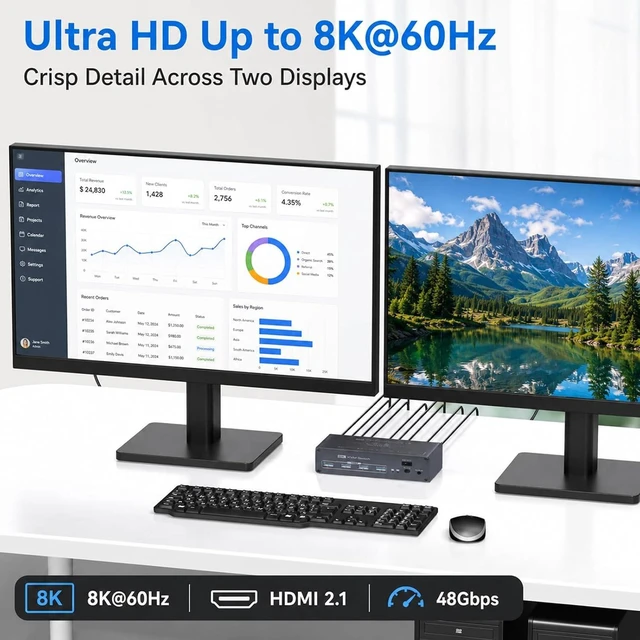
- HDMI 2.1 Up to 8K@60Hz: This 8K HDMI KVM switch supports resolutions up to 7680 × 4320 at 60Hz with video bandwidth up to 48Gbps, and works with compatible 4K, 1440P and 1080P displays. Maximum resolution and refresh rate depend on the connected computers, monitors, HDMI cables and display mode
- 4 USB 3.0 Sharing Ports: This USB 3.0 KVM switch lets two computer
+
+
Overview
Specs
Reviews

Any questions? Our AI mode will help you find out quickly.
Try me now
18K@60Hz2Mirror & Extend1Connect2USB Connect3Button & Wired Desktop Why do I get No Signal after connecting the KVM?
Make sure the KVM is powered on, the correct PC is selected and all HDMI cables are securely connected. Test the computer and monitor directly with a known-working cable to identify whether the issue is with the source, cable or KVM connection.
Why do both monitors show the same image instead of an extended desktop?
The KVM passes through the display signals; it does not create an extended desktop by itself. On Windows, press Win + P and select Extend. On macOS, configure the displays in System Settings. Your computer must support dual external displays.
Why do my keyboard and mouse stop working after switching?
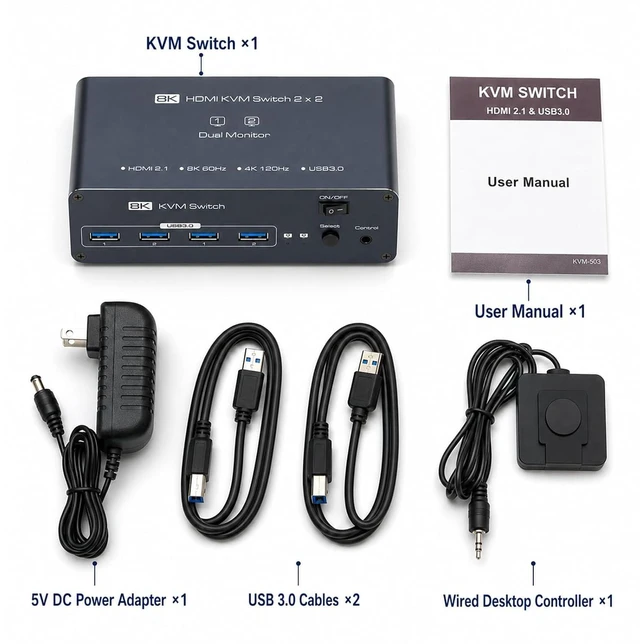
Ensure each PCs USB cable connects to its matching KVM USB port. Reconnect your keyboard/mouse, test another USB port, and confirm PC detection. Use the included 5V power adapter and update USB drivers if necessary.
Why can't I get the maximum resolution or refresh rate?
This KVM supports 8K@60Hz. Actual performance depends on your PC, monitor, cables and display settings. Use HDMI cables 3m for 8K@60Hz. Test shorter cables or lower resolution to fix signal issues.
Can I use keyboard hotkeys to switch computers?
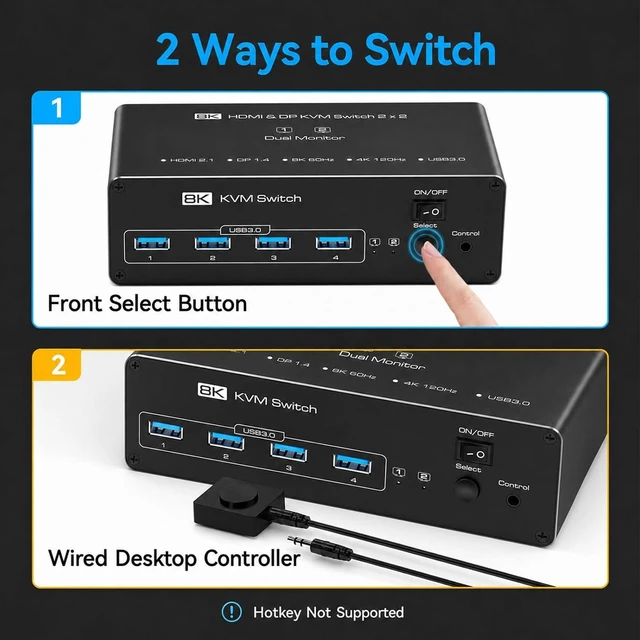
No. This model supports switching with the front Select button or the included wired desktop controller. Hotkey switching is not supported.
Why do I get No Signal after connecting the KVM?
Why do both monitors show the same image instead of an extended desktop?
Why do my keyboard and mouse stop working after switching?
Why can't I get the maximum resolution or refresh rate?
Can I use keyboard hotkeys to switch computers?
Make sure the KVM is powered on, the correct PC is selected and all HDMI cables are securely connected. Test the computer and monitor directly with a known-working cable to identify whether the issue is with the source, cable or KVM connection.
Why do both monitors show the same image instead of an extended desktop?
The KVM passes through the display signals; it does not create an extended desktop by itself. On Windows, press Win + P and select Extend. On macOS, configure the displays in System Settings. Your computer must support dual external displays.
Why do my keyboard and mouse stop working after switching?
Ensure each PCs USB cable connects to its matching KVM USB port. Reconnect your keyboard/mouse, test another USB port, and confirm PC detection. Use the included 5V power adapter and update USB drivers if necessary.
Why can't I get the maximum resolution or refresh rate?
This KVM supports 8K@60Hz. Actual performance depends on your PC, monitor, cables and display settings. Use HDMI cables 3m for 8K@60Hz. Test shorter cables or lower resolution to fix signal issues.
Can I use keyboard hotkeys to switch computers?
No. This model supports switching with the front Select button or the included wired desktop controller. Hotkey switching is not supported.
Why do I get No Signal after connecting the KVM?
Why do both monitors show the same image instead of an extended desktop?
Why do my keyboard and mouse stop working after switching?
Why can't I get the maximum resolution or refresh rate?
Can I use keyboard hotkeys to switch computers?
Warranty & Returns
Warranty, Returns, And Additional Information
Warranty
- Please contact the Seller directly for warranty information. Warranty information may also be found on the Manufacturer's website.
- CONTACT
Return Policies
- Return for refund within: 30 days
- Return for replacement within: 30 days
- This item is covered by FluffyNest Return Policy
Manufacturer Contact Info
- For a directory of all our manufacturers, please click below.
- Manufacturers Directory
LOADING...