

Your Browsing History

Meet Your Seller

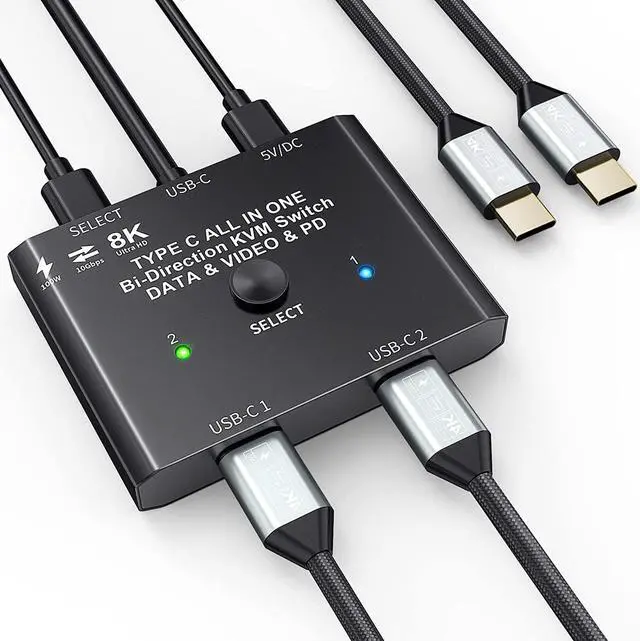


USB C Switch 2 in 1 Out USB C Switcher Selector for 2 Laptops Share 1 USB Device, 4K@60Hz/10Gbps Data Transfer and 100W PD Charging, Wired Control and 2 UBS C Cables
- Bidirectional USB C SwitchThis USB-C switcher allows 2 Type-C video source share 1 display or 1 source share 2 displays.Such as laptops, tablets, mobile phones, game consoles and other devices that are compatible with USB-C Alt DP (Alternate Display Port mode).
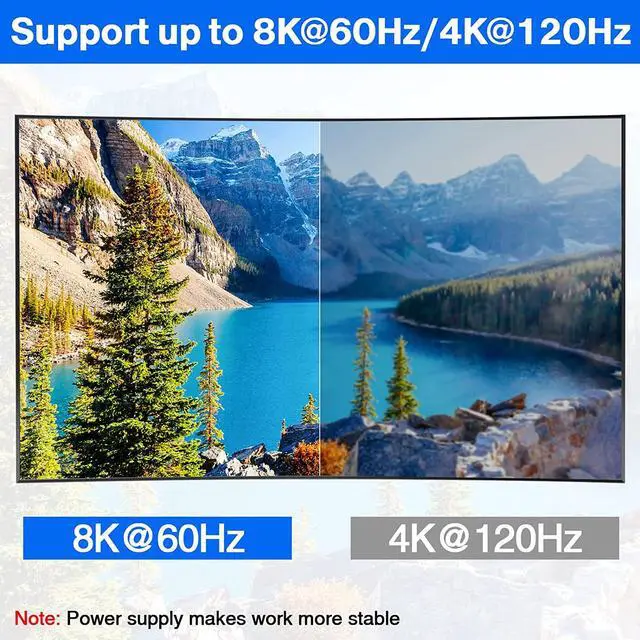
- 8K Ultra HDThis USB C Switch/Splitter can output max 8K@60Hz 4K@120Hz 1080P@165Hz to USB-C or HDMI Displays. Support ultra-wide screen output (3440*1440,2560x1440 etc.).The Maximum resolution and refresh rate of your output depends on the input source device, monitor,and connection cables.
- Maximum Up 10Gbps Transfer RateUSB Type C switch supports a maximum transfer speed of 10Gbps (USB3.1 Gen2) to transfer TV show, movies in seconds.
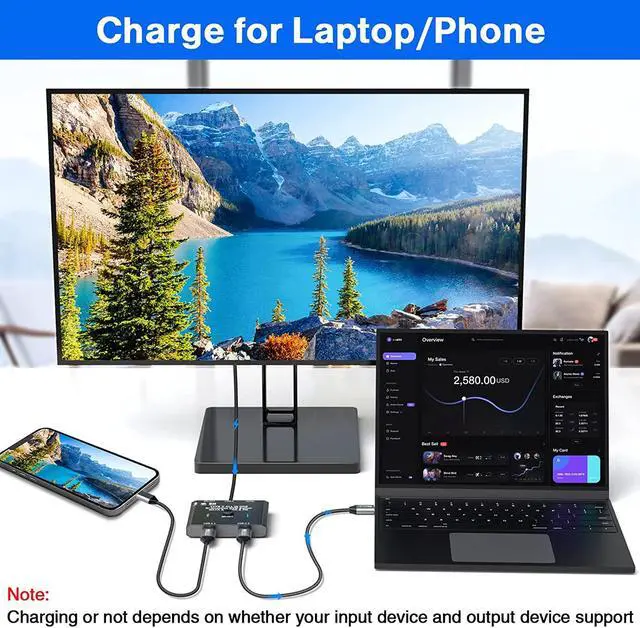
- Rapid Reverse ChargingUSB C KVM switch can charge the laptops and other devices while working that up to 100W .Note: The monitor, data cable and device should support fast charging, and the monitor needs to support reverse charging.HDMI cable do not support charging.
- 2 Switching
+
+
Overview
Specs
Reviews

Any questions? Our AI mode will help you find out quickly.
Try me now
This bi-directional USB C switch is mainly designed for users who have USB C port devices. We pay attention to product update and testing, we have done a lot of market research and testing, and compare with similar products in the market. Compared with other similar products our product performance has been optimized a lot, if are looking for a USB C switch, this would be a good choice.
We have made updates and optimizations in the following areas.
1, Bi-directional switching, can be used as a switcher and also as a spliiter .
2, Resolution and refresh rate improvement, can support 8K@60Hz 4K@120Hz, and backward compatibility, support ultra-wide screen output (3440 * 1440, etc.).
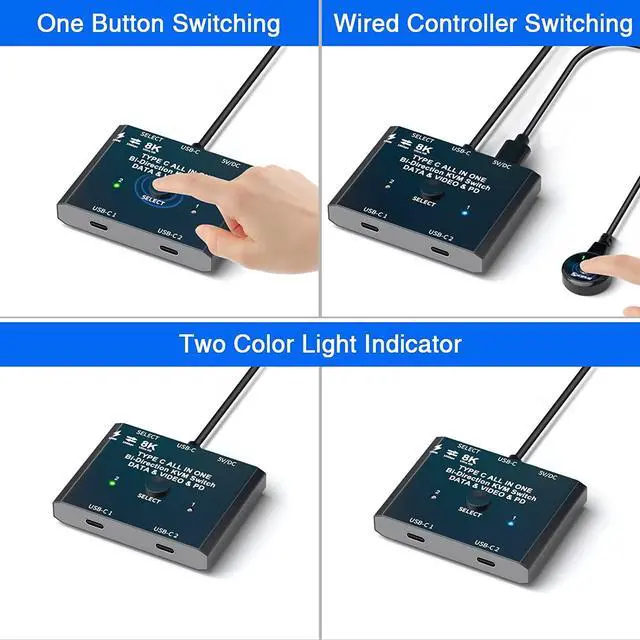
3, The update of the switching method, we not only support a key switch, but also equipped with a wired controller.
4, The optimization of the indicator, our instructions have two colors, more convenient to identify which computer is currently switched to.
5, Accessories update, we are equipped with 2 USB-C Cables and 1 power cable.
6, Switcher power supply update, our switcher design "DC5V" power supply port, equipped with a power cord. Power supply to the switcher, make the operation more stable.
Please note:
A small number of USB devices cannot be connected to the docking station and need to be directly plugged into the USB C switch, otherwise they will not be recognized. Example: external USB 3.1 SSD enclosure,MacBook Pro.
Please use a USB-C/Thunderbolt Docking Station/Hub with better compatibility, otherwise flickering or black screen will occur.
Do not use too long cable(1.5 meters) for connection between the switcher and your devices, otherwise it will flicker or the screen will turn black.
This is not a USB-C hub, so it is only link activated at a time.
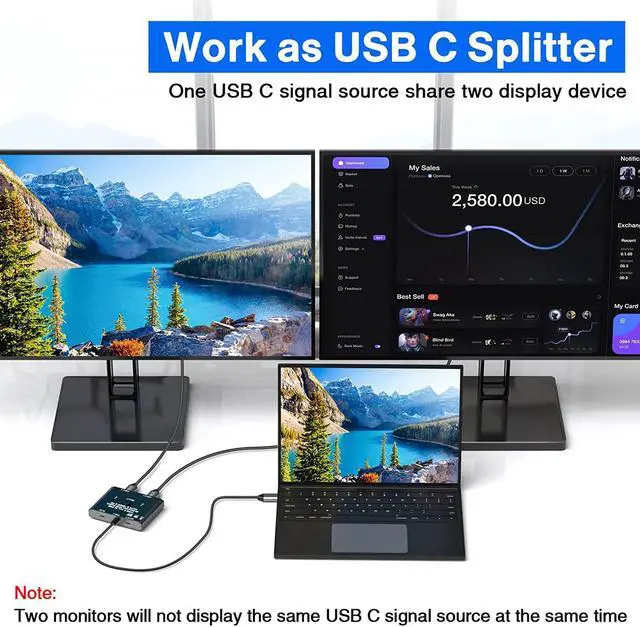
Works as a USB C Spliiter: 1 video source can be switched between two display devices. (Two display devices cannot display the same video source at the same time)
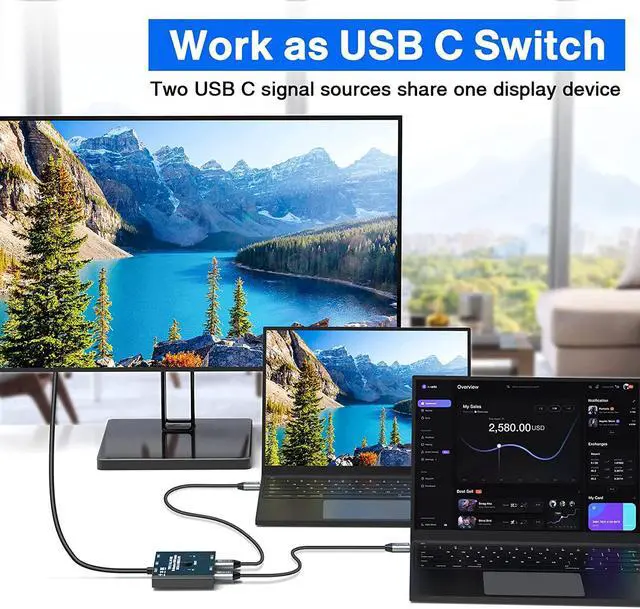
Works as a USB C Switcher: Two video sources can be switched between 1 display device, equivalent to two computers sharing 1 display device
Indication of the connection between the device and the switcher
1, Use the two included USB 3.1 Gen 2 cables to connect the "USB-C 1" port and the "USB-C 2" port to the USB-C source device (or display device).
2, Connect the USB-C cable that fixed in the USB-C switcher to the USB-C port of the monitor (or source device), make sure the USB-C port of the monitor supports video transmission and the video function is turned on.
3, The included Micro USB to USB-A cable must be connected to the power supply to power the switcher (must power the USB-C switch, otherwise the monitor will not show anything)
4, Press the "Select" button or the wired controller to switch between two video sources (or display devices).
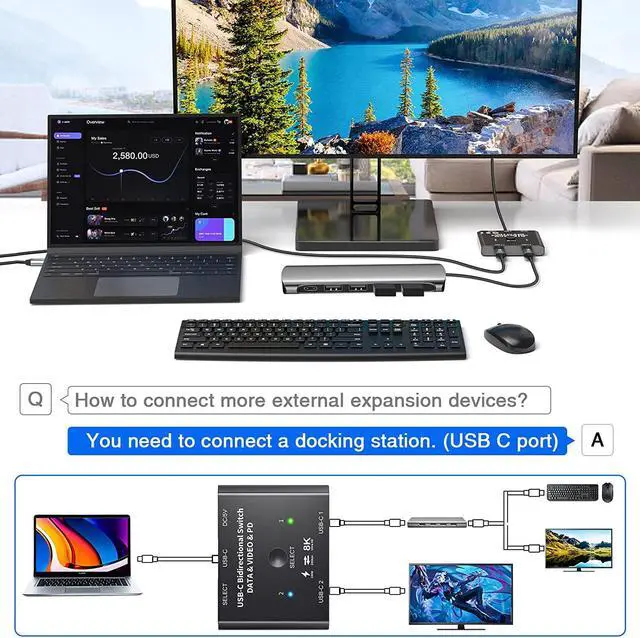
Note: If the monitor only has HDMI or Displayport port, pls use a USB C docking station. Can also connect devices such as keyboards and mice to the docking station. (Can be used as a KVM switch)
The connected devices, such as C-type cell phones and laptops, can be charged while working and are compatible with fast charging up to 100w (Note: the connected cables and devices need to support fast charging).
Video and pictures up to 8K@60Hz 4K@120Hz can be output on the monitor via our USB C switch. Note: This requires 8K source devices, 8K USB-C Gen-2 cables (video transfer) and 8K USB-C displays.
Transfer data to computers, cell phones, hard drives, USB flash drives and other related devices with this USB C switch. Note: The connection cable must support data transfer with a maximum transfer rate of 10Gbps.
The USB-C switch can be switched not only with 1 click, but also with a wired controller.Wired controller helps keep the desk looking nice.
Two color indicators make it easier to identify which computer are currently switching to.
The DV 5V power supply port can
We have made updates and optimizations in the following areas.
1, Bi-directional switching, can be used as a switcher and also as a spliiter .
2, Resolution and refresh rate improvement, can support 8K@60Hz 4K@120Hz, and backward compatibility, support ultra-wide screen output (3440 * 1440, etc.).
3, The update of the switching method, we not only support a key switch, but also equipped with a wired controller.
4, The optimization of the indicator, our instructions have two colors, more convenient to identify which computer is currently switched to.
5, Accessories update, we are equipped with 2 USB-C Cables and 1 power cable.
6, Switcher power supply update, our switcher design "DC5V" power supply port, equipped with a power cord. Power supply to the switcher, make the operation more stable.
Please note:
A small number of USB devices cannot be connected to the docking station and need to be directly plugged into the USB C switch, otherwise they will not be recognized. Example: external USB 3.1 SSD enclosure,MacBook Pro.
Please use a USB-C/Thunderbolt Docking Station/Hub with better compatibility, otherwise flickering or black screen will occur.
Do not use too long cable(1.5 meters) for connection between the switcher and your devices, otherwise it will flicker or the screen will turn black.
This is not a USB-C hub, so it is only link activated at a time.
Works as a USB C Spliiter: 1 video source can be switched between two display devices. (Two display devices cannot display the same video source at the same time)
Works as a USB C Switcher: Two video sources can be switched between 1 display device, equivalent to two computers sharing 1 display device
Indication of the connection between the device and the switcher
1, Use the two included USB 3.1 Gen 2 cables to connect the "USB-C 1" port and the "USB-C 2" port to the USB-C source device (or display device).
2, Connect the USB-C cable that fixed in the USB-C switcher to the USB-C port of the monitor (or source device), make sure the USB-C port of the monitor supports video transmission and the video function is turned on.
3, The included Micro USB to USB-A cable must be connected to the power supply to power the switcher (must power the USB-C switch, otherwise the monitor will not show anything)
4, Press the "Select" button or the wired controller to switch between two video sources (or display devices).
Note: If the monitor only has HDMI or Displayport port, pls use a USB C docking station. Can also connect devices such as keyboards and mice to the docking station. (Can be used as a KVM switch)
The connected devices, such as C-type cell phones and laptops, can be charged while working and are compatible with fast charging up to 100w (Note: the connected cables and devices need to support fast charging).
Video and pictures up to 8K@60Hz 4K@120Hz can be output on the monitor via our USB C switch. Note: This requires 8K source devices, 8K USB-C Gen-2 cables (video transfer) and 8K USB-C displays.
Transfer data to computers, cell phones, hard drives, USB flash drives and other related devices with this USB C switch. Note: The connection cable must support data transfer with a maximum transfer rate of 10Gbps.
The USB-C switch can be switched not only with 1 click, but also with a wired controller.Wired controller helps keep the desk looking nice.
Two color indicators make it easier to identify which computer are currently switching to.
The DV 5V power supply port can
Warranty & Returns
Warranty, Returns, And Additional Information
Warranty
- Please contact the Seller directly for warranty information. Warranty information may also be found on the Manufacturer's website.
- CONTACT
Return Policies
- Return for refund within: 30 days
- Return for replacement within: 30 days
- This item is covered by FluffyNest Return Policy
Manufacturer Contact Info
- For a directory of all our manufacturers, please click below.
- Manufacturers Directory
LOADING...