

Your Browsing History

Meet Your Seller

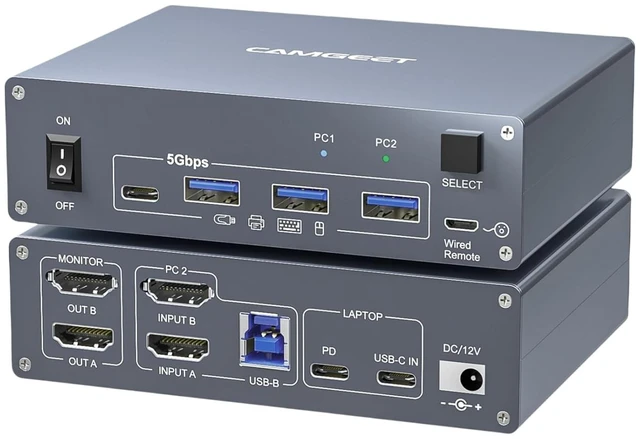


USB C KVM Switch 2 Monitors 1 Laptop 1 Desktop 4K@60Hz, HDMI Dual Monitor KVM Switch 2 Computers Share 2 Monitors and 4 USB3.0 Ports, 80W PD Charging, Wired Remote,USB-C Cable and 12V Adapter Included
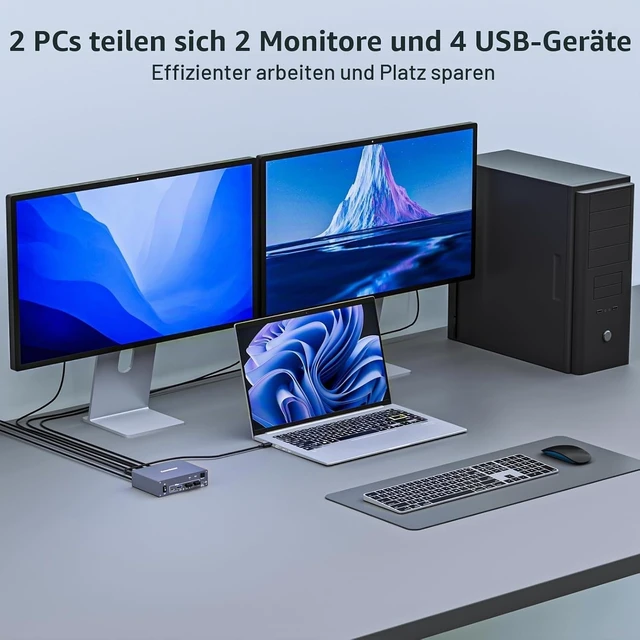
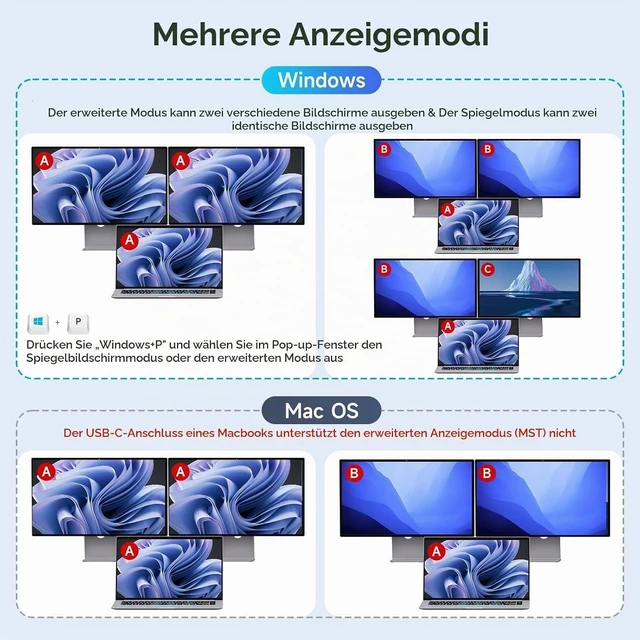
- HDMI and USB-C KVM Switch Dual monitorThe USB-C HDMI KVM switch 2 monitors 2 computers combines the functionality of a USB-C docking station and KVM switch, allowing you to expand your laptop with two HDMI monitor outputs and 4 USB 3.0 ports, making it easy for you to share two monitors and USB devices between your laptop and desktop.You can choose expanded mode and mirror mode between two monitors as need.
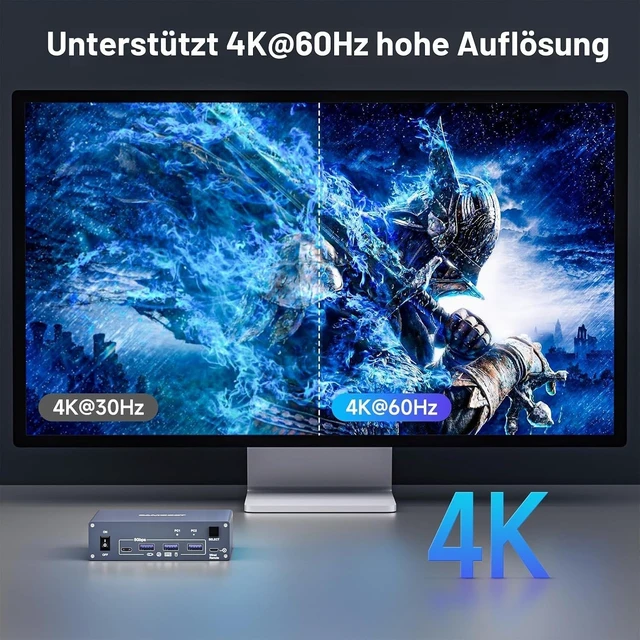
- Ultra HD 4K Visual EffectHDMI 2.0 and DP 1.4a (USB-C) compliant,dual monitor KVM Switches supports up to 4K@60Hz 4:4:4, 2K@120Hz resolutions and is backward compatible, providing an incredible viewing experience with realistic images and vibrant colors.
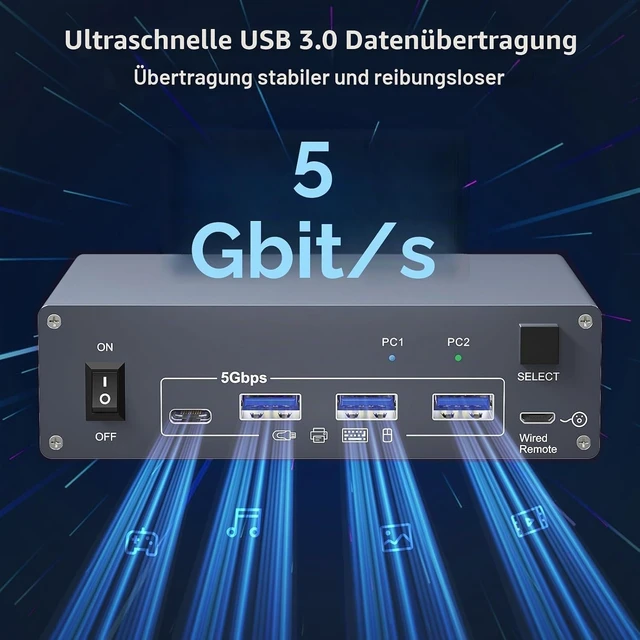
- 5Gbps Ultra-fast TransferUSB 3.0 KVM switch 2 computers 2 monitors transfer files in Seconds.This dual display KVM Switch supports ultra-fast USB 3.0 data transfer rates of up to 5Gb/s. With 4 USB3.0 ports for peripheral USB devices such as keyboard, mouse, printer, etc.,Support wireless keyboard and mouse.
- Quickly Charge
+
+
Overview
Specs
Reviews

Any questions? Our AI mode will help you find out quickly.
Try me now
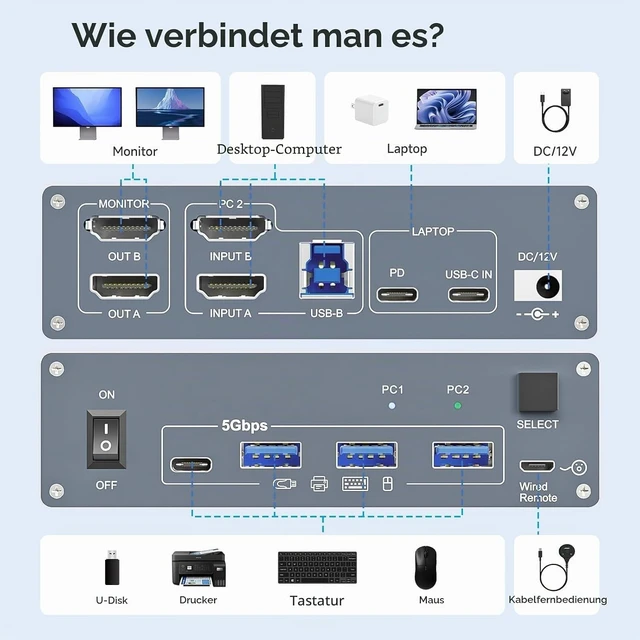
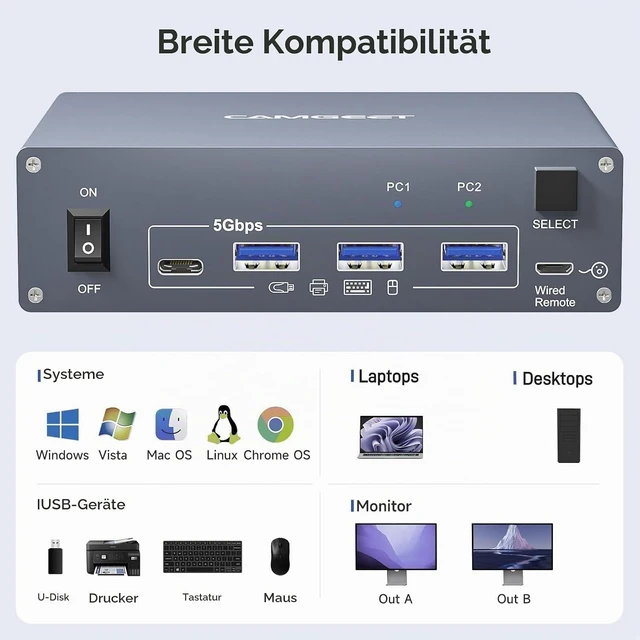
This USB C KVM switch 2 monitors 2 computers built with 1x USB-C (MST) input port for laptop, and 1x integrated HDMI +HDMI+ USB-B input port for desktop. Allows you to effortlessly manage 1 Laptop and 1 Desktop to share 2 monitors and 4 USB devices together
For laptops: simply connect your laptop to the KVM switch using a USB-C to USB-C cable. If you need to charge your laptop, connect the laptop's power adapter to the KVM's PD port
For desktop: 2x HDMI+1x USB cable are required to connect the desktop with KVM switch. If your desktop does not has 2 HDMI ports, you can use a Displayport to HDMI cable
It is also suitable for 2 laptops, but need a USB C docking station with 2 HDMI outputs
OUT A, OUT B are used to connect 2 monitors
2 Monitors KVM Switch supports resolution up to 4K@60Hz and is backward compatible with 2K@120Hz, 2560x1440@120Hz/60Hz, and 1920x1080@144Hz 120Hz ect
The USB C HDMI KVM Switch is designed with a PD charging port, which can provide enough power for your laptop during use
Note:100w of power actually enters the laptop as 80W, because the KVM and the cable itself also consume power
How to connect this 2 HDMI+ USB C KVM switch
For laptops: simply connect your laptop to the KVM switch using a USB-C to USB-C cable. If you need to charge your laptop, connect the laptop's power adapter to the KVM's PD port
For desktop: 2x HDMI+1x USB cable are required to connect the desktop with KVM switch. If your desktop does not has 2 HDMI ports, you can use a Displayport to HDMI cable
It is also suitable for 2 laptops, but need a USB C docking station with 2 HDMI outputs
OUT A, OUT B are used to connect 2 monitors
2 Monitors KVM Switch supports resolution up to 4K@60Hz and is backward compatible with 2K@120Hz, 2560x1440@120Hz/60Hz, and 1920x1080@144Hz 120Hz ect
The USB C HDMI KVM Switch is designed with a PD charging port, which can provide enough power for your laptop during use
Note:100w of power actually enters the laptop as 80W, because the KVM and the cable itself also consume power
How to connect this 2 HDMI+ USB C KVM switch
Warranty & Returns
Warranty, Returns, And Additional Information
Warranty
- Please contact the Seller directly for warranty information. Warranty information may also be found on the Manufacturer's website.
- CONTACT
Return Policies
- Return for refund within: 30 days
- Return for replacement within: 30 days
- This item is covered by FluffyNest Return Policy
Manufacturer Contact Info
- For a directory of all our manufacturers, please click below.
- Manufacturers Directory
LOADING...