

Your Browsing History

Meet Your Seller

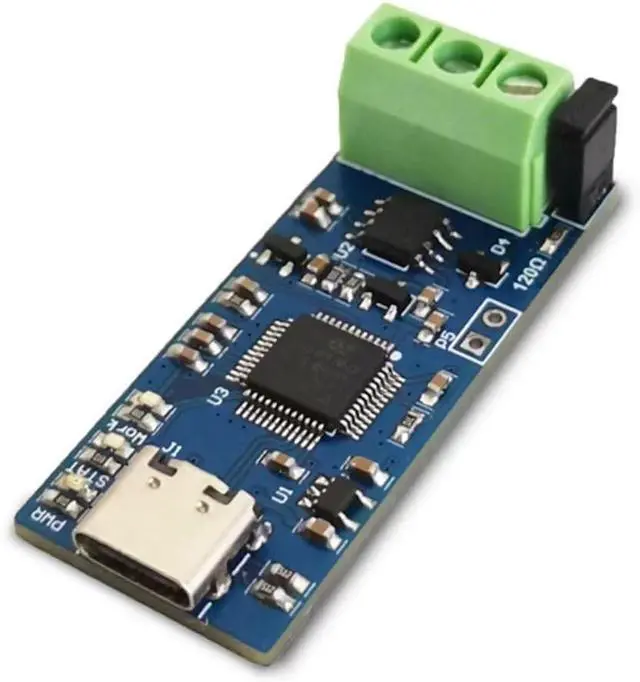

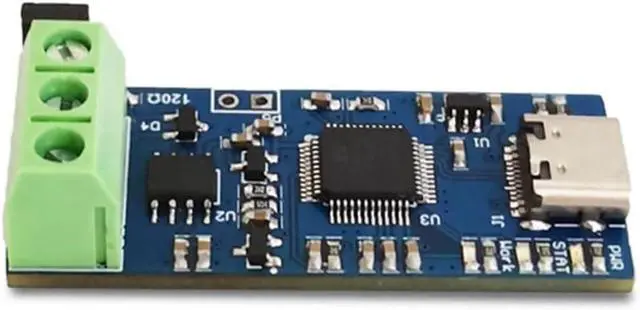
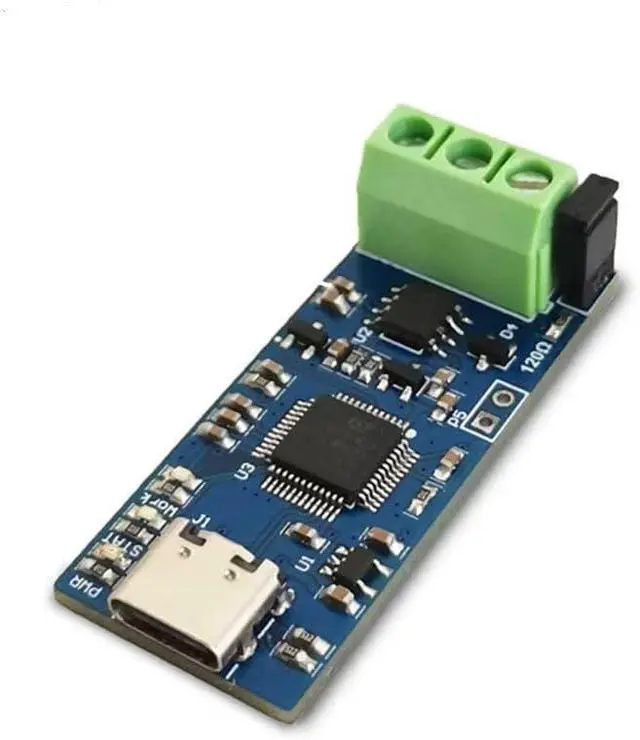


USB to CAN Module, Supports CAN FD CAN Bus Analyzer V2.0 Version(1PCS)
- 1. Type-C female socket: connected to the computer through a USB cable
- 2. BOOT startup: After short circuiting and inserting TYPE-C, it will enter BOOT mode and the firmware can be re burned
- 3. Terminal resistor option: Insert jumper cap to indicate the connection of a 120 ohm terminal resistor
- 4. Output interface: CAN-H and CAN-L can be connected to the CAN bus GND or not
- 5. Insert the computer and the three color lights on the board will light up. Serial devices will appear in the device manager.
+
+
Overview
Specs
Reviews

Any questions? Our AI mode will help you find out quickly.
Try me now
Product features:
1. Adopting high-performance STM32G4 series microcontrollers, with a running frequency of up to 170M
2. Supports CAN2.0A, CAN2.0B, and CAN-FD protocols for faster speeds.
3. Support webpage firmware updates, easy to use, and open-source data.
4. Support open-source Cangaroo CAN protocol analysis software for upper computers.
5. Easy to use, with three color LED status indicator.
instructions:
1. Type-C female socket: connected to the computer through a USB cable
2. BOOT startup: After short circuiting and inserting TYPE-C, it will enter BOOT mode and the firmware can be re burned
3. Terminal resistor option: Insert jumper cap to indicate the connection of a 120 ohm terminal resistor
4. Output interface: CAN-H and CAN-L can be connected to the CAN bus GND or not
5. Insert the computer and the three color lights on the board will light up. Serial devices will appear in the device manager.
The voltage range of SOC is 10-100V
1. Adopting high-performance STM32G4 series microcontrollers, with a running frequency of up to 170M
2. Supports CAN2.0A, CAN2.0B, and CAN-FD protocols for faster speeds.
3. Support webpage firmware updates, easy to use, and open-source data.
4. Support open-source Cangaroo CAN protocol analysis software for upper computers.
5. Easy to use, with three color LED status indicator.
instructions:
1. Type-C female socket: connected to the computer through a USB cable
2. BOOT startup: After short circuiting and inserting TYPE-C, it will enter BOOT mode and the firmware can be re burned
3. Terminal resistor option: Insert jumper cap to indicate the connection of a 120 ohm terminal resistor
4. Output interface: CAN-H and CAN-L can be connected to the CAN bus GND or not
5. Insert the computer and the three color lights on the board will light up. Serial devices will appear in the device manager.
The voltage range of SOC is 10-100V
Warranty & Returns
Warranty, Returns, And Additional Information
Warranty
- Please contact the Seller directly for warranty information. Warranty information may also be found on the Manufacturer's website.
- CONTACT
Return Policies
- Return for refund within: 30 days
- Return for replacement within: 30 days
- This item is covered by FluffyNest Return Policy
Manufacturer Contact Info
- For a directory of all our manufacturers, please click below.
- Manufacturers Directory
LOADING...