




 here!
here!
I’m your shopping assistant for PC builds, upgrades, and everything tech.
Got questions? Ask away!
Start a conversation
here!
I’m your shopping assistant for PC builds, upgrades, and everything tech.
Got questions? Ask away!
Start a conversation



Any questions? Ask CelesteSM will help you find out quickly.

Product introduction:
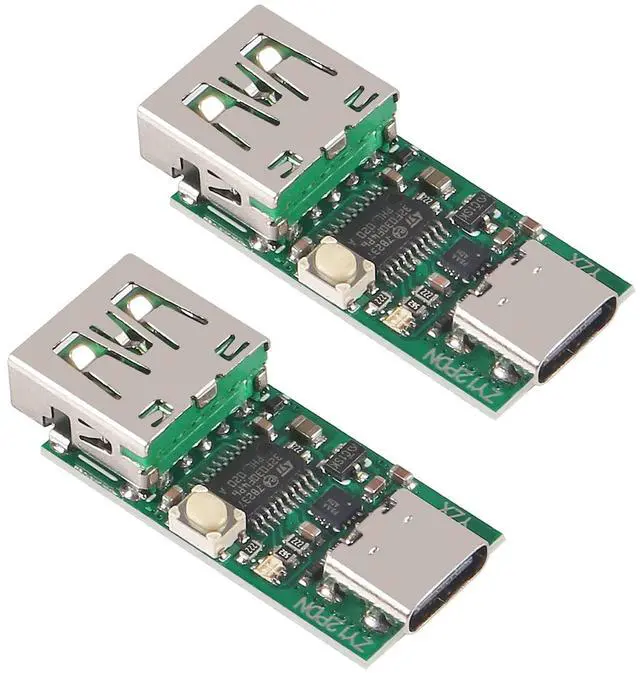
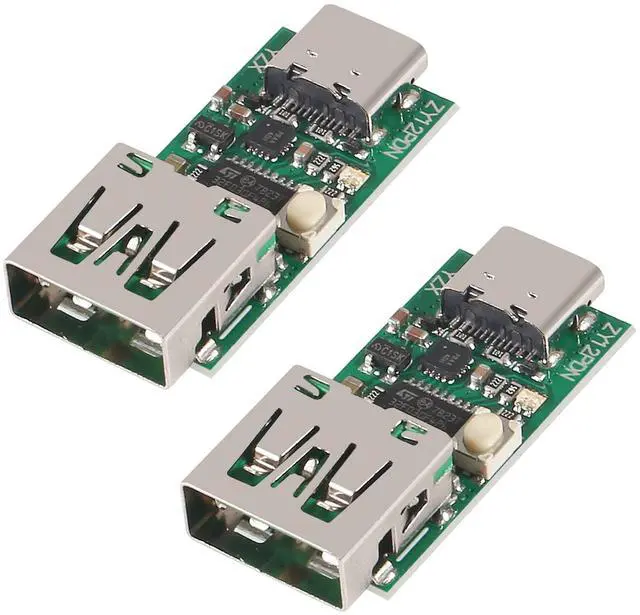
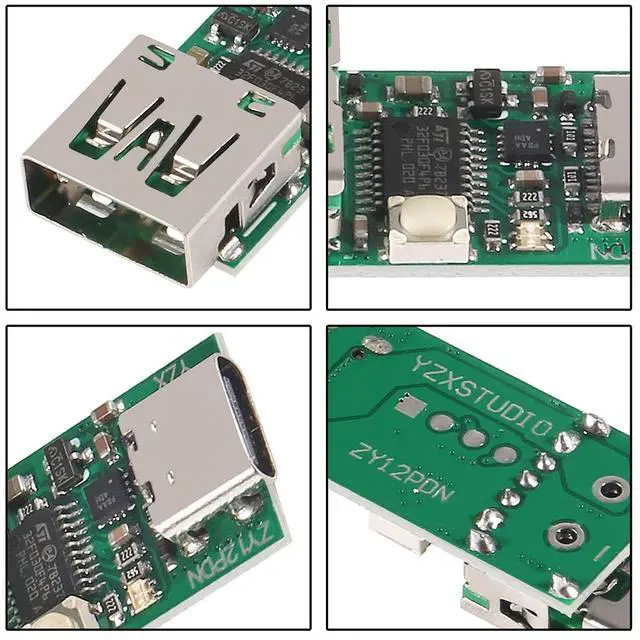
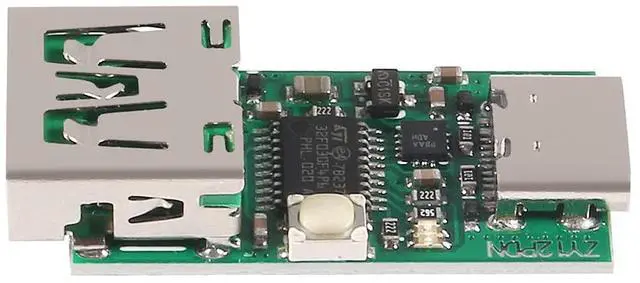
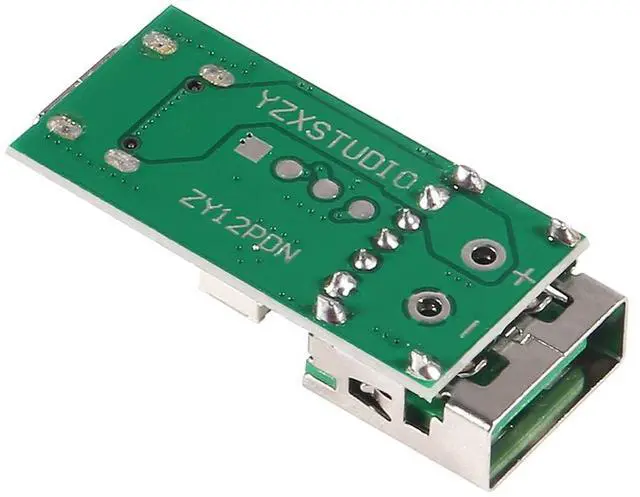
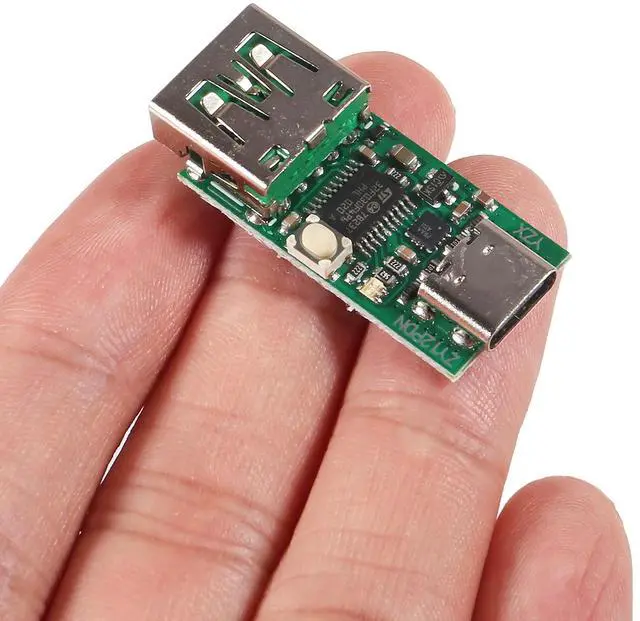
ZY12PDN deceives the quick charge trigger module, and the PD trigger uses hardware protocol IC, which is more compatible than non-soft solutions. The maximum power is supported to 100W, with excellent compatibility. The version with USB uses a 5A high-current PAL female socket with low internal resistance. Large-volume ceramic capacitor filter, TVS anti-surge and anti-reverse connection, Japanese ALPS touch switch, pay attention to stability. With USB welding position and 5.08 screw terminal welding position, it is convenient to make Type-C to DC adapter cable. Small size, after welding the DC line heat shrinkable tube, you can use PD mobile power to charge your laptop.

2PCS ZY12PDN with screw terminal

2PCS ZY12PDN bare board

2PCS ZY12PDN USB Board

2PCS ZYPDS Ultra-Mini Single Function
Instructions for use:
After power-on, ZY12PDS will enter PD mode by default, and the colorful lights show steady red, indicating that the default 5V has been applied. If the adapter supports more voltages, you can click the touch switch to switch the output voltage. The colorful lights are on and the steady [Red, Yellow, Green, Blue, Blue, Purple, White] shows the corresponding 1-7 voltage and current group output by the actual application adapter.
If the adapter does not support the PD mode, the connection timeout is abnormal or the application fails to respond, the colorful lights flash red.
Mode setting:
When power on, the colorful lights will flash once and the color indicates the current working mode. Press and hold the button and then power on. After the colorful lights flash quickly, let go to enter the setting, short press to switch the color of the colorful lights, long press to save the light off.
Colorful light color corresponding function:
Red: button to switch voltage,
Yellow: apply for 8-10V,
Green: apply for 11-13V,
Green: apply for 14-16V,
Blue: apply for 18-20V,
Purple: apply for the highest voltage,
White: Polling for all supported voltages.
Apply for the highest voltage logic: If you broadcast 5, 9, 20, 20, 15V, then apply for 20V. Apply for the highest voltage value in the broadcast. If there are multiple same highest values, apply for the last one. Apply for fixed voltage logic: Suppose you set 14-16V, broadcast 5, 14, 16, 15, 12V, then apply for 15V, apply for the last voltage in the range in the broadcast.
Product introduction:
ZY12PDN deceives the quick charge trigger module, and the PD trigger uses hardware protocol IC, which is more compatible than non-soft solutions. The maximum power is supported to 100W, with excellent compatibility. The version with USB uses a 5A high-current PAL female socket with low internal resistance. Large-volume ceramic capacitor filter, TVS anti-surge and anti-reverse connection, Japanese ALPS touch switch, pay attention to stability. With USB welding position and 5.08 screw terminal welding position, it is convenient to make Type-C to DC adapter cable. Small size, after welding the DC line heat shrinkable tube, you can use PD mobile power to charge your laptop.
2PCS ZY12PDN with screw terminal
2PCS ZY12PDN bare board
2PCS ZY12PDN USB Board
2PCS ZYPDS Ultra-Mini Single Function
Instructions for use:
After power-on, ZY12PDS will enter PD mode by default, and the colorful lights show steady red, indicating that the default 5V has been applied. If the adapter supports more voltages, you can click the touch switch to switch the output voltage. The colorful lights are on and the steady [Red, Yellow, Green, Blue, Blue, Purple, White] shows the corresponding 1-7 voltage and current group output by the actual application adapter.
If the adapter does not support the PD mode, the connection timeout is abnormal or the application fails to respond, the colorful lights flash red.
Mode setting:
When power on, the colorful lights will flash once and the color indicates the current working mode. Press and hold the button and then power on. After the colorful lights flash quickly, let go to enter the setting, short press to switch the color of the colorful lights, long press to save the light off.
Colorful light color corresponding function:
Red: button to switch voltage,
Yellow: apply for 8-10V,
Green: apply for 11-13V,
Green: apply for 14-16V,
Blue: apply for 18-20V,
Purple: apply for the highest voltage,
White: Polling for all supported voltages.
Apply for the highest voltage logic: If you broadcast 5, 9, 20, 20, 15V, then apply for 20V. Apply for the highest voltage value in the broadcast. If there are multiple same highest values, apply for the last one. Apply for fixed voltage logic: Suppose you set 14-16V, broadcast 5, 14, 16, 15, 12V, then apply for 15V, apply for the last voltage in the range in the broadcast.
D


