

Your Browsing History
- Free 30-day Returns
$16.70
Ships from China.

Meet Your Seller

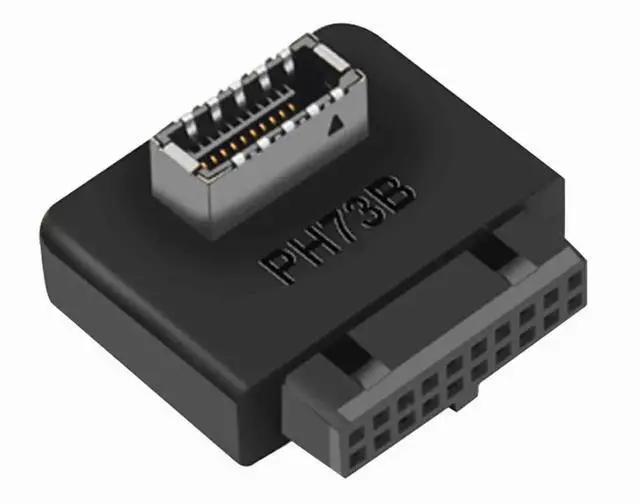


Aomoproing USB 3.2 Gen 1 to USB 3.2 Gen 2 Header Adapter, USB 3.1 Type-E Key-A to USB 3.0 20 Pin Header Converter for Type C Motherboard (Reverse Type)
Limited time offer, ends 10/09 By Aomoproging
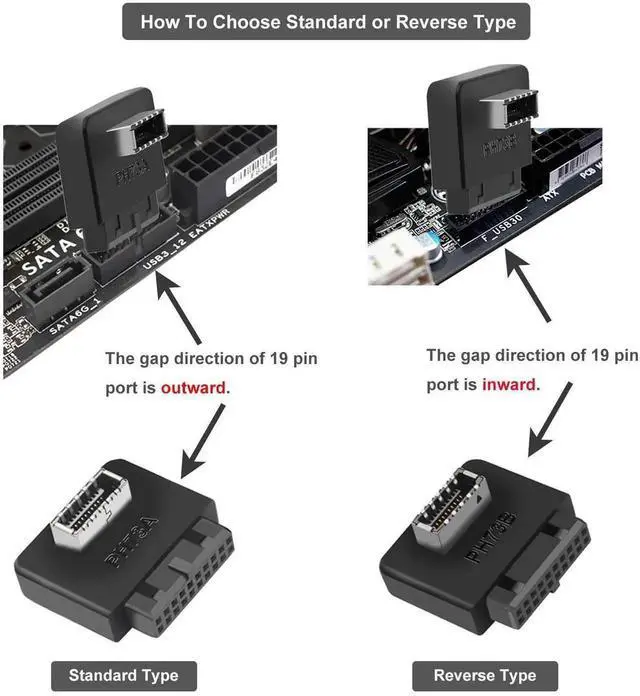
- Reverse Type Design: Features reverse type interface for special motherboards; perfectly converts USB 3.2 Gen 1 to Gen 2 signals and solves front Type-C port compatibility issues.
- Type-E to 20 Pin Header: Converts USB 3.1 Type-E Key-A to USB 3.0 20 pin header; plug and play, no driver needed, easy to install for DIY PC upgrades.
- Stable High-Speed Transmission: Supports USB 3.2 Gen 1 5 Gbps fast data transfer; stable signal, no delay or loss, widely compatible with most desktop motherboards.
+
+
Overview
Specs
Reviews

Any questions? Our AI mode will help you find out quickly.
Try me now
Features:
The USB 3.2 Gen 1 to USB 3.2 Gen 2 Header Adapter is used to convert the available USB 3.0 header of a motherboard into a USB 3.1 header.
Support:
Compatible with all of common motherboards with USB 3.0 19 pin header.(Note: Does not work with USB 2.0 header.)
Support systems: WINXP/WIN7/WIN8/WIN10 32/64BIT/MAC/Linux;
Specification:
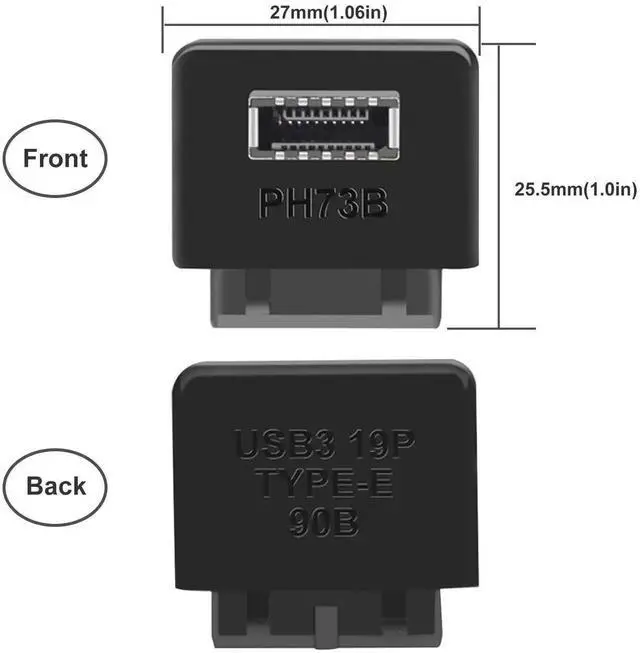
Dimension(L*W*H): 25*24*10mm(0.98*0.94*0.4in)(approx), Gauge: premium high-performance black PCB,
Data transfer speed is up to 10Gbps, plug and play(Do not need to install drivers.)
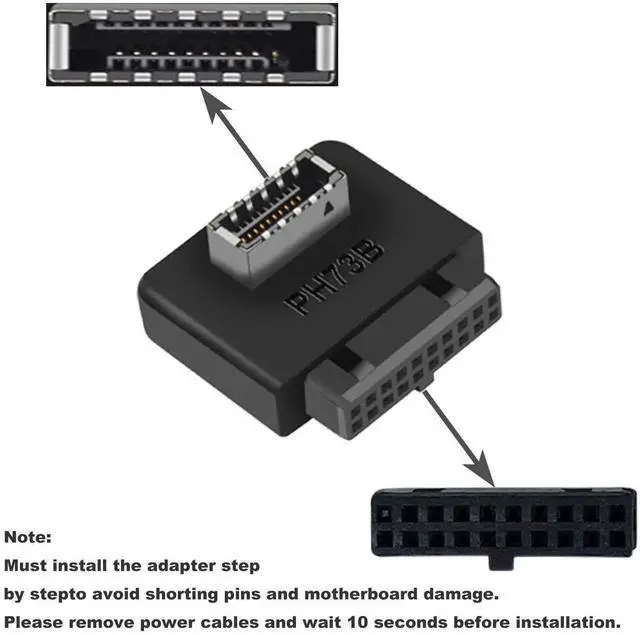
Connector A (motherboard): USB 3.0 internal 19/20 pin motherboard male housing header,
Connector B (front panel): USB 3.1 A-Key 20 pin front panel female header;
Including:
USB 3.0 to USB 3.1 motherboard adapter Reverse Type *1pcs;
Self-adhesive tape*1pcs;
Note:
1. Must install the adapter step by step to avoid shorting pins and motherboard damage.
2. Please remove power cable and wait 10 seconds before installation.
3.There are two types about the adapter including standard and reverse type. Please refer to the image 4th about how to choose the standard or reverse type.
Warranty & Returns
Warranty, Returns, And Additional Information
Warranty
- Please contact the Seller directly for warranty information. Warranty information may also be found on the Manufacturer's website.
- CONTACT
Return Policies
- Return for refund within: 30 days
- Return for replacement within: 30 days
- This item is covered by Aomoproging Return Policy
Manufacturer Contact Info
- For a directory of all our manufacturers, please click below.
- Manufacturers Directory
LOADING...