

Your Browsing History
- Free 30-day Returns
$22.54
Ships from China.


Meet Your Seller



Aomoproing Mini PCI-E to Dual 5-Pin 2-Port Female USB 2.0 Converter Card, Mini PCI Express Expansion Card, Compatible with USB Wireless Mouse Receiver, Bluetooth Adapter, USB WiFi Adapter and Other US
Limited time offer, ends 10/09 By Aomoproging
- High-Speed Data Transmission: Supports USB 2.0 protocol, with stable data transmission, ensuring smooth connection and no signal loss when connecting USB devices such as wireless mouse receivers, Bluetooth adapters, and USB WiFi adapters.
- 1-to-2 Port Expansion: Converts a single Mini PCI-E interface into two 5-pin female USB 2.0 ports, effectively solving the problem of insufficient USB ports and meeting the needs of connecting multiple USB devices at the same time.
- Precise Interface Matching: Designed with Mini PCI-E interface and dual 5-pin female USB ports, perfectly compatible with various desktop computers, industrial equipment, and other devices that require USB port expansion.
- Practical & Durable: Adopts high-quality electronic components, wear-resistant and anti-interference, suitable for long-term use in complex environments such as computer cases and industrial equipment.
+
+
Overview
Specs
Reviews

Any questions? Our AI mode will help you find out quickly.
Try me now
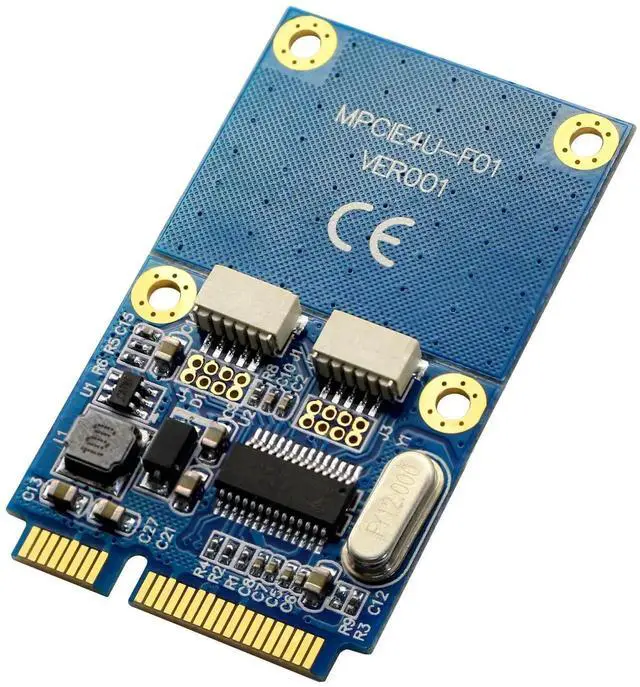
Mini pci-e to dual USB expansion card, which can be expanded into two USB2.0 female ports through the idle mini pcie slot,suitable for motherboards or notebooks with MINI PCIE interface.
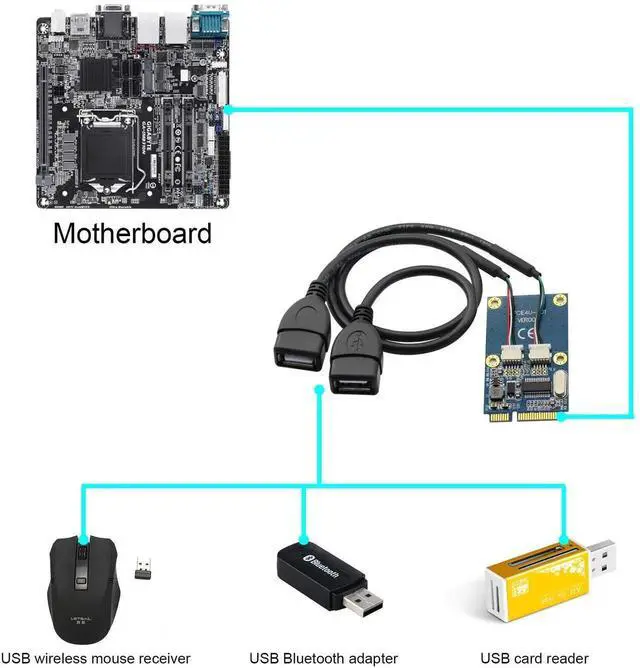
Dual USB2.0 interface is 5V1A, suitable for connecting mini USB devices, such as USB wireless mouse receiver, USB Bluetooth adapter,USB WiFi network card adapter,USB flash memory,USB card reader(micro SD/M2),online banking USB shield,etc.
The working principle of mini pcie adapter card: It is marked that MINI PCIE contains USB signal and 3.3V power supply.This product leads the USB signal to the USB socket,and boosts the 3.3V to 5V/1A voltage to supply the USB device
Because the USB signal is output from the computer, some computers shield this signal,or there is no signal output at all,which will cause the card to be unusable. It is not a problem with the card.You can search the whitelist tutorial online to unlock the USB port (Note:This operation is only suitable for For users who have computer knowledge,other users should not try,it will cause the computer to blue screen and fail to boot,please pay attention!!!)
Please note before buying:
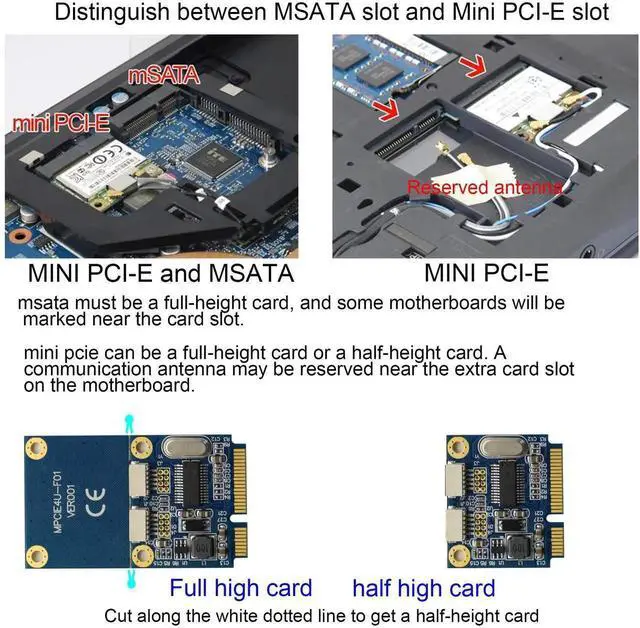
1:Confirm whether the slot on the motherboard is MINI pcie.The appearance of MSATA and MINI PCIE slots are the same.This product is directly suitable for MINI PCIE interface applications.Other interfaces are not available
2:Need to confirm whether the mini pcie interface on the motherboard is defined by USB
3.The screws provided are common size screws, which may not match with very few motherboards.If the screws are too large or too small to install,it is recommended to remove a screw from another place to fix it.
Specification:
Input:mini pcie interface (USB definition)
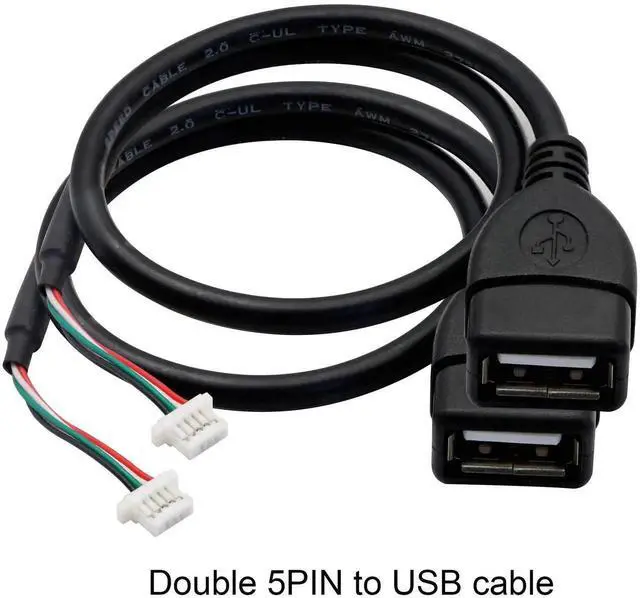
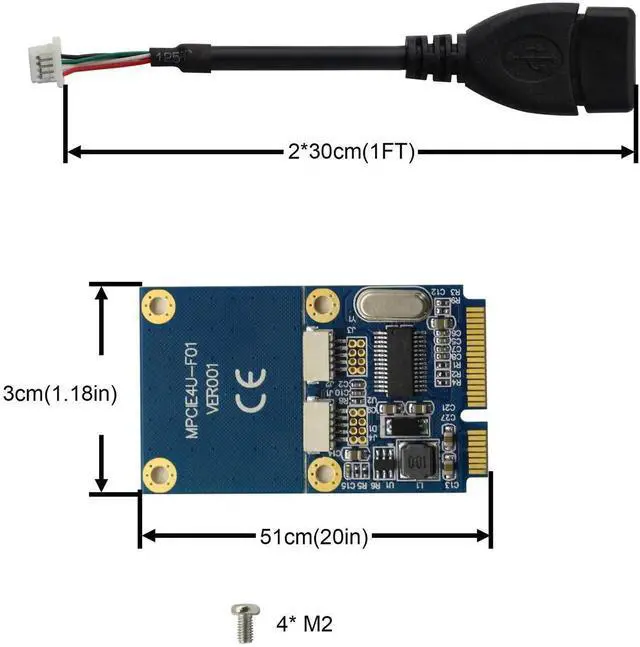
Output:Dual 5PIN USB2.0 output (with two USB adapter cables)
Package includes:
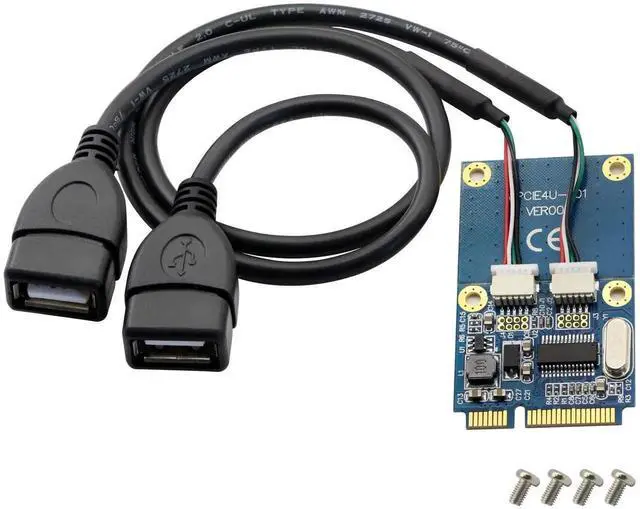
1 x mini pci-e to USB expansion card
2 x 5pin male to USB female cable
4 x screws
- Please note before purchase:1.The appearance of msata and mini pcie slots are the same.Please confirm whether the interface on your motherboard is a mini pcie slot before purchasing(generally the mini pcie slot is used for wireless network cards)
- Please note before buying:2.The mini-pcie 52PIN interface of the MINI PCI-E expansion card is defined by USB(mini pci-e has three definitions: USB, MSATA, MINIPCIE,the interface looks the same, but the function is different)please before buying Be sure to confirm that the interface on your motherboard is not defined by USB to prevent unnecessary returns.You can check whether there is a mark on the motherboard or ask the motherboard manufacturer.
Warranty & Returns
Warranty, Returns, And Additional Information
Warranty
- Please contact the Seller directly for warranty information. Warranty information may also be found on the Manufacturer's website.
- CONTACT
Return Policies
- Return for refund within: 30 days
- Return for replacement within: 30 days
- This item is covered by Aomoproging Return Policy
Manufacturer Contact Info
- For a directory of all our manufacturers, please click below.
- Manufacturers Directory
LOADING...