

Your Browsing History
- Free 30-day Returns
$81.99

Meet Your Seller


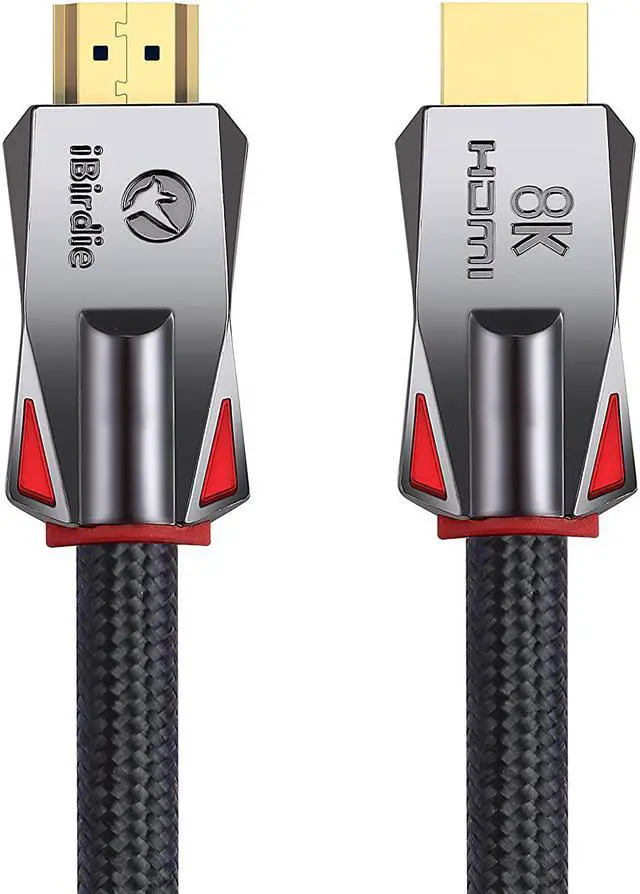
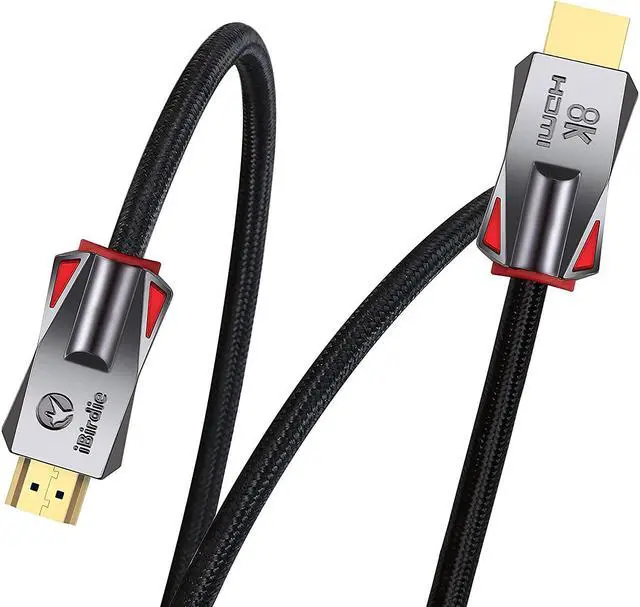
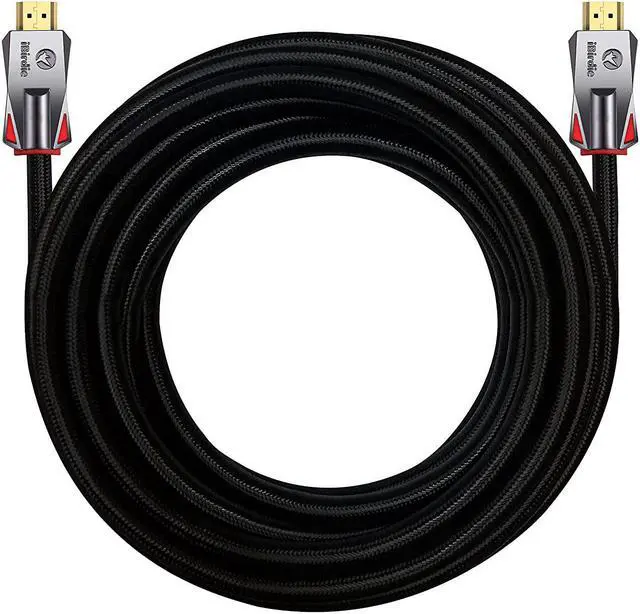


iBirdie 8K Fiber Optic HDMI Cable 50 Feet 16 Metre, Active Unidirectional Cord 8K 60hz, 4K 120hz, 4K 144hz, HDCP 2.3 2.1, Compatible for Apple-TV PS5 4070 4080
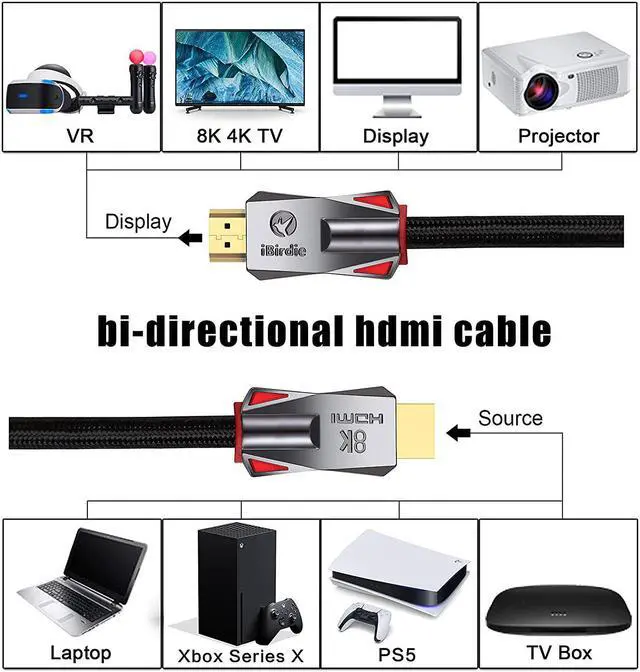
- Directional HDMI Cable: The directional HDMI meaning that the source end of HDMI is required to connect to sources, must plug this end to HDMI output from source like DVD, computer, PS5, Xbox..., and another end is display to your monitor, TV, projector
- Active HDMI Cable: The HDMI fiber optic cable is an active HDMI cable, and active HDMI cable meaning that require stable power to work, it needs enough power to work properly
- Use the HDMI USB Cable: It comes with in the HDMI box; Why need use this HDMI USB cable; Since some HDMI slots, such as on HUB or on switch or on splitter, cannot provide enough power for the fiber optic HDMI cable
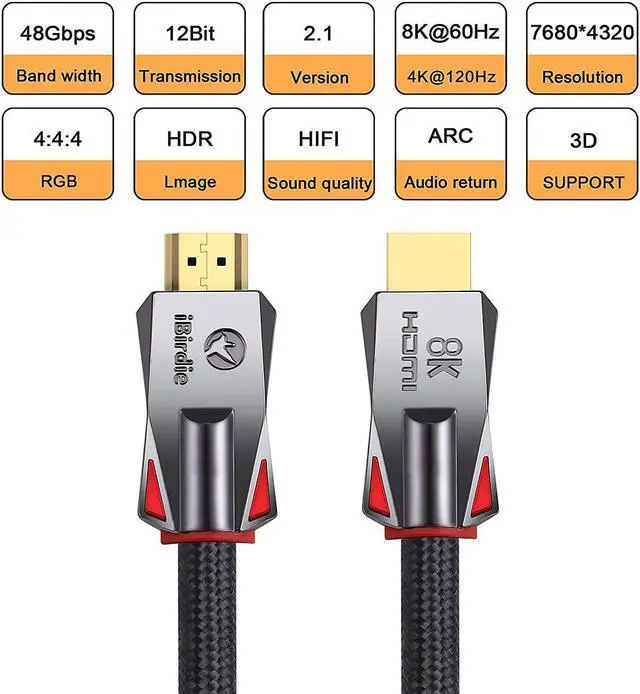
- 48 Gbps Bandwidth: Work on 8K 60hz, 4K 144hz, 4K 120hz, 4K 60hz, 2K 165hz, 2K 144hz, 2K 120hz, 1080p 240hz, 1080p 144hz, backward compatible with HDMI 2.1, 2.0b, 2.0a versions
- EARC: 1 feet to 100 feet support Audio Return Channel ARC and EARC; And ensure that the source end of the fiber optic HDMI cable is connected to the AVR receiver and the displ
+
+
Overview
Specs
Reviews

Any questions? Our AI mode will help you find out quickly.
Try me now
Please read the installation instructions for HDMI cables. And after installing the HDMI cable, please follow the following 8 points to eliminate the problem of HDMI cable installation errors.
32ft to 328ft is a directional HDMI cable. The directional HDMI meaning that the source end of HDMI is required to connect to sources, must plug this end to HDMI output from source like DVD, computer, and another end is display to your monitor, TV, projector.32ft to 328ft is a active HDMI cable. The HDMI fiber optic cable is an active HDMI cable, and active HDMI cable meaning that require stable power to work, it needs enough power to work properly.32ft to 328ft, an HDMI USB cable is required. It comes with in the HDMI box; Why need use this HDMI USB cable; Since some HDMI slots, such as on CAMERA, on HUB, on SWITCH or on Splitter, cannot provide enough power for the fiber optic HDMI cable. Updating the app version or replacing the app, some TV box apps have screen flickering issues.Change TV settings: Most 4K 120 Hz TVs do not have all the features of HDMI 2.1 enabled; After installing the HDMI cable, you need to enable all HDMI 2.1 features in the TV settings by yourself; Your 4K TV will support 4K 120 Hz.Change TV settings: Most 8K TVs do not have all the features of HDMI 2.1 enabled; After installing the HDMI cable, you need to enable all HDMI 2.1 features in the TV settings by yourself; Your 8K TV will support 8K 60Hz HDR.Change TV settings: Most 4K TVs do not have all the features of HDMI 2.0 enabled; After installing the HDMI cable, you need to enable all HDMI 2.0 features in the TV settings by yourself; Your 4K TV will support full 4K 60Hz HDR.32ft to 328ft: No signal or unstable signal, please connect the HDMI USB cable to the other end of the fiber optic HDMI cable. Be sure to connect the HDMI USB cable to any 5V USB port or any 5V USB charger, except for the USB port on the HUB or on the USB adapter.
HDMI 2.1 Cable features VRR, QMS, QFT, and ALLM, providing a smoother gaming experience and faster image response times
HDMI 2.1 Cable is compatible with the latest devices and is also backward compatible with HDMI 2.0b/2.0a/2.0/1.4/1.3/1.2/1.1
What ifthe 4K 120Hz TV does not support 4K 120hz? Part 1
For Samsung 4K 120Hz TVs, turn on game mode in the TV settings.For LG 4K 120Hz TVs, enter TV settings, HDMI settings, HDMI DEEP COLOR then select 4K.For sony 4K 120Hz TVs, please turn on HDMI enhancement and turn off Dolby Vision in the TV settings.
What ifthe 4K 120Hz TV does not support 4K 120hz? Part 2
Hisense 4K120Hz TVs, enter TV Settings->HDMI select HDMI Enhancement. TCL 4K120Hz TVs, enter TV settings->General, turn on HDMI advanced standard, change Graphic setting toVariable refresh rate. Update RTX 3070-3090 driver on the NVIDIA website.
What if the monitor shows no input source?
You need to modify the input source of the monitor, enter the monitor settings and find the input source SOURCE, and modify it to the port you plug in HDMI cable.
What should I do when the TV may show no input source when the MAC/Laptop/PC/Xbox/PS5 is connected to the Smart TV?
Turn on the TV first, wait for the TV to display the main interface, and then turn on the MAC/laptop/PC/Xbox/PS5. Or Manually switch the input source to HDMI in the TV settings.You also can re-plug the HDMI cable on the MAC/laptop/PC/Xbox/PS5 end
What should I do when the TV is connected to the AVR Receiver and cannot work?
First, check if the HDMI cable is connected to the HDMI ARC/eARC port of the receiver. Second, enable the ARC (eARC) function in TV settings. Finally, select the input source for the HDMI port where the HDMI cable is plugged into for the receiver.
iBirdie is for freedom, it may become a strong rebel.We people to release from the daily pressure naturally to own it to connect our own world.
Important instructions for installing HDMI cables HDMI 2.1 CABLE High compatibility What i
32ft to 328ft is a directional HDMI cable. The directional HDMI meaning that the source end of HDMI is required to connect to sources, must plug this end to HDMI output from source like DVD, computer, and another end is display to your monitor, TV, projector.32ft to 328ft is a active HDMI cable. The HDMI fiber optic cable is an active HDMI cable, and active HDMI cable meaning that require stable power to work, it needs enough power to work properly.32ft to 328ft, an HDMI USB cable is required. It comes with in the HDMI box; Why need use this HDMI USB cable; Since some HDMI slots, such as on CAMERA, on HUB, on SWITCH or on Splitter, cannot provide enough power for the fiber optic HDMI cable. Updating the app version or replacing the app, some TV box apps have screen flickering issues.Change TV settings: Most 4K 120 Hz TVs do not have all the features of HDMI 2.1 enabled; After installing the HDMI cable, you need to enable all HDMI 2.1 features in the TV settings by yourself; Your 4K TV will support 4K 120 Hz.Change TV settings: Most 8K TVs do not have all the features of HDMI 2.1 enabled; After installing the HDMI cable, you need to enable all HDMI 2.1 features in the TV settings by yourself; Your 8K TV will support 8K 60Hz HDR.Change TV settings: Most 4K TVs do not have all the features of HDMI 2.0 enabled; After installing the HDMI cable, you need to enable all HDMI 2.0 features in the TV settings by yourself; Your 4K TV will support full 4K 60Hz HDR.32ft to 328ft: No signal or unstable signal, please connect the HDMI USB cable to the other end of the fiber optic HDMI cable. Be sure to connect the HDMI USB cable to any 5V USB port or any 5V USB charger, except for the USB port on the HUB or on the USB adapter.
HDMI 2.1 Cable features VRR, QMS, QFT, and ALLM, providing a smoother gaming experience and faster image response times
HDMI 2.1 Cable is compatible with the latest devices and is also backward compatible with HDMI 2.0b/2.0a/2.0/1.4/1.3/1.2/1.1
What ifthe 4K 120Hz TV does not support 4K 120hz? Part 1
For Samsung 4K 120Hz TVs, turn on game mode in the TV settings.For LG 4K 120Hz TVs, enter TV settings, HDMI settings, HDMI DEEP COLOR then select 4K.For sony 4K 120Hz TVs, please turn on HDMI enhancement and turn off Dolby Vision in the TV settings.
What ifthe 4K 120Hz TV does not support 4K 120hz? Part 2
Hisense 4K120Hz TVs, enter TV Settings->HDMI select HDMI Enhancement. TCL 4K120Hz TVs, enter TV settings->General, turn on HDMI advanced standard, change Graphic setting toVariable refresh rate. Update RTX 3070-3090 driver on the NVIDIA website.
What if the monitor shows no input source?
You need to modify the input source of the monitor, enter the monitor settings and find the input source SOURCE, and modify it to the port you plug in HDMI cable.
What should I do when the TV may show no input source when the MAC/Laptop/PC/Xbox/PS5 is connected to the Smart TV?
Turn on the TV first, wait for the TV to display the main interface, and then turn on the MAC/laptop/PC/Xbox/PS5. Or Manually switch the input source to HDMI in the TV settings.You also can re-plug the HDMI cable on the MAC/laptop/PC/Xbox/PS5 end
What should I do when the TV is connected to the AVR Receiver and cannot work?
First, check if the HDMI cable is connected to the HDMI ARC/eARC port of the receiver. Second, enable the ARC (eARC) function in TV settings. Finally, select the input source for the HDMI port where the HDMI cable is plugged into for the receiver.
iBirdie is for freedom, it may become a strong rebel.We people to release from the daily pressure naturally to own it to connect our own world.
Important instructions for installing HDMI cables HDMI 2.1 CABLE High compatibility What i
Warranty & Returns
Warranty, Returns, And Additional Information
Warranty
- Please contact the Seller directly for warranty information. Warranty information may also be found on the Manufacturer's website.
- CONTACT
Return Policies
- Return for refund within: 30 days
- Return for replacement within: 30 days
- This item is covered by CITY BUSINESS Official Return Policy
Manufacturer Contact Info
- For a directory of all our manufacturers, please click below.
- Manufacturers Directory
LOADING...