• $19.97
  • Ships from China.
    Sold by Astral Tech

    Shipped by Astral Tech

    Price alert
    Shop it at NeweggBusiness.

    Meet Your Seller

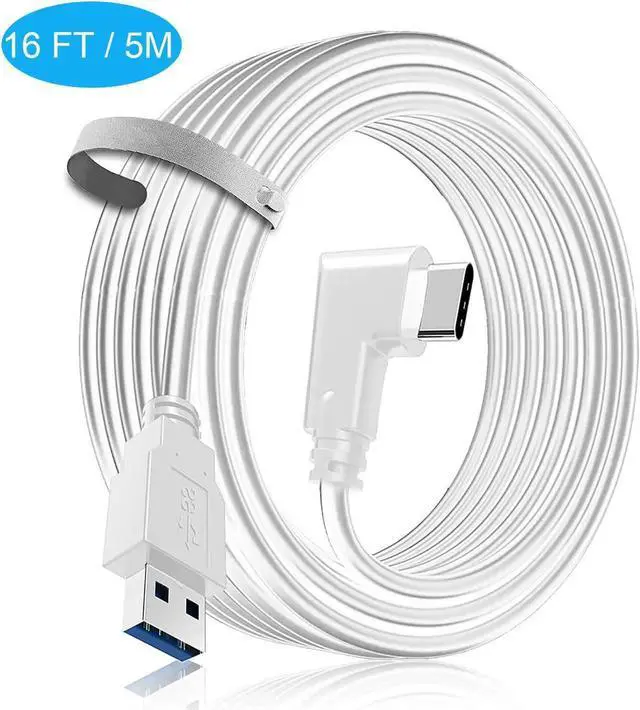
    16ft / 5M Nylon Braided VR Link Cable for Oculus Quest 2 Quest 1 VR Headset, USB 3.0 USB A to USB C Type C 5Gbps High Speed Data Transfer Charging Cord Compatible for Oculus VR Headset, PC Game

    • Black
    • Gray
    • White
    • 16 Feet
    • 16.4 Feet
    • 20 Feet
    • [5M Link Cable for Oculus Quest 1/2] for Oculus Quest 1/2, the USB C cable can connect the VR headset to the pc gaming, 5m length design provides you with greater freedom of movement, you can experience various games for Oculus Rift applications.
    • [High Speed Data Transfer and Fast Charging] The data transfer rate is up to 5Gbps and 3A charging current, which saves you charging time and enables the link cable for oculus quest to connect to the Oculus Link program without delay. The USB C cable compatible with usb 3.0/ 3.1 gen1/ 3.2 gen1.
    • [90-Degree Elbow Design] "L" Shape Design can reduce bending, protect the device interface and extend its service life.
    • [Universal Compatibility] It is made of high-quality nylon woven, strong tensile force, can withstand severe bending tests, is not easy to break, safe, durable, and tangle-free. Compatible with the latest USB Type-C mobile phones and tablets, Oculus Quest 1/2, virtual reality headset, Samsung Galaxy S20/ S10, Google Pixel, Nexus etc.
    +
    +
    Overview
    Specs
    Reviews
    avatar

    Any questions? Our AI beta will help you find out quickly.

    Features of Cable:

    * USB 3.1 GEN2 5 Gbps high speed transmission

    * Support multiple quick charge agreement, including QC 3.0FCP, maximum carrying current is 3A

    *Two thicker 24AWG wire cores are mounted in the aluminium housing, 56O pull-up resistor ensures the charging safety

    *Three shielding layers help improve the stability of data transmission

    *Elbow design, easy to use

    *Maximum speed rate: 5Gbps -7Gbps

    *13Ft material: 9-core multi-strand high-frequency dedicated copper (Diameter: 0.315 in)


    How to Use:

    *Update your Oculus Software version to 1.44 or above and all other Drivers

    *Disable PTC (Public Test Channel)

    *Plug the USB A into the back of your computer directly to your motherboard (red slot) USB 3.1

    *If you have audio issues go to device settings and enable the Quest headset

    Warranty & Returns

    Warranty, Returns, And Additional Information

    Warranty

    • Please contact the Seller directly for warranty information. Warranty information may also be found on the Manufacturer's website.
    • CONTACT

    Return Policies

    Manufacturer Contact Info

    LOADING...