

Your Browsing History

Meet Your Seller


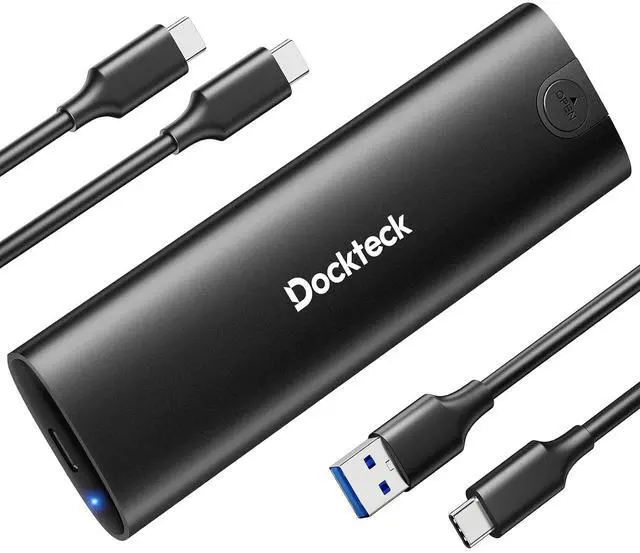


M.2 NVMe SATA SSD Enclosure Adapter, Tool-Free USB 3.2 Gen 2 10Gbps NVMe to USB Adapter for SSDs 2230/2242/2260/2280, External Solid State Drive Case Supports M-Key/B+M Key and UASP (Black)
Limited time offer, ends 10/15 By EmpressTech
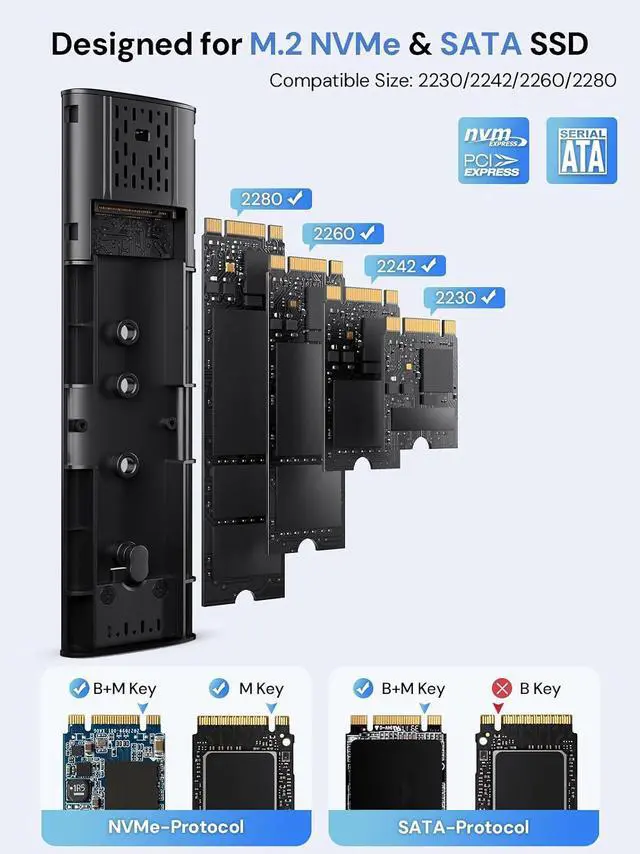
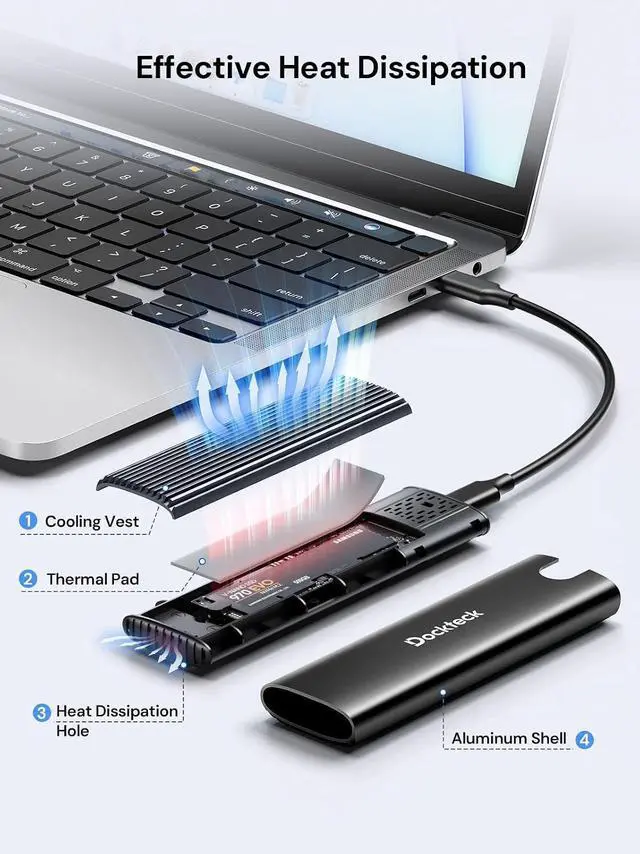
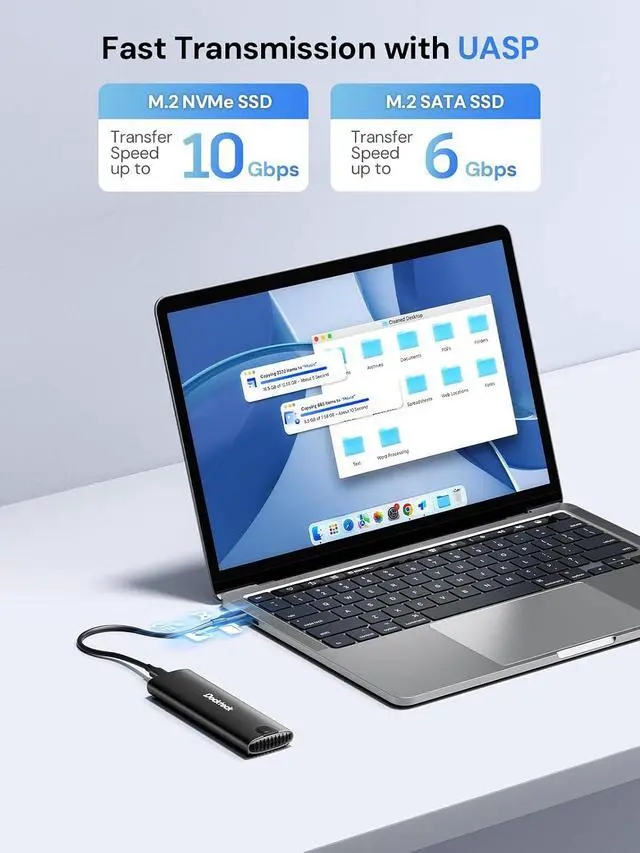
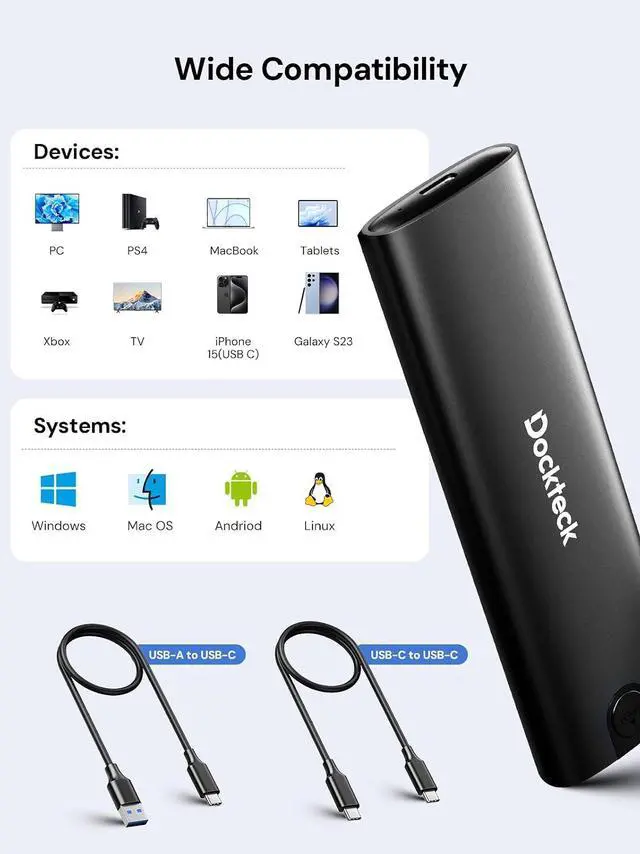
- Fast Transfer Speed: This M.2 SSD enclosure adopts USB 3.2 Gen 2 Type-C interface, supports data transmission speed of up to 10Gbps(SATA for 6Gbps). Built-in advanced chip, support UASP/TRIM protocol, accelerate SSD hard drive read and write speed, transfer large files in seconds; Tool-free SSD Enclosure: NVMe SSD adapter is easy to setup, so you can open it by just sliding the end cap and disassembling it. Plug and play, no drivers required. This ultra-slim external NVMe enclosure is compact yet durable making it easy to carry with you while on the go; Excellent Heat Dissipation: The silicone thermal pad and aluminum alloy design can keep the normal temperature even after a long time of use, which can effectively ensure the stability of transmission and data security. Note: NVMe/SATA SSD is not included; Broad Compatibility: The M.2 enclosure supports NVME and SATA protocols, designed for M and B&M Keys and SSDs 2230/2242/2260/2280 Max 4TB. The NVMe case is applicable for Windows, Mac OS, Linux, Android systems and suitable for connecting PC, phone, laptop, tablet, game console, smart TV and more; Package include: 1 x M.2 SSD adapter, 1 x USB-C to C cable, 1 x USB-A to C cable, Cable Length: 9.8in, 1 x Thermal Pad, 1 x spare mounting pin, 1 x user manual. USB C SSD Enclosure will enter the automatic sleep 15 minutes after termination of reading and writing to protect your SSD
+
+
Overview
Specs
Reviews

Any questions? Our AI mode will help you find out quickly.
Try me now
Product description M. 2 NVME SATA SSD Enclosure Tool-free Installation 2 USB Cables Broad Compatibility 4TB Capacity Warm Tips 1. Please properly back up all data on the SSD to prevent data loss. 2. In any case, during data transfer, please do not unplug the M. 2 SSD case from the PC, otherwise data may be lost. Please unplug the cable before taking out the SSD after use. 3. Once connected, your PC/Laptop's OS will initialize the M. 2 SSD. This process may take a minute.
You can access the data if the SSD is partitioned and the data is on the SSD. 4. Be careful to check compatibility before installing an SSD. 5. Please be as gentle as possible when installing the SSD to avoid scratching the components on the printed circuit board. When installing an SSD, be careful of static electricity. On the other hand, for safety reasons, it is also recommended to not connect devices before proceeding with the installation. Wide Compatibility
You can access the data if the SSD is partitioned and the data is on the SSD. 4. Be careful to check compatibility before installing an SSD. 5. Please be as gentle as possible when installing the SSD to avoid scratching the components on the printed circuit board. When installing an SSD, be careful of static electricity. On the other hand, for safety reasons, it is also recommended to not connect devices before proceeding with the installation. Wide Compatibility
Warranty & Returns
Warranty, Returns, And Additional Information
Warranty
- Please contact the Seller directly for warranty information. Warranty information may also be found on the Manufacturer's website.
- CONTACT
Return Policies
- Return for refund within: 30 days
- Return for replacement within: 30 days
- This item is covered by EmpressTech Return Policy
Manufacturer Contact Info
- For a directory of all our manufacturers, please click below.
- Manufacturers Directory
LOADING...