

Your Browsing History

Meet Your Seller



Visit EmpressTech Store
FOLLOW
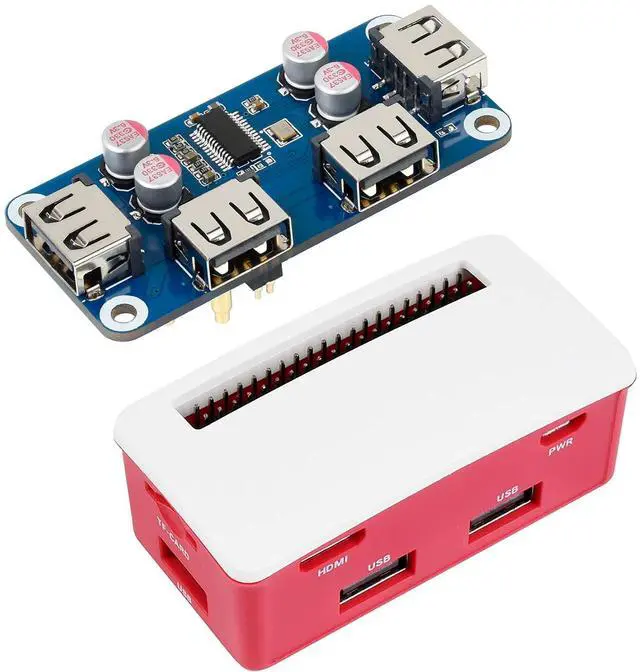
USB HUB HAT Board with ABS Case Box for Raspberry Pi Zero 2W/2WH/Zero, Extended 4X USB 2.0 Ports, Dust-Proof
Limited time offer, ends 07/12 By EmpressTech
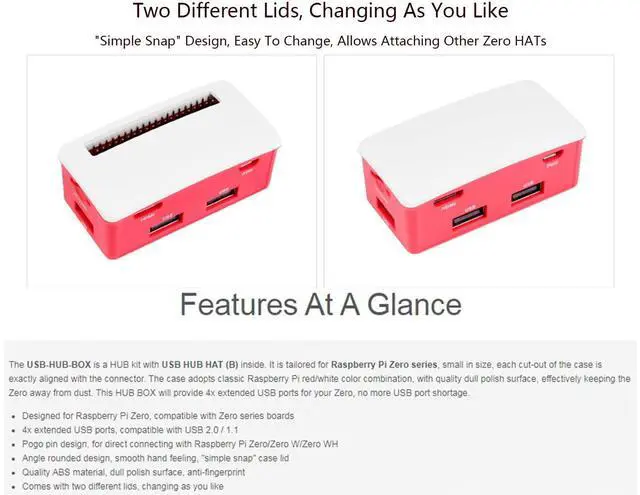
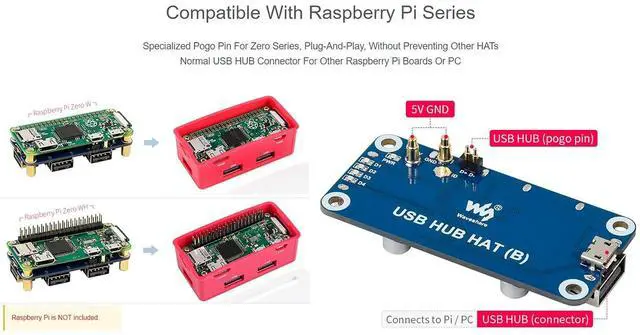
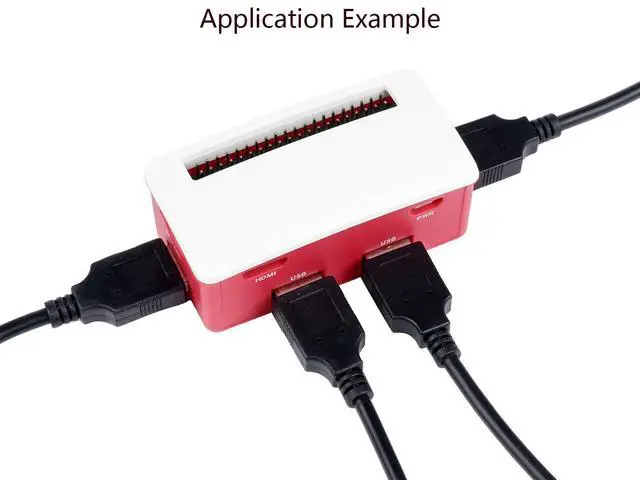
- The USB-HUB-BOX is a HUB kit with Waveshare USB HUB HAT (B) Board inside. It is designed for Raspberry Pi Zero series, small in size, each cut-out of the case is exactly aligned with the connector. The ABS Enclosure with quality dull polish surface, well designed, nice & dust-proof.; This HUB BOX provides 4x extended USB ports for your Pi Zero, no more USB port shortage.; Compatible with Raspberry Pi Zero series,specialized pogo pin connection, dedicated cut-outs for Zero series, plug-and-play; Two different lids, changing as you like, "simple snap" design, easy to change, allows attaching other Zero HATs
+
+
Overview
Specs
Reviews

Any questions? Our AI beta will help you find out quickly.
Try me now
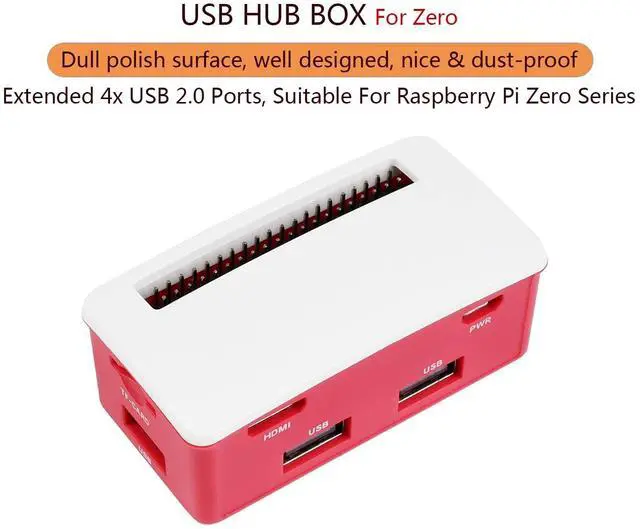
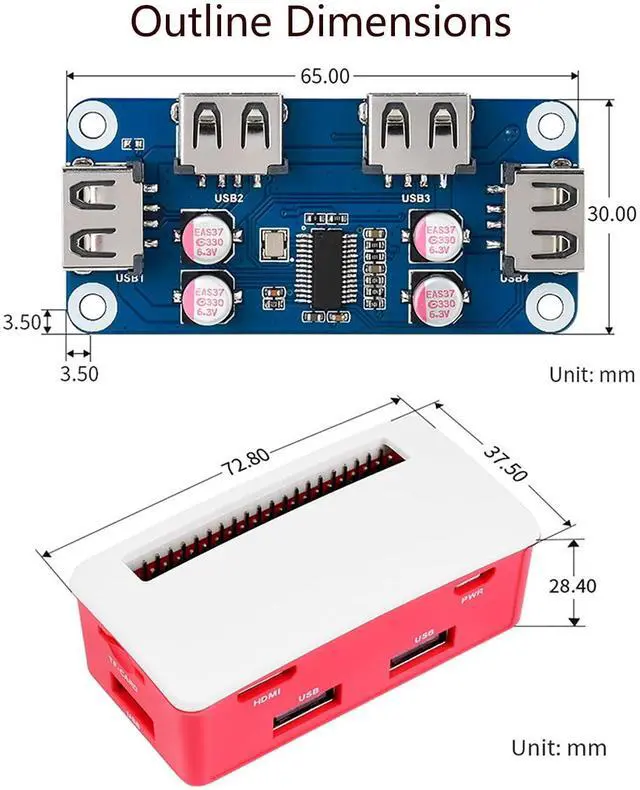
Overview The USB-HUB-BOX is a HUB kit with Waveshare USB HUB HAT (B) Board inside. It is designed for Raspberry Pi Zero series, small in size, each cut-out of the case is exactly aligned with the connector. The ABS Enclosure with quality dull polish surface, well designed, nice & dust-proof. Features Designed for Raspberry Pi Zero, compatible with Zero series boards (Raspberry Pi Zero 2W/ 2WH/ Zero W/Zero WH/Zero) 4x extended USB ports, compatible with USB 2.0 / 1.1 Angle rounded design, smooth hand feeling, "simple snap" case lid Quality ABS material, dull polish surface, anti-fingerprint Comes with two different lids, changing as you like
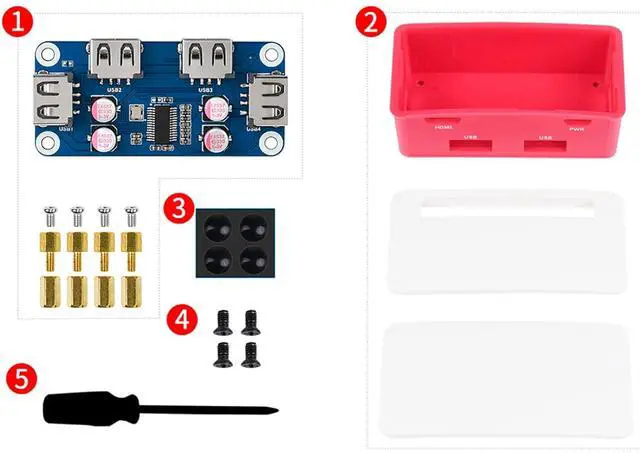
User Guide/Documentation: //bit. ly/3rMsEIi Package Content USB HUB HAT (B) x1 ABS case x1 Rubber feet 4PCS x1 Screws pack x1
FAQ Question: The Raspberry Pi does not recognize the usb device?
Answer: Connect the USB HUT interface to the computer with a USB cable to see if the computer can recognize the USB HUB. If the module can be recognized it should work fine. Check whether the usb connector or the ejector pins are in poor contact. In addition, if the USB port of the Raspberry Pi ZERO is set to a wired network card, the USB HUB will not be recognized.
User Guide/Documentation: //bit. ly/3rMsEIi Package Content USB HUB HAT (B) x1 ABS case x1 Rubber feet 4PCS x1 Screws pack x1
FAQ Question: The Raspberry Pi does not recognize the usb device?
Answer: Connect the USB HUT interface to the computer with a USB cable to see if the computer can recognize the USB HUB. If the module can be recognized it should work fine. Check whether the usb connector or the ejector pins are in poor contact. In addition, if the USB port of the Raspberry Pi ZERO is set to a wired network card, the USB HUB will not be recognized.
Warranty & Returns
Warranty, Returns, And Additional Information
Warranty
- Please contact the Seller directly for warranty information. Warranty information may also be found on the Manufacturer's website.
- CONTACT
Return Policies
- Return for refund within: 30 days
- Return for replacement within: 30 days
- This item is covered by EmpressTech Return Policy
Manufacturer Contact Info
- For a directory of all our manufacturers, please click below.
- Manufacturers Directory
LOADING...