Your Browsing History
Meet Your Seller
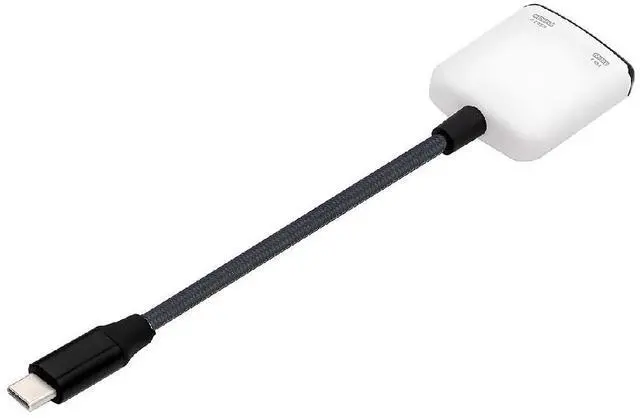
2 in 1 AR Glass Adapter 3.94 Inch,USB C 1 to 2 Data Charging Splitter Support USB 2.0/8K@60Hz PD100W Compatible with Switch/Steam Deck/Rog Ally/Phone/Tablet White
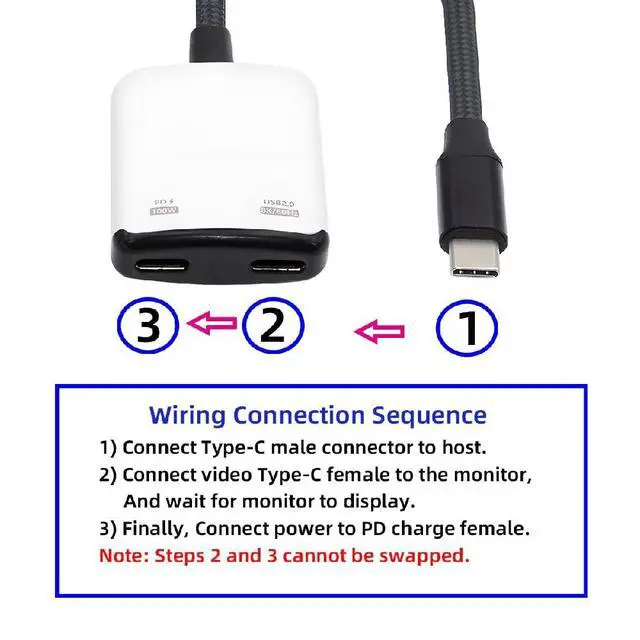
- 1) Connection method Sequence: A) Connect USB-C male connector to host. B) Connect video USB-C female to the monitor, and wait for monitor to display. C) Finally, Connect power to the PD charge female.(Note: Steps 2 and 3 cannot be swapped)
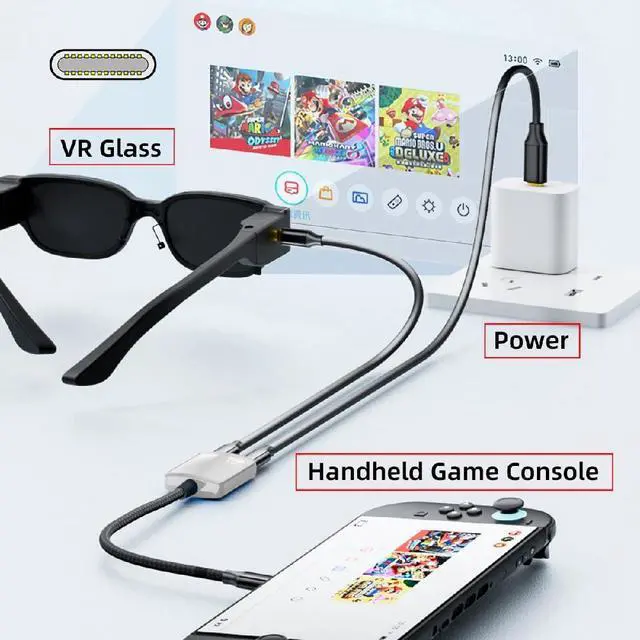
- 2) Supports AR glasses and high refresh rate projection: Designed specifically for AR glasses with USB-C video input, supporting up to 144Hz when connected to an ROG handheld console or SteamDeck, and up to 1080P/60Hz when connected to a Switch.
- 3) Compatibility Heat Notice: This product features a chip optimized for Switch, offering broader compatibility than standard models. It generates more heat during use and requires PD 60W power to activate TV mode. Please ensure proper ventilation and avoid enclosed spaces.
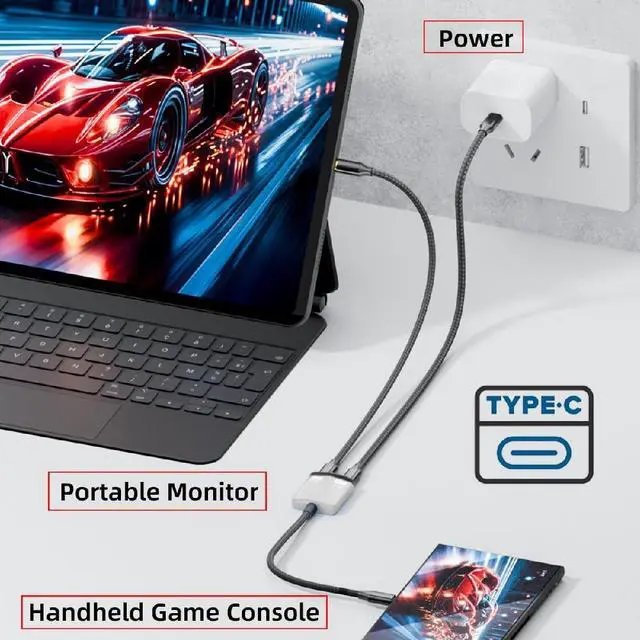
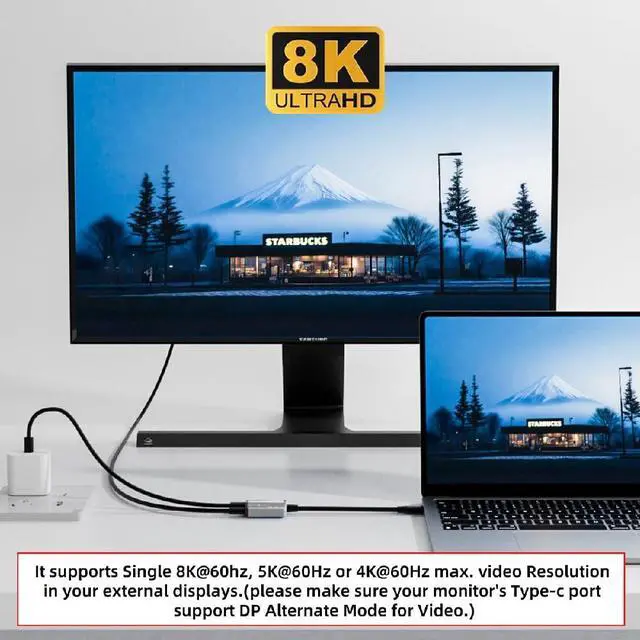
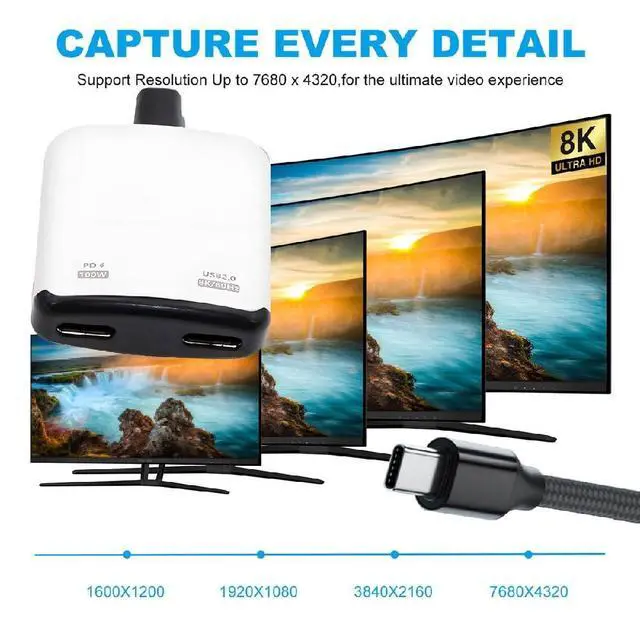
- 4) The USB-C female port and power supply can operate simultaneously. You can simultaneously transfer 8K video or USB 480Mbps data and charge your laptop/tablet/phone
- it supports OTG functionality with data transfer rates up to 480Mbps and provides 5V power.
- 5) This AR glasses 2-in-1 adapter can solve the following problems: 1. AR glasses can enter TV mode when connected to the Switch. 2. When the monitor's power supply does not support the Switch. 3. When the monitor's power supply is insufficient, the ROG handheld's 30W enhanced mode cannot be activated.

+
+
Overview
Specs
Reviews
Any questions? Our AI mode will help you find out quickly.
Try me now
1) Connection method
Sequence: A) Connect USB-C male connector to host. B) Connect video USB-C female to the monitor, and wait for monitor to display. C) Finally, Connect power to the
PD charge female. (Note: Steps 2 and 3 cannot be swapped)
2) Supports AR glasses and high refresh rate projection: Designed specifically for AR glasses with USB-C video input, supporting up to 144Hz when connected to an ROG handheld console or SteamDeck, and up to 1080P/60Hz when connected to a Switch.
3) Compatibility Heat Notice: This product features a chip optimized for Switch, offering broader compatibility than standard models. It generates more heat during use and requires PD 60W power to activate TV mode. Please ensure proper ventilation and avoid enclosed spaces.
4) The USB-C female port and power supply can operate simultaneously. You can simultaneously transfer 8K video or USB 480Mbps data and charge your laptop/tablet/phone
it supports OTG functionality with data transfer rates up to 480Mbps and provides 5V power.
5) This AR glasses 2-in-1 adapter can solve the following problems: 1. AR glasses can enter TV mode when connected to the Switch. 2. When the monitor's power supply does not support the Switch. 3. When the monitor's power supply is insufficient, the ROG handheld's 30W enhanced mode cannot be activated.
Sequence: A) Connect USB-C male connector to host. B) Connect video USB-C female to the monitor, and wait for monitor to display. C) Finally, Connect power to the
PD charge female. (Note: Steps 2 and 3 cannot be swapped)
2) Supports AR glasses and high refresh rate projection: Designed specifically for AR glasses with USB-C video input, supporting up to 144Hz when connected to an ROG handheld console or SteamDeck, and up to 1080P/60Hz when connected to a Switch.
3) Compatibility Heat Notice: This product features a chip optimized for Switch, offering broader compatibility than standard models. It generates more heat during use and requires PD 60W power to activate TV mode. Please ensure proper ventilation and avoid enclosed spaces.
4) The USB-C female port and power supply can operate simultaneously. You can simultaneously transfer 8K video or USB 480Mbps data and charge your laptop/tablet/phone
it supports OTG functionality with data transfer rates up to 480Mbps and provides 5V power.
5) This AR glasses 2-in-1 adapter can solve the following problems: 1. AR glasses can enter TV mode when connected to the Switch. 2. When the monitor's power supply does not support the Switch. 3. When the monitor's power supply is insufficient, the ROG handheld's 30W enhanced mode cannot be activated.
Warranty & Returns
Warranty, Returns, And Additional Information
Warranty
- Please contact the Seller directly for warranty information. Warranty information may also be found on the Manufacturer's website.
- CONTACT
Return Policies
- Return for refund within: 30 days
- Return for replacement within: 30 days
- This item is covered by GearZap Return Policy
Manufacturer Contact Info
- For a directory of all our manufacturers, please click below.
- Manufacturers Directory
LOADING...