

Your Browsing History

Meet Your Seller

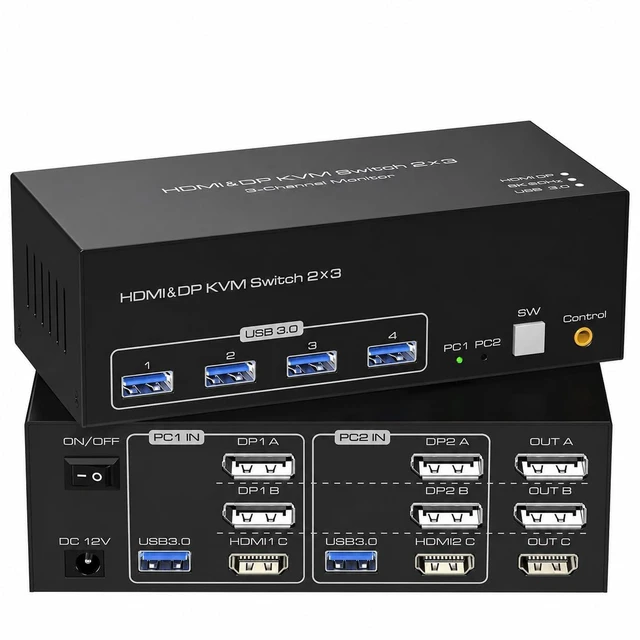
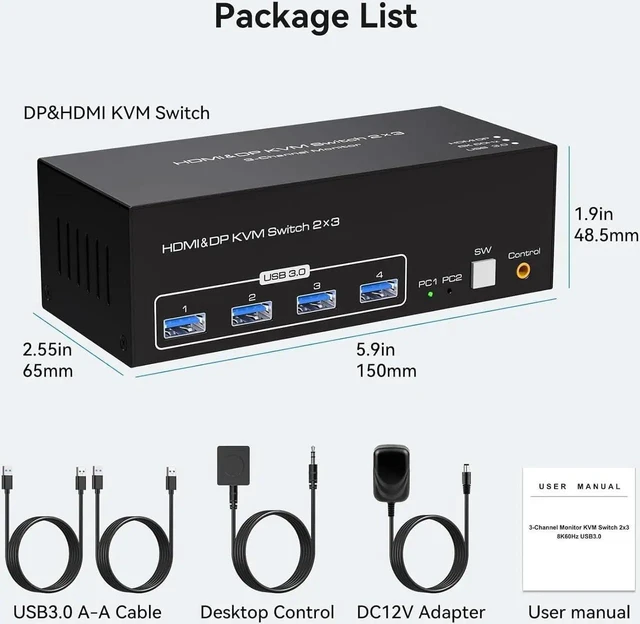


KVM Switch 3 Monitors 2 Computers, HDMI 2.1 + 2X DisplayPort 1.4, 8K@60Hz 4K@120Hz, 4 USB 3.0 Ports, Extended/Copy Mode, Share Keyboard Mouse Printer, Triple Monitor KVM
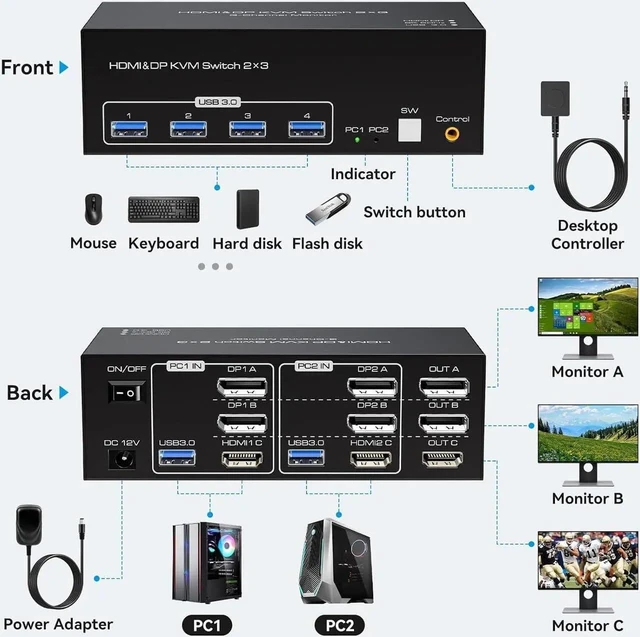
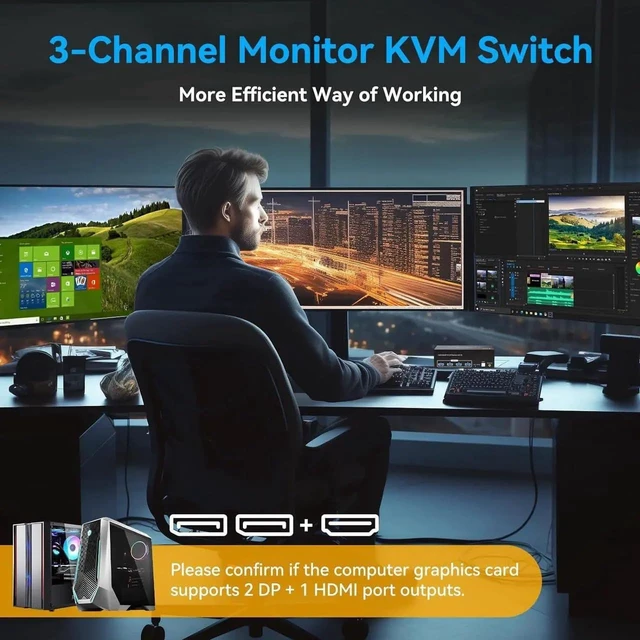
- TRIPLE MONITOR KVM, 2 COMPUTERS Connect 2 computers to 3 monitors (1× HDMI + 2× DisplayPort) and 4 USB 3.0 ports simultaneously. Share keyboard, mouse, printer, and hard drive between 2 PCs with one button switch. No cable swapping needed.
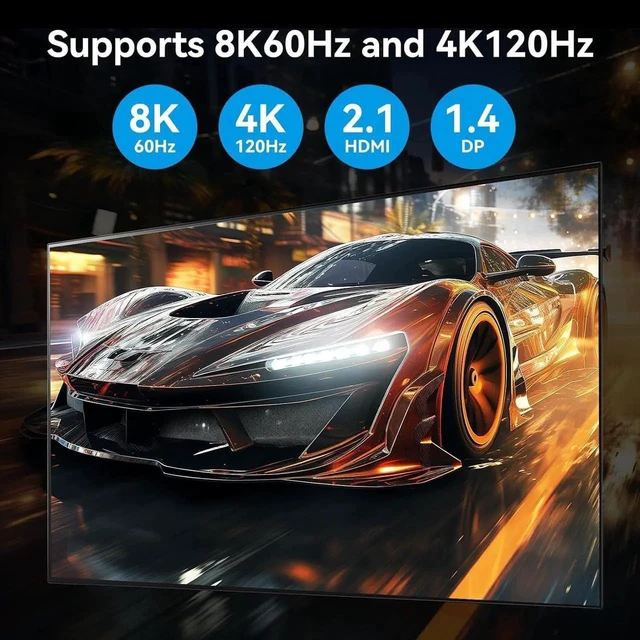
- 8K@60Hz & 4K@120Hz HDMI 2.1 + DP 1.4 delivers up to 8K@60Hz and 4K@120Hz. Backward compatible with 4K@60Hz, 2K@144Hz, 1080P, 720P, and 3D. Note: source, monitor, and cable must all support 8K@60Hz to achieve that resolution.
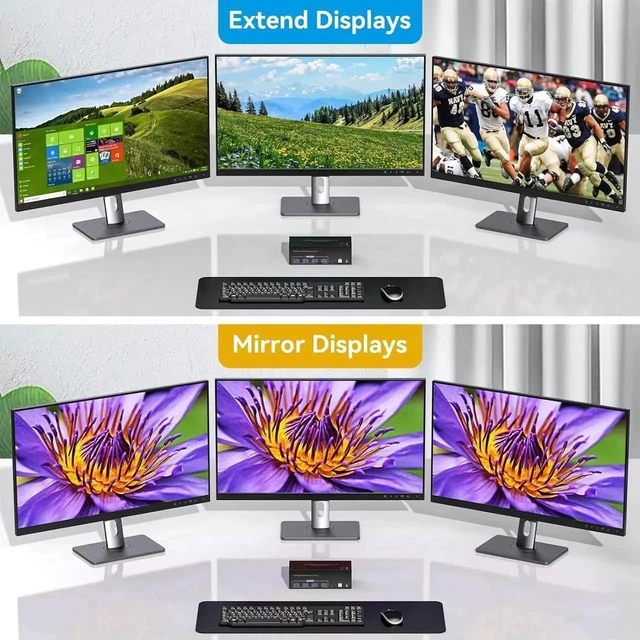
- EXTENDED & COPY DISPLAY MODES Extended Mode: PC outputs 3 different images across all 3 monitors for maximum workspace. Copy/Duplicate Mode: PC outputs identical image on all 3 monitors. Each connected PC must support multi-screen output with 2× DP + 1× HDMI ports.
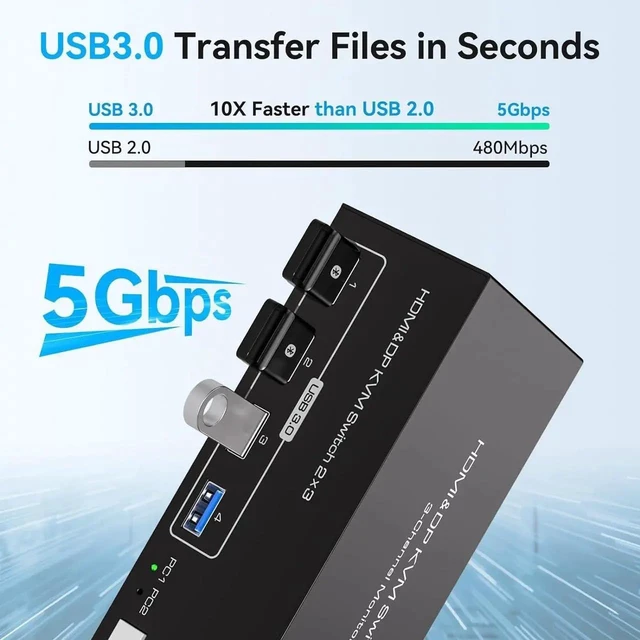
- 4 USB 3.0 SHARED PORTS Four USB 3.0 ports share peripherals between both computers. Connect keyboard, mouse, printer, external hard drive, and more. All USB devices switch simultaneously with display when toggling between PCs.
- PLUG & PLAY, WIDE COMPATIBILI
+
+
Overview
Specs
Reviews

Any questions? Our AI mode will help you find out quickly.
Try me now
Triple Monitor KVM Switch for 2 Computers HDMI 2.1 + 2x DP 1.4, 8K@60Hz, 4 USB 3.0 Control two computers across three monitors with one keyboard, mouse, and peripheral set. This triple monitor KVM switch delivers cutting-edge 8K@60Hz and 4K@120Hz resolution through HDMI 2.1 and DisplayPort 1.4 the ultimate dual-PC workstation solution. Important Requirements: Each connected PC must have 2× DisplayPort outputs + 1× HDMI output For 8K@60Hz: source device, monitor, and DP cable must all support 8K@60Hz DP 1.4 cables recommended for maximum performance How It Works: Setup: Connect PC 1: 2× DP + 1× HDMI cables KVM inputs Connect PC 2: 2× DP + 1× HDMI cables KVM inputs Connect 3 monitors to KVM outputs (2× DP + 1× HDMI) Connect USB peripherals to 4× USB 3.0 ports Press switch button to toggle all displays + USB to other PC Requirements per connected computer: 2× DisplayPort 1.4 output (for 8K/4K@120Hz) 1× HDMI 2.1 output Multi-monitor display support in OS Compatible OS: Windows 10 / 11 macOS (with compatible GPU) Common Use Cases: Financial Trading: Monitor charts, news, and order platforms across 3 screens Switch between personal and work PC instantly All peripherals follow the active PC Software Development: Code editor, terminal, and browser on separate monitors Switch between development and testing machines Share keyboard and mouse seamlessly Video Editing: Timeline, preview, and media browser on 3 screens Switch between editing and rendering PC Share external hard drive between both computers
Warranty & Returns
Warranty, Returns, And Additional Information
Warranty
- Please contact the Seller directly for warranty information. Warranty information may also be found on the Manufacturer's website.
- CONTACT
Return Policies
- Return for refund within: 30 days
- Return for replacement within: 30 days
- This item is covered by FluffyNest Return Policy
Manufacturer Contact Info
- For a directory of all our manufacturers, please click below.
- Manufacturers Directory
LOADING...