

Your Browsing History
- Free 30-day Returns
$173.99
Ships from China.

Meet Your Seller

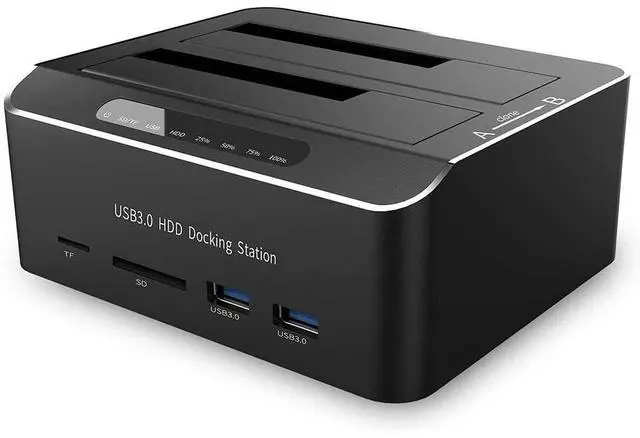
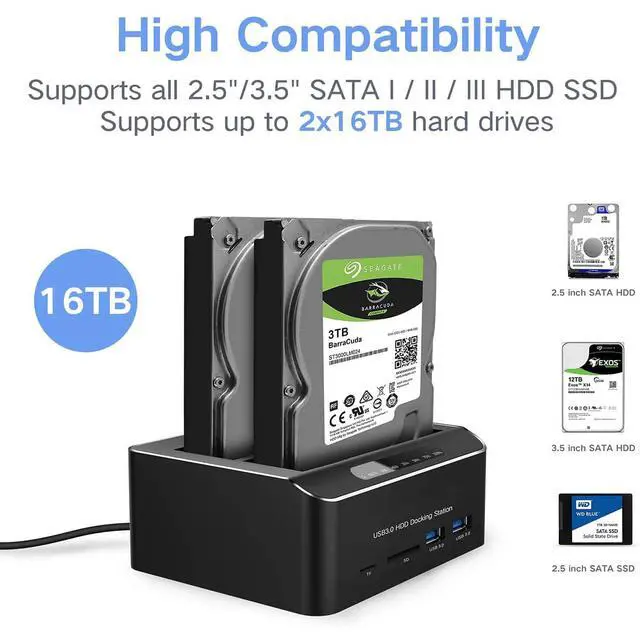
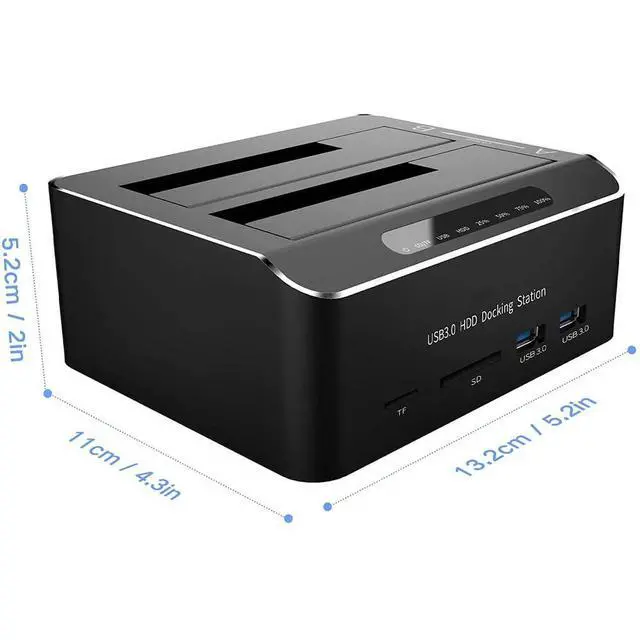


SSD 2.5/3.5 inch HDD Enclosure Hard Drive Card Reader Aluminum External SATA IDE SSD HDD Docking Station Dual Bay Offline Clone with 2 *USB 3.0 Hub SD/CF Support 2 * 16TB Max
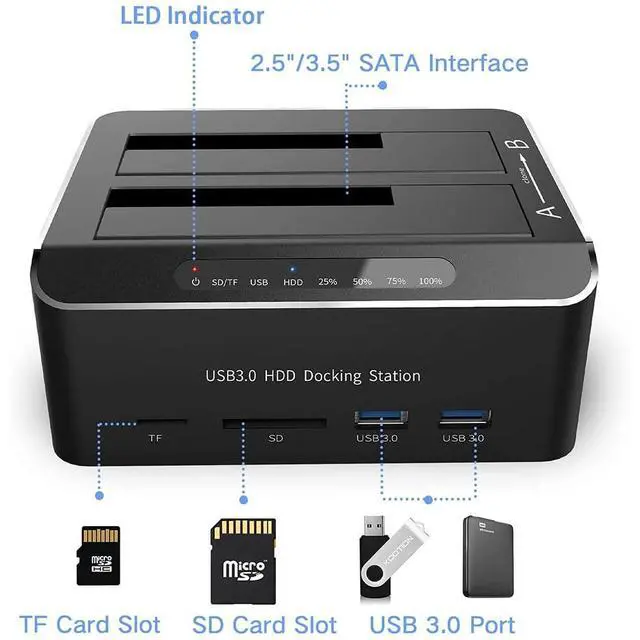
- Dual Bay SATA Hard Drive Docking Station equips 4-in-1 function, including storage, clone, USB hub, and Card reader.; Supports UASP protocol: UASP (USB Attached SCSI Protocol): supports for HDD/SSD faster transfer performance, 70% faster than traditional USB 3.0, requires UASP capable host controller and operating system. (Real-world performance depends on the disk drive and host system.); Supports up to 2x 16TB hard drive: USB 3.0 dual-bay Hard Drive Docking Stations can access both disks simultaneously. Maximum Capacity of 2x 16TB.; Progress indicator with LED: 25%-50%-75%-100%. When offline clone operation is fully completed, all LEDs will constant on.
+
+
Overview
Specs
Reviews

Any questions? Our AI mode will help you find out quickly.
Try me now
Dual Bay SATA Hard Drive Docking Station equips 4-in-1 function, including storage, clone, USB hub, and Card reader.
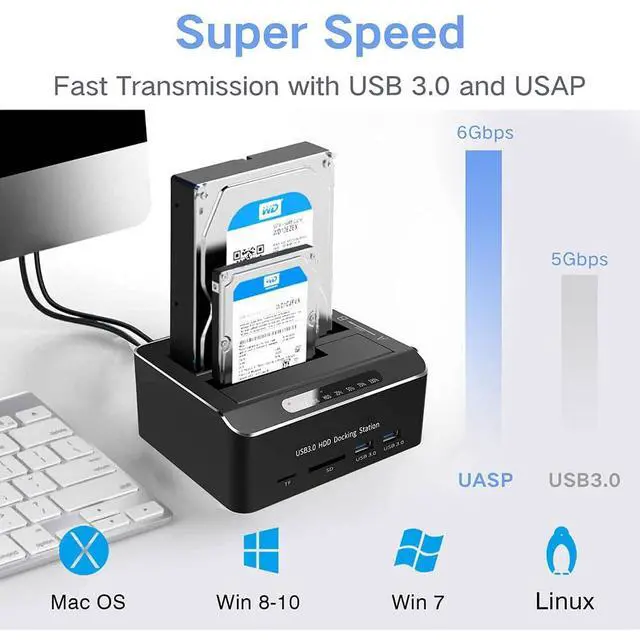
Supports UASP protocol: UASP (USB Attached
SCSI Protocol): supports for HDD/SSD faster transfer performance, 70% faster than traditional USB 3.0, requires UASP capable host controller and operating system. (Real-world performance depends on the disk drive and host system. ) Supports up to 2x 16TB hard drive: USB 3.0 dual-bay Hard Drive Docking Stations can access both disks simultaneously. Maximum Capacity of 2x 16TB.
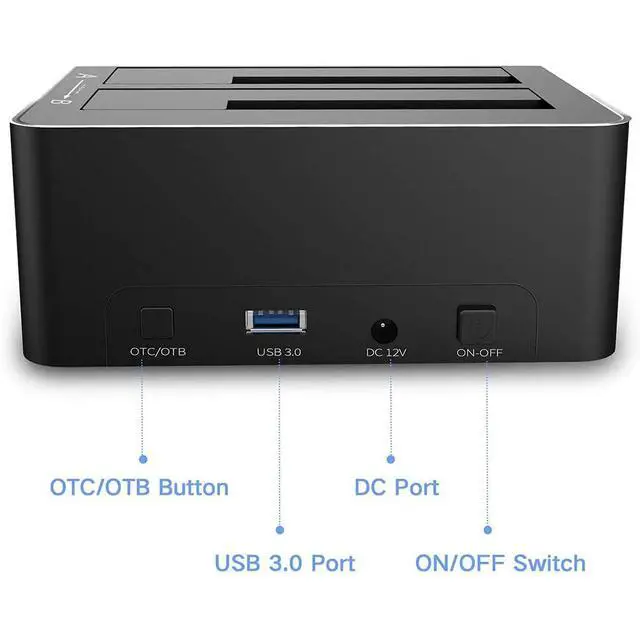
Offline Clone Function: Ensure the Power Switch on the rear is in the OFF Position and plugged in properly. Insert Both hard drives and identify Source Disk and Target Disk (Make sure the memory capacity of B drive is larger/equal than A drive) Make sure that the USB cable is disconnected from any computer during the cloning. Press the "Clone" button for 3 seconds until the LED starts to flash and the cloning process begins.
Progress indicator with LED: 25%-50%-75%-100%. When offline clone operation is fully completed, all LEDs will constant on.
Note: The offline clone function cannot be processed if there are bad sectors or tracks on the hard disk. Do not try to remove your HDD or SSD device while it is active. Please power off the docking station before removing. Please backup files in the target hard drive before cloning. Any files in the target hard drive will be overwritten when offline cloning occurs. If you are mounting a drive which larger than 2TB, please initialize with Partition Style GPT. If there is no USB 3.0 port in the front of the desktop computer, it is recommended to connect the 3.5" hard drive enclosure to the rear USB 3.0 port to achieve the best transmission speed.
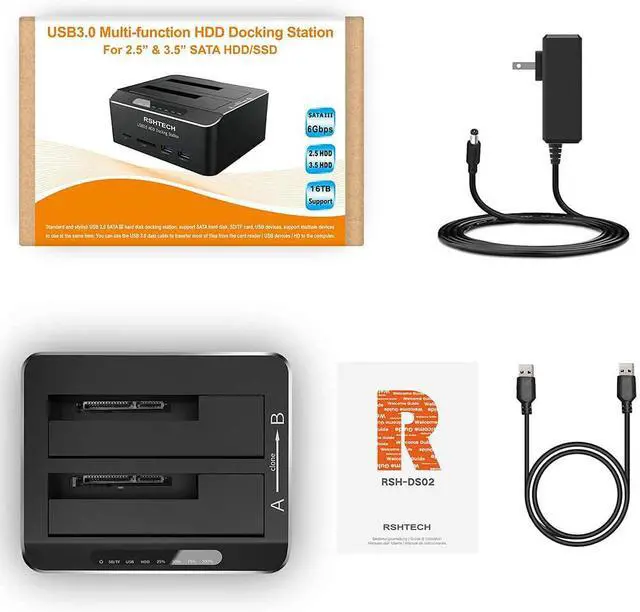
The package includes: 1pcs * USB 3.0 hard drive base
Supports UASP protocol: UASP (USB Attached
SCSI Protocol): supports for HDD/SSD faster transfer performance, 70% faster than traditional USB 3.0, requires UASP capable host controller and operating system. (Real-world performance depends on the disk drive and host system. ) Supports up to 2x 16TB hard drive: USB 3.0 dual-bay Hard Drive Docking Stations can access both disks simultaneously. Maximum Capacity of 2x 16TB.
Offline Clone Function: Ensure the Power Switch on the rear is in the OFF Position and plugged in properly. Insert Both hard drives and identify Source Disk and Target Disk (Make sure the memory capacity of B drive is larger/equal than A drive) Make sure that the USB cable is disconnected from any computer during the cloning. Press the "Clone" button for 3 seconds until the LED starts to flash and the cloning process begins.
Progress indicator with LED: 25%-50%-75%-100%. When offline clone operation is fully completed, all LEDs will constant on.
Note: The offline clone function cannot be processed if there are bad sectors or tracks on the hard disk. Do not try to remove your HDD or SSD device while it is active. Please power off the docking station before removing. Please backup files in the target hard drive before cloning. Any files in the target hard drive will be overwritten when offline cloning occurs. If you are mounting a drive which larger than 2TB, please initialize with Partition Style GPT. If there is no USB 3.0 port in the front of the desktop computer, it is recommended to connect the 3.5" hard drive enclosure to the rear USB 3.0 port to achieve the best transmission speed.
The package includes: 1pcs * USB 3.0 hard drive base
Warranty & Returns
Warranty, Returns, And Additional Information
Warranty
- Please contact the Seller directly for warranty information. Warranty information may also be found on the Manufacturer's website.
- CONTACT
Return Policies
- Return for refund within: 30 days
- Return for replacement within: 30 days
- This item is covered by LUOYIMAN Return Policy
Manufacturer Contact Info
- For a directory of all our manufacturers, please click below.
- Manufacturers Directory
LOADING...