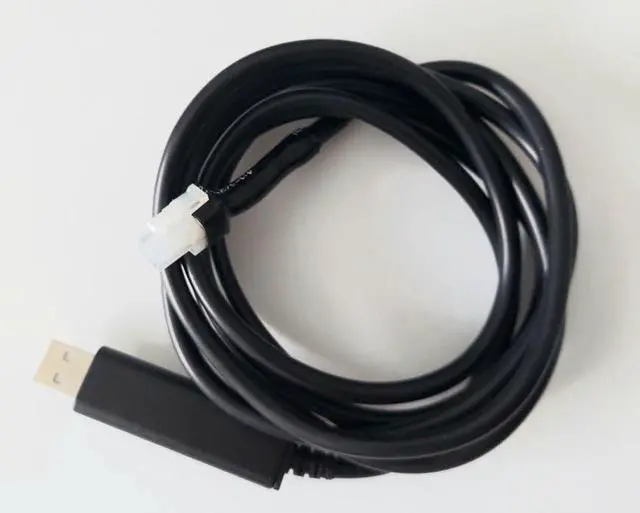
Birdie Pro Programming Cable for Evolution Controllers (2022and up Models) Looking to unlock more performance from your Evolution golf cart? The Birdie Pro Programming Cable gives you the power to customize your ride with ease. Designed specifically for Evolution EV golf carts equipped with the EV48-400 series controller, this plug-and-play cable allows you to make changes typically reserved for dealerswithout cutting wires or sending your cart in for service. Compatibility: This cable works with 2022and up Evolution carts including Classic, Forester, D3, D5, and D-MAX models that use the Evolution-branded EV48-400, EV48-400-A, or EV48-400-C controller. It is not compatible with earlier models using a Curtis controller. To confirm compatibility, remove the rear access panel behind the seat (held on by four plastic rivets), or on Forward Facing models the controller is under the rear seat, and inspect your controller. If the controller is labeled Evolution, you should be good to go. Compare the label on your controller to the images in this listing. A EV48-400A is the same as a EV48-400. NOTE: On D-Max 4wd models, you have 2 Controllers and will need to adjust BOTH controllers with the appropriate settings. When paired with compatible software (not included), this cable allows you to fine-tune settings such as: Top speed, Acceleration rate, Motor RPM limit, Regenerative braking strength, Tire size (for accurate speedometer readings) This gives you the ability to customize your carts behavior to match your personal driving preferencessomething that previously required a trip to the dealer. Whats Included: Birdie Pro programming cable - Drivers should load automatically when connecting to USB port. Check your Device Manager We have supplied a video that was made by another user that describes how to connect and make modifiications. We assume no responsibility for the content of that video. Use at your own risk! What Youll Need Separately: EV Programming Tool and EV48-400-C tuning software (available online). The EV48-400 and EV48-400A use one version of software. The EV48-400-C uses another. Make sure you download the appropriate software. A Windows-based PC for configuration If youre unsure, feel free to contact us with a photo before ordering.





 here!
here!