Your Browsing History
Meet Your Seller
VHDCI Breakout Cable&Adapter-VHDCI(SCSI 68Pin) M to 3-Port VGA Female Splitter Breakout Cable for NVIDIA and VisionTek Graphics Cards
- : Before using the VHDCI to VGA*3 Cable, please make sure that your computer's graphics card has a VHDCI female output interface and supports multi-screen output, and the monitors have VGA input interfaces. Generally, this type of cable is customized for multi-screen display applications, so you need to verify whether your computer equipment meets the above requirements before purchasing.
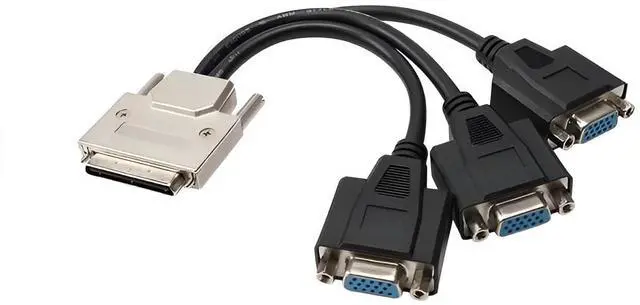
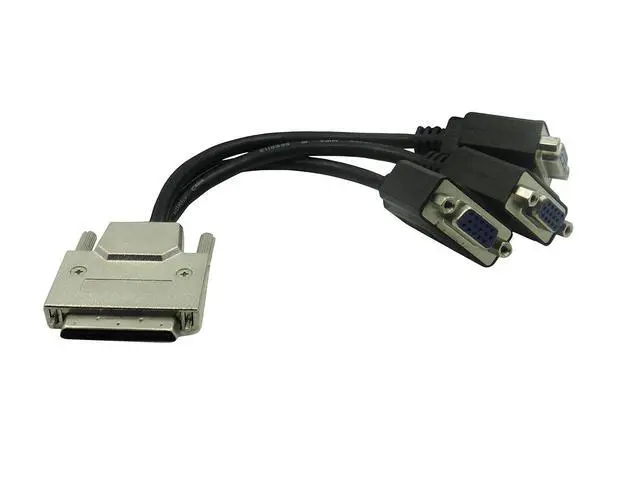
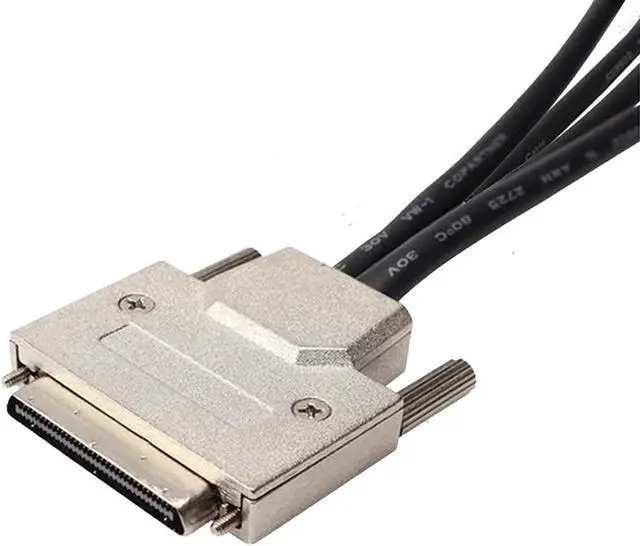
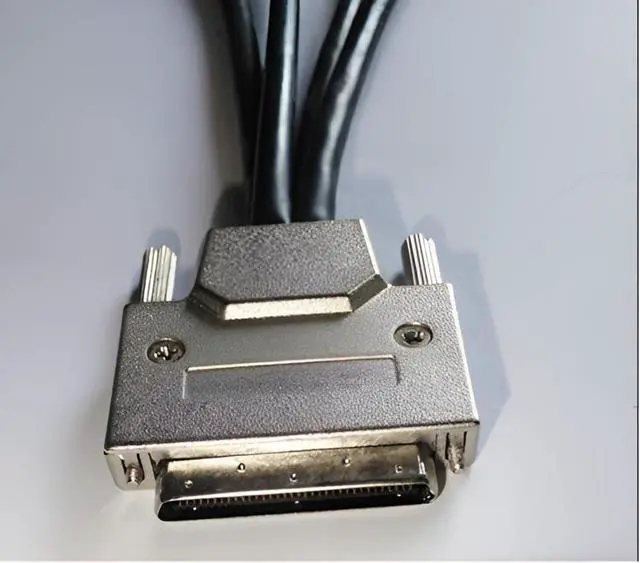
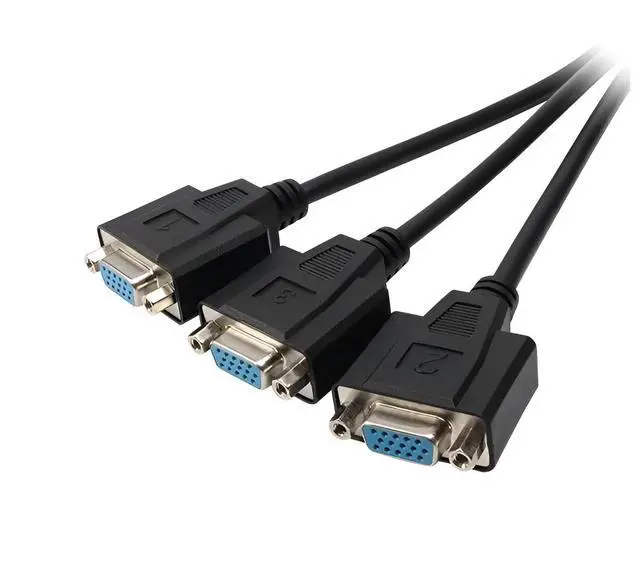
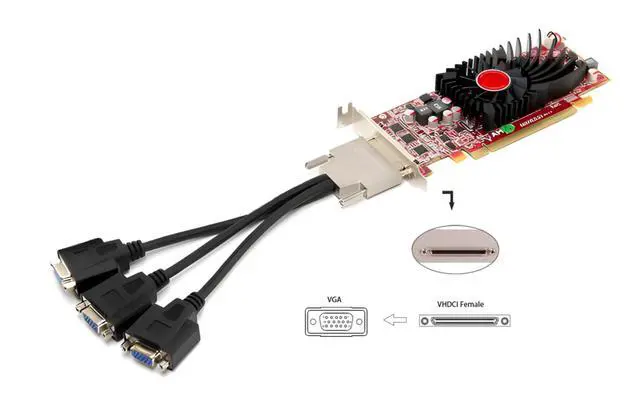
- : The "VHDCI to VGA*3 Cable" utilizes two different types of interfaces, featuring a metal-cased male VHDCI (Very High Density Cable Interconnect) connector on one end, and three female VGA connectors on the other. The VHDCI male end is inserted into a graphics card with a corresponding VHDCI female socket, while the three VGA female ends require additional VGA male-to-male cables to connect to your three monitors.
- : This cable is designed for connecting a multi-screen graphics card to multiple monitors, providing a signal con
+
+
Overview
Specs
Reviews
Any questions? Our AI beta will help you find out quickly.
Try me now
: Before using the VHDCI to VGA*3 Cable, please make sure that your computer's graphics card has a VHDCI female output interface and supports multi-screen output, and the monitors have VGA input interfaces. Generally, this type of cable is customized for multi-screen display applications, so you need to verify whether your computer equipment meets the above requirements before purchasing.
: The "VHDCI to VGA*3 Cable" utilizes two different types of interfaces, featuring a metal-cased male VHDCI (Very High Density Cable Interconnect) connector on one end, and three female VGA connectors on the other. The VHDCI male end is inserted into a graphics card with a corresponding VHDCI female socket, while the three VGA female ends require additional VGA male-to-male cables to connect to your three monitors.
: This cable is designed for connecting a multi-screen graphics card to multiple monitors, providing a signal connection from a single VHDCI male connector to three VGA female connectors. It allows a multi-screen graphics card with a VHDCI output interface to simultaneously connect to up to three displays.
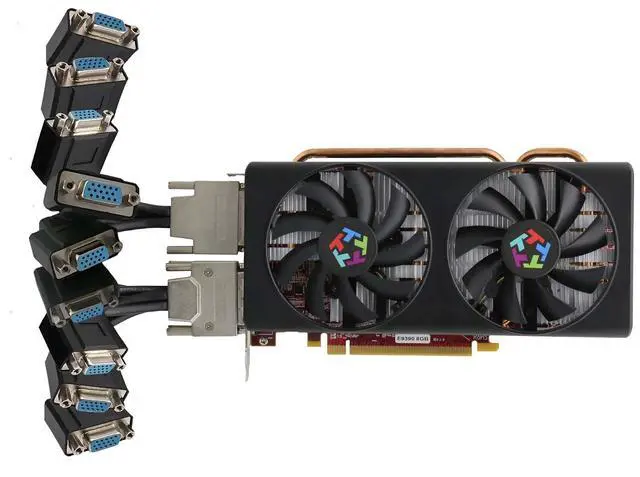
: The VHDCI to VGA*3 Cable is commonly used in environments requiring multiple monitors, such as financial trading, advertising display stands, multi-screen splicing, professional drawing, conference presentations, video editing, or data analysis. These users need to view multiple windows simultaneously. Through this cable, users can extend the graphics output of a single computer to multiple screens, enhancing work efficiency and multitasking capabilities.
: VGA monitors are relatively basic, but they can still support high-definition resolutions up to 1920x1080. Connected through the VHDCI to VGA*3 Cable, three display modes are available. Each connected monitor can display the same image, show different content, or achieve multi-screen splicing display. You can choose different display modes according to your actual needs. Of course, it is also necessary to ensure that your multi-screen graphics card supports the required resolution and image quality.

: The "VHDCI to VGA*3 Cable" utilizes two different types of interfaces, featuring a metal-cased male VHDCI (Very High Density Cable Interconnect) connector on one end, and three female VGA connectors on the other. The VHDCI male end is inserted into a graphics card with a corresponding VHDCI female socket, while the three VGA female ends require additional VGA male-to-male cables to connect to your three monitors.
: This cable is designed for connecting a multi-screen graphics card to multiple monitors, providing a signal connection from a single VHDCI male connector to three VGA female connectors. It allows a multi-screen graphics card with a VHDCI output interface to simultaneously connect to up to three displays.
: The VHDCI to VGA*3 Cable is commonly used in environments requiring multiple monitors, such as financial trading, advertising display stands, multi-screen splicing, professional drawing, conference presentations, video editing, or data analysis. These users need to view multiple windows simultaneously. Through this cable, users can extend the graphics output of a single computer to multiple screens, enhancing work efficiency and multitasking capabilities.
: VGA monitors are relatively basic, but they can still support high-definition resolutions up to 1920x1080. Connected through the VHDCI to VGA*3 Cable, three display modes are available. Each connected monitor can display the same image, show different content, or achieve multi-screen splicing display. You can choose different display modes according to your actual needs. Of course, it is also necessary to ensure that your multi-screen graphics card supports the required resolution and image quality.
Warranty & Returns
Warranty, Returns, And Additional Information
Warranty
- Please contact the Seller directly for warranty information. Warranty information may also be found on the Manufacturer's website.
- CONTACT
Return Policies
- Return for refund within: 30 days
- Return for replacement within: 30 days
- This item is covered by PrimeVolt’Shop Return Policy
Manufacturer Contact Info
- For a directory of all our manufacturers, please click below.
- Manufacturers Directory
LOADING...