Your Browsing History
Meet Your Seller
USB 3.0 Displayport KVM Switch Triple Monitor, 8K@60Hz 2K@120Hz USB DP Extended Display Switcher for 2 Computers 3 Monitors and 4 USB 3.0 Ports, EDID Support Extended & Duplicate Mode
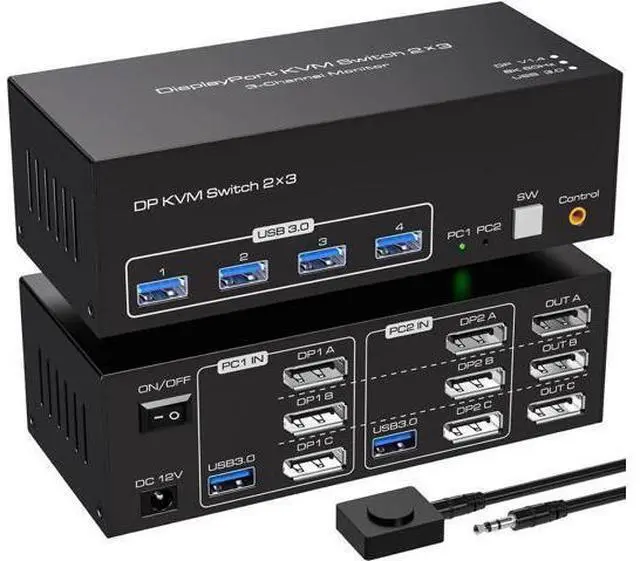
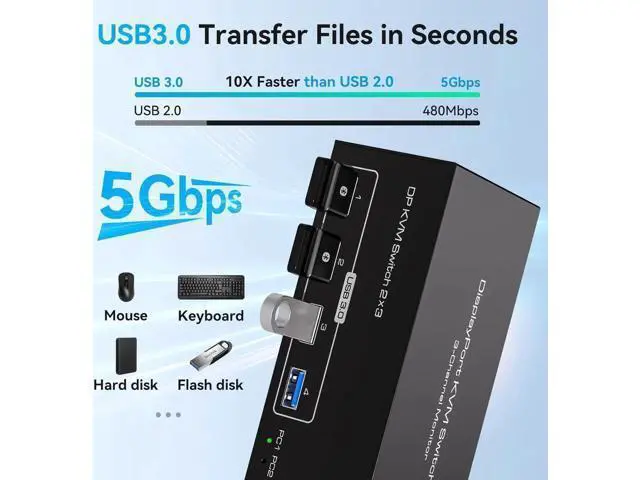
- 3 Monitors 2 Computers KVM - 8K Displayport KVM Switch for 2 Computers Share 3 Monitors and 4 USB 3.0 devices.; This 3 monitor kvm perfect for hooking up 2 desktops or laptops to share one set of keyboard, mouse and 3 monitors for extended, mirror display; Perfect for computers with 3 DP monitor for the display outputs. It requires every Laptop/PC support 3 screen or above display functions and must support extended display.; It is possible to control two computers and three monitors directly with one set of keyboard and mouse; Three monitors can support two modes:duplicate and extend.; Supports resolutions up to 8K 60Hz and backward compatible; Equipped with four USB 3.0 ports, allowing you to connect scanners, hard drives, and other USB devices; Equipped with a 12V/1A power supply, ensuring stable operation even when high-power devices are connected; Compatible with Windows/Vista/XP, Mac OS, Linux, and Unix, plug-and-play
+
+
Overview
Specs
Reviews
Any questions? Our AI beta will help you find out quickly.
Try me now
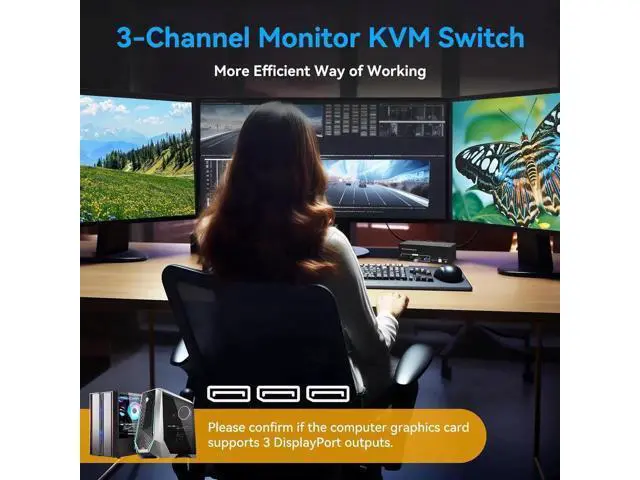
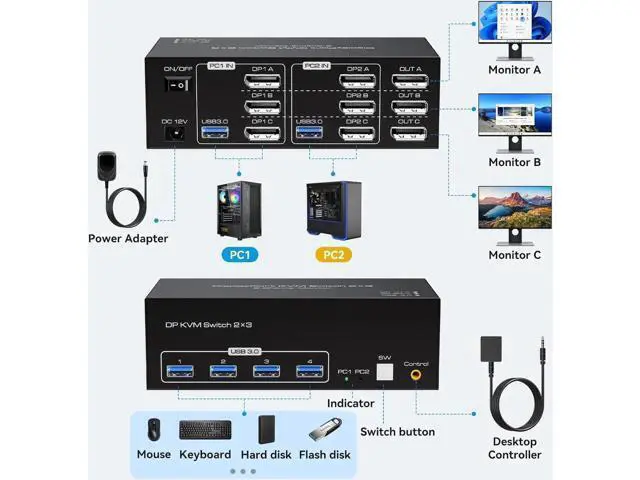
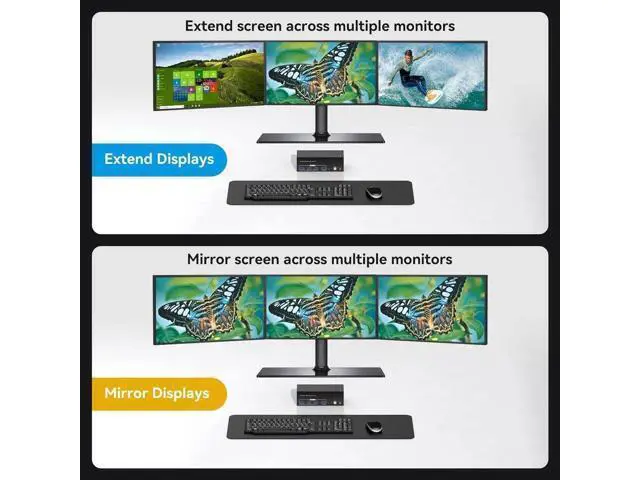
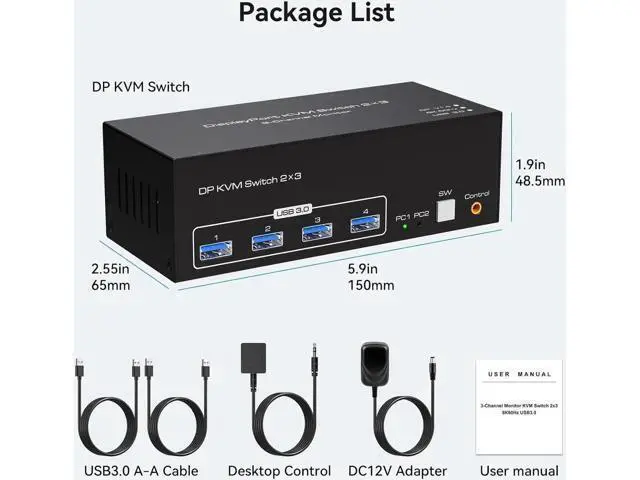
8K Displayport KVM Switch for 2 Computers Share 3 Monitors and 4 USB 3.0 devices. It is possible to control two computers and three monitors directly with one set of keyboard and mouse. Three monitors can support two modes: duplicate and extend. Supports resolutions up to 8K 60Hz and backward compatible. Equipped with four USB 3.0 ports, allowing you to connect scanners, hard drives, and other USB devices. Equipped with a 12V/1A power supply, ensuring stable work even when high-power devices are connected. Compatible with Windows/Vista/XP, Mac OS, Linux, and Unix, plug-and-play. Usage Connect the power source. Connect PC1 to the KVM device using one USB 3.0 cable and three DP cables. Connect PC2 to the KVM device using one USB 3.0 cable and three DP cables. Connect each of the three monitors to OUT A, OUT B, and OUT C using separate DP cables. Connect the keyboard and mouse to the KVM device. (Please note that if you want to properly use three monitors, make sure that your graphics card supports 3 DP outputs. ) Duplicate and
Extend Duplicate mode: three screens display the same content.
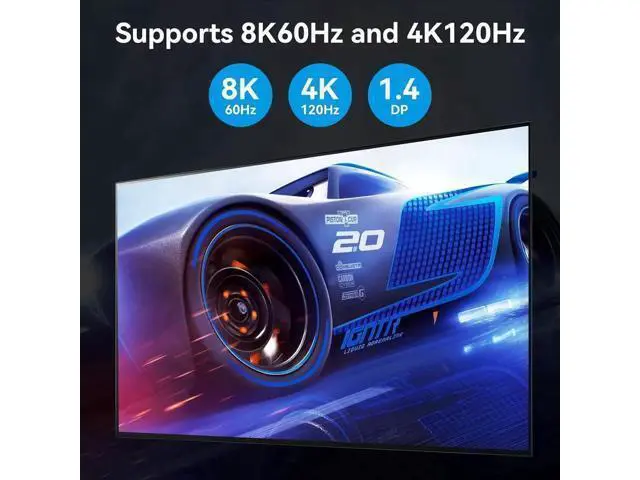
Extend mode: Drag and drop windows from the main screen to the other two output screens. Supports Resolutions Up to 8K@60Hz, 4K@120Hz and Backward Compatible Equipped with Four USB 3.0 Ports Button Switch With a touch of a button on the control panel, you can easily and quickly switch between computers. Desktop Controllar The included extension cable for the push button switch allows for easy s

Extend Duplicate mode: three screens display the same content.
Extend mode: Drag and drop windows from the main screen to the other two output screens. Supports Resolutions Up to 8K@60Hz, 4K@120Hz and Backward Compatible Equipped with Four USB 3.0 Ports Button Switch With a touch of a button on the control panel, you can easily and quickly switch between computers. Desktop Controllar The included extension cable for the push button switch allows for easy s
Warranty & Returns
Warranty, Returns, And Additional Information
Warranty
- Please contact the Seller directly for warranty information. Warranty information may also be found on the Manufacturer's website.
- CONTACT
Return Policies
- Return for refund within: 30 days
- Return for replacement within: 30 days
- This item is covered by NovaStar Tech Return Policy
Manufacturer Contact Info
- For a directory of all our manufacturers, please click below.
- Manufacturers Directory
LOADING...