Your Browsing History
- Free 30-day Returns
$49.97
Ships from China.
Sold by BrightTeng Media Store
Shipped by BrightTeng Media Store
Meet Your Seller
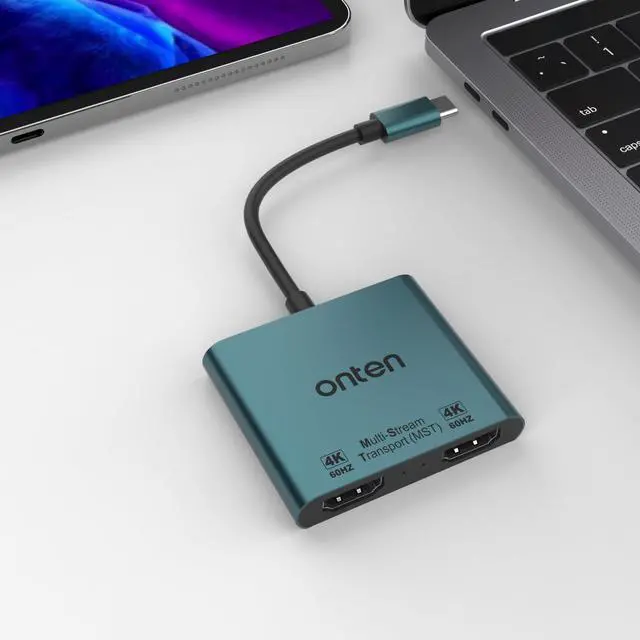
USB C to Dual HDMI adpater 4K@60HZ. USB Type c to Dual Monitor MST Converter.Compatible with thunderbolt3/4 MacBook Pro/Air, iPad Pro and More (DP AltMode Required)
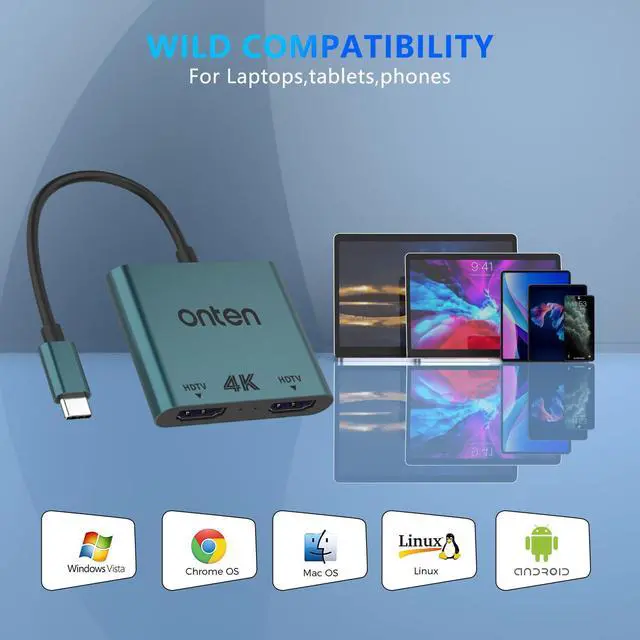
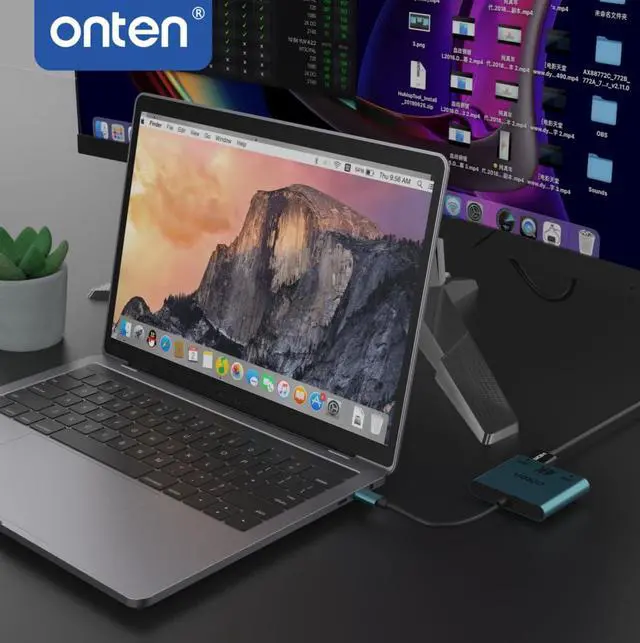
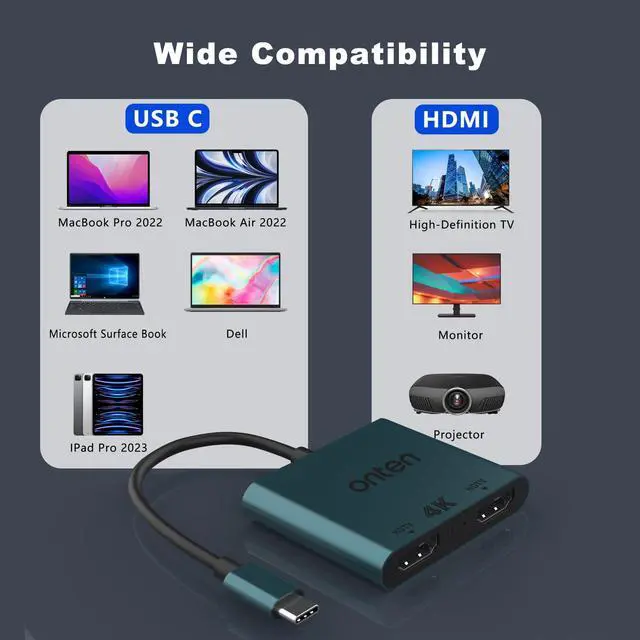
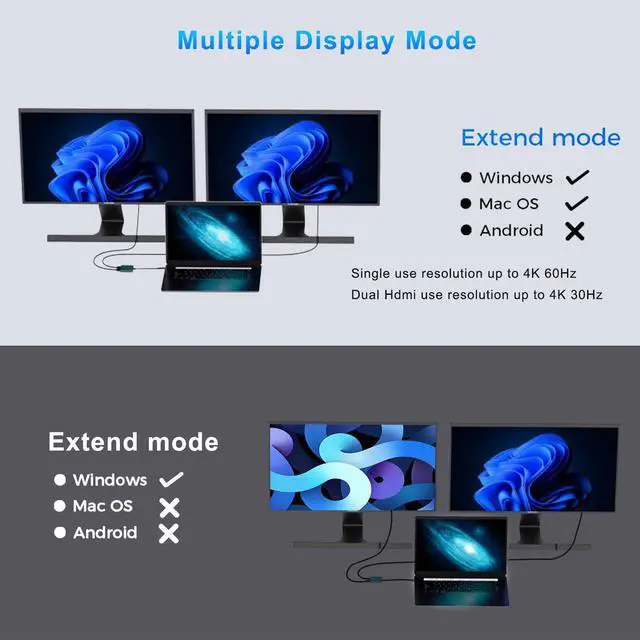
- ·USB C to Dual HDMI adapterThis dual hdmi adapter can mirror or expand high-resolution graphics images to dual 4K resolution of HDTV, monitors or projectors.The laptop screen can be extended to two monitors.Boost your work productivity and efficiency. Allows you to do different project on differnet monitors. It is an ideal usb c accessories for photography,programmer, data analysis, etc; ·Wide Compatibility:Compatible with Mac OS, Windows, Linux, Android system with USB-C port which supports "DisplayPort Alternate Mode" (not all USB-C ports/systems support Alternate Mode functionality). Compatible with MacBook Pro 2016-2020, MacBook Air 2018-2020, iPad Pro 2018 2020, M1, M2. Note: Mac OS Support Display SST (A-A-A or A-B-B) . Windows OS Support Display MST (A-B-C / A-B-B /A-A-A); ·4K Vivid 3D Effect Video SyncThis USB C to dual HDMI adapter, allows your computer to extend dual HDMI screens at the same time. When only one HDMI port is used, the resolution can be up to 4K@60HZ(3840*2160@60Hz), and when two HDMI ports are used simultaneously, the resolution can be up to 4K@30HZ(3840*2160@30Hz) .(Important: ONLY when your devices support 4K resolution, the video output will be 4K,please make sure to use a HDMI 2.0 cable or better.); ·Plug and Play: USB C HDMI Adapter offers an easy setup by natively working on device that supports DP Alt Mode over USB Type-C, plug and play, No need any driver.no external power cords are necessary. Please you may need to change the setti
+
+
Overview
Specs
Reviews
Any questions? Ask CelesteSM will help you find out quickly.
Try me now
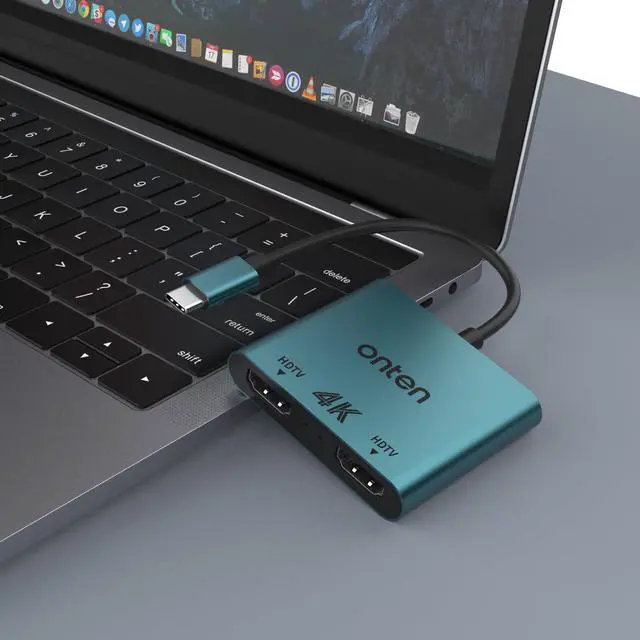
Product description USB-C to Dual HDMI Display Adapter ONTEN USB-C MST Hub to 2x HDMI allows you to connect two displays to USB-C or Thunderbolt 3 enabled laptop, Ultrabook, or PC. Configure these added monitors anyway you want. Transfer high-quality video and audio for presentations, conferences, workshops, training or gaming.
Model: OTN-9175B
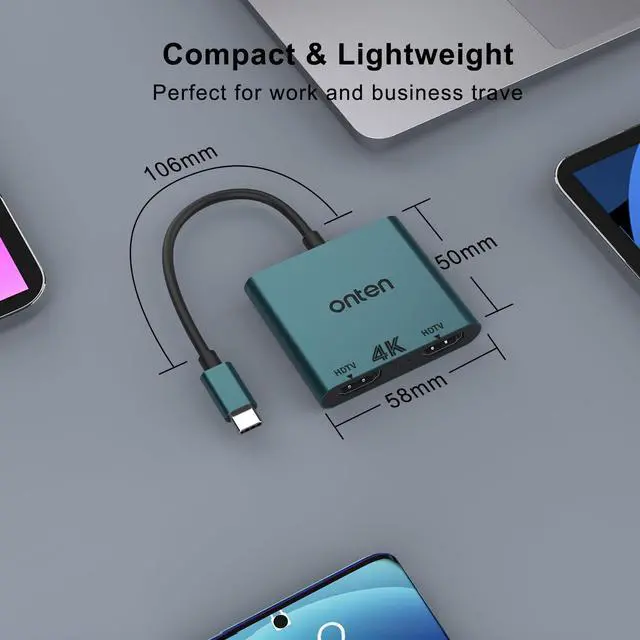
Size: 58*56*11mm / 2.2 *2* 0.43 inch
Cable lentch: 106mm The Dual HDMI USB C Adapter ONLY work with those devices that the USB Type C Port supports video output or DP Alt Mode. Not for all USB C laptop. Before you purchase it, Please
Attetion: 1. Please check if your laptop owns a USB Type-c Thunderbolt 3 port and support DisplayPort Alternate Mode. 2. On Mac devices, ONLY support Mirror Mode, CAN NOT extend two different Screen, due to Mac OS limitation. FAQ How to switch Mac device to Extend Mode? "Setting" "Display" click the "mirror display" box to switch to Extend mode then you can drag a window of website/movie to the rightest side of your desktop screen until it disappear on your desktop screen and show up on the external monitor screen. (
Important Note: As Apple company itself limited, for Mac OS devices use in extend mode, the image on the two external screens will be the same. ) How to connect Extend Mode for Windows OS? Right-click desktop select Intel display Settings pop-up Settings screen select display select multi-screen display expand the desktop (If the display 3 does not display, please manually select the displayclick "apply" "confirm" can set OK). If one of displays does not display, How to do? Right click desktop > Graphics Settings > Select One or More Active Displays. Mac OS ONLY
Support Mirror Mode: A-A/A; A-B/B
Support Windows OS: Mirror
Mode: A-A/A;
Extend Mode: A-B/B; A-B/C
Support Android OS: Mirror
Mode: A-A/A
Important Note: Does not support 2 external displays show different images for APPLE computers in extend mode. For different modes if you are not clear how to setting, we can help you.
Dual Video Resolution Configurations: 1 display 3840x2160@60Hz 2 displays 3840x2160@30Hz 2 displays 2560x1440@60Hz 2 displays 1920x1080@60Hz
Compatible with (Tested): ONLY support
Mirror Mode For: MacBook/ MacBook Pro (2021/2020/2019/2018/2017/2016), Macbook Air 2018-2021, Mac mini 2018-2020, iPad Pro 2018
For: Dell XPS12 (9250) /Dell XPS13 (9350) /Dell XPS15 (9550), Dell Latitude 13 7000/Latitude 13
E7370 For: Lenovo Yoga 720-13IKB/ Yoga 900-13ISK/ Yoga 910/ Yoga 920/ Yoga 930
For: LG G5, LG gram 14Z990-V.
AA52C For: HP Spectre Laptop 13-af001TU 13''
ASUS Zenbook UX330UA For: Microsoft Surface Book 2/ Surface Go/ Surface Laptop 3
For: Huawei Macbook Mate10/ Mate10 pro/ Mate20/ Mate20 pro /
Mate30/ Mate30Pro For: Samsung Galaxy S10+/S10/S9+ /S9 /S8+ /S8 Plus, Note 10 / 9 / 8 MST Chip Dual 4K Display Ultra compatible
Warranty & Returns
Warranty, Returns, And Additional Information
Warranty
- Please contact the Seller directly for warranty information. Warranty information may also be found on the Manufacturer's website.
- CONTACT
Return Policies
- Return for refund within: 30 days
- Return for replacement within: 30 days
- This item is covered by BrightTeng Media Store Return Policy
Manufacturer Contact Info
- For a directory of all our manufacturers, please click below.
- Manufacturers Directory
LOADING...