Your Browsing History
Meet Your Seller
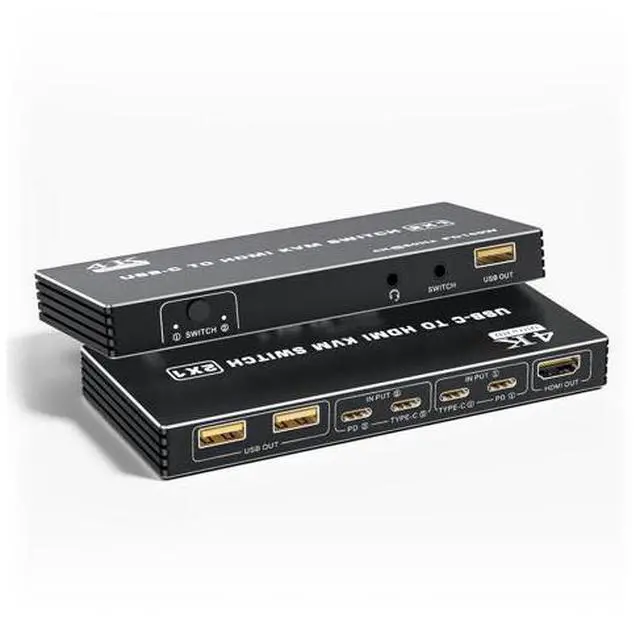
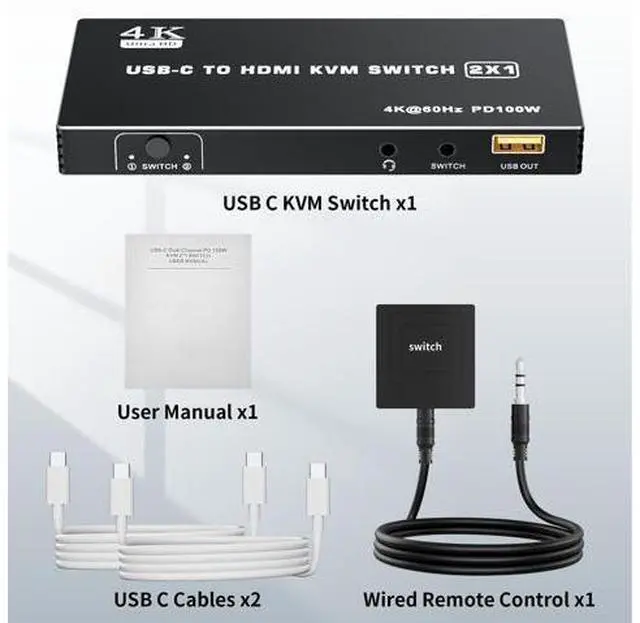
USB C KVM Switch, 4K@60Hz 2 Ports Type-C to HDMI 2.0 KVM Switcher for 2 USB-C Port Laptops Share 1 HDMI Monitor, 3 USB Ports for Keyboard Mouse Printer, 100W PD Charging, 2 USB Cables and Controller
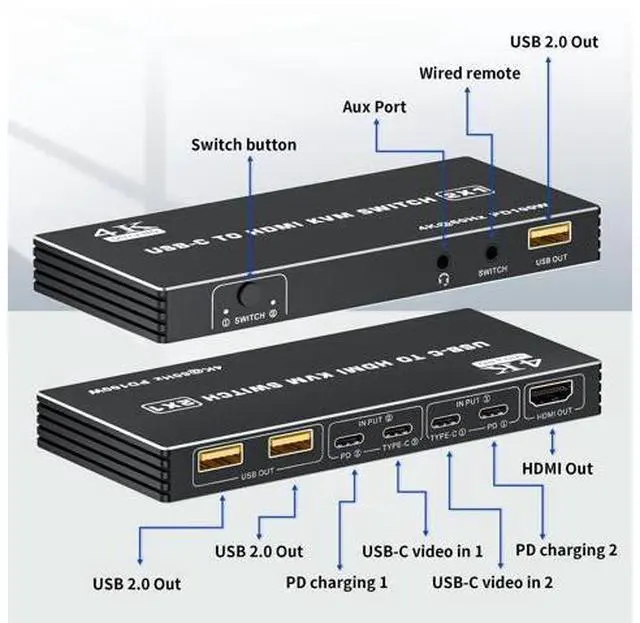
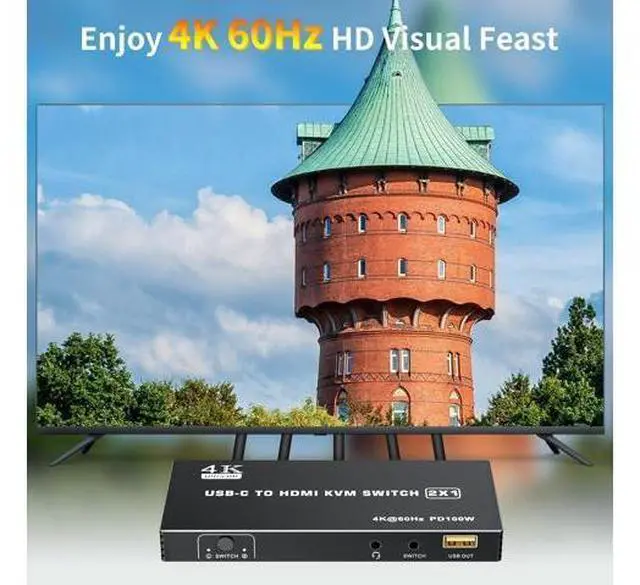
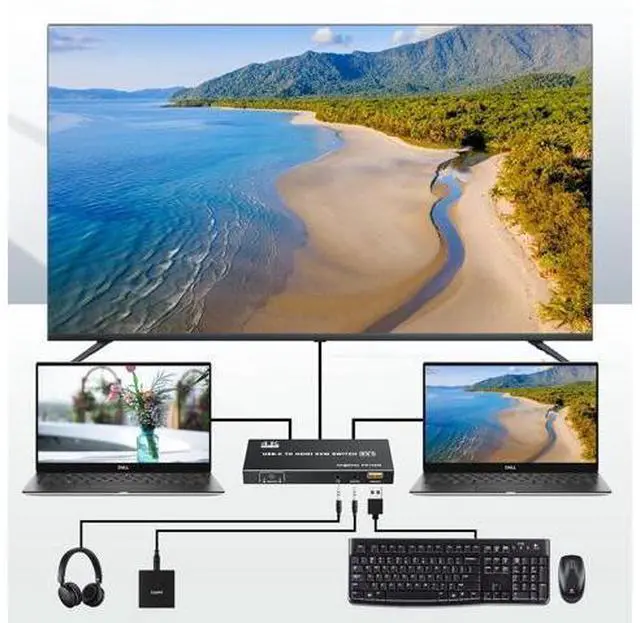
- USB-C to HDMI Design: The dual ports USB-C to HDMI KVM switch lets you seamlessly control two Type-C computers using one HDMI monitor. Designed with 100W PD charging port to give enough power for your laptop during using. Also there is 3.5mm audio out port, be able to connect with headphone, etc; UHD 4K Visual: The alternative USB Type-C KVM Switch supports resolution up to 4K@60Hz (3840x2160@60Hz) can enjoy stunning images and smooth video playback. And the resolution compatible: 2560 x 1440@144Hz/120Hz/60Hz, 1920x1440@144Hz/120Hz/60Hz; Wide Compatibility: The KVM Switcher is driver-free, plug and play, lightweight and compact design allows you to carry everywhere. Supports most major operating systems, including Windows, Mac. Supports HDMI 2.0 standard, HDMI 1.4 standard. Compatible with desktop, laptop, TV Box with Type-C port. With 3 USB 2.0 ports, suitable for keyboard, mouse, printer, etc
+
+
Overview
Specs
Reviews
Any questions? Our AI mode will help you find out quickly.
Try me now
The Dual Port Type C KVM Switch allows you to connect up to 2 PCs or laptops to a single HDMI monitor and control them via a set of keyboard and mouse Product information Color Black Connector Type Plug In Brand Vszerda Manufacturer Vszerda Product Dimensions 3.1 x 1.5 x 0.47 inches; 15.84 ounces Item model number BO14 Date First Available April 1, 2025 Country of Origin China
Additional Features Connection Step: Step
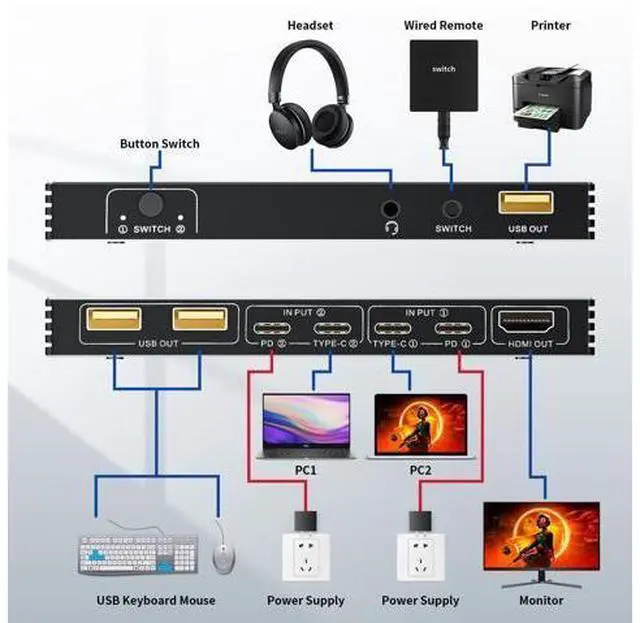
1: Connect the power adapter to ensure stable operation;
Step 2: Seperately connect the USB-C cable to the IN PUT1 and IN PUT2 IN port (
Note: The PD port is only to power the host PC );
Step 3: Connect the HDMI OUT to the display device;
Step 4: Connect the mouse, keyboard, and flash disk to the USB OUT;
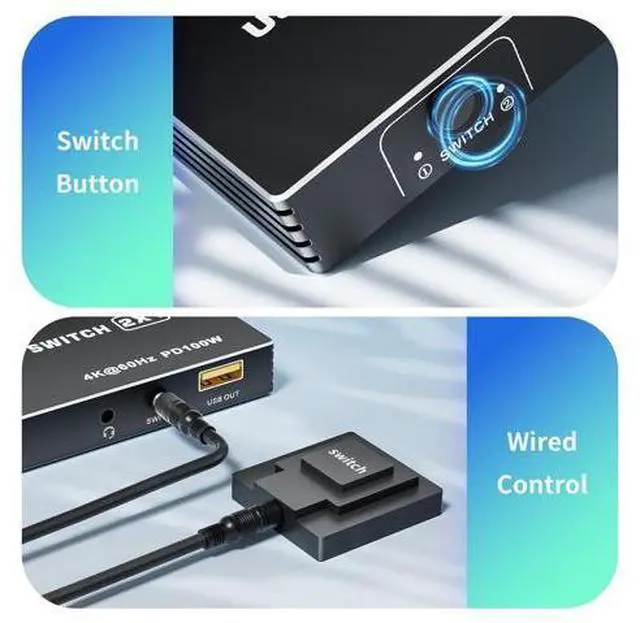
Step 5: Connect desk wired contoller for quick switching;
Step 6: Optionally connect with 3.5 mm aux deivces, like headphone, for a more stunning audio experience 2-Methods
Switching: By One-Botton switch or desktop controller (included in package) freely switch between 2 USB-C computers, saving space on your desk and sharing your display. The LED indicate the active computer
Important Note:
1. Wireless mouse and keyboards are not supported;
2. Mechanical keyboards and mice are not supported; The short key switch above the keyboard is not supported; Please make sure that your laptop or tablet supports PD charging and has an additional port for video

Additional Features Connection Step: Step
1: Connect the power adapter to ensure stable operation;
Step 2: Seperately connect the USB-C cable to the IN PUT1 and IN PUT2 IN port (
Note: The PD port is only to power the host PC );
Step 3: Connect the HDMI OUT to the display device;
Step 4: Connect the mouse, keyboard, and flash disk to the USB OUT;
Step 5: Connect desk wired contoller for quick switching;
Step 6: Optionally connect with 3.5 mm aux deivces, like headphone, for a more stunning audio experience 2-Methods
Switching: By One-Botton switch or desktop controller (included in package) freely switch between 2 USB-C computers, saving space on your desk and sharing your display. The LED indicate the active computer
Important Note:
1. Wireless mouse and keyboards are not supported;
2. Mechanical keyboards and mice are not supported; The short key switch above the keyboard is not supported; Please make sure that your laptop or tablet supports PD charging and has an additional port for video
Warranty & Returns
Warranty, Returns, And Additional Information
Warranty
- Please contact the Seller directly for warranty information. Warranty information may also be found on the Manufacturer's website.
- CONTACT
Return Policies
- Return for refund within: 30 days
- Return for replacement within: 30 days
- This item is covered by OUTDOORMAX GEAR Return Policy
Manufacturer Contact Info
- For a directory of all our manufacturers, please click below.
- Manufacturers Directory
LOADING...