• $249.99
  • Free 30-day Returns
  • Ships from China.
    Sold by TERRA HAVEN

    Shipped by TERRA HAVEN

    Price alert
    Shop it at NeweggBusiness.

    Meet Your Seller

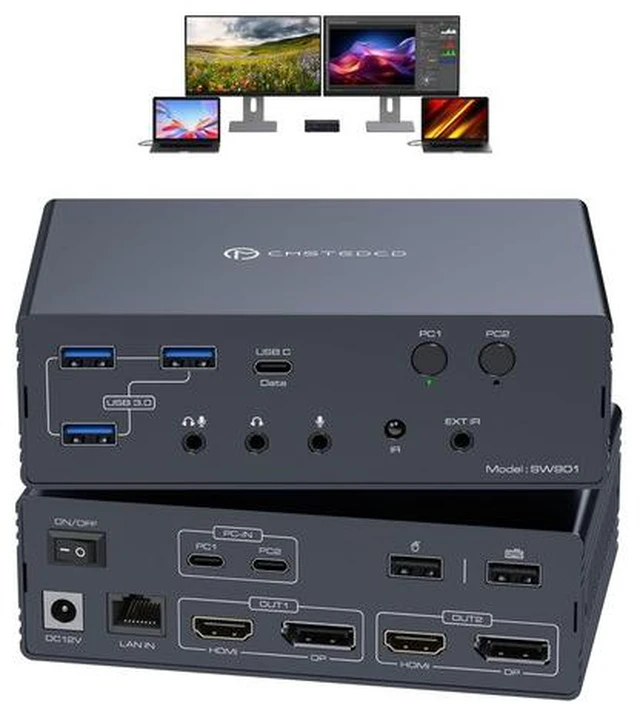
    KVM Switch DisplayLink Docking StationThis KVM doc

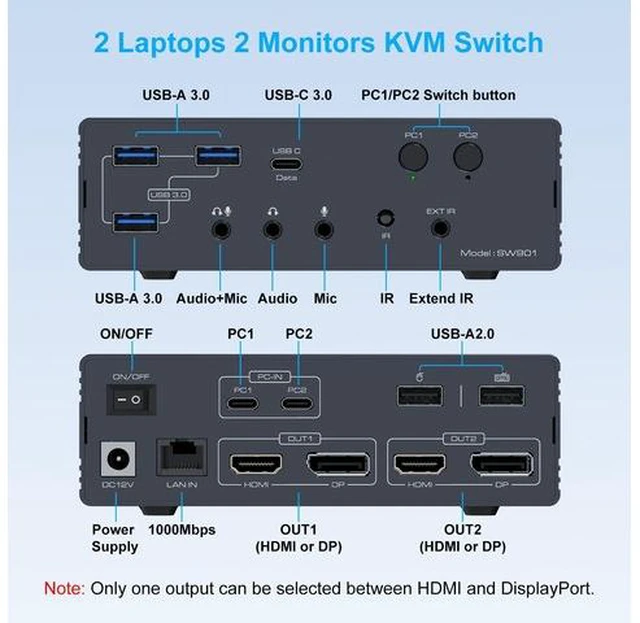
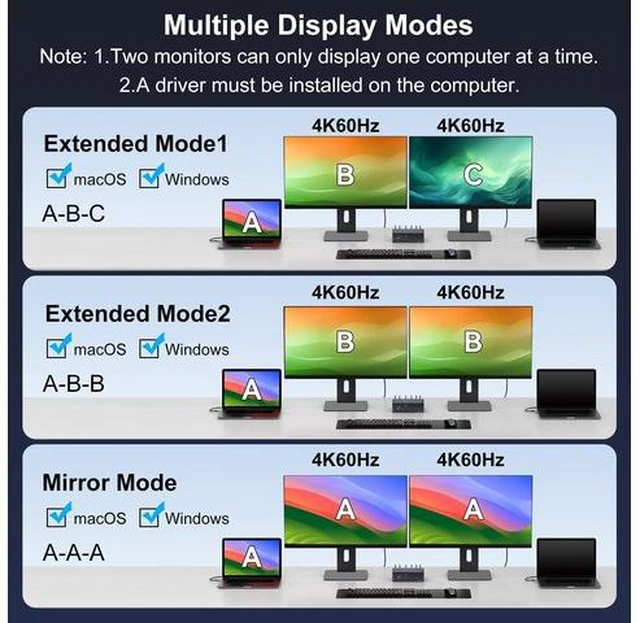
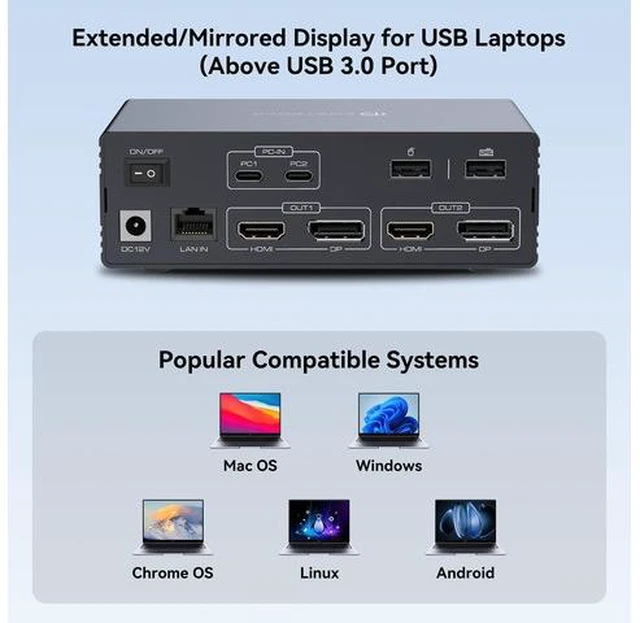
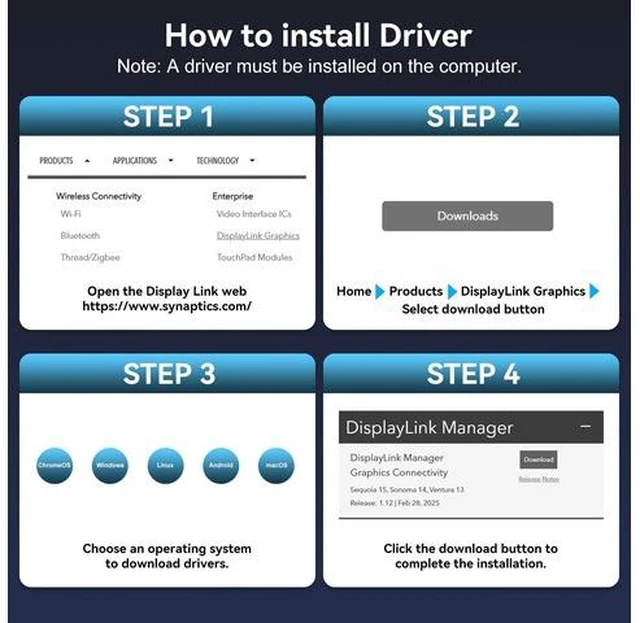
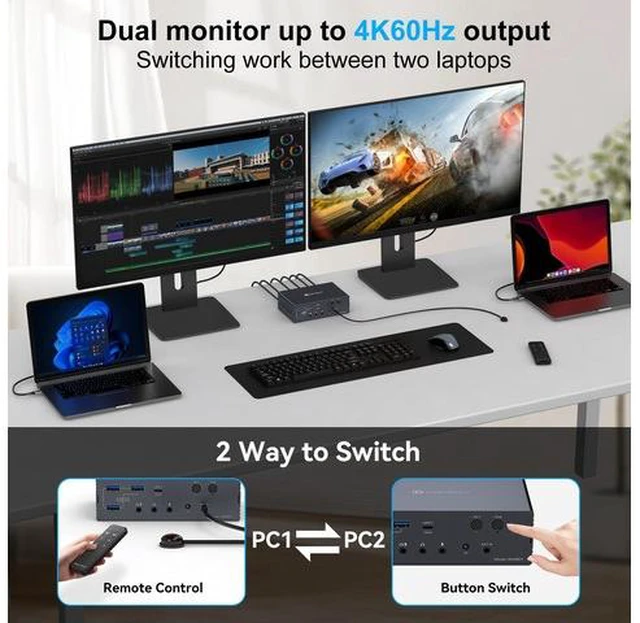
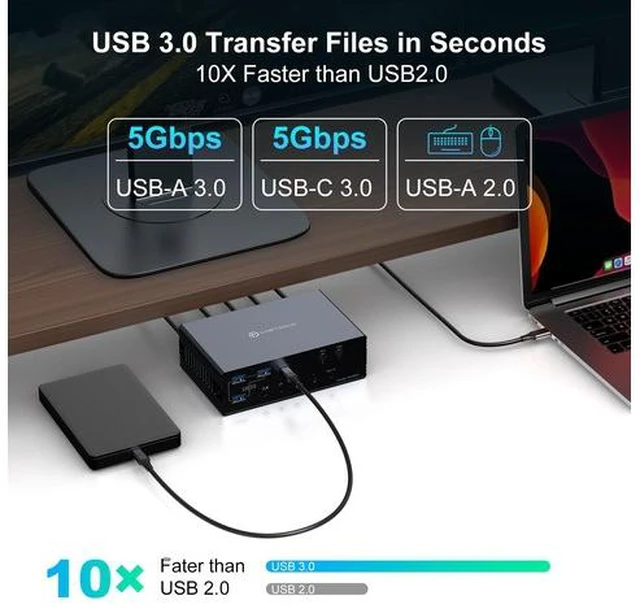
    • KVM Switch DisplayLink Docking StationThis KVM docking station seamlessly integrates two computers with two monitors, while also combining network connections, headphones, microphones, mouse, keyboards, webcams, portable hard drives, and other devices into a complete office and entertainment system | Important Notes1. DisplayLink drivers must be installed to enable full functionality (set driver to auto-start at system boot,contact technical support if issues arise during driver installation).2. USB input requires minimum USB 3.0 specification.3. Does not support PD charging.4. For 4K@60Hz operation, use high-quality cables supporting DP 1.2 and HDMI 2.0 standards (recommended length: no longer than 3.3 feet) | Wide Compatibility This kvm docking dual laptops seamlessly integrates with macOS, Windows, Chrome OS, and Linux and Android systems | compatible with both laptops and desktops. Simply ensure your computer has a USB 3.0 (or higher) port and download the DisplayLink driver to unlock the full functionality of this KVM dock | Mirroring and Extended DisplayThe Mac KVM switch supports dual-screen extended mode and mirroring mode, overcoming macOS system limitations to enable dual-screen extended mode under macOS. This allows two displays to be configured for extended display or mirrored display (compatible with MacBook, MacBook Air/Pro, and Mac Mini models featuring M1/M2/M3/M4 chips)

    +
    +
    Overview
    Specs
    Reviews

    Any questions? Ask CelesteSM will help you find out quickly.

    KVM Switch DisplayLink Docking StationThis KVM docking station seamlessly integrates two computers with two monitors, while also combining network connections, headphones, microphones, mouse, keyboards, webcams, portable hard drives, and other devices into a complete office and entertainment system Important Notes1. DisplayLink drivers must be installed to enable full functionality (set driver to auto-start at system boot, contact technical support if issues arise during driver installation). 2. USB input requires minimum USB 3.0 specification. 3. Does not support PD charging. 4. For 4K@60Hz operation, use high-quality cables supporting DP 1.2 and
    HDMI 2.0 standards (recommended length: no longer than 3.3 feet) Wide Compatibility This kvm docking dual laptops seamlessly integrates with macOS, Windows, Chrome OS, and Linux and Android systems compatible with both laptops and desktops. Simply ensure your computer has a USB 3.0 (or higher) port and download the DisplayLink driver to unlock the full functionality of this KVM dock Mirroring and Extended DisplayThe Mac KVM switch supports dual-screen extended mode and mirroring mode, overcoming macOS system limitations to enable dual-screen extended mode under macOS. This allows two displays to be configured for extended display or mirrored display (compatible with MacBook, MacBook Air/Pro, and Mac Mini models featuring M1/M2/M3/M4 chips)

    Warranty & Returns

    Warranty, Returns, And Additional Information

    Warranty

    • Please contact the Seller directly for warranty information. Warranty information may also be found on the Manufacturer's website.
    • CONTACT

    Return Policies

    Manufacturer Contact Info

    LOADING...