



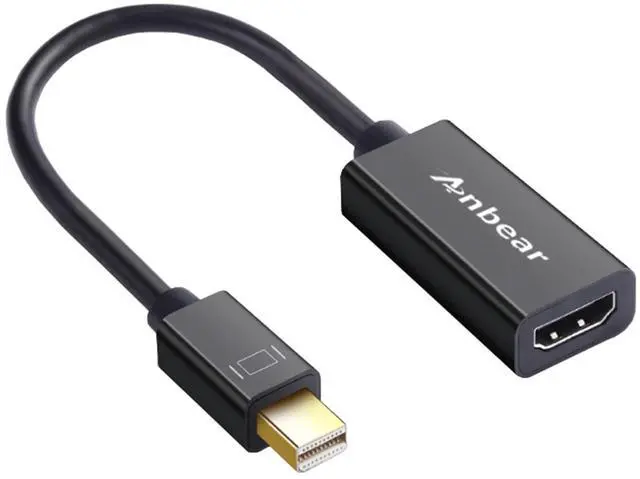


The Anbear Mini DisplayPort to HDMI adapter
Specifications:
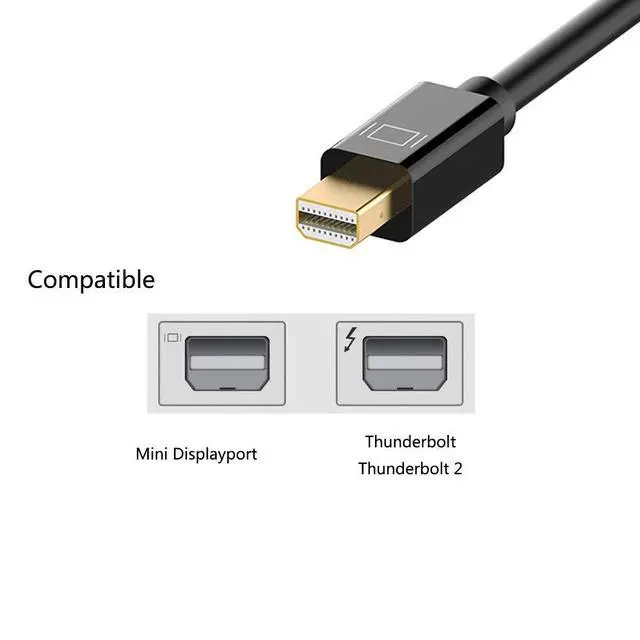
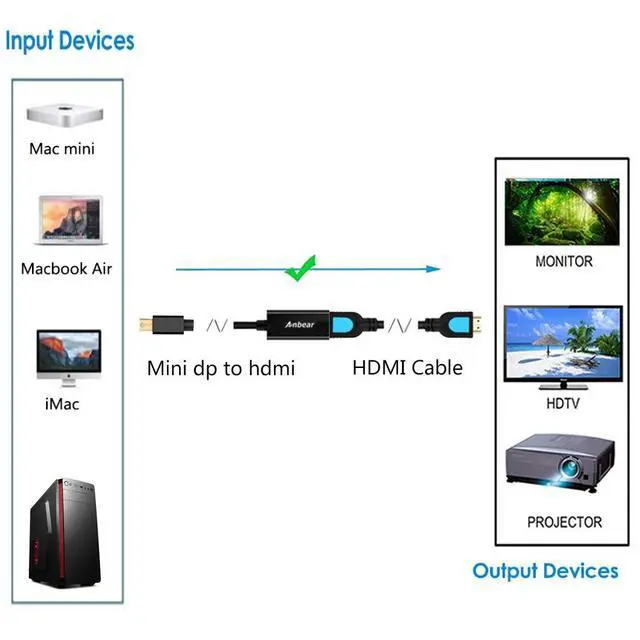
- Input : Mini DisplayPort (Thunderbolt 2) Male
- Output : HDMI Female
IMPORTANT NOTE:
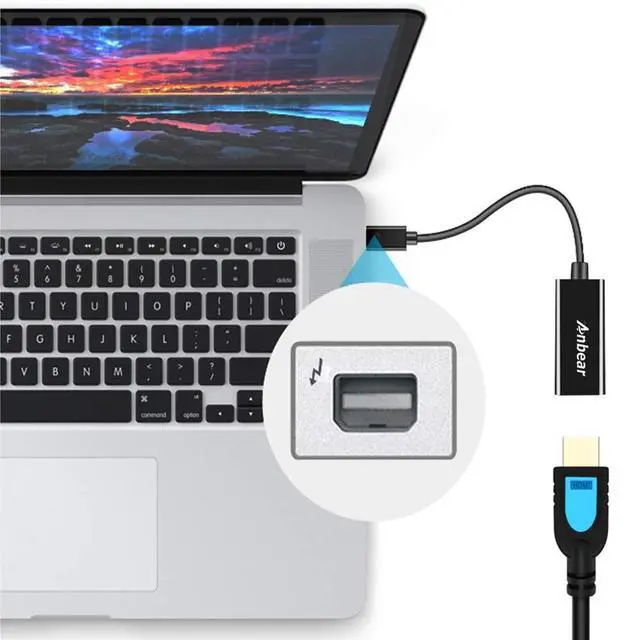
- Transmission: NOT Bi-directional (Only from a Mini DisplayPort/Thunderbolt/Thunderbolt 2 to HDMI TV/Monitor).
- Audio: System Preferences ? Sound ? Output. Change the audio output from your laptop to TV (Display devices).
- Support 1080P@60Hz

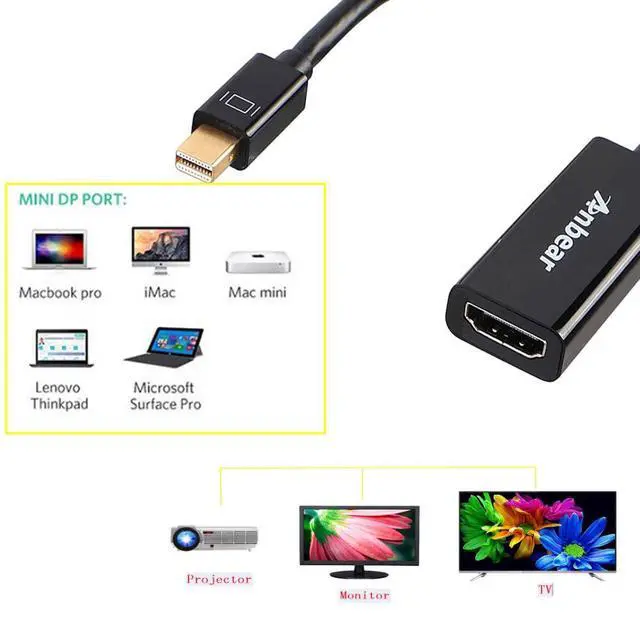
Compatible Device
MacBook
MacbookAir 2010-2017
MacBook Pro 2010-2015
Imac 2009-2015
Mac Mini2010-2014
Surface
Surface 3,
Surface Pro 2-6
Surface Laptop/Laptop 2
Surface Book,Surface Dock, Surface Studio
lenovo
Lenovo thinkpad T440 ,T450,T460
Thinkpad helix/ x1 carbon/ x230/ l430/ l530/ t430/ t430s/ t530/ w530/ w540p, Legion y7000p
More
- Dell XPS(before year 2016), Latitude E7240/ E7440, Precision M3800
- Acer Aspire, Intel NUC, Asus Zenbook UX303LA/UX303LN
- HP Envy 14/17, Google Chromebook Pixel

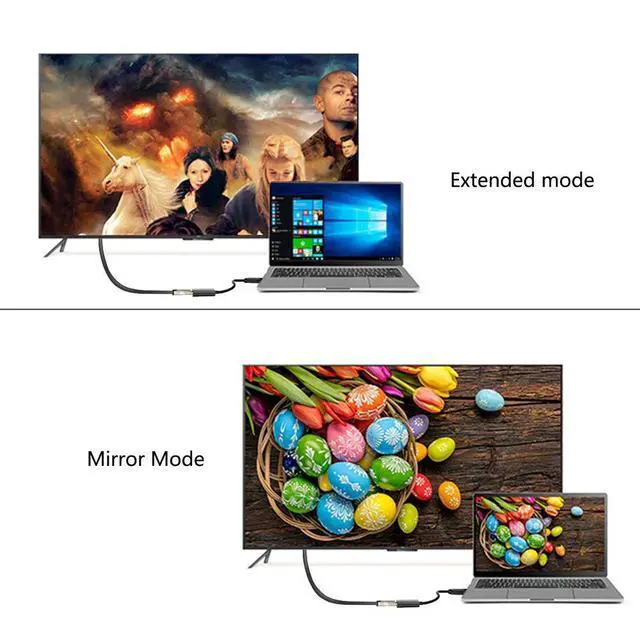
Support Mirror & Extend Dual Mode:
Mirror Mode: Makes your holiday photos and favorite films so much more interesting and enjoyable on the big screen!
- Extended Mode: Works like a charm for multitasking.
Mirror and Extend Mode Settings:
- For MacOS, Top left corner Apple icon ? System Preferences ? Displays ? Mirror or Extend Displays;
- For Windows 10, press Windows key + P combination command ? choose Duplicate or Extend;
- For Windows system laptop, if the external monitor could not work, please update the BIOS and graphic card driver from laptop official website.
 Mini DisplayPort to HDMI Adapte 4K |  Mini DisplayPort to HDMI Cable |  Mini DisplayPort to HDMI Cable 4K | |
|---|---|---|---|
| Customer Reviews | — | — | — |
| Price | — | — | — |
The Anbear Mini DisplayPort to HDMI adapter
Specifications:
- Input : Mini DisplayPort (Thunderbolt 2) Male
- Output : HDMI Female
IMPORTANT NOTE:
- Transmission: NOT Bi-directional (Only from a Mini DisplayPort/Thunderbolt/Thunderbolt 2 to HDMI TV/Monitor).
- Audio: System Preferences ? Sound ? Output. Change the audio output from your laptop to TV (Display devices).
- Support 1080P@60Hz
Compatible Device
MacBook
MacbookAir 2010-2017
MacBook Pro 2010-2015
Imac 2009-2015
Mac Mini2010-2014
Surface
Surface 3,
Surface Pro 2-6
Surface Laptop/Laptop 2
Surface Book,Surface Dock, Surface Studio
lenovo
Lenovo thinkpad T440 ,T450,T460
Thinkpad helix/ x1 carbon/ x230/ l430/ l530/ t430/ t430s/ t530/ w530/ w540p, Legion y7000p
More
- Dell XPS(before year 2016), Latitude E7240/ E7440, Precision M3800
- Acer Aspire, Intel NUC, Asus Zenbook UX303LA/UX303LN
- HP Envy 14/17, Google Chromebook Pixel
Support Mirror & Extend Dual Mode:
Mirror Mode: Makes your holiday photos and favorite films so much more interesting and enjoyable on the big screen!
- Extended Mode: Works like a charm for multitasking.
Mirror and Extend Mode Settings:
- For MacOS, Top left corner Apple icon ? System Preferences ? Displays ? Mirror or Extend Displays;
- For Windows 10, press Windows key + P combination command ? choose Duplicate or Extend;
- For Windows system laptop, if the external monitor could not work, please update the BIOS and graphic card driver from laptop official website.
Mini DisplayPort to HDMI Adapte 4K | Mini DisplayPort to HDMI Cable | Mini DisplayPort to HDMI Cable 4K | |
|---|---|---|---|
| Customer Reviews | — | — | — |
| Price | — | — | — |