

Your Browsing History

Meet Your Seller



4K@60Hz DisplayPort to Dual HDMI Adapter DP 1.4 Source to HDMI 2.0 Splitter for Dual Monitors Display Port to HDMI Splitter 1 in 2 Out Extended Display for PC Graphic Card
- 4K@60Hz DisplayPort to Dual HDMI Adapter DP 1.4 Source to HDMI 2.0 Splitter for Dual Monitors Display Port to HDMI Splitter 1 in 2 Out Extended Display for PC Graphic Card
+
+
Overview
Specs
Reviews

Any questions? Our AI beta will help you find out quickly.
Try me now
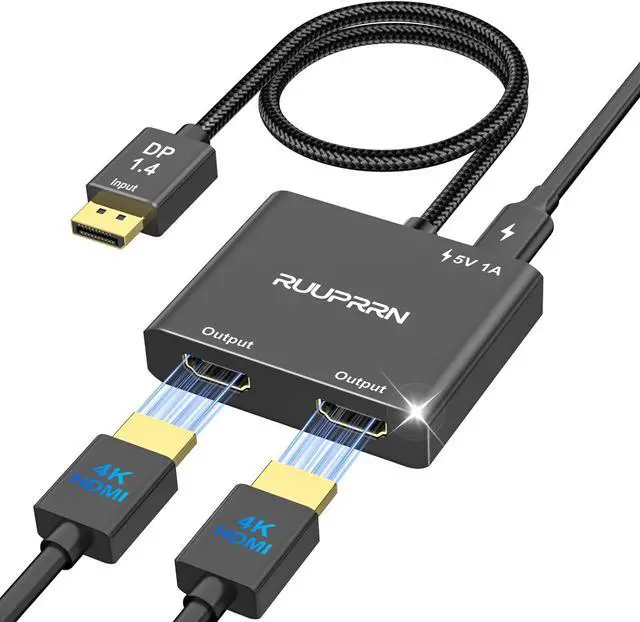
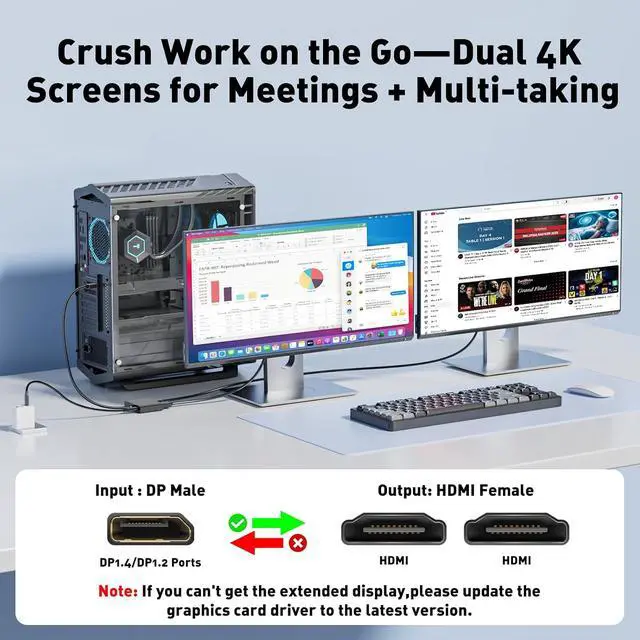
Dual DisplayPort to Dual HDMI Adapter This display Port to dual hdmi adapter simultaneously outputs one DP signal to dual HDMI displays supporting extended mode and mirrored mode (AAA/ABB/ABC). It effectively meets your multi-screen display needs boosts productivity and unlocks new possibilities. Mac OS supports SST mode (AAA/ABB) only.
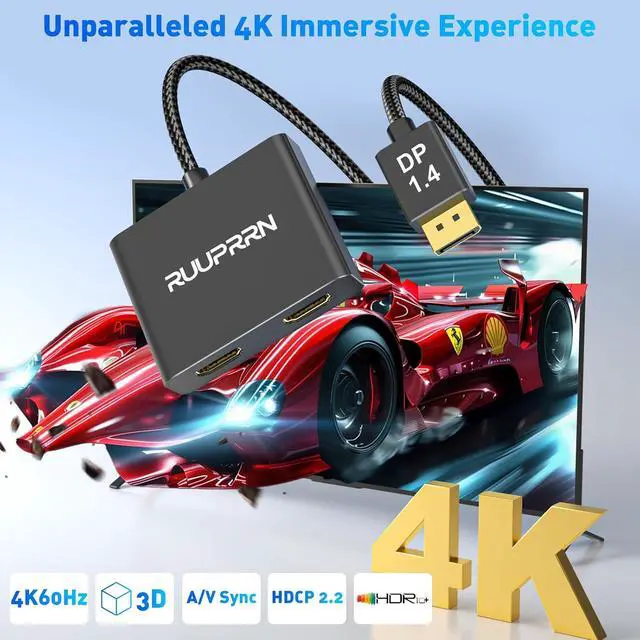
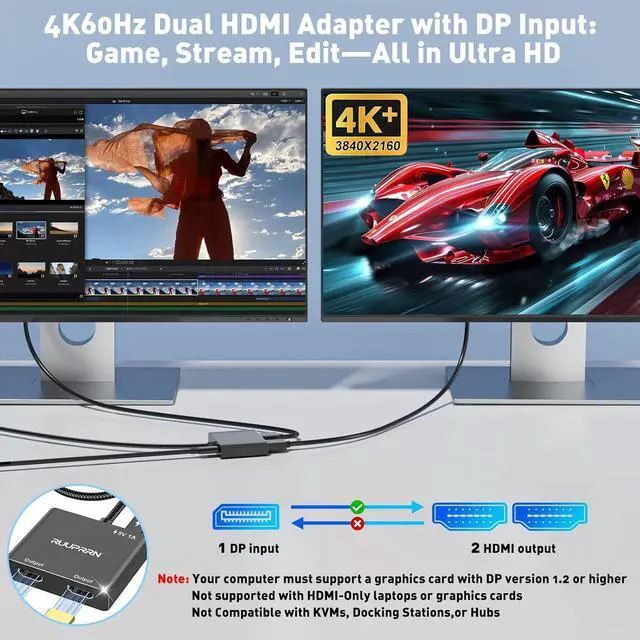
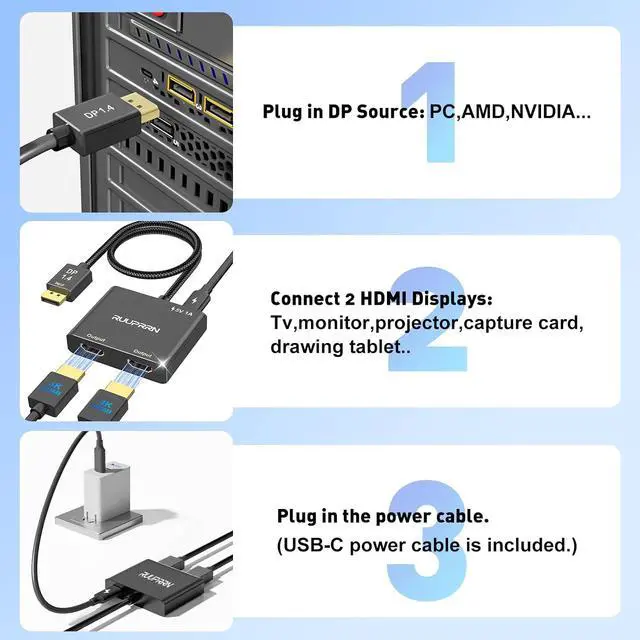
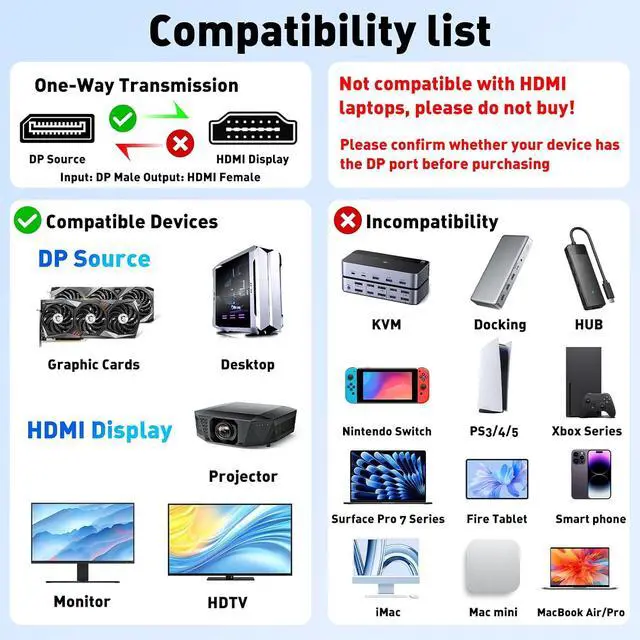
*Note: Not compatible with any hubs/docking stations/KVM devices. Please verify your device's ports before purchaseCrystal-Clear 4K60Hz Audio-Visual Performance This hdmi splitter for dual monitors supports 1 in 2 out display expansion. Both HDMI output ports support resolutions up to 4K@60Hz and are backward compatible with 4K@30Hz 1440P 1080P and other resolutions. A single HDMI output can reach up to 4K@60Hz while dual HDMI screens can reach up to 4K@30Hz Delivering crystal-clear visuals with synchronized audio - Ensure your DisplayPort cable meets the DP 1.4 standard and your HDMI cable meets the HDMI 2.0 standard; Otherwise video transmission quality may be affectedPlug-and-Play Safe and Convenient Our HDMI Splitter for Extended Display features simple setup with no drivers required. It instantly transmits lossless signals from any DisplayPort source device to hdmi extender for dual monitors. Simply connect the DisplayPort to your computer's DP port power the splitter using the included USB-C power cable (providing 5V/1A current) and connect the monitors via HDMI cables using the two HDMI female ports.
Note: If your monitors cannot enable extended mode update your graphics card drivers to the latest version. Also ensure your graphics card has sufficient bandwidth to support dual video outputCompatible Devices Our displayPort to dual hdmi splitter requires your computer to have a DP port or your desktop mini PC and graphics card to be one of the following models: Mini
PCs: Beelink SER8/SER9/SER5 OptiPlex EliteDesk Intel NUC 12 Enthusiast Minisforum Venus ExpertCenter.
Graphics Cards: Radeon RX7000/6000 Series Radeon RX750 Radeon RX750H Radeon RX750E AAEO-N GAR-A750E In-tel Arc A750/A770/A680 NVI-DIA GeForce RTX/GTX
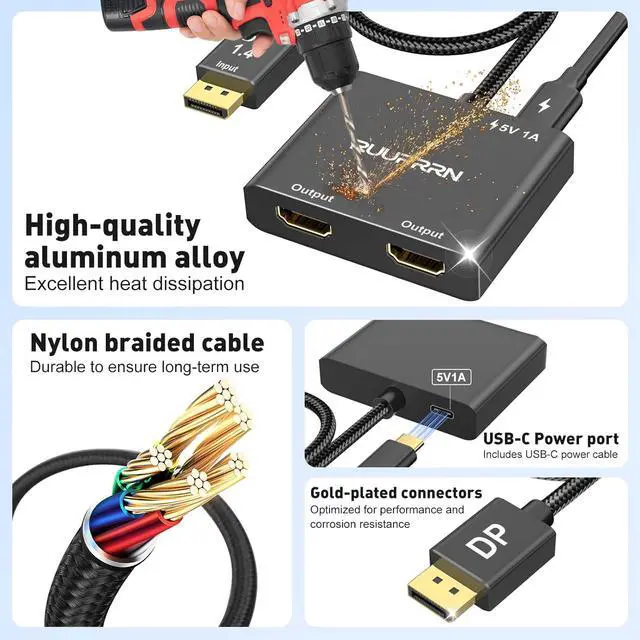
Durable Design Our HDMI splitter for dual monitors extended display features an integrated alloy housing and gold-plated ports. The splitter cable utilizes nylon braided construction for flexibility durability and resistance to kinking. The 24K gold-plated DP connector ensures exceptional durability and stable signal transmission even under heavy use and repeated plugging/unplugging (tested for over 10 000 cycles). Say goodbye to screen flickering ghosting and audio-video synchronization issuesImportant
Notes 1: The package does not include an HDMI cable. Please connect the USB-C cable (minimum 5V/1A) provided with your purchase before use.
2: Does not support hubs docking stations KVM switches or adapters.
3: For multi-monitor setups ensure your DisplayPort device supports a transmission rate >18Gbps (DisplayPort 1.2 or higher). If display issues occur update your graphics card drivers
*Note: Not compatible with any hubs/docking stations/KVM devices. Please verify your device's ports before purchaseCrystal-Clear 4K60Hz Audio-Visual Performance This hdmi splitter for dual monitors supports 1 in 2 out display expansion. Both HDMI output ports support resolutions up to 4K@60Hz and are backward compatible with 4K@30Hz 1440P 1080P and other resolutions. A single HDMI output can reach up to 4K@60Hz while dual HDMI screens can reach up to 4K@30Hz Delivering crystal-clear visuals with synchronized audio - Ensure your DisplayPort cable meets the DP 1.4 standard and your HDMI cable meets the HDMI 2.0 standard; Otherwise video transmission quality may be affectedPlug-and-Play Safe and Convenient Our HDMI Splitter for Extended Display features simple setup with no drivers required. It instantly transmits lossless signals from any DisplayPort source device to hdmi extender for dual monitors. Simply connect the DisplayPort to your computer's DP port power the splitter using the included USB-C power cable (providing 5V/1A current) and connect the monitors via HDMI cables using the two HDMI female ports.
Note: If your monitors cannot enable extended mode update your graphics card drivers to the latest version. Also ensure your graphics card has sufficient bandwidth to support dual video outputCompatible Devices Our displayPort to dual hdmi splitter requires your computer to have a DP port or your desktop mini PC and graphics card to be one of the following models: Mini
PCs: Beelink SER8/SER9/SER5 OptiPlex EliteDesk Intel NUC 12 Enthusiast Minisforum Venus ExpertCenter.
Graphics Cards: Radeon RX7000/6000 Series Radeon RX750 Radeon RX750H Radeon RX750E AAEO-N GAR-A750E In-tel Arc A750/A770/A680 NVI-DIA GeForce RTX/GTX
Durable Design Our HDMI splitter for dual monitors extended display features an integrated alloy housing and gold-plated ports. The splitter cable utilizes nylon braided construction for flexibility durability and resistance to kinking. The 24K gold-plated DP connector ensures exceptional durability and stable signal transmission even under heavy use and repeated plugging/unplugging (tested for over 10 000 cycles). Say goodbye to screen flickering ghosting and audio-video synchronization issuesImportant
Notes 1: The package does not include an HDMI cable. Please connect the USB-C cable (minimum 5V/1A) provided with your purchase before use.
2: Does not support hubs docking stations KVM switches or adapters.
3: For multi-monitor setups ensure your DisplayPort device supports a transmission rate >18Gbps (DisplayPort 1.2 or higher). If display issues occur update your graphics card drivers
Warranty & Returns
Warranty, Returns, And Additional Information
Warranty
- Please contact the Seller directly for warranty information. Warranty information may also be found on the Manufacturer's website.
- CONTACT
Return Policies
- Return for refund within: 30 days
- Return for replacement within: 30 days
- This item is covered by Circle Global Store Return Policy
Manufacturer Contact Info
- For a directory of all our manufacturers, please click below.
- Manufacturers Directory
LOADING...