Your Browsing History
Meet Your Seller
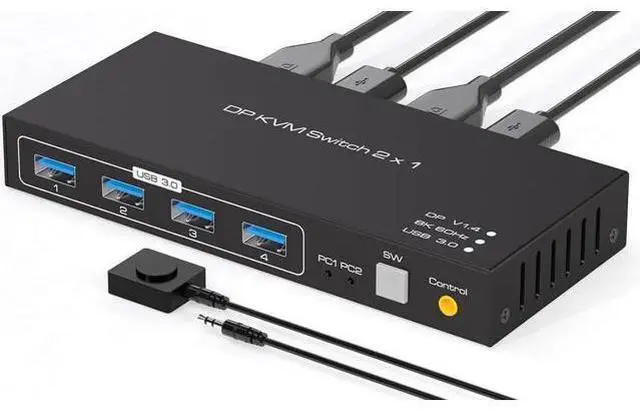
USB 3.0 KVM Switch DisplayPort 1.4 for 2 Computers with 8K@60Hz / 4K@120Hz / 4K@144Hz Display Port Video & 4x 5Gbps USB Ports, FreeSync, G-SYNC and HDR Support - Wired Controller
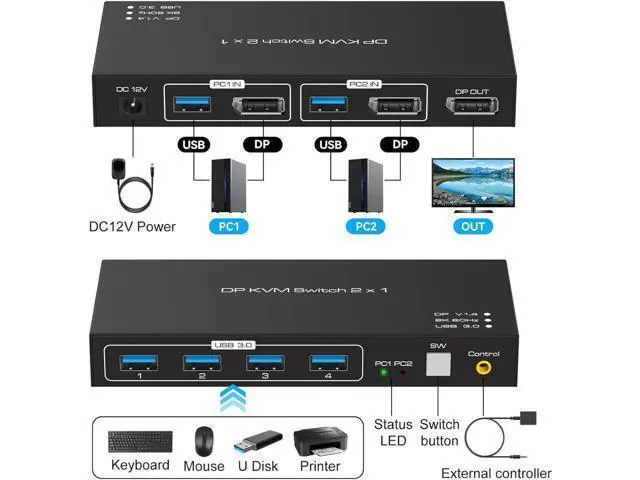
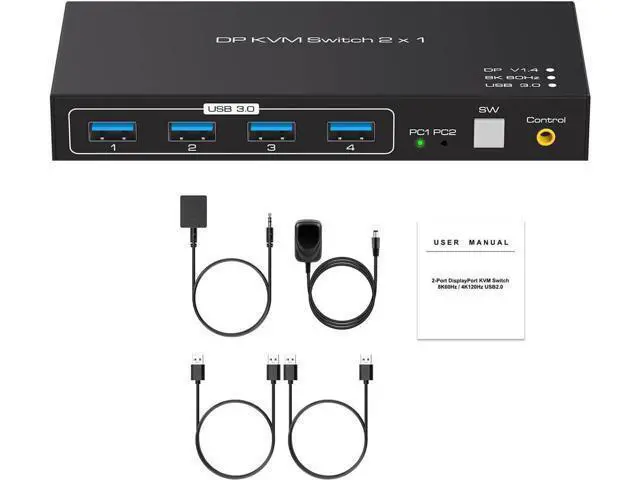
- 2 in 1 out DisplayPort KVM Switch: DP KVM Switch is a displayport switch that help 2 computers/laptops to share 1 monitor and 4 USB 3.0 devices such as scanner, printer, mouse, keyboard.; Ultra 4K@120Hz Visual Enjoyment: Displayport KVM switch for 2 computers support resolution up to 8k@60Hz,backward compatible with lower resolution.If need 8k@60Hz, then need DP cable is DP1.4 cable. Note:Final resolution is also subject to graphic cards, monitors, cables and adapters and how those work together.; DP KVM Switch with 4 USB 3.0 Ports: Displayport USB 3.0 KVM switch with 4 USB 3.0 ports which can recognize keyboard,mouse,printer,scaner and other USB devices. USB 3.0 offers data transfer speeds of up to 5Gbps, while USB 2.0 offers data transfer speeds of only 480Mbps.
+
+
Overview
Specs
Reviews
Any questions? Our AI mode will help you find out quickly.
Try me now
2 Port Displayport KVM Switch for 2 Computers 1 Monitor Share 4
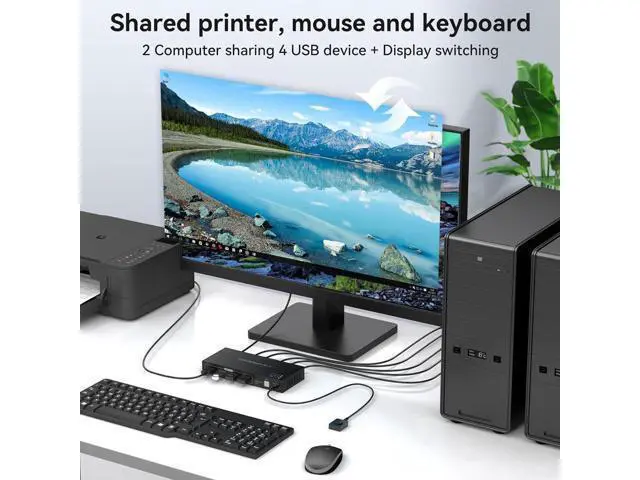
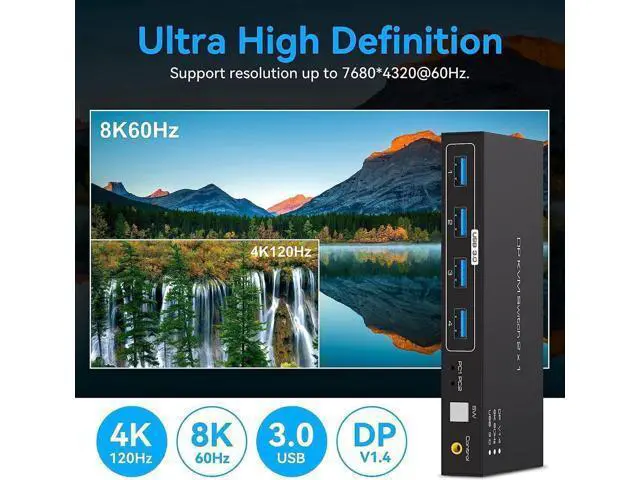
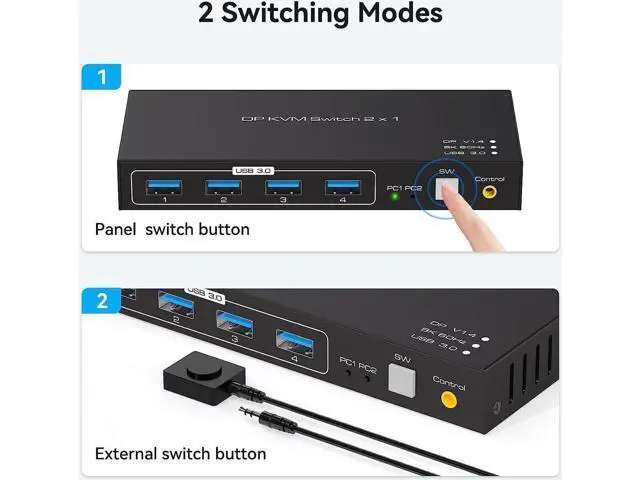
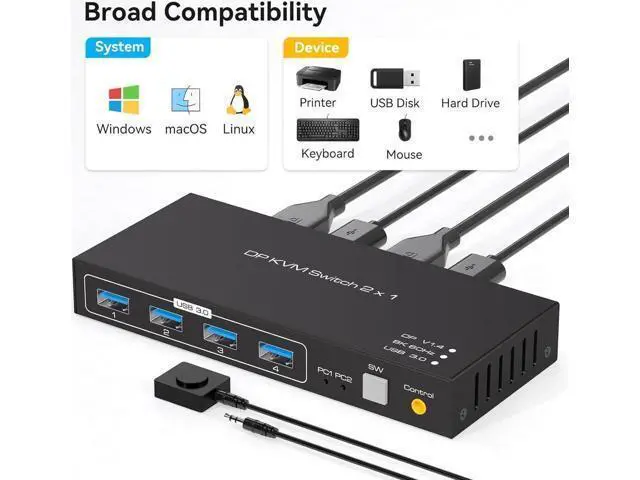
USB Devices Features: Using only 1 set of keyboard, mouse and monitor to control 2 computers devices. Available to use keyboard and mouse without any delay after switch input sources. With 4xUSB 3.0 ports, the KVM Switch is possible to connect Printer, scanner, USB hard drive or other USB devices. Support 8K@60Hz 4K@120Hz, resolution up to 7680*4320@ 60Hz. Support front panel buttons and External switch button to control KVM to switch inputs. Support Windows/Vista/XP and Mac OS, Linux and Unix, Plug and Play. Ideal KVM Switch for 2 Computers Share 4 USB Devices 2 Ports DIsplayport KVM Switch allows easy switching of a full set of keyboards and mice and other USB 3.0 devices between two computers and one monitor, Up to four USB devices can be shared at the same time, Avoiding frequent unplugging that can lead to device damage. Displayport KVM Switch 2 Port support 8K High-Quality Video The Displayport 1.4 Switch supports 8K60Hz 4K120HZ, DP 1.4 backwards compatible with DP 1.2, DP 1.1. The HD resolution makes for a more detailed and layered picture. Whether it's for entertainment activities such as movies, games or work or home office, you can experience extraordinary visual enjoyment.
Note: When transmitting 8K video, please use a standard Super Speed DP 1.4 cable (Not included in the package) to better experience 8K video and connect the KVM switch to the DC 12V power supply when in use. Displayport KVM Switch Suppor

USB Devices Features: Using only 1 set of keyboard, mouse and monitor to control 2 computers devices. Available to use keyboard and mouse without any delay after switch input sources. With 4xUSB 3.0 ports, the KVM Switch is possible to connect Printer, scanner, USB hard drive or other USB devices. Support 8K@60Hz 4K@120Hz, resolution up to 7680*4320@ 60Hz. Support front panel buttons and External switch button to control KVM to switch inputs. Support Windows/Vista/XP and Mac OS, Linux and Unix, Plug and Play. Ideal KVM Switch for 2 Computers Share 4 USB Devices 2 Ports DIsplayport KVM Switch allows easy switching of a full set of keyboards and mice and other USB 3.0 devices between two computers and one monitor, Up to four USB devices can be shared at the same time, Avoiding frequent unplugging that can lead to device damage. Displayport KVM Switch 2 Port support 8K High-Quality Video The Displayport 1.4 Switch supports 8K60Hz 4K120HZ, DP 1.4 backwards compatible with DP 1.2, DP 1.1. The HD resolution makes for a more detailed and layered picture. Whether it's for entertainment activities such as movies, games or work or home office, you can experience extraordinary visual enjoyment.
Note: When transmitting 8K video, please use a standard Super Speed DP 1.4 cable (Not included in the package) to better experience 8K video and connect the KVM switch to the DC 12V power supply when in use. Displayport KVM Switch Suppor
Warranty & Returns
Warranty, Returns, And Additional Information
Warranty
- Please contact the Seller directly for warranty information. Warranty information may also be found on the Manufacturer's website.
- CONTACT
Return Policies
- Return for refund within: 30 days
- Return for replacement within: 30 days
- This item is covered by NovaStar Tech Return Policy
Manufacturer Contact Info
- For a directory of all our manufacturers, please click below.
- Manufacturers Directory
LOADING...