Your Browsing History
Meet Your Seller
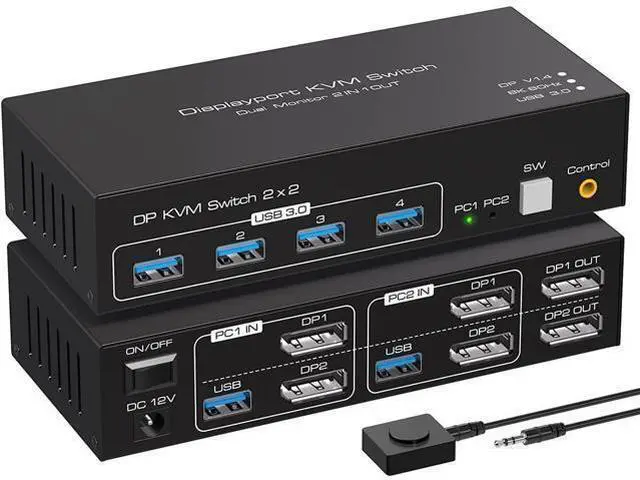
2 Port Dual Monitor Displayport KVM Switch, 2 in 2 Out DP1.4 KVM Switch for 2 Computers 2 Monitors Share Keyboard Mouse Printer Support 4K @120HZ 8K @60HZ with 4 Port USB 3.0 Support Desktop Control
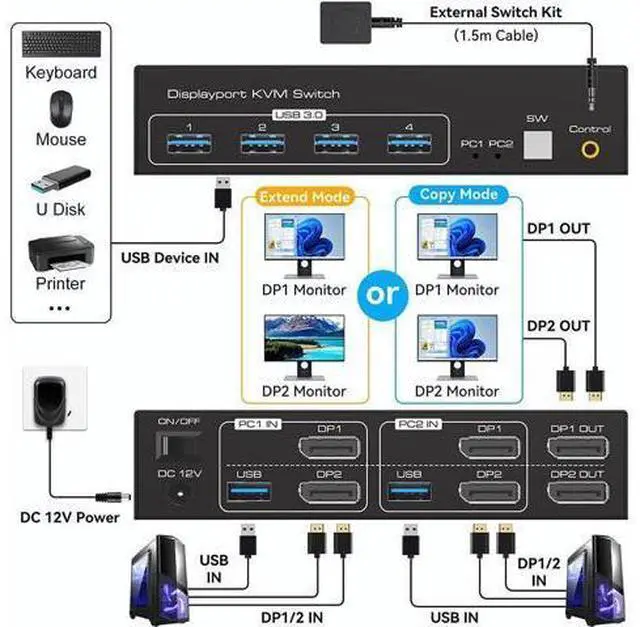
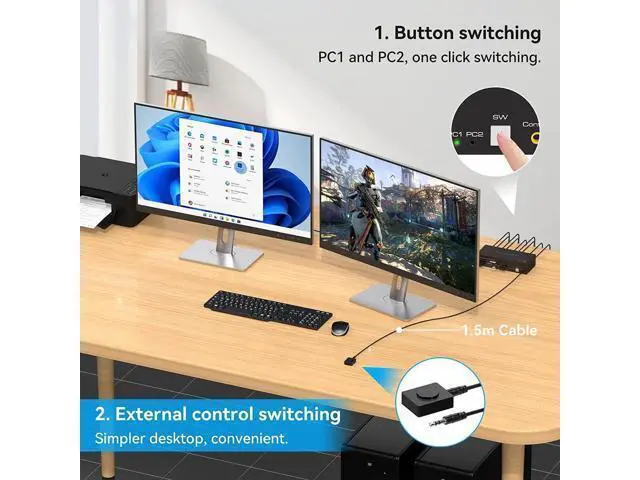
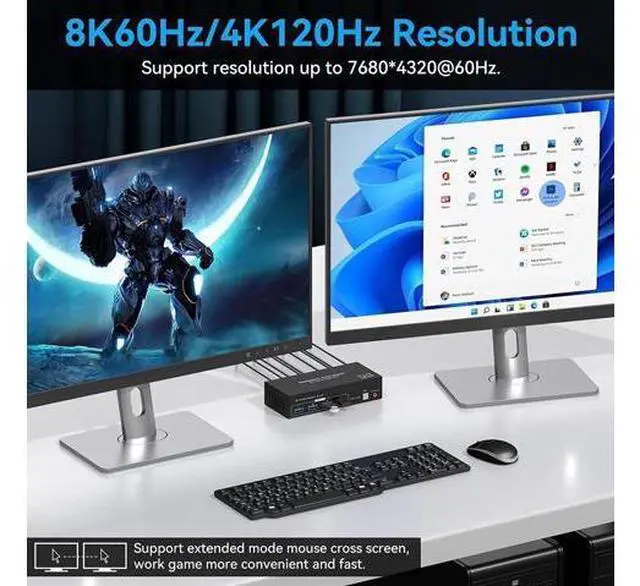
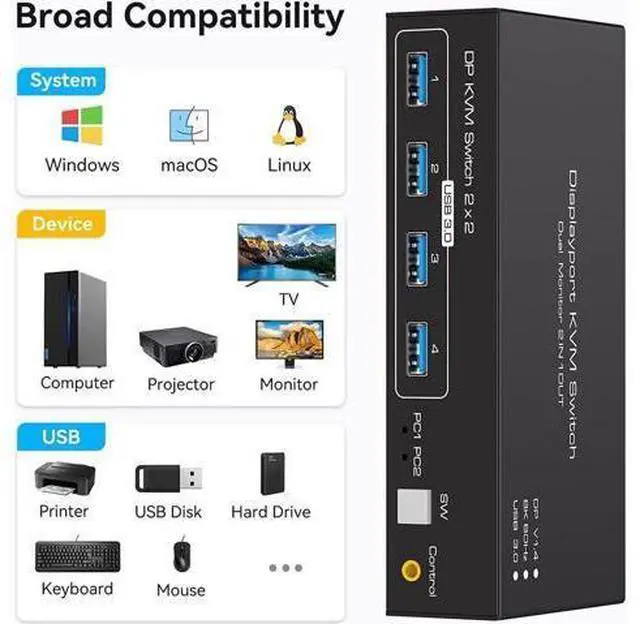
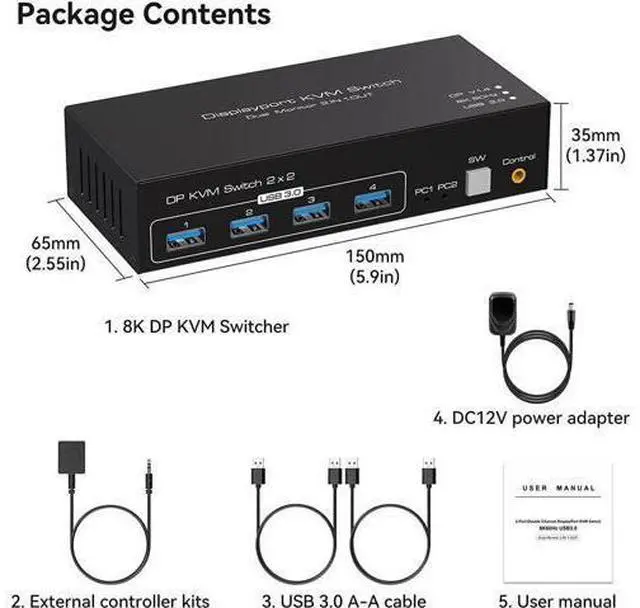
- [KVM Switch 2 monitors 2 computers] The 2-port DP KVM switch can be connected to 2 PCs, sharing 1 set of keyboard, mouse and 2 monitors. Supports copy and expansion modes for computer hosts (computer host graphics card needs to have 2 DP outputs), Mode 1: Copy mode (computer host outputs 2 identical screens on 2 displays). Mode 2: Extended mode (PC host outputs 2 different screens on 2 displays); [Push-button switching and external cable control] The kvm switch supports front panel push-button and external cable control switching, allowing you to switch between two sources at the touch of a button.; [Support up to 8K60Hz 4K120Hz] The KVM switch Supports resolutions up to 7680*4320@60Hz, backwards compatible with lower resolutions (e.g. 4K@60Hz, 1080p, etc.) Compliant with DP 1.4 standard.; [4-port USB 3.0 and wide compatibility] 4xUSB 3.0 ports and supports video bandwidth up to 48Gbps, data transfer rates up to 5Gbps and is backwards compatible with USB 2.0 and USB 1.1 devices.
+
+
Overview
Specs
Reviews
Any questions? Our AI mode will help you find out quickly.
Try me now
Dual Monitor Displayport ( DP + DP ) KVM Switch 2 computers share 2 monitor and 4 USB 3.0 device Dual Monitor Displayport 1.4 KVM Switch can connect 2 computer hosts sharing 1 set of keyboard, mouse and 2 monitors. With four USB 3.0 hub ports, a barcode scanner, USB hard drive or other USB device can be connected to the KVM. Supports Windows/Vista/XP and Mac operating systems, Linux and Unix, plug and play. Supports front panel buttons and external switch buttons to control KVM switching input sources. Supports USB 3.0 transfer rates of up to 5Gbps.
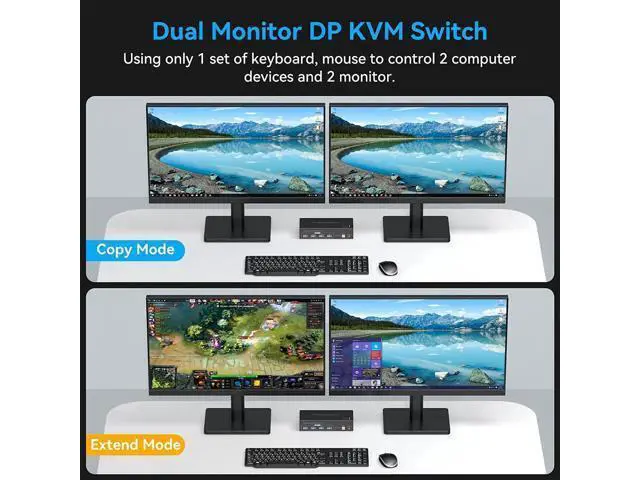
Supports resolutions up to 7680*4320@60Hz, backwards compatible with lower resolutions (e. g. 4K@60Hz, 1080p, etc. ) Supports copy and expansion modes for computer hosts (computer host graphics card needs to have 2 DP outputs) KVM Switch Displayport 2 monitors 2 computers supports 2 modes
Mode 1: Copy mode (computer host outputs 2 identical screens on 2 displays)
Mode 2: Extended mode (computer host outputs 2 different screens on 2 displays) 4-port USB 3.0 This KVM displayport 1.4 Switch has has four USB 3.0 ports and supports video bandwidth up to 48Gbps, data transfer rates up to 5Gbps and is backwards compatible with USB 2.0 and USB 1.1 devices. Supports key switching You can easily and quickly switch between computers with the push of a button on the control panel. Support for external in-line control A push-button controlled switch extension cable is included for easy switching without having to get up when using it. Support fo

Supports resolutions up to 7680*4320@60Hz, backwards compatible with lower resolutions (e. g. 4K@60Hz, 1080p, etc. ) Supports copy and expansion modes for computer hosts (computer host graphics card needs to have 2 DP outputs) KVM Switch Displayport 2 monitors 2 computers supports 2 modes
Mode 1: Copy mode (computer host outputs 2 identical screens on 2 displays)
Mode 2: Extended mode (computer host outputs 2 different screens on 2 displays) 4-port USB 3.0 This KVM displayport 1.4 Switch has has four USB 3.0 ports and supports video bandwidth up to 48Gbps, data transfer rates up to 5Gbps and is backwards compatible with USB 2.0 and USB 1.1 devices. Supports key switching You can easily and quickly switch between computers with the push of a button on the control panel. Support for external in-line control A push-button controlled switch extension cable is included for easy switching without having to get up when using it. Support fo
Warranty & Returns
Warranty, Returns, And Additional Information
Warranty
- Please contact the Seller directly for warranty information. Warranty information may also be found on the Manufacturer's website.
- CONTACT
Return Policies
- Return for refund within: 30 days
- Return for replacement within: 30 days
- This item is covered by NovaStar Tech Return Policy
Manufacturer Contact Info
- For a directory of all our manufacturers, please click below.
- Manufacturers Directory
LOADING...