

Your Browsing History
- Free 30-day Returns
$64.99
Ships from China.


Meet Your Seller


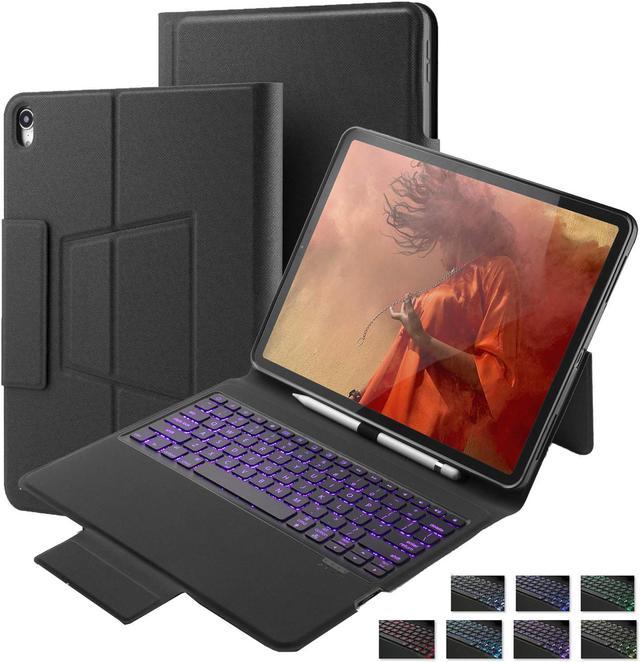


Keyboard Case for iPad Pro 12.9 2018 with Pencil Holder 7 Colors Backlit Stand Smart Case Cover with Wireless Bluetooth Keyboard For iPad Pro 12.9 inch 2018 Not Compatible Apple Pencil Charging Black
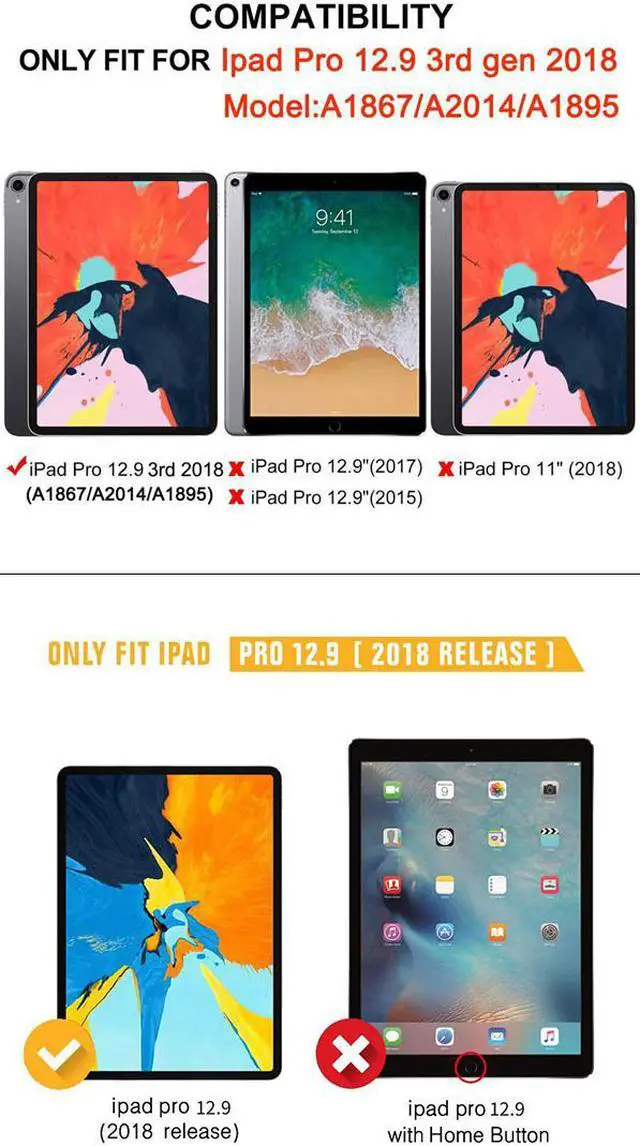
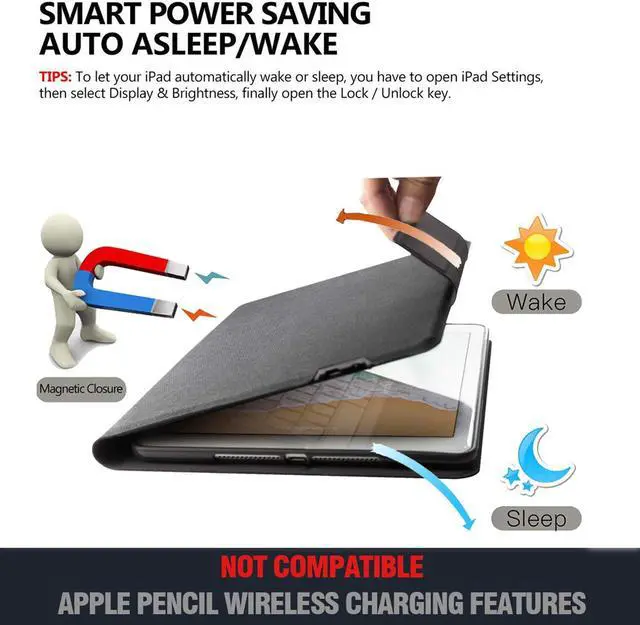
- Keyboard Case Only Compatible With Apple iPad Pro 12.9 3rd generation 2018 ( Model :A1876/A2014/A1895/A1983). With Pencil holder, Not Support Apple pencil wireless charging.
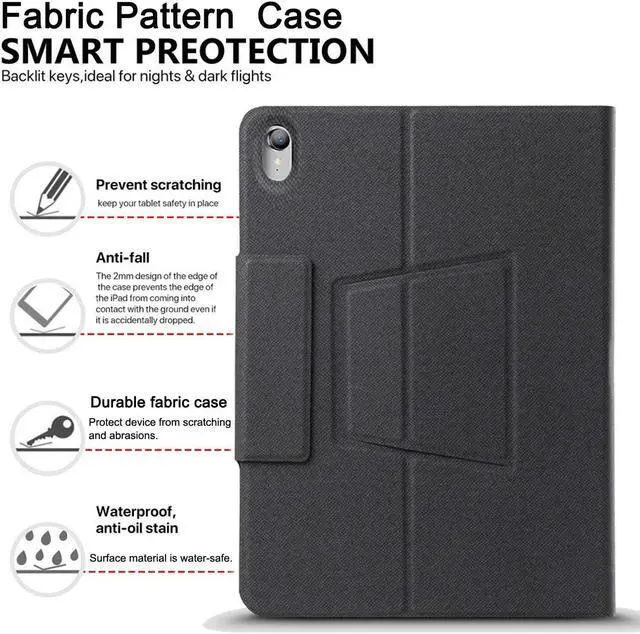
- Fabric Pattern Case: This great quality Fabric Pattern folio case brings your ipad protection from scratching, bumps and abrasions.
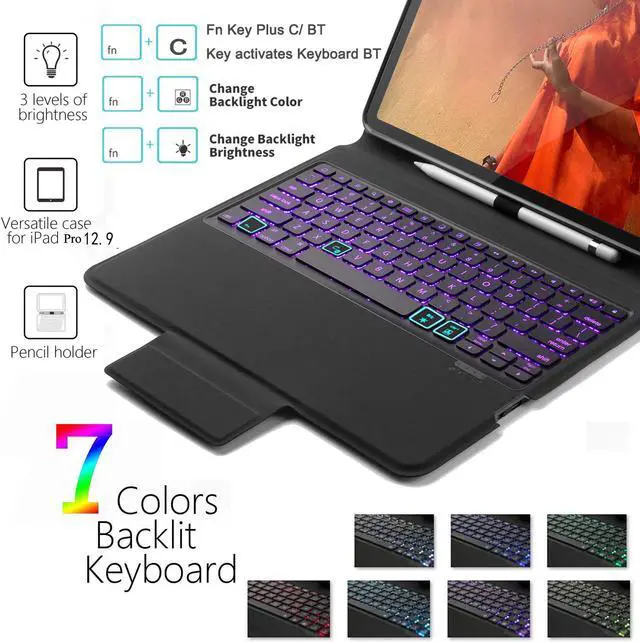
- Backlit: 7 colors backlit and 3 levels of brightness make typing in the dark or under the light fun and easy, its keys are quiet and comfortable.
- Auto Wake & Sleep Function: put your Ipad to awake or asleep status when open or close the case, extends the battery life.
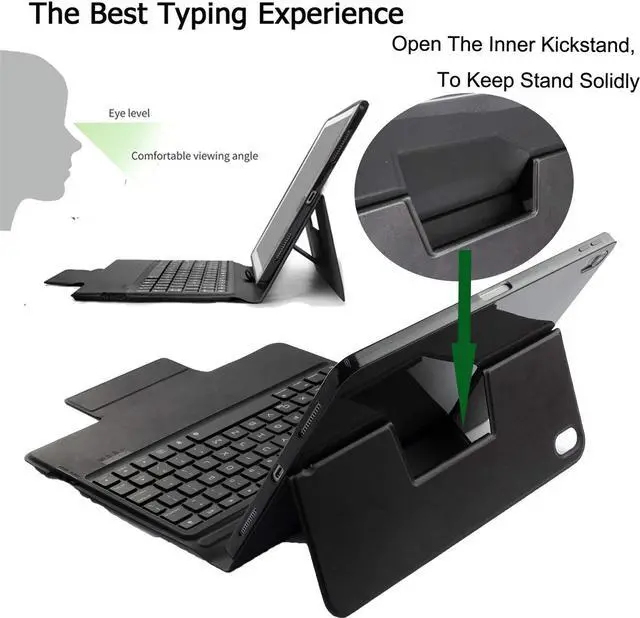
- View & Type function – Please gently open the stand on the back of the cover, It will give you a comfortable experience while watching videos or movies with the folio design, perfect for typing and viewing.
+
+
Overview
Specs
Reviews

Any questions? Our AI mode will help you find out quickly.
Try me now
Compatibility: Only fit for apple ipad pro 12.9 2018 3rd generation (
Model: A1876/A2014/A1895/A1983). Specifications
1. Built in
Lithium polymer battery capacity: 500mah
2.
Working Voltage: 3.3 - 4.2V
3.
Working Current: 0.2 - 1.0 mA
4.
Standby time: approx. 180 days.
5.
Continual working time: 3 hours (with backlit) / 350 hours (without backlit)
6.
Charging time: < 3h
7.
Working distance: 10 meters.
How to connect bluetooth:
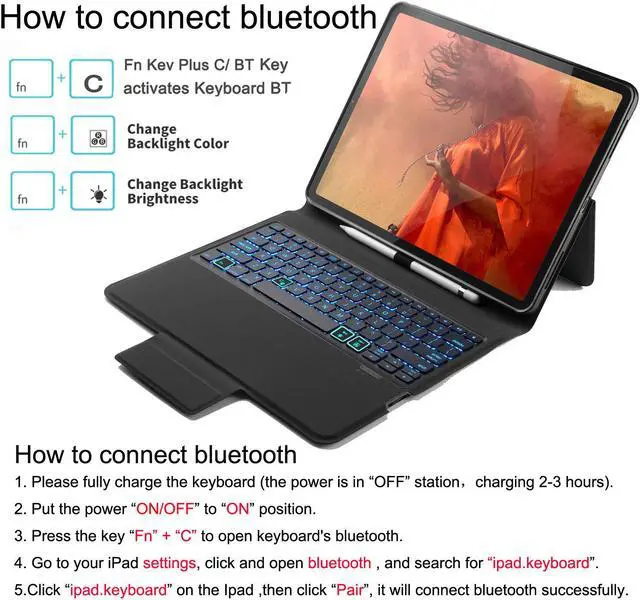
1. Please fully charge the keyboard (the power is in “OFF” station, charging 2-3 hours).
2. Put the power “ON/OFF” to “ON” position.
3. Press the key “Fn” + “C” to open keyboard's bluetooth.
4. Go to your iPad settings, click and open bluetooth, and search for “ipad. keyboard”. 5. Click “ipad. keyboard” on the Ipad, then click “Pair”, it will connect bluetooth successfully.
Product Contents: 1 x Backlit Bluetooth Keyboard Case 1 x User
Manual Note: (Ipad and Apple Pencil NOT included! ) (Mouse not included, not support connect mouse)
Model: A1876/A2014/A1895/A1983). Specifications
1. Built in
Lithium polymer battery capacity: 500mah
2.
Working Voltage: 3.3 - 4.2V
3.
Working Current: 0.2 - 1.0 mA
4.
Standby time: approx. 180 days.
5.
Continual working time: 3 hours (with backlit) / 350 hours (without backlit)
6.
Charging time: < 3h
7.
Working distance: 10 meters.
How to connect bluetooth:
1. Please fully charge the keyboard (the power is in “OFF” station, charging 2-3 hours).
2. Put the power “ON/OFF” to “ON” position.
3. Press the key “Fn” + “C” to open keyboard's bluetooth.
4. Go to your iPad settings, click and open bluetooth, and search for “ipad. keyboard”. 5. Click “ipad. keyboard” on the Ipad, then click “Pair”, it will connect bluetooth successfully.
Product Contents: 1 x Backlit Bluetooth Keyboard Case 1 x User
Manual Note: (Ipad and Apple Pencil NOT included! ) (Mouse not included, not support connect mouse)
Warranty & Returns
Warranty, Returns, And Additional Information
Warranty
- Please contact the Seller directly for warranty information. Warranty information may also be found on the Manufacturer's website.
- CONTACT
Return Policies
- Return for refund within: 30 days
- Return for replacement within: non-replaceable
- This item is covered by BEYOND Return Policy
Manufacturer Contact Info
- For a directory of all our manufacturers, please click below.
- Manufacturers Directory
LOADING...