

Your Browsing History
- Free 30-day Returns
$39.99
Ships from China.


Meet Your Seller


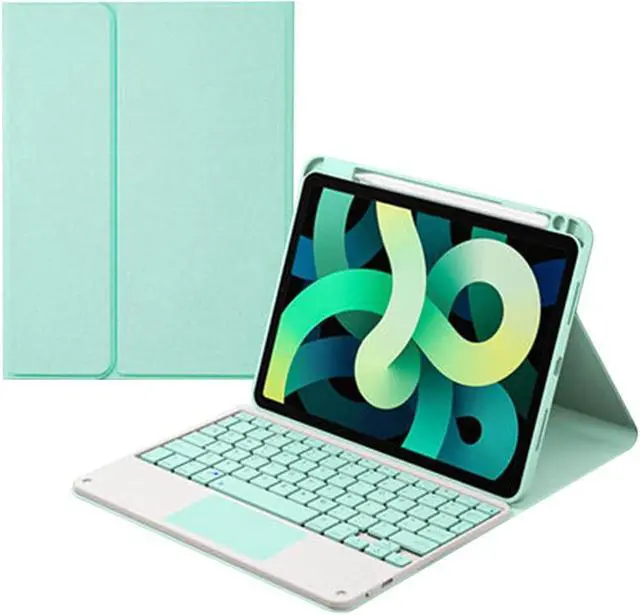


Touchpad Keyboard Case for Huawei MatePad 11 inch 2023, Smart Folio Cover with Pencil Holder, Magnetic Detachable Wireless Bluetooth Keyboard Mint Green
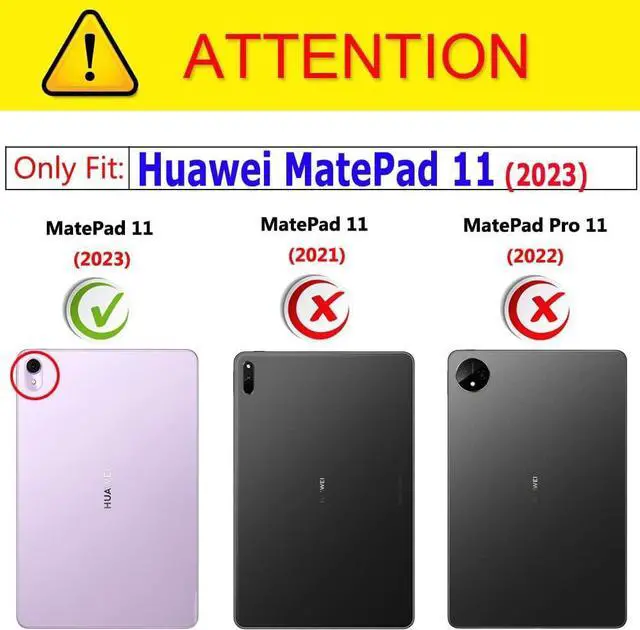
- Compatible Models --- Designed for Huawei MatePad 11 inch 2023, Model: DBR-W00 / DBR-W10. Please Note: It doesn't fit for any other tablet models.
- With touchpad --- The keyboard comes with a touchpad, which support multi-finger function will offer a great aid when you do not have a mouse in hand.The Touchpad SUPPORT Android,Windows and Apple IOS 13 or Above.
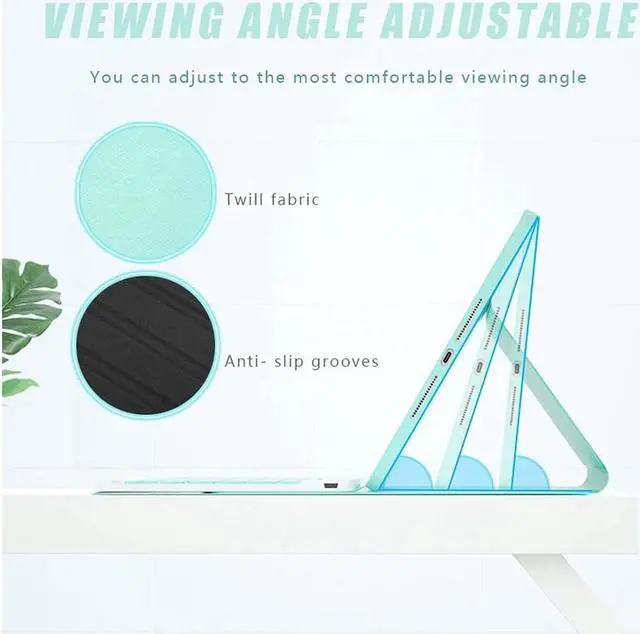
- Removable Keyboard Case --- This keyboard is removable and the Bluetooth connectivity is easy. With this Stylish and Elegant design, it can transform your tablet into a laptop in less than a second and give your tablet a full protection.
- With Pencil Holder --- Comes with a slot for holding your pencil that lets you effortlessly reach for your pen whenever you want to use the touch pen(PEN NOT INCLUDED)
- Auto Sleep/Wake Function --- Support auto Sleep/Wake function (only works WITHOUT the keyboard attached); Precise cutouts allow full access to all features
+
+
Overview
Specs
Reviews

Any questions? Our AI mode will help you find out quickly.
Try me now
Features:
Compatible Models --- Designed for Huawei MatePad 11 inch 2023, Model: DBR-W00 / DBR-W10. Please Note: It doesn't fit for any other tablet models.
With touchpad --- The keyboard comes with a touchpad, which support multi-finger function will offer a great aid when you do not have a mouse in hand.The Touchpad SUPPORT Android,Windows and Apple IOS 13 or Above.
Removable Keyboard Case --- This keyboard is removable and the Bluetooth connectivity is easy. With this Stylish and Elegant design, it can transform your tablet into a laptop in less than a second and give your tablet a full protection.
With Pencil Holder --- Comes with a slot for holding your pencil that lets you effortlessly reach for your pen whenever you want to use the touch pen(PEN NOT INCLUDED)
Auto Sleep/Wake Function --- Support auto Sleep/Wake function (only works WITHOUT the keyboard attached); Precise cutouts allow full access to all features
How to get the keyboard sync with tablet:
1: Slide the "OFF/ ON" button to turn on the keyboard
2: Open your tablet's bluetooth, click "FN" + "C" keys on the keyboard until the blue light flashes, then search "bluetooth keyboard" on your tablet to pair.
IMPORTANT:
No.1:Please press "Fn" and "C" together to open the bluetooth.
No.3:The keyboard automatically becomes to Sleep mode when it doesn't work for over 15 minutes. Click any key to activate the keyboard.
No.4:The Bluetooth pairing is automatically interrupted when the tablet is in sleep mode.
Warranty & Returns
Warranty, Returns, And Additional Information
Warranty
- Please contact the Seller directly for warranty information. Warranty information may also be found on the Manufacturer's website.
- CONTACT
Return Policies
- Return for refund within: 30 days
- Return for replacement within: non-replaceable
- This item is covered by BEYOND Return Policy
Manufacturer Contact Info
- For a directory of all our manufacturers, please click below.
- Manufacturers Directory
LOADING...