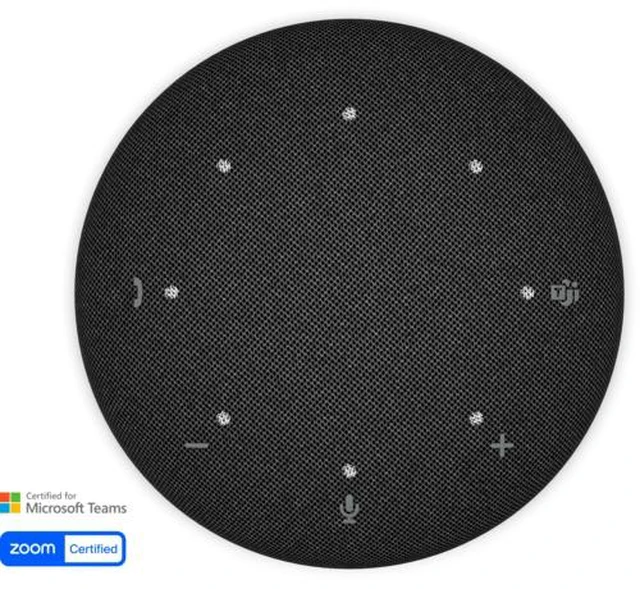
The Dell Pro 5 Wireless Speakerphone (SL525) is a Bluetooth speakerphone with a USB-C wireless dongle, suited to people who want flexible connectivity for work calls and online meetings.
Recommended For
- Hybrid workers who move between a home office, shared workspace, and travel and want one speakerphone that can connect by Bluetooth, wireless receiver, or USB-C.
- People who regularly join Microsoft Teams or Zoom calls and want hands-free conversation with call controls on the speakerphone.
- Small teams meeting in a home office or huddle space who need a shared speakerphone for conversation rather than individual headsets.
- Callers in shared or moderately noisy work areas who want a speakerphone designed with noise-canceling microphones for voice calls.
Real-World Use Scenarios
- For work-from-home video meetings, place the SL525 on your desk and connect it to your computer; its speakerphone design and noise-canceling microphones are intended to make conversation easier without wearing a headset.
- In a small meeting room or huddle space, set it near the group for a shared Teams or Zoom call; Dell positions it for voice pickup at conversational distances, up to about 2.5 meters.
- For calls in a shared workspace, use it to keep your voice audible while nearby sounds such as keyboard clicks or barking may be present; a hands-on demonstration tests noise handling, though results can vary with the room and noise level.
- When switching between a computer meeting and a phone call, connect to the computer with the included wireless receiver and pair a phone over Bluetooth; this gives you flexible ways to use the speakerphone across devices.
- For meetings while traveling, pack the speakerphone and receiver in the included pouch; its compact form and wired or wireless connection options make it practical to set up at a temporary desk.




 here!