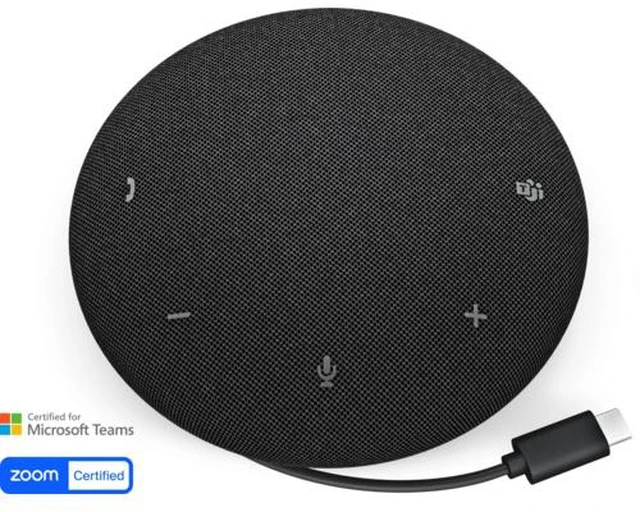
The Dell Pro 3 Wired Speakerphone (SP325) is a wired speakerphone with dual-directional AI noise cancellation, suited to people who want clearer calls in home offices, shared workspaces, or small meetings.
Recommended For
- Remote and hybrid workers who take frequent Teams or Zoom calls at a home-office desk and want a dedicated speakerphone with physical mute, volume, and call controls.
- Small huddle-room users who need a shared tabletop device for conversation: Dell positions the SP325 for small conference rooms and specifies microphone pickup up to 2.5 meters.
- Workers who move between desks or offices and want a portable call device they can connect by USB, without relying on a battery or wireless pairing.
- People taking calls in a shared workspace who want a speakerphone designed to reduce background noise and capture voices from multiple positions around the device.
Real-World Use Scenarios
- For daily work-from-home video calls, connect the speakerphone to a computer and use its built-in call and mute controls; its noise-canceling microphones are designed to help keep speech clear when household sounds are present.
- In a small huddle or conference room, place it on the table for a shared Teams or Zoom call; its microphones are designed to pick up voices from around the device, supporting a group conversation without everyone using a separate headset.
- At a shared desk or in a moderately busy workspace, use it for calls when nearby background noise is a concern; its AI noise-canceling microphones are intended to reduce background sound, though results will depend on the room and noise level.
- When moving between home, office, or meeting rooms, carry it with a laptop for calls; the compact unit and included pouch support portability, while the wired connection means it needs to stay connected to the computer.
- During a Teams or Zoom meeting, answer or end calls and adjust volume or mute from the speakerphone; this keeps common call controls within reach instead of requiring a trip to the meeting app.




 here!