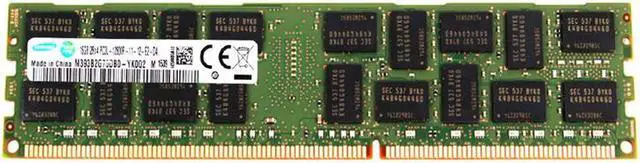
Samsung M393B2G70DB0-YK0Q2 is server memory for compatible server systems, making it suitable for administrators replacing or expanding memory in a system that supports this exact module.
Recommended For
- Operators upgrading a compatible legacy DDR3 server who need 16GB per DIMM for services, databases, or other memory-resident workloads; verify the server supports registered ECC RDIMMs and the module’s rank and speed.
- Homelab builders running virtualization or multiple server services on a DDR3 platform that specifically accepts registered ECC memory and needs additional capacity.
- IT technicians maintaining older servers who need a replacement or matching 16GB, dual-rank RDIMM for an existing DDR3 registered-memory configuration.
- Workstation owners with a DDR3 system that requires ECC registered memory and can use 16GB RDIMMs to expand capacity for sustained professional workloads.
Real-World Use Scenarios
- Adding memory to a compatible older DDR3 server for virtualization or consolidation can give several virtual machines more room to run at once, reducing the need to compete for limited memory. The actual benefit depends on the server’s supported configuration and workload.
- Expanding a home-lab server used for Docker containers can provide more memory headroom as services are added. Check the motherboard and CPU requirements first: a homelab discussion about this part number describes a compatibility issue during a memory upgrade.
- Replacing a failed DIMM in a supported legacy server can help restore its installed memory capacity and get the system back to its normal workload. Match the server’s supported memory type and configuration rather than relying on the module’s part number alone.
- Upgrading a compatible older server used for shared storage or other always-on services can let it keep more data and active work in memory. It is a capacity upgrade, not a guarantee of faster storage or application performance.
Spec Summary
| Attribute | Value |
|---|
| Best For | Server memory applications |
|---|




 here!