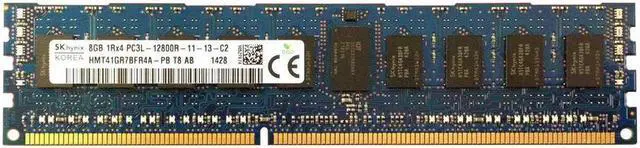
The SK hynix HMT41GR7BFR4A-PB is an 8GB DDR3L-1600 ECC registered server memory module for upgrading compatible servers that use registered DDR3 DIMMs.
Recommended For
- Owners of a compatible DDR3 server who need an 8GB registered ECC DIMM for a memory replacement or incremental upgrade; check the server’s supported DIMM type and capacity first.
- Homelab users keeping an older DDR3 server in service who want to add memory using a module that matches their system’s registered-ECC requirements.
- IT technicians or refurbishers sourcing a like-for-like 8GB DIMM for a compatible legacy server rather than replacing its memory platform.
Real-World Use Scenarios
- Adding memory to a compatible DDR3 server or workstation: use the module to increase installed capacity for the operating system and applications, provided the system supports ECC registered DDR3 DIMMs and the module’s capacity and layout.
- Replacing a failed or missing DIMM in a legacy server: a matching module can help restore the configured memory capacity, but check the server’s supported DIMM type and population rules before installing it.
- Expanding a compatible home-lab host for virtual machines or containers: additional installed RAM can give those workloads more memory to share, though the benefit depends on the host’s total capacity and workload.
- Upgrading an older server in stages: add a module when the platform supports it to increase memory without replacing all existing RAM; follow the motherboard or server manual for slot order and mixing rules.
Spec Summary
| Attribute | Value |
|---|
| Best For | Server memory use |
|---|




 here!