• $36.99
  • Free 30-day Returns
  • Ships from China.
    Price alert
    Sold by VoltSync
    Top Rated
    3.3 (3 seller ratings)

    Shipped by VoltSync

    Shop it at NeweggBusiness.

    Meet Your Seller

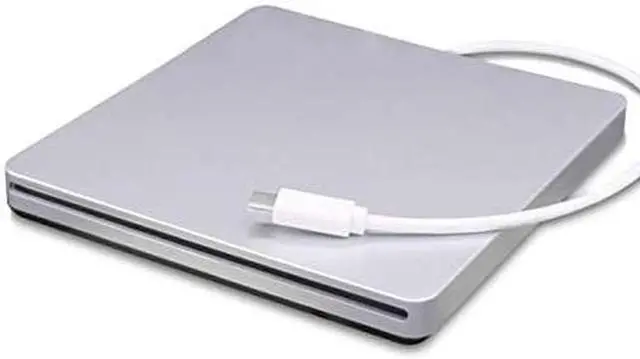
    External Blu-Ray DVD CD Drive Type-C 3D Blu-ray DVD Player Portable USB 3.0 DVD/CD-ROM Burner Writer Rewriter BD-ROM for Laptop Desktop Notebook PCDVD (Silver)

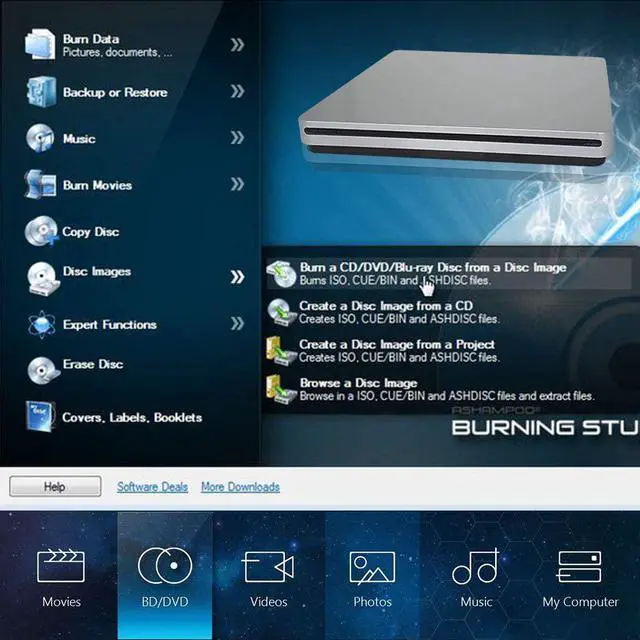
    • ?Easy To Use?:The external Blu-ray drive is plug and play, no external power adapter is required, no additional driver is required. With this Blu-ray DVD reader, you can read Blu-ray Disc (BD) DVD CDS. You can also play Blu-ray Disc (BD) CD DVD.
    • ?Energy-Saving Mute?:This external blu-ray player USES intelligent sleep technology.The product will automatically go to sleep when there is no operation in 60 seconds, so as to reduce the power consumption of optical drive and save energy.At the same time, the intelligent combustion chip can effectively reduce noise and create a more comfortable environment
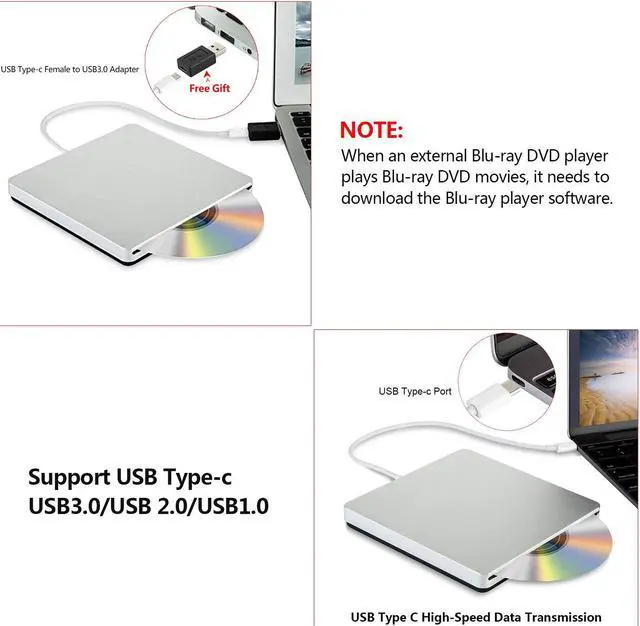
    • ?Warm Prompt?:When an external blu-ray DVD player plays a blu-ray DVD movie, it needs to download the blu-ray player software.It is recommended that you download Mac blu-ray player 2.8.5.1204, Leawo, VLC and other blu-ray player software.Leawo is free of charge.The VLC must download the key database and the aacs dynamic library (search for files and instructions for the VLC Keys data
    +
    +
    Overview
    Specs
    Reviews
    avatar

    Any questions? Our AI beta will help you find out quickly.

    ??Important note??please note
    An external Blu-ray DVD drive needs to download Blu-ray playback software before it can read and play Blu-ray DVD. (We recommend that you download Blu-ray player software such as Mac Blu-ray Player 2.8.5.1204, Leawo, VLC. Among them, Leawo is free.)

    Due to compatibility issues between Windows 10 itself and external hardware, the drive is not fully compatible with Windows 10 systems. (If your computer system is Windows 10, we recommend that you install the VLC Media Player or download the Windows 10 3.0 driver and try again.)

    -External DVD Drives We all offer USB (female) to USB (male) converters, so once you want to use a MacPort/pro or other laptop with a USB port, you can use it very smoothly.

    Specification:
    Writer Speed:DVD-R: 8X; DVD-RW: 4X; DVD+R: 8X; DVD+RW: 4X; DVD+DL(D9): 4X; DVD-DL: 4X; CD-R: 24X ; CD-RW: 16X
    Read Speed: (readable DVD-RAM).BD-ROM: 6X; DVD-R: 8X; DVD-RW: 6X; DVD+R: 8X; DVD+RW: 6X; CD-RW: 16X; CD-ROM: 24X

    Package:
    1 x TYPE-C External BD-ROM Blu-Ray Combo Drive
    1 x User Manual
    1 x USB Type-c(Female) to USB(Male) converter.

    Note:
    1?Please hook up the device to the direct USB port on your computer. If you connect it to a USB hub or extension cords, it maybe cannot recognize the drive nor read the CD/DVD.
    2?Before you use a cd-rom drive, make sure your computer has a "media player".
    3?Due to the compatibility problem between Windows 10 itself and external hardware, the drive cannot be fully compatible with Windows 10 computers.It is recommended to play DVD and CD before installing VLC media player..
    4?To Play Blu-Ray,Please make Sure there is Blu-ray Media Player in your computer.

    Warranty & Returns

    Warranty, Returns, And Additional Information

    Warranty

    • Please contact the Seller directly for warranty information. Warranty information may also be found on the Manufacturer's website.
    • CONTACT

    Return Policies

    • Return for refund within: 30 days
    • Return for replacement within: 30 days
    • This item is covered by VoltSync Return Policy

    Manufacturer Contact Info

    LOADING...