





Tips for using the external CD/DVD drive:
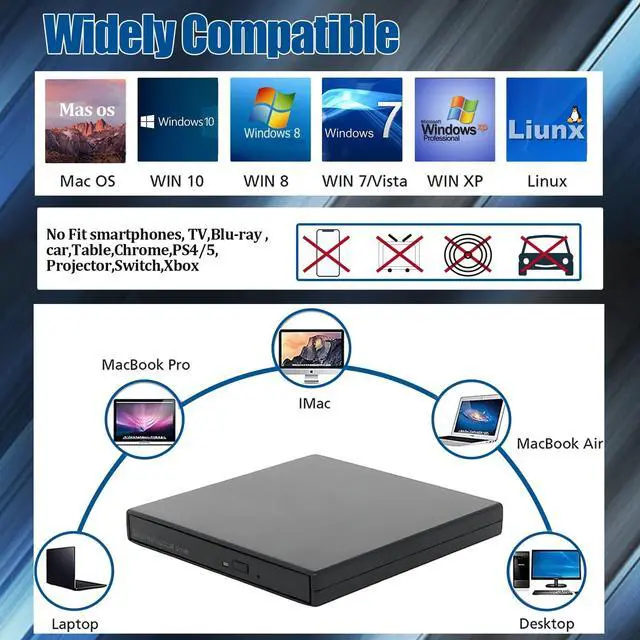
1. External Disk Driver cannot support to used with TVs, cars, smartphones, Blu-ray DVDs,projector ,tablet , smartphone ,ChromeBook ,PS4/5,Switch ,Xbox.
2. Before using Disk Player with a laptop, ensure that your computer has a media player installed. If there isn’t one, it’s recommended to install a media player, such as VLC player, to facilitate the reading of media files from the DVD.
3. If the external CD Burner drive is not working, check if the area code has been changed. This can be done by going to the Device Manager, right-clicking on DVD/CD Rom, selecting Properties, and then checking the Area. Alternatively, the area number can be found in the hardware “Properties” under “Parameters”, which can be accessed by right-clicking on the hardware.
4. Please remember not to place the unit near strong magnetic objects,and keep the external cd drive flat to ensure the normal use of the machine.
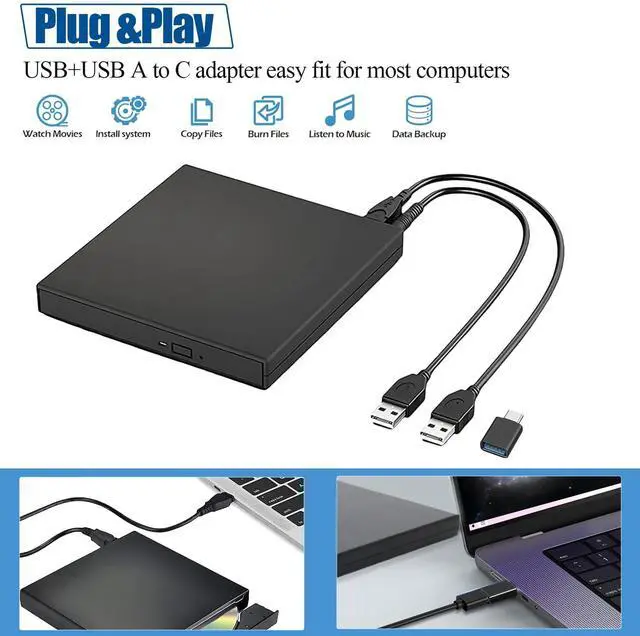
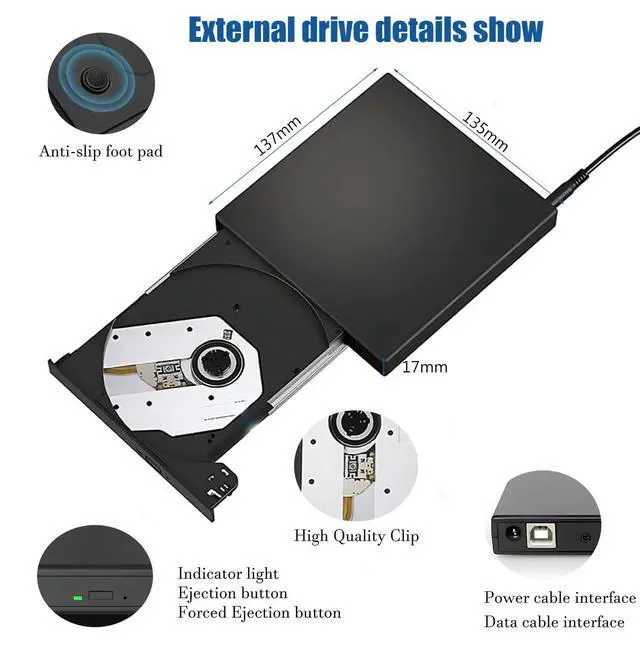
5.Please pay attention to plug the correct data cable. The square one is the data cable, and the round one is the power cable. The data cable should be directly plugged into the computer, not plugged into the hub,avoid not being able to identify the external drive.Use a desktop computer, remember to plug the cable behind the computer host.
6.Please be careful not to put the disc upside down, with the writing side facing up.When placing the cd/dvd disc into the cd drive, it is important to pay attention to the correct position. Try to rotate it by hand to make sure it is OK, and then close the door.
7.When using the Windows system, click the My Computer icon, the DVD RW drive will be displayed on the computer, indicating that the drive has been recognized on the computer.
8.About using cd drive on mac systems , you need to eject it on the computer. Right-click on the disc icon and select "Eject". After the disc is read, a disc icon will be displayed on the computer desktop. Check to see if the optical drive is recognized. Click on the first logo on the top left. There's "About This Mac",then you can see "System Report". Check in the "Burn Disc" to see if the optical drive is recognized.

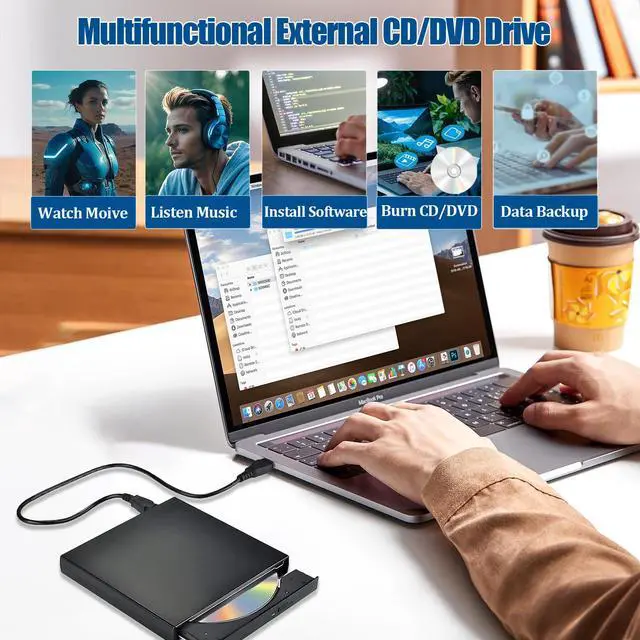
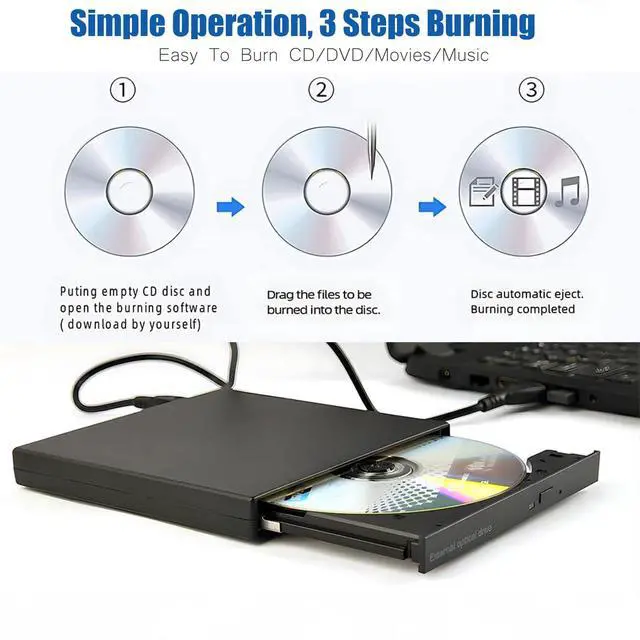
Simple Burning Operation
1.Puting empty CD dis and open the buring software(download by yourself)
2.drag the files to be burned into the disc.
3.Disc automatic eject.Complete burning

Low Operating Noise
Almost no noise when used, will not disturb your daily life. The bottom 4 foot pads are designed to achieve double noise reduction effect, which is a reliable choice for users to use at ease

Package Contain
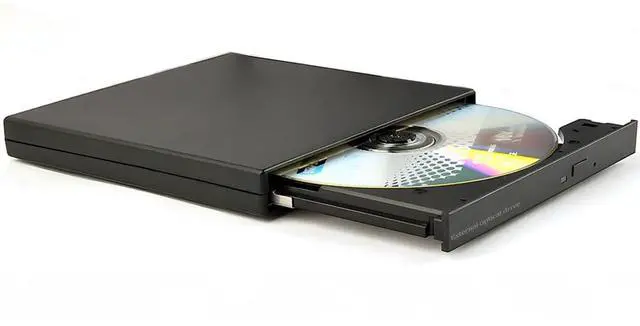
- 1*External CD/DVD Drive
- 1*User Manual
- 1*TYPE c adapter
- 1*USB data cable
- 1*USB power cable
Easier to connect to more kinds of laptops and desktops,plug and play, more convenient to use.

 External CD/DVD Drive |  External CD/DVD Drive |  External DVD Drive |  External Blu-ray Drive |  External Blu-ray Drives | |
|---|---|---|---|---|---|
| Price | — | — | — | — | — |
| Connector Type | USB Type-A & USB Type-C | USB 3.0 Type-A & USB Type-C | USB 3.0 Type-A & USB Type-C | USB 3.0 Type-A & USB Type-C | USB 3.0 Type-A & USB Type-C |
| Supported Read/Burn Types | CD/DVD | CD/DVD | CD/DVD | BD(only Read)/CD/DVD | BD/CD/DVD |
| All-in-one | USB A+USB A TO C adapter | 2 in1 | 2 in1 | 2 in1 | 2 in1 |
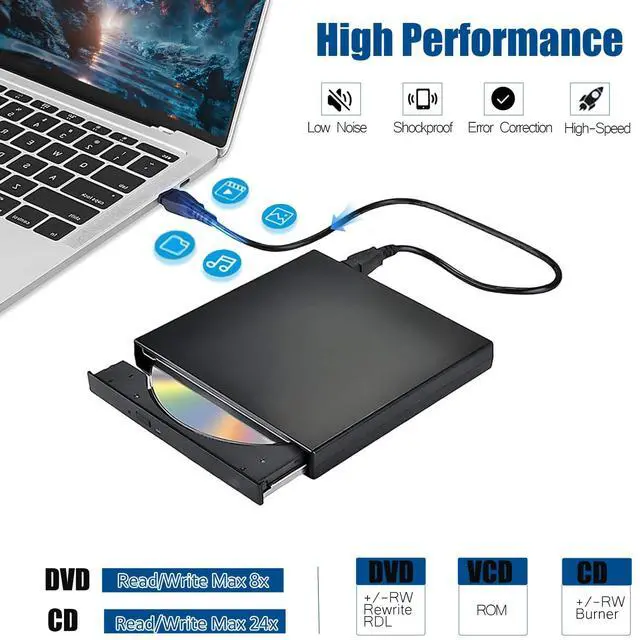
| Max R/W Speed | 24xCD / 8xDVD | 24xCD / 8xDVD | 24xCD / 8xDVD | 6xBD / 24xCD / 8xDVD | 6xBD / 24xCD / 8xDVD |
| Compatible OS | Windows 11/10 /8 /7 /XP , Vista 7 / 8, Linux, Mac OS | Windows 11/10 /8 /7 /XP , Vista 7 / 8, Linux, Mac OS | Windows 11/10 /8 /7 /XP , Vista 7 / 8, Linux, Mac OS | Windows 11/10 /8 /7 /XP , Vista 7 / 8, Linux, Mac OS | Windows 11/10 /8 /7 /XP , Vista 7 / 8, Linux, Mac OS |
| Supported Disc | CD-R,CD+/-RW,CD-ROM,DVD-R,DVD-ROM,DVD+/-RW, DVD-R DL | CD-R,CD+/-RW,CD-ROM,DVD-R,DVD-ROM,DVD+/-RW, DVD-R DL | CD-R,CD+/-RW,CD-ROM,DVD-R,DVD-ROM,DVD+/-RW, DVD-R DL | BD-ROM,CD-R,CD+/-RW,CD-ROM,DVD-R,DVD-ROM,DVD+/-RW, DVD-R DL | BD-R TL/QL/SL/DL,BD-RE SL/DL/TL,CD-R,CD+/-RW,CD-ROM,DVD-R,DVD-ROM,DVD+/-RW, DVD-R DL |
| Incompatible | Smart Phone & Tablet / Chromebook / iPad / TV / Car / Truck / Bluray disk | Smart Phone & Tablet / Chromebook / iPad / TV / Car / Truck / Bluray disk | Smart Phone & Tablet / Chromebook / iPad / TV / Car / Truck / Bluray disk | Smart Phone & Tablet / Chromebook / iPad / TV / Car / Truck | Smart Phone & Tablet / Chromebook / iPad / TV / Car / Truck |
Tips for using the external CD/DVD drive:
1. External Disk Driver cannot support to used with TVs, cars, smartphones, Blu-ray DVDs,projector ,tablet , smartphone ,ChromeBook ,PS4/5,Switch ,Xbox.
2. Before using Disk Player with a laptop, ensure that your computer has a media player installed. If there isn’t one, it’s recommended to install a media player, such as VLC player, to facilitate the reading of media files from the DVD.
3. If the external CD Burner drive is not working, check if the area code has been changed. This can be done by going to the Device Manager, right-clicking on DVD/CD Rom, selecting Properties, and then checking the Area. Alternatively, the area number can be found in the hardware “Properties” under “Parameters”, which can be accessed by right-clicking on the hardware.
4. Please remember not to place the unit near strong magnetic objects,and keep the external cd drive flat to ensure the normal use of the machine.
5.Please pay attention to plug the correct data cable. The square one is the data cable, and the round one is the power cable. The data cable should be directly plugged into the computer, not plugged into the hub,avoid not being able to identify the external drive.Use a desktop computer, remember to plug the cable behind the computer host.
6.Please be careful not to put the disc upside down, with the writing side facing up.When placing the cd/dvd disc into the cd drive, it is important to pay attention to the correct position. Try to rotate it by hand to make sure it is OK, and then close the door.
7.When using the Windows system, click the My Computer icon, the DVD RW drive will be displayed on the computer, indicating that the drive has been recognized on the computer.
8.About using cd drive on mac systems , you need to eject it on the computer. Right-click on the disc icon and select "Eject". After the disc is read, a disc icon will be displayed on the computer desktop. Check to see if the optical drive is recognized. Click on the first logo on the top left. There's "About This Mac",then you can see "System Report". Check in the "Burn Disc" to see if the optical drive is recognized.
Simple Burning Operation
1.Puting empty CD dis and open the buring software(download by yourself)
2.drag the files to be burned into the disc.
3.Disc automatic eject.Complete burning
Low Operating Noise
Almost no noise when used, will not disturb your daily life. The bottom 4 foot pads are designed to achieve double noise reduction effect, which is a reliable choice for users to use at ease
Package Contain
- 1*External CD/DVD Drive
- 1*User Manual
- 1*TYPE c adapter
- 1*USB data cable
- 1*USB power cable
Easier to connect to more kinds of laptops and desktops,plug and play, more convenient to use.
External CD/DVD Drive | External CD/DVD Drive | External DVD Drive | External Blu-ray Drive | External Blu-ray Drives | |
|---|---|---|---|---|---|
| Price | — | — | — | — | — |
| Connector Type | USB Type-A & USB Type-C | USB 3.0 Type-A & USB Type-C | USB 3.0 Type-A & USB Type-C | USB 3.0 Type-A & USB Type-C | USB 3.0 Type-A & USB Type-C |
| Supported Read/Burn Types | CD/DVD | CD/DVD | CD/DVD | BD(only Read)/CD/DVD | BD/CD/DVD |
| All-in-one | USB A+USB A TO C adapter | 2 in1 | 2 in1 | 2 in1 | 2 in1 |
| Max R/W Speed | 24xCD / 8xDVD | 24xCD / 8xDVD | 24xCD / 8xDVD | 6xBD / 24xCD / 8xDVD | 6xBD / 24xCD / 8xDVD |
| Compatible OS | Windows 11/10 /8 /7 /XP , Vista 7 / 8, Linux, Mac OS | Windows 11/10 /8 /7 /XP , Vista 7 / 8, Linux, Mac OS | Windows 11/10 /8 /7 /XP , Vista 7 / 8, Linux, Mac OS | Windows 11/10 /8 /7 /XP , Vista 7 / 8, Linux, Mac OS | Windows 11/10 /8 /7 /XP , Vista 7 / 8, Linux, Mac OS |
| Supported Disc | CD-R,CD+/-RW,CD-ROM,DVD-R,DVD-ROM,DVD+/-RW, DVD-R DL | CD-R,CD+/-RW,CD-ROM,DVD-R,DVD-ROM,DVD+/-RW, DVD-R DL | CD-R,CD+/-RW,CD-ROM,DVD-R,DVD-ROM,DVD+/-RW, DVD-R DL | BD-ROM,CD-R,CD+/-RW,CD-ROM,DVD-R,DVD-ROM,DVD+/-RW, DVD-R DL | BD-R TL/QL/SL/DL,BD-RE SL/DL/TL,CD-R,CD+/-RW,CD-ROM,DVD-R,DVD-ROM,DVD+/-RW, DVD-R DL |
| Incompatible | Smart Phone & Tablet / Chromebook / iPad / TV / Car / Truck / Bluray disk | Smart Phone & Tablet / Chromebook / iPad / TV / Car / Truck / Bluray disk | Smart Phone & Tablet / Chromebook / iPad / TV / Car / Truck / Bluray disk | Smart Phone & Tablet / Chromebook / iPad / TV / Car / Truck | Smart Phone & Tablet / Chromebook / iPad / TV / Car / Truck |