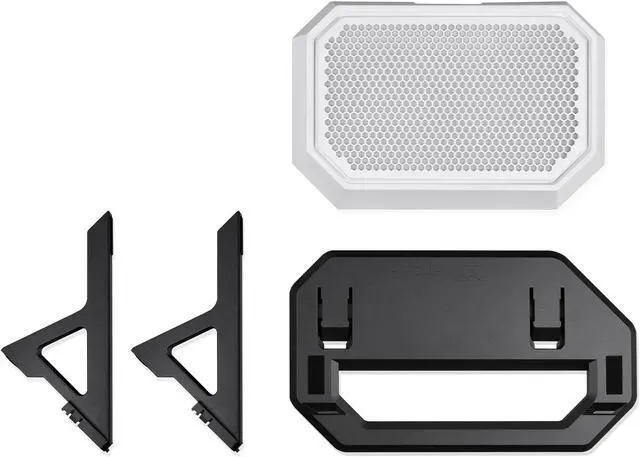
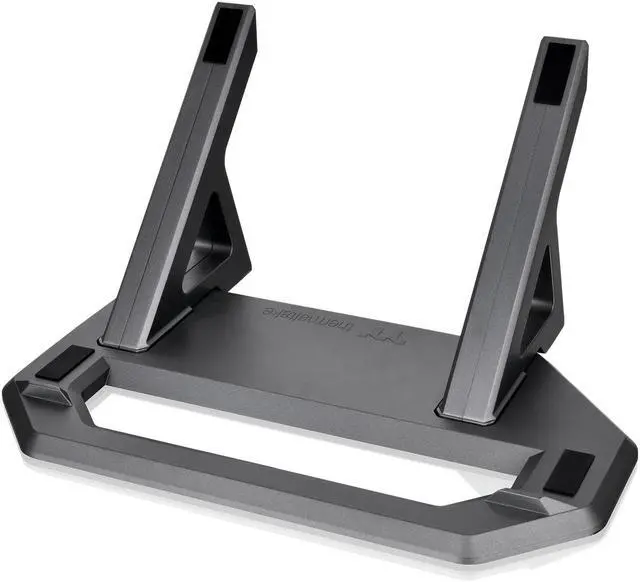
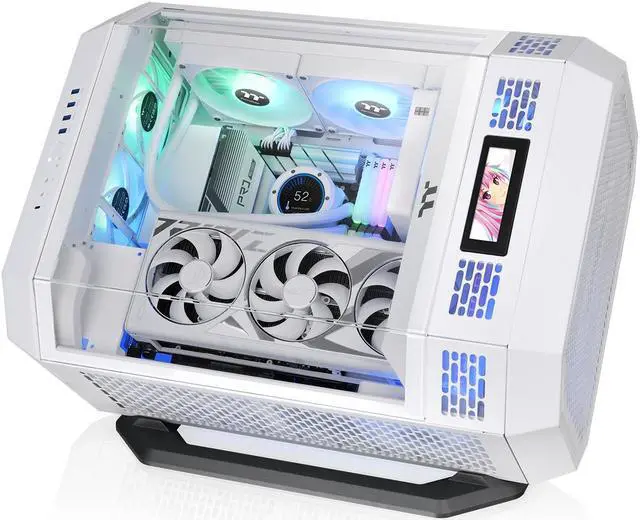
The Thermaltake Tower 600 Snow Chassis Stand Kit is a display stand and bottom cover for Tower 600 owners who want to position their case horizontally, with an anti-slip design and anti-scratch rubber pad.
Recommended For
- Thermaltake Tower 600 owners who want to display the case horizontally; the kit adds a stand and replacement bottom cover for that orientation.
- Tower 600 builders whose GPU cooler performs poorly with the case upright, provided their cooler benefits from a horizontal orientation; professional testing found GPU thermals improved when the case was laid down.
- PC builders who want a horizontal showcase setup with a replacement bottom panel that includes a dust filter.
Real-World Use Scenarios
- When a desk shelf or the space under a bookshelf has limited vertical clearance, use the stand to lay the Tower 600 horizontally; it fits a lower space, though the horizontal layout may need more desk depth.
- When a Tower 600’s upright GPU orientation causes unusually high graphics-card temperatures, lay the case horizontally to change the card’s orientation; a review found its test GPU cooled much better this way, but results depend on the graphics-card cooler.
- When presenting a custom PC build, use the horizontal stand to show the Tower 600’s glass panels and internal components from a different angle; the included stand and replacement bottom cover create a finished horizontal display setup.
- When placing the case on a finished desk or display surface, use the stand’s rubber pads and anti-slip features to help protect the case finish and keep it positioned on the stand.




 here!