- Free 30-day Returns
Meet Your Seller
Thermaltake Tower 600 Chassis Stand Kit; Transformative Teal; AC-076-ONTNAN-A1
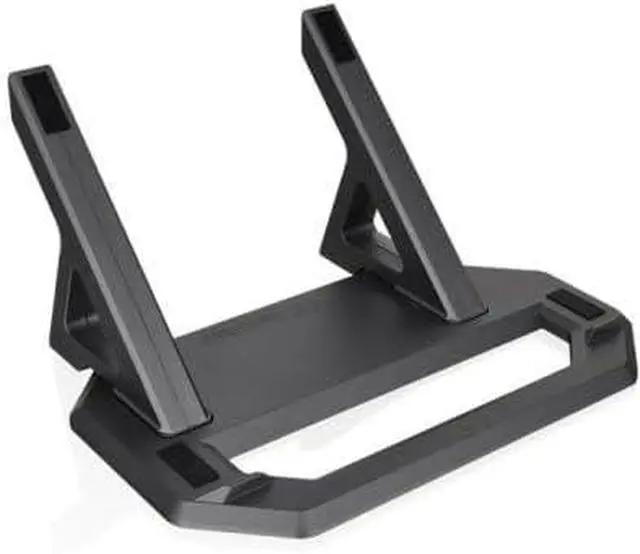
- Diverse Displays Explore Horizontal placement with the Chassis Stand Kit
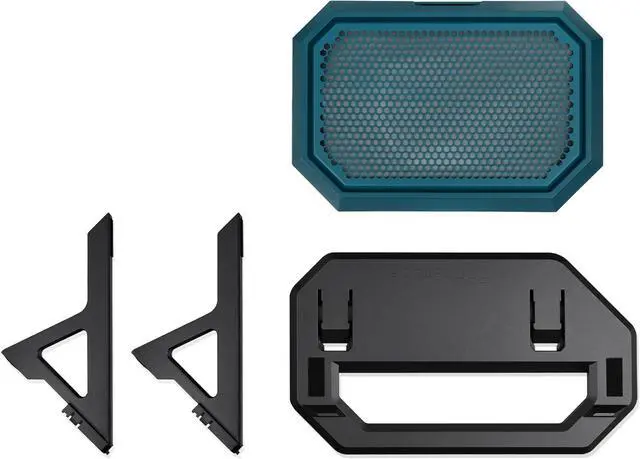
- Complete Package Comes with Bottom Cover Panel to replace the chassis feet and a Display Stand.
- Easy Maintenance Bottom Cover Panel features a removable dust filter for easy maintenance.
- No Slip Display stand designed to prevent chassis from unwanted slipping or movement.
- No Scratches Protects the chassis with anti scratch rubber pads for secure fitment.
Any questions? Ask CelesteSM will help you find out quickly.
The Tower 600 Chassis Stand provides a convenient way to change up the presentation for your chassis. Included is the stand itself as well as a matching bottom cover for the chassis to replace the feet as they are no longer needed. To protect your build the stand utilizes rubber pads to prevent slippage and scratching, on top of that the included bottom cover also has a removable dust filter for either intake or exhaust set ups and easy maintenance. For Tower 600 Transformative Teal.
Warranty & Returns
Warranty, Returns, And Additional Information
Warranty
- Please contact the Seller directly for warranty information. Warranty information may also be found on the Manufacturer's website.
- CONTACT
Return Policies
- Return for refund within: 30 days
- Return for replacement within: non-replaceable
- This item is covered by Thermaltake Return Policy
Manufacturer Contact Info
- For a directory of all our manufacturers, please click below.
- Manufacturers Directory
The Thermaltake Tower 600 Chassis Stand Kit in Transformative Teal lets Tower 600 owners display their PC horizontally, with a matching bottom cover, removable dust filter, and rubber pads to help prevent slipping and scratches.
Recommended For
- Tower 600 owners who want to display the case horizontally; the kit provides the stand and replacement bottom cover for that orientation.
- PC builders creating a desk or room showcase who want a different view of their Tower 600 build than the standard vertical placement.
- Tower 600 owners who have enough desk or display-surface room for a horizontal setup; the stand measures about 18.1 × 13.9 inches.
- Owners who want the horizontal stand’s included dust-filtered bottom cover as part of a planned horizontal case setup.
Real-World Use Scenarios
- When you want to change how a Tower 600 looks on your desk or display shelf, the kit lets you place the case horizontally for a different view of the build.
- When showcasing a component-heavy build, horizontal placement changes the viewing angle and can make the installed parts easier to see, depending on where the case is positioned.
- When converting an existing Tower 600 build to horizontal placement, the included replacement bottom cover keeps a dust filter in place; you can remove the filter for cleaning.
- When placing the case on a hard surface, the stand’s anti-slip features help keep it from shifting, while its rubber pads help protect the chassis finish from scratches.
- When switching a Tower 600 with an AIO cooler to horizontal placement, check the radiator and pump positions during setup; Thermaltake recommends keeping the radiator higher than the pump.