


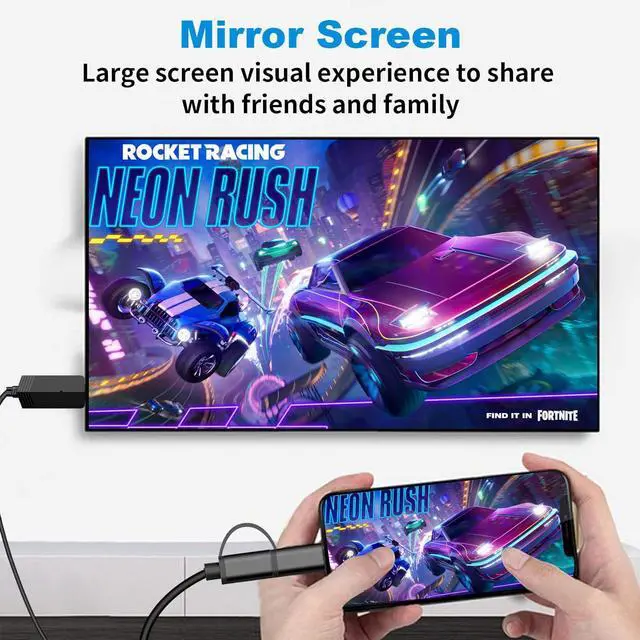


Micro usb to hdmi

Upgraded Weton MHL Cable which will provide you more stable and clearer sound:
- USB-C/ Micro USB Ports input
- Support VESA USB Type-C Display Port Alt Mode
- HD1080p HDMI Video Output
- Supports resolution up to 3840*2160@30Hz. Backward compatible with Real HD1080p@60Hz fast refresh rate, No lag or distortion.
- Bluetooth 5.0 function for Audio Synchronization
- It will play sound directly from the tv/projector with no problem at all. If your TV has built-in speakers, you can leave it alone.
- USB 3.0 Charging Port
- USB-A connect to power adapter(5V/2A), and the cable can't be used as a charging cable alone.
- Firmware OTA Upgrade
Warm Tips:
If you want to transfer Audio directly from the tv/projector, Open your Bluetooth and search for "MiraBT-xxxxxxxx".
Phone to tv adapter android

USB C/ Micro USB to HDMI Adapter
- 1. Only Work for Most of Android 4.4 or above Phones/Tablets with Type C or Micro USB ports devices, Not for PC. Support the transmission of video and voice at the same time. If not,please connect the bluetooth function.
- 2. The USB Power Cable should be connected with power socket, it isn’t recommended to power by TV set directly. Since the current of the TV is usually less than 2A, we recommend to use an adapter to supply power( 5V/2A ) for Android phones . If lower voltage, the video may in lag.
- 3.Please allow permission to open the APP for the first time installation, and you need to agree to the Bluetooth permission for audio connection.
- 4.The MHL cable is compatible with most Android Phones & Tablets (type-c/micro usb interface), such as Sam*sung/Motorola/LG/Sony/TCL/ Oneplus/Huawei/Xiaomi, etc. Notice: Not All Android 4.4 devices support USB mirror.
- 5.NOT Work for: S*amsung S3-S8, Fi*re Tablet,or the latest PAD Pro series and Ma*cbook with a USB-C port.
- 6.This phone to tv hdmi adapter works with TVs, projectors, and monitors with an HDMI input port, but does not work with an HDMI output port.
NOTICE: DOESN’T Work with All the Paid Apps
- The cable DOESN’T support with paid apps like Netflix, A*ma*zon prime videos, Hulu, Comcast tv, Xfinity, Vudu, DIRECTV BT Sport, Sky Go, Zoom meetings, Disney+, etc. Desn’t work on apps which have "HDCP" video copyrights protection.
- Supports screen mirroring from most of the free apps, such as YouTube, FaceTime, Skype, Reddit, Tiktok , Twitter, Meta, Safari, FaceBook, Instagram, WhatsApp, images, Files, Excel, Powerpoint, Games, etc.
MHL to HDMI Cable Adapter

How to use
The Most Important Steps of connection:
1.Switch the TV to HD channel first, plug the USB Cable into USB Charger at least 5V/2A(Note: The USB port of some aging TV might cause insufficient power supply)
2.Plug the HDMI Cable into the TV's HDMI input port, you will see a blue screen, then scan the QR Code on the blue screen to download an APP “Miraplug”. (This app needn't pay for use and only requires permission for the screen mirror, please don't worry that your privacy will be well protected.)
3.Open the app, then connect the cable with your phone/tablet,a message will pop up" Use USB TO", NO NEED to click anyone of the options.Just ignore it.
4.Few seconds later will pop up 'MiraPlug requires permission to turn Bluetooth', please click 'Allow'. Then 'Start Now' according to the system reminder.
5.Choose "MiraBT-XXX as a target, the sound will also come out from TV, now you can start the mirroring.(this step let the volume come out from TV)

6.6FT MHL Cable
Q:Why doesn't the display show anything?
A1:Please check the power supply,and make sure the TV signal source is selected correctly.
A2:Check whether the wires are connected properly to avoid disconnection caused by poor connection.
Q:Why can't find the SSID in Google Home?
A:Please check that you are open the Wi-Fi and USB tethering.If you have already opened these, and still no SSID, please restart the phone Wi-Fi.
Q:Why play video only sound no image?
A:Please check that the player you are using requires copyright authorization.
Q: No sound only the images but no sound?
A1:Please make sure you've clicked the volume sign, allowed turn on Bluetooth, and chose "MiraBT-XXX" as a target.
A2:Please make sure the TV built in a speaker ,If not, you need to connect a speak via Bluetooth.
Q:Why is it stuck ,kept buffering or disconnected?
A1:Please check that the power supply is 5V/2A, the data cable is firmly connected to the mobile phone,and you are using the high quality Wi-Fi.
A2:Due to permissions issue, this cable can’t work on Paid APP, Please try YouTube.
Micro usb to hdmi
Upgraded Weton MHL Cable which will provide you more stable and clearer sound:
- USB-C/ Micro USB Ports input
- Support VESA USB Type-C Display Port Alt Mode
- HD1080p HDMI Video Output
- Supports resolution up to 3840*2160@30Hz. Backward compatible with Real HD1080p@60Hz fast refresh rate, No lag or distortion.
- Bluetooth 5.0 function for Audio Synchronization
- It will play sound directly from the tv/projector with no problem at all. If your TV has built-in speakers, you can leave it alone.
- USB 3.0 Charging Port
- USB-A connect to power adapter(5V/2A), and the cable can't be used as a charging cable alone.
- Firmware OTA Upgrade
Warm Tips:
If you want to transfer Audio directly from the tv/projector, Open your Bluetooth and search for "MiraBT-xxxxxxxx".
Phone to tv adapter android
USB C/ Micro USB to HDMI Adapter
- 1. Only Work for Most of Android 4.4 or above Phones/Tablets with Type C or Micro USB ports devices, Not for PC. Support the transmission of video and voice at the same time. If not,please connect the bluetooth function.
- 2. The USB Power Cable should be connected with power socket, it isn’t recommended to power by TV set directly. Since the current of the TV is usually less than 2A, we recommend to use an adapter to supply power( 5V/2A ) for Android phones . If lower voltage, the video may in lag.
- 3.Please allow permission to open the APP for the first time installation, and you need to agree to the Bluetooth permission for audio connection.
- 4.The MHL cable is compatible with most Android Phones & Tablets (type-c/micro usb interface), such as Sam*sung/Motorola/LG/Sony/TCL/ Oneplus/Huawei/Xiaomi, etc. Notice: Not All Android 4.4 devices support USB mirror.
- 5.NOT Work for: S*amsung S3-S8, Fi*re Tablet,or the latest PAD Pro series and Ma*cbook with a USB-C port.
- 6.This phone to tv hdmi adapter works with TVs, projectors, and monitors with an HDMI input port, but does not work with an HDMI output port.
NOTICE: DOESN’T Work with All the Paid Apps
- The cable DOESN’T support with paid apps like Netflix, A*ma*zon prime videos, Hulu, Comcast tv, Xfinity, Vudu, DIRECTV BT Sport, Sky Go, Zoom meetings, Disney+, etc. Desn’t work on apps which have "HDCP" video copyrights protection.
- Supports screen mirroring from most of the free apps, such as YouTube, FaceTime, Skype, Reddit, Tiktok , Twitter, Meta, Safari, FaceBook, Instagram, WhatsApp, images, Files, Excel, Powerpoint, Games, etc.
MHL to HDMI Cable Adapter
How to use
The Most Important Steps of connection:
1.Switch the TV to HD channel first, plug the USB Cable into USB Charger at least 5V/2A(Note: The USB port of some aging TV might cause insufficient power supply)
2.Plug the HDMI Cable into the TV's HDMI input port, you will see a blue screen, then scan the QR Code on the blue screen to download an APP “Miraplug”. (This app needn't pay for use and only requires permission for the screen mirror, please don't worry that your privacy will be well protected.)
3.Open the app, then connect the cable with your phone/tablet,a message will pop up" Use USB TO", NO NEED to click anyone of the options.Just ignore it.
4.Few seconds later will pop up 'MiraPlug requires permission to turn Bluetooth', please click 'Allow'. Then 'Start Now' according to the system reminder.
5.Choose "MiraBT-XXX as a target, the sound will also come out from TV, now you can start the mirroring.(this step let the volume come out from TV)
6.6FT MHL Cable
Q:Why doesn't the display show anything?
A1:Please check the power supply,and make sure the TV signal source is selected correctly.
A2:Check whether the wires are connected properly to avoid disconnection caused by poor connection.
Q:Why can't find the SSID in Google Home?
A:Please check that you are open the Wi-Fi and USB tethering.If you have already opened these, and still no SSID, please restart the phone Wi-Fi.
Q:Why play video only sound no image?
A:Please check that the player you are using requires copyright authorization.
Q: No sound only the images but no sound?
A1:Please make sure you've clicked the volume sign, allowed turn on Bluetooth, and chose "MiraBT-XXX" as a target.
A2:Please make sure the TV built in a speaker ,If not, you need to connect a speak via Bluetooth.
Q:Why is it stuck ,kept buffering or disconnected?
A1:Please check that the power supply is 5V/2A, the data cable is firmly connected to the mobile phone,and you are using the high quality Wi-Fi.
A2:Due to permissions issue, this cable can’t work on Paid APP, Please try YouTube.