


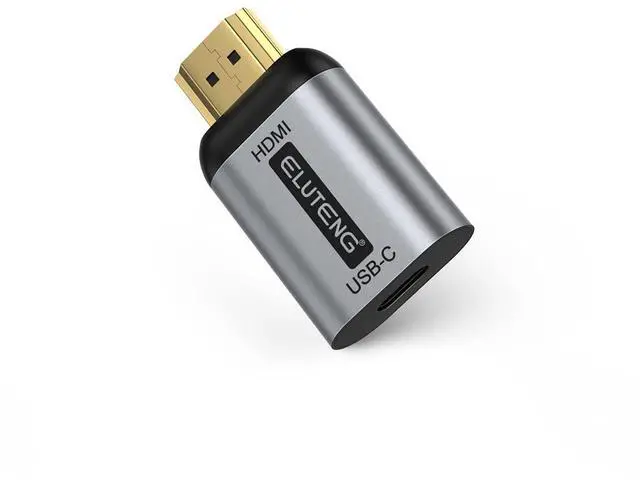
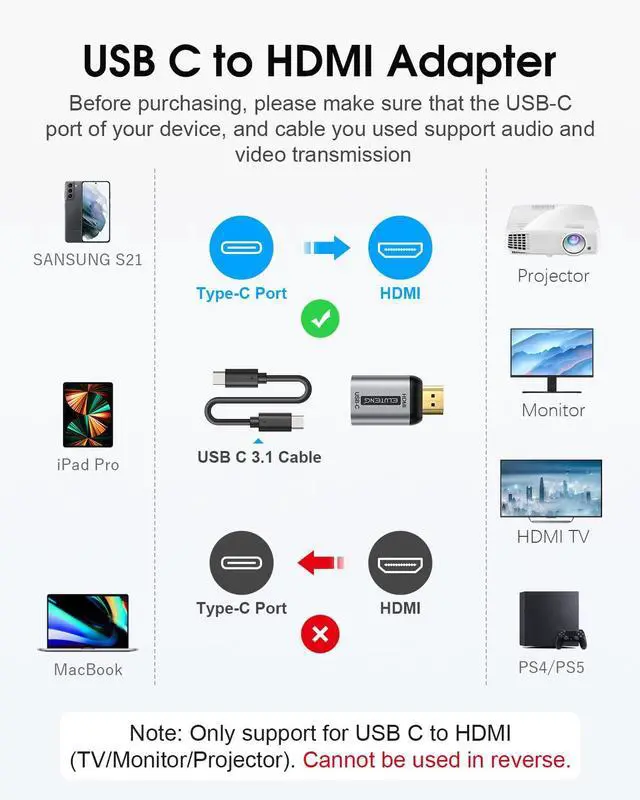


Not bi-directional adapter, only connect USB-C source to HDMI display!
Read before Purchasing
1. This is a Unidirectional USB C 3.1 (Female) Input to HDMI (Male) Output adapter, unable to reverse the video source. Not HDMI input to USB C output. Not USB to HDMI.
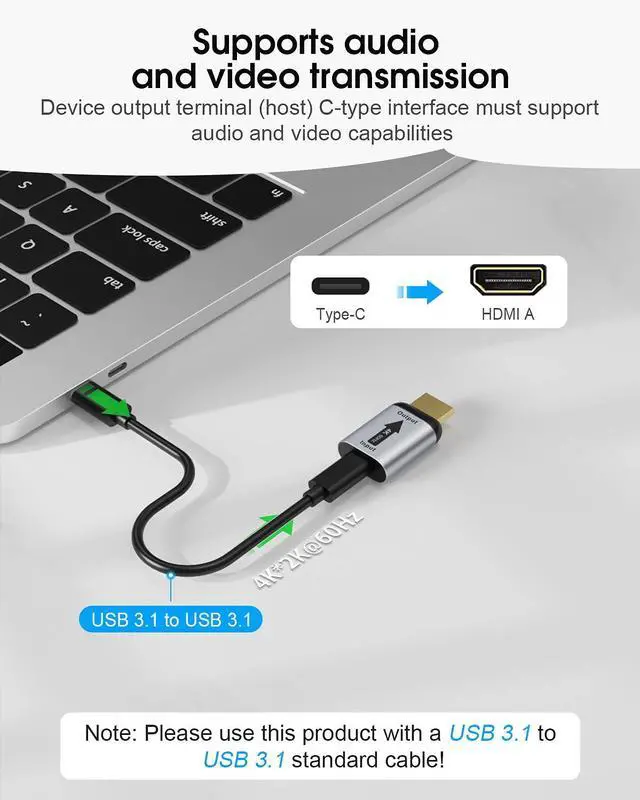
2. Must be used with a USB-C 3.1 or above cable (like Type C 3.1, 3.2, 4 or Thunderbolt 3 cable);
3. Make sure your USB-C or Thunderbolt 3 port support video output, or else it won't work.
4. The HDMI end only compatible with HDMI-enabled TVs/Monitors/Projectors.
5. Do not connect the HDMI port to PC and laptops, PS5, xbox.
6. Not compatible with light-ning cable and trouble to connect USB-C Hub
Usage:
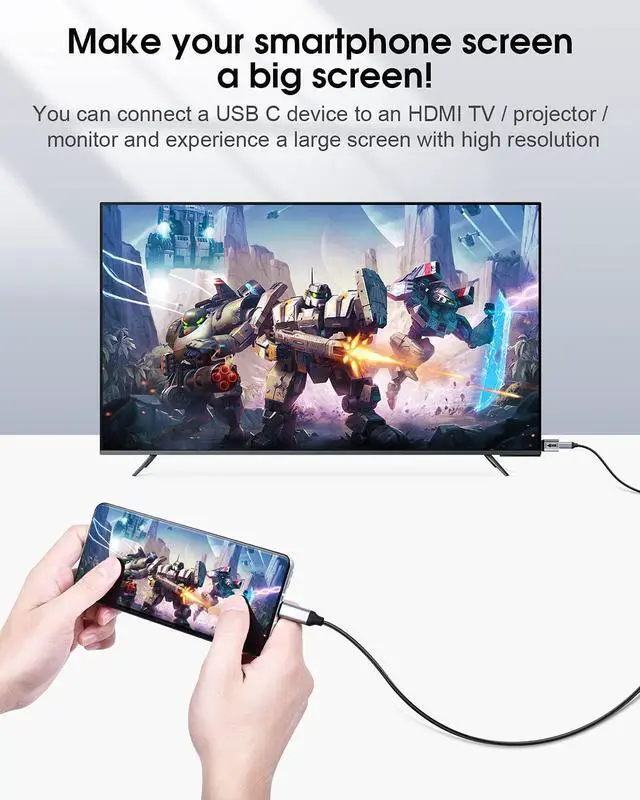
1.Connect the HDMI port to your monitor/TV/projector.
2.And connect the male-to-male Thunderbolt 3/4 cable (USB C cable that supports video transmission) to the USB C female port of this adapter.
3. and finally connect the Thunderbolt 3/4 cable's connector to your laptop/phone.
Troubleshooting:
1.Using an improper cable(USB C cable version too low for video transmission)
2.Trying to convert in the opposite direction(Not HDMI input to USB C output)
3.The USB C port version of the phone is too low to transfer video
Compatibility List

Not Compatible list

Wide compatibility with USB Type C/Thunderbolt 3 devices
Compatible with computers with a USB C port. For example, Macbook 2020/2019/2018, iPad Pro / MacBook Air / MacBook Pro, Samsung Galaxy S21 / S20, Note20 / Note10, DELL, HP, Acer, ASUS, Lenovo, LG laptop, etc.

USB 3.1 type C input, HDMI output
Please note: You must use a full-featured USB 3.1 Gen 1 / Gen 2 USB-C cable or Thunderbolt 3 cable

Please Note
Please Note: Make sure your USB-C or Thunderbolt 3 port supports video output

You can easily connect in 3 steps
1. Connect one of the USB Type-C terminals on your USB C 3.1 (USB 3.1 Gen 2) or Thunderbolt 3 cable to the USB Type-C port on your device.
2. Connect the other USB Type-C terminal of the cable to the USB Type-C port of the corresponding product.
3. Connect the HDMI terminal of the corresponding product to the HDMI port of the TV monitor you want to output.

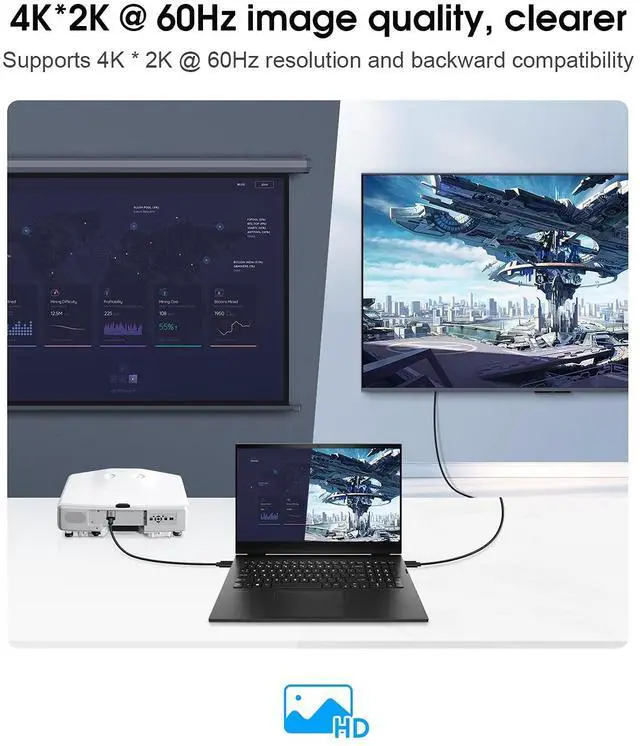
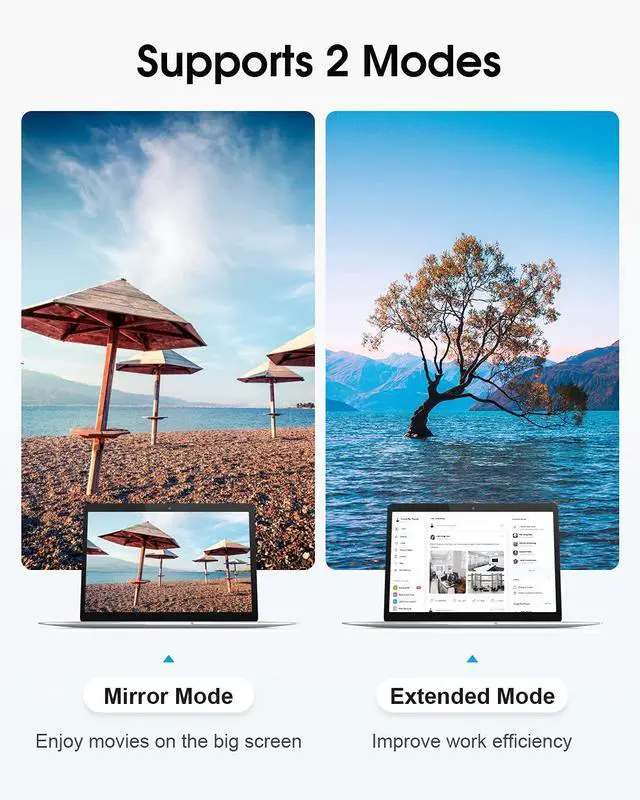
Mirror mode and Extended mode supported
You can choose from 2 modes
Mirror mode: Shows the same screen as the main display. Play photos and your favorite movies will be more vivid and interesting on the big screen.
Extended mode: Ideal for multitasking. Display multiple displays as one large screen. Comfortable to copy and paste in different files.

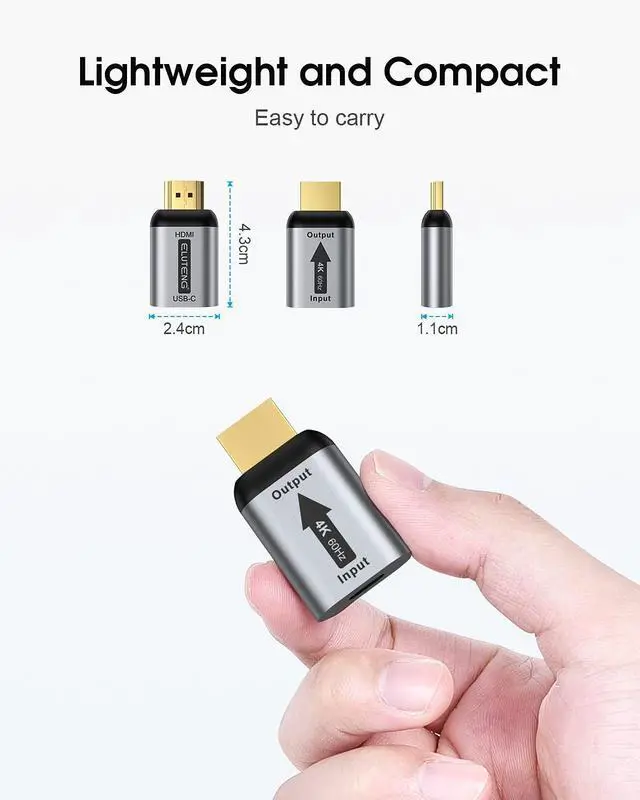
Miniaturization & weight reduction
Achieves miniaturization and weight reduction in all heights and heights. Easy to use, no complicated installation. Very convenient to carry around.
 USB C to HDMI Adapter |  HDMI to DisplayPort Adapter |  HDMI to USB C Cable 6.6FT 4K@60Hz |  8K HDMI Extender Cable |  HDMI to DP Adapter 4K@60Hz |  HDMI Female to USB C Male Adapter | |
|---|---|---|---|---|---|---|
| Customer Reviews | — | — | — | — | — | — |
| Price | — | — no data | — | — no data | — no data | — no data |
| Functions | USB C to HDMI | HDMI to DisplayPort | HDMI to USB C | HDMI to HDMI | HDMI to DisplayPort | HDMI to USB C |
| Resolution/refresh rate | 4K 60Hz | 4K 60Hz | 4K 60Hz | 8K 60Hz | 4K 60Hz | 4K 60Hz |
Not bi-directional adapter, only connect USB-C source to HDMI display!
Read before Purchasing
1. This is a Unidirectional USB C 3.1 (Female) Input to HDMI (Male) Output adapter, unable to reverse the video source. Not HDMI input to USB C output. Not USB to HDMI.
2. Must be used with a USB-C 3.1 or above cable (like Type C 3.1, 3.2, 4 or Thunderbolt 3 cable);
3. Make sure your USB-C or Thunderbolt 3 port support video output, or else it won't work.
4. The HDMI end only compatible with HDMI-enabled TVs/Monitors/Projectors.
5. Do not connect the HDMI port to PC and laptops, PS5, xbox.
6. Not compatible with light-ning cable and trouble to connect USB-C Hub
Usage:
1.Connect the HDMI port to your monitor/TV/projector.
2.And connect the male-to-male Thunderbolt 3/4 cable (USB C cable that supports video transmission) to the USB C female port of this adapter.
3. and finally connect the Thunderbolt 3/4 cable's connector to your laptop/phone.
Troubleshooting:
1.Using an improper cable(USB C cable version too low for video transmission)
2.Trying to convert in the opposite direction(Not HDMI input to USB C output)
3.The USB C port version of the phone is too low to transfer video
Compatibility List
| APPLE | iPhone 15 Pro Max/15 Pro/15 Plus/15?iPad Mini 6?iPad Air5/Air4?iPad Pro(all models)?iPad 10th?iMac 2018/2019/2020/2021 ?iMac Pro?MacBook Pro M2 2023?M2 2022?MacBook Pro M1 2021?MacBook Pro M1 2020?Macbook Air 2021(M1)?MacBook Air 2022(M2)?MacBook Air 2020?MacBook Air 2018?MacBook Pro 2016/2017/2018/2019(15'&16')/2020/2021/2022(M1 Pro, M1 Max)?Mac Mini 2018/ 2020(M1) |
| SAMSUNG | Samsung: Samsung Galaxy S24/S24+/S23/S23+/S22/S22+/S22 Ultra/S21/S21+/S21 Ultra/S20/S20+/S20 Ultra/S10e/S10/S10+/Note 20/Note 9/S8/S8+/S8 Ultra/S9/S9+?Galaxy TabPro S/ Tab S6/ S5e/ Tab S4 |
| Lenovo | ThinkPad X1/X270/ThinkPad X280/ThinkPad X13 gen1/ThinkPad T14?Yoga 14s/Pro14s/Yoga C940/ C740 |
| Microsoft | Surface Laptop 3?Surface Go 2/Go 3? Surface Pro 7?Surface Book 2/3?Surface Go(2018)?Surface ProX |
| HP | Spectre X2/X360 15/13?ENVY 13/15/17/X360? EliteBook X360/1012 G1/1030/1040/1050 G1/ Elite Dragonfly?Pavilion X360 15'?Chromebook X360?Victus 15.6' Gaming Laptop |
| DELL | XPS 13/15 series?Inspiron 7000 series? Inspiron 7400 series?Inspiron13-7378?Inspiron 14?Inspiron13-5330?Latitude 7420?G3/G5/G7/16plus Latitude 7373/5570/5490/5400 (2019) |
| Google Pixelbook Go?Chromebook | |
| HTC | 10/U Ultra/U11/U11+/U12+ |
| ASUS | ZenFone/ROG Phone?ROG Zephyrus G15?Vivobook 14?Adolbook14s?Zenbook Series |
| LG | G5?G8/G8X?V20 |
Not Compatible list
| Samsung | Galaxy A10/A11/A10e/A20/A20E/A50/A51/A70/A71/A80?Galaxy S6/S7/J6/J7/M20/M30?Galaxy Tab A/10.1/10.5?Galaxy Tab S3 |
| APPLE | iPad with Lightning cord?MacBook air with Mini DisplayPort?iPhone 14 and earlier |
| Other | Nintendo switch?GoPro? Fire tablet?Kindle Fire?ALL Moto's phone?XBox?PS5/PS4 |
| LG | Google Nexus 5X/6P?LG Stylist?G6?V30?k10/k20 |
| ASUS | Asus ZenPad tablets?Asus ZenPad S8 64Gb?Asus ZenPad 3s 10 tablet |
Wide compatibility with USB Type C/Thunderbolt 3 devices
Compatible with computers with a USB C port. For example, Macbook 2020/2019/2018, iPad Pro / MacBook Air / MacBook Pro, Samsung Galaxy S21 / S20, Note20 / Note10, DELL, HP, Acer, ASUS, Lenovo, LG laptop, etc.
USB 3.1 type C input, HDMI output
Please note: You must use a full-featured USB 3.1 Gen 1 / Gen 2 USB-C cable or Thunderbolt 3 cable
Please Note
Please Note: Make sure your USB-C or Thunderbolt 3 port supports video output
You can easily connect in 3 steps
1. Connect one of the USB Type-C terminals on your USB C 3.1 (USB 3.1 Gen 2) or Thunderbolt 3 cable to the USB Type-C port on your device.
2. Connect the other USB Type-C terminal of the cable to the USB Type-C port of the corresponding product.
3. Connect the HDMI terminal of the corresponding product to the HDMI port of the TV monitor you want to output.
Mirror mode and Extended mode supported
You can choose from 2 modes
Mirror mode: Shows the same screen as the main display. Play photos and your favorite movies will be more vivid and interesting on the big screen.
Extended mode: Ideal for multitasking. Display multiple displays as one large screen. Comfortable to copy and paste in different files.
Miniaturization & weight reduction
Achieves miniaturization and weight reduction in all heights and heights. Easy to use, no complicated installation. Very convenient to carry around.
USB C to HDMI Adapter | HDMI to DisplayPort Adapter | HDMI to USB C Cable 6.6FT 4K@60Hz | 8K HDMI Extender Cable | HDMI to DP Adapter 4K@60Hz | HDMI Female to USB C Male Adapter | |
|---|---|---|---|---|---|---|
| Customer Reviews | — | — | — | — | — | — |
| Price | — | — no data | — | — no data | — no data | — no data |
| Functions | USB C to HDMI | HDMI to DisplayPort | HDMI to USB C | HDMI to HDMI | HDMI to DisplayPort | HDMI to USB C |
| Resolution/refresh rate | 4K 60Hz | 4K 60Hz | 4K 60Hz | 8K 60Hz | 4K 60Hz | 4K 60Hz |