• $126.99
  • Free 30-day Returns
  • Ships from China.
    Sold by TERRA HAVEN

    Shipped by TERRA HAVEN

    Price alert
    Shop it at NeweggBusiness.

    Meet Your Seller

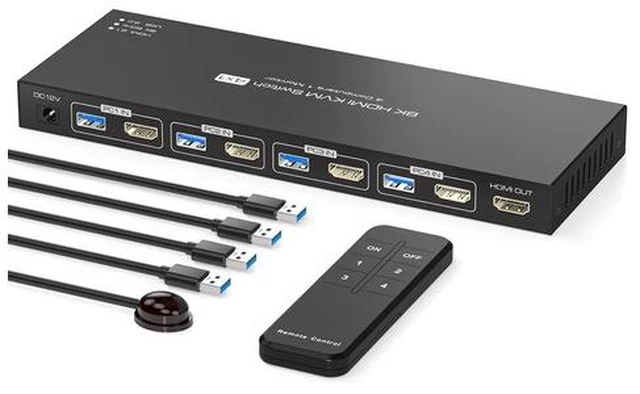
    8K HDMI KVM Switch 4 Computers 1 Monitor 4K144Hz EDID 4 Port KVM for 4 PC Sharing 1 Monitor and 4 USB 3.0 Devices with Controller

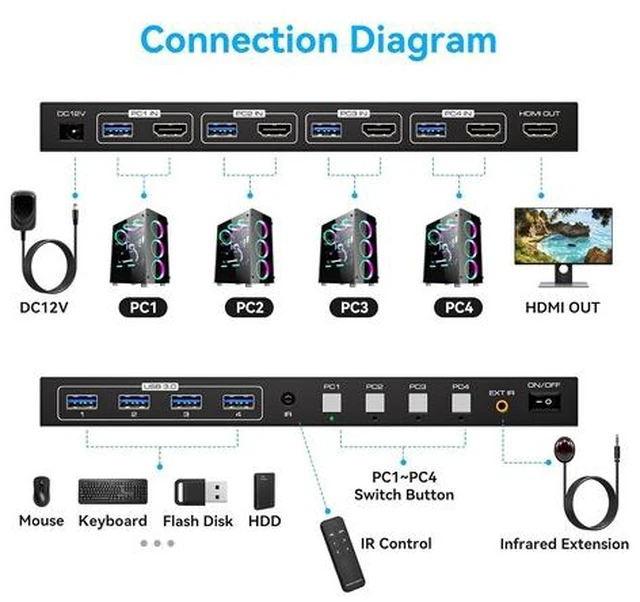
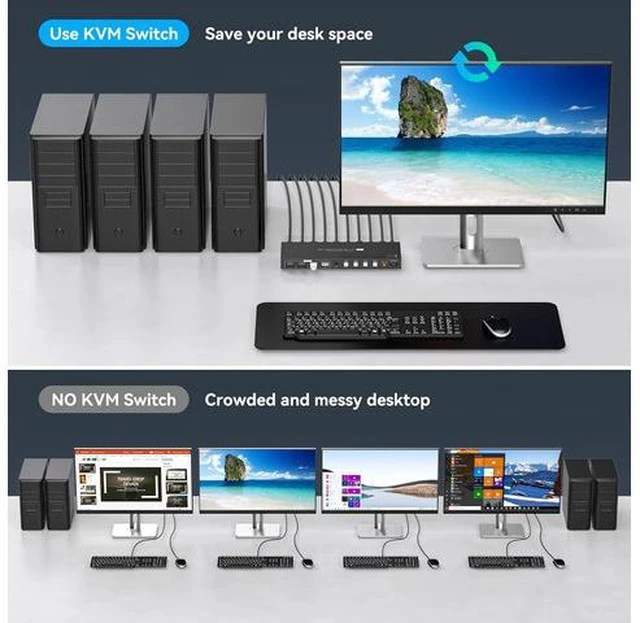
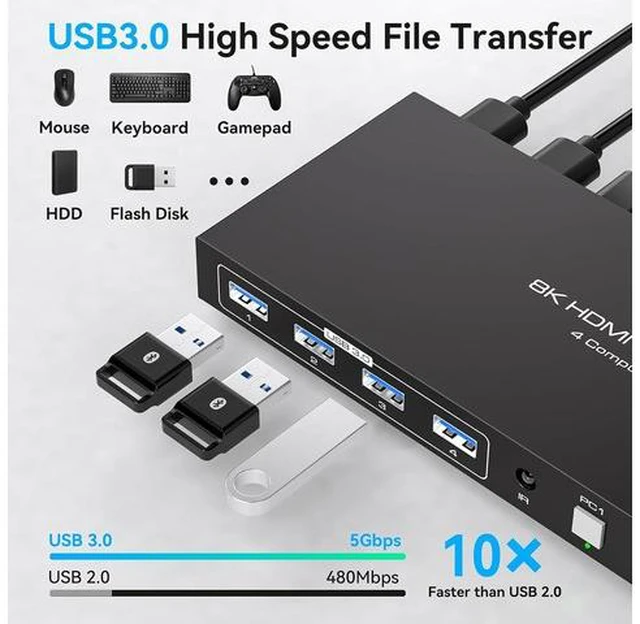
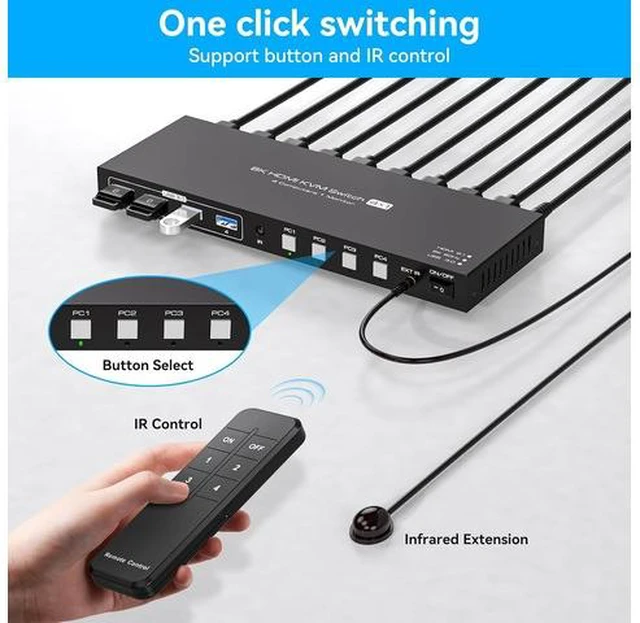
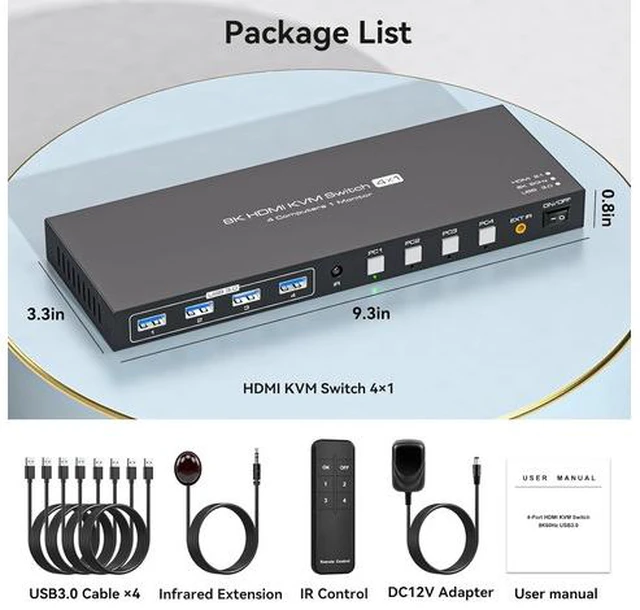
    • KVM Switch 1 Monitors 4 ComputersKVM switch 4 pc 1 monitor allows 4 computers to share one display and 4 USB3.0 devices such as mouse, keyboard, and printer. With the remote control or switch button on the panel, you can easily switch between 4 computers without any complexity or delay
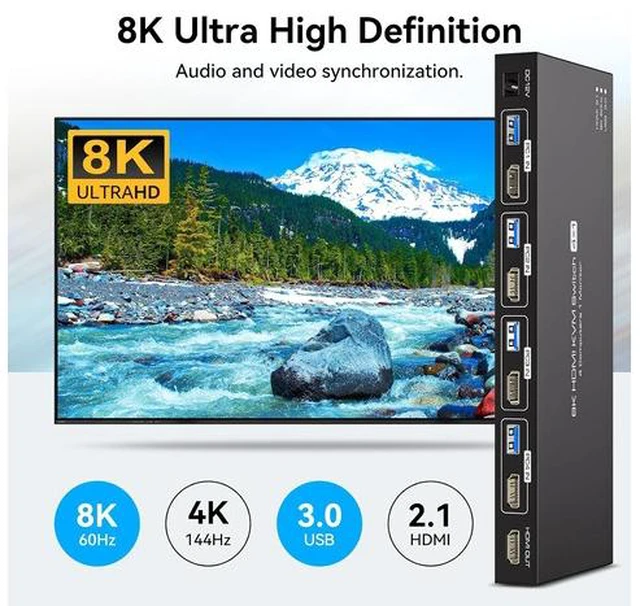
    • 8K@60Hz Ultra-high-definition resolutionThe kvm switches 4 port supports amazing resolution up to 8K@60Hz. High-definition resolution allows you to display more detailed and realistic images with brighter and more vivid colors, it's a true visual feast. It is also backward compatible with resolutions such as 4K@60Hz, 1080P@60Hz, and 720P@60Hz. Note: To achieve the highest resolution, ensure that the signal sourcemonitorHDMI cable all support 8K@60Hz
    • NoteIf you need to transmit 8K@60Hz/4K@144Hz signals, you must make sure that the computer, monitor, and transmission cable all support 4K@144Hz, otherwise the signal will be weakened (we recommend using a high refresh rate cable with a length of 1
    +
    +
    Overview
    Specs
    Reviews

    Any questions? Ask CelesteSM will help you find out quickly.

    KVM Switch 1 Monitors 4 ComputersKVM switch 4 pc 1 monitor allows 4 computers to share one display and 4 USB 3.0 devices such as mouse, keyboard, and printer. With the remote control or switch button on the panel, you can easily switch between 4 computers without any complexity or delay 8K@60Hz Ultra-high-definition resolutionThe kvm switches 4 port supports amazing resolution up to 8K@60Hz. High-definition resolution allows you to display more detailed and realistic images with brighter and more vivid colors, it's a true visual feast. It is also backward compatible with resolutions such as 4K@60Hz, 1080P@60Hz, and 720P@60Hz.

    Note: To achieve the highest resolution, ensure that the signal sourcemonitorHDMI cable all support 8K@60Hz NoteIf you need to transmit 8K@60Hz/4K@144Hz signals, you must make sure that the computer, monitor, and transmission cable all support 4K@144Hz, otherwise the signal will be weakened (we recommend using a high refresh rate cable with a length of 1m or less, and a refresh rate of 4K@120Hz and higher). If the monitor has flickering or disconnection problems, try lowering the resolution and refresh rate of the monitor to 4K@60Hz 2 Switching Mode 1.
    Remote Control Switching: Aim the remote control at the hdmi kvm switcher and press the button to easily switch between different computers; you can also place the KVM switcher outside of the workspace, connect the wired infrared device, aim the remote control at the infrared device, and press the button to

    Warranty & Returns

    Warranty, Returns, And Additional Information

    Warranty

    • Please contact the Seller directly for warranty information. Warranty information may also be found on the Manufacturer's website.
    • CONTACT

    Return Policies

    Manufacturer Contact Info

    LOADING...