Your Browsing History
Meet Your Seller
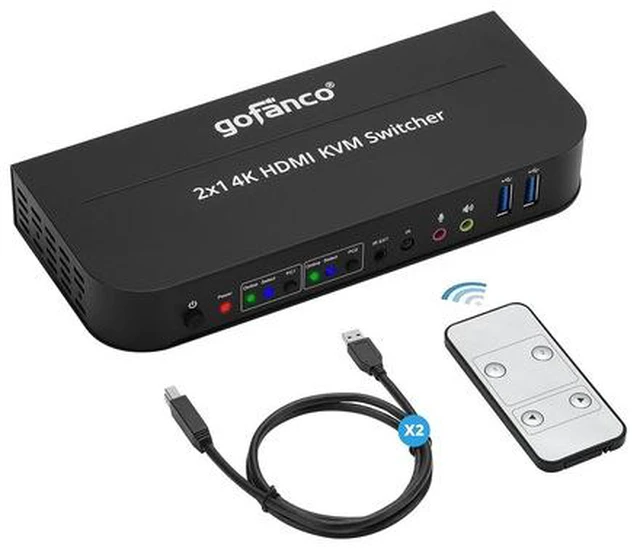
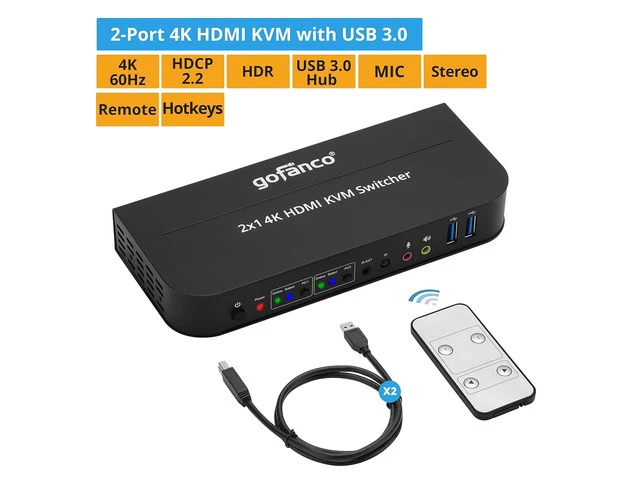
gofanco 2 Port HDMI KVM Switch with USB 3.0 4K @60Hz 4:4:4, 18Gbps, HDR, 3D, HDCP 2.2/1.4, USB Keyboard/Mouse, USB 3.0 Hub, MIC in, Stereo Out, IR Remote, Hotkeys (KVMHD2-2P)
- HDMI KVM KIT 2 Port KVM Switch with HDMI (Video), USB Keyboard/Mouse, 2x USB 3.0 ports, Stereo Out and Mic In
- ULTRA HD VIDEO & AUDIO Supports 4K @60Hz YUV 4:4:4, 3D, and HDR. Supports up to 4096x2160 @60Hz, 3840x2160 @60Hz, 3440x1440 @60Hz, 2560x1440 @60Hz, 1080p @60Hz and others. Supports up to 7.1-channel digital audio
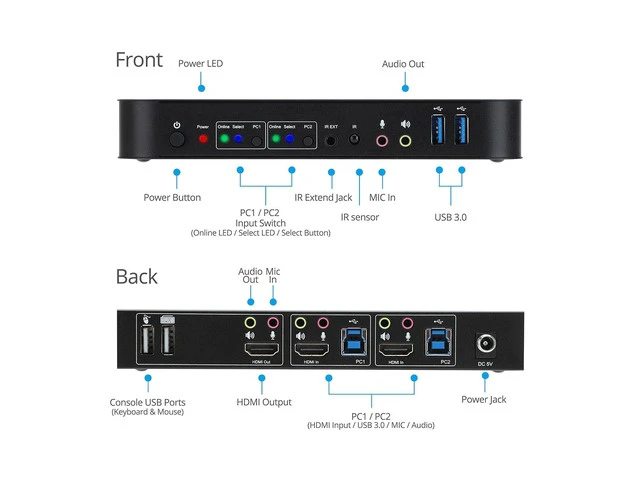
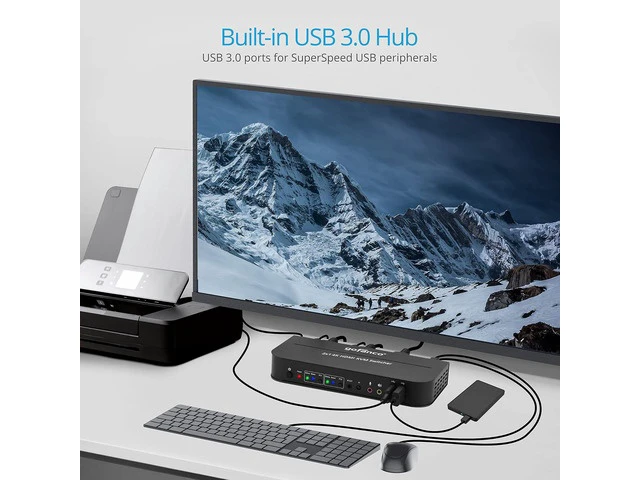
- USB 3.0 HUB In addition to the 2 independent USB HID Keyboard and Mouse ports, the KVM is equipped with 2 USB 3.0 ports for your printer, HDD, PC cam, and etc
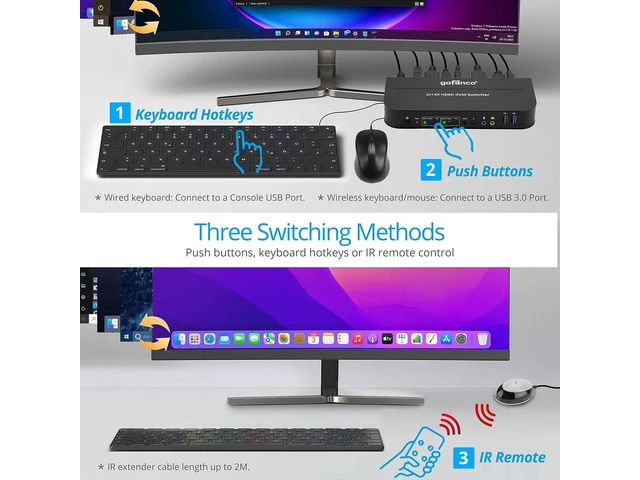
- SWITCHING OPTIONS Switch between PCs with IR remote, buttons or Hotkeys. *Note: Hotkeys arent supported with Mac keyboards or keyboards without a [SCROLL LOCK] key
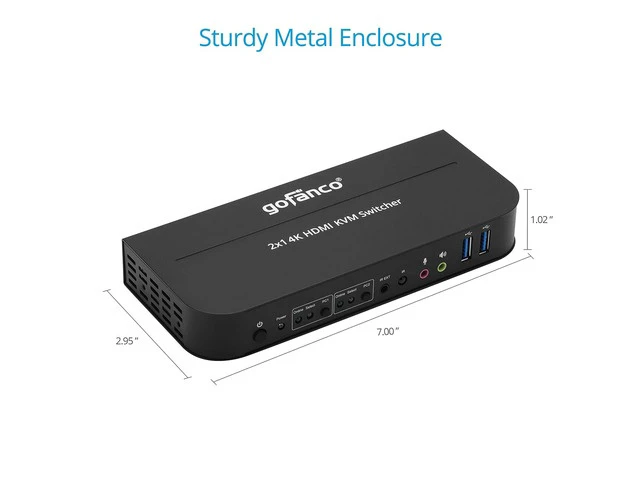
- SIMPLE INSTALLATION No driver required. Metal housing provides durability and higher level of EMI shielding. FCC, CE & RoHS compliant. Our products are backed with a 1-year limited warranty and experienced tech support team in Silicon Valley. If you have any questions or concerns, visit our gofanco website or click on our name in the b
+
+
Overview
Specs
Reviews
Any questions? Ask CelesteSM will help you find out quickly.
Try me now
HDCP 2.2 / 1.4 compliant Supports up to 4K@60
YUV 4:4: 4
Supports RGB 4:4: 4, YCbCr
4:4: 4, YCbCr
4:2: 2, YCbCr
4:2: 0
Video bandwidth: 18Gbps Supports separate line input and output Plug and Play without driver installation Supports independent HID keyboard & mouse ports 2-Port USB 3.0 Hub Supports hotkeys function Supports up to 7.1 -channel digital audio
Housing: Metal
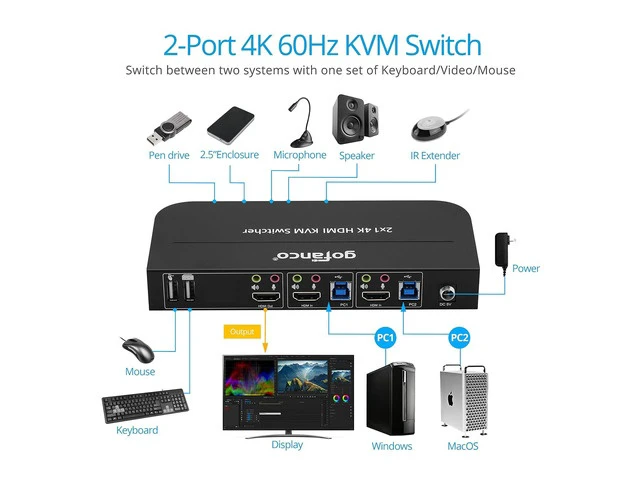
Country of origin: China Switch between two systems with one set of Keyboard/Video/Mouse Push buttons, keyboard hotkeys or IR remote control *
Wired keyboard: Connect to a Console USB Port *
Wireless keyboard/mouse: Connect to a USB 3.0 Port * IR extender cable length up to 2M Metal housing provides durability and higher level of EMI shielding In addition to the 2 independent USB HID Keyboard and Mouse ports, the KVM is equipped with 2 USB 3.0 ports for your printer, HDD, PC cam, and etc All gofanco products include lifetime technical s upport from our team in the Silicon Valley. Click on our name in the buy box and select " A s k a Q u e s t i o n " 2-Port 4K HDMI KVM 2x USB cables IR remote control IR receiver cable Power adapter (5V/3A) Users manual Features and
YUV 4:4: 4
Supports RGB 4:4: 4, YCbCr
4:4: 4, YCbCr
4:2: 2, YCbCr
4:2: 0
Video bandwidth: 18Gbps Supports separate line input and output Plug and Play without driver installation Supports independent HID keyboard & mouse ports 2-Port USB 3.0 Hub Supports hotkeys function Supports up to 7.1 -channel digital audio
Housing: Metal
Country of origin: China Switch between two systems with one set of Keyboard/Video/Mouse Push buttons, keyboard hotkeys or IR remote control *
Wired keyboard: Connect to a Console USB Port *
Wireless keyboard/mouse: Connect to a USB 3.0 Port * IR extender cable length up to 2M Metal housing provides durability and higher level of EMI shielding In addition to the 2 independent USB HID Keyboard and Mouse ports, the KVM is equipped with 2 USB 3.0 ports for your printer, HDD, PC cam, and etc All gofanco products include lifetime technical s upport from our team in the Silicon Valley. Click on our name in the buy box and select " A s k a Q u e s t i o n " 2-Port 4K HDMI KVM 2x USB cables IR remote control IR receiver cable Power adapter (5V/3A) Users manual Features and
Specifications
2-Port 4K 60Hz KVM Switch Three Switching Methods Sturdy Metal Enclosure Built-in USB 3.0 ports for SuperSpeed USB peripherals What's in the PackageWarranty & Returns
Warranty, Returns, And Additional Information
Warranty
- Please contact the Seller directly for warranty information. Warranty information may also be found on the Manufacturer's website.
- CONTACT
Return Policies
- Return for refund within: 30 days
- Return for replacement within: 30 days
- This item is covered by TERRA HAVEN Return Policy
Manufacturer Contact Info
- For a directory of all our manufacturers, please click below.
- Manufacturers Directory
LOADING...