Your Browsing History
- Free 30-day Returns
$45.89
Ships from China.
Meet Your Seller
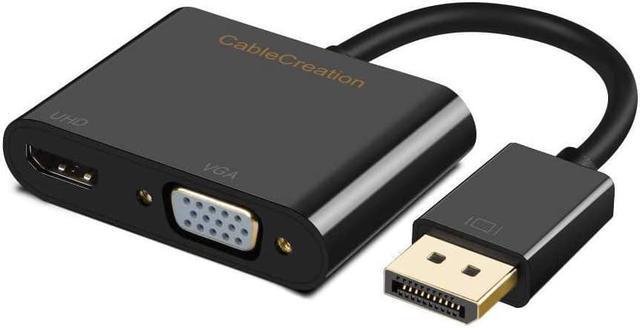
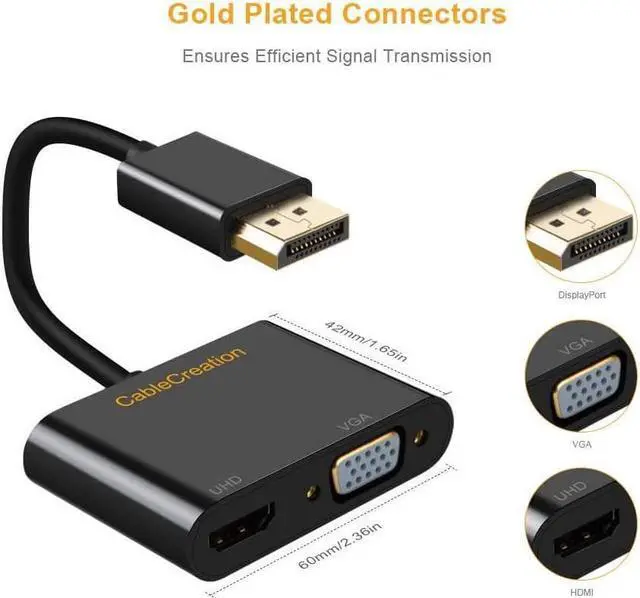
DisplayPort to HDMI VGA Adapter, CableCreation 2 in 1 DP Hub DP to HDMI VGA Converter, HDMI 2.0 Support UHD 4K@60Hz Video/ Audio, Black
Limited time offer, ends 08/07 By Electronics store
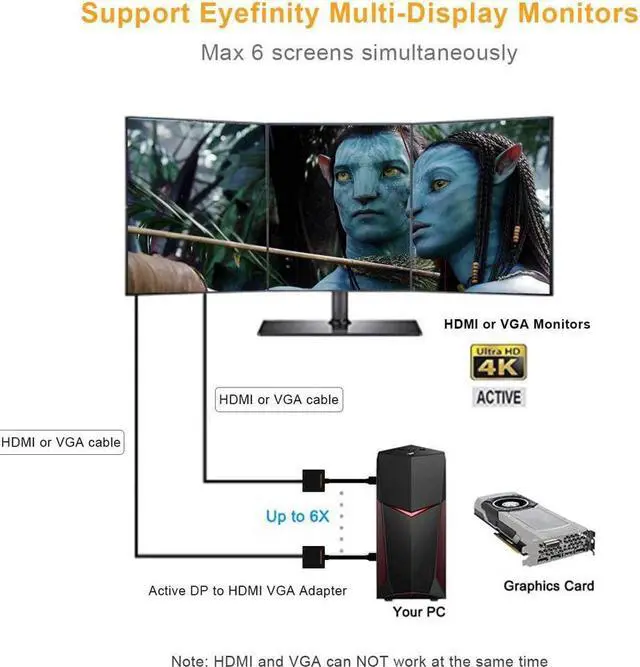
- ?Active Mode?: 2-in-1 DP Hub Designed to connect a DisplayPort compatible computer, laptop, Set-top Box to HDTV, monitor, display or projector with HDMI/VGA port. Active Display Port to HDMI VGA Adapter supports AMD Eyefinity Technology, supports Eyefinity Multiple Screen SLS gaming.You can connect max 6 screens at a time.
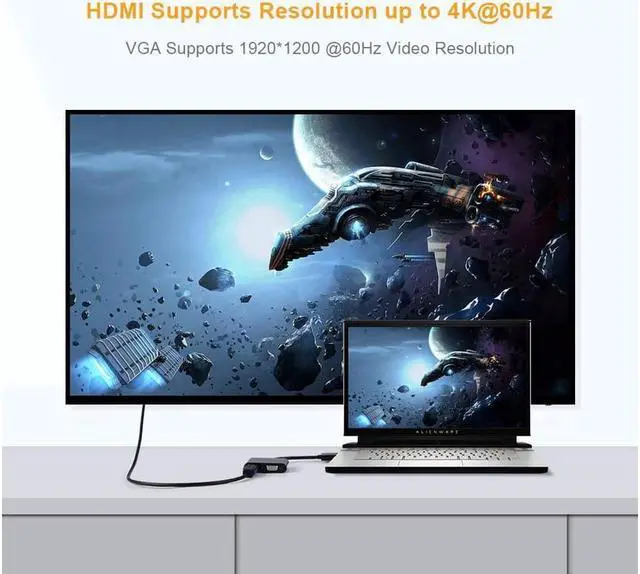
- ?4K@60Hz UHD?: Compliant with DP1.2 and HDMI 2.0 specification, and downward compatible with lower versions; HDMI 2.0 port support ultra HD 4kx2k@60Hz high video resolution; VGA port support 1920*1200@60Hz or 1080P full HD.
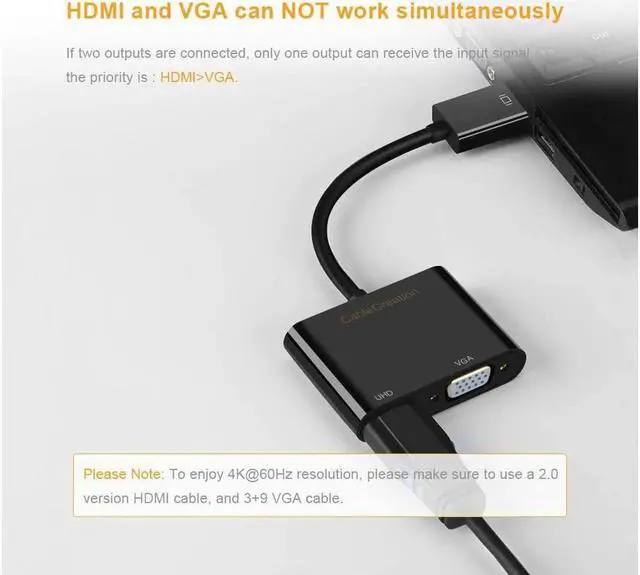
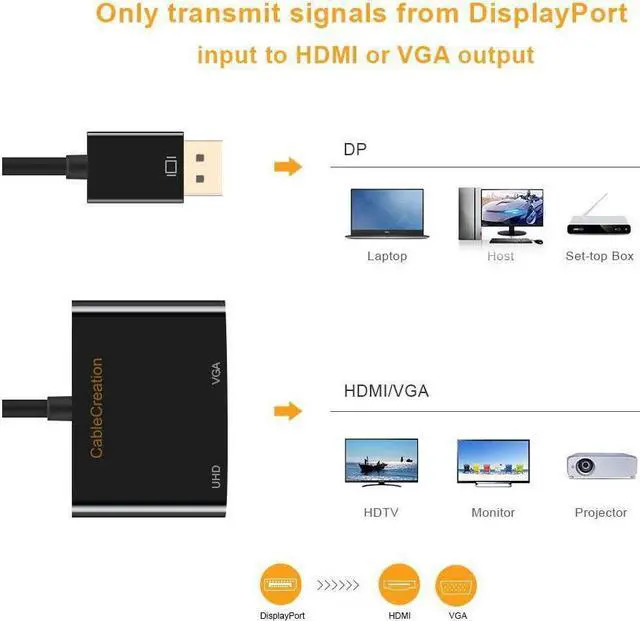
- ?NOTES & TIPS?1-It can only transfer signal from DisplayPort source to HDMI or VGA monitors/ displays/ projectors. 2-If both of the outputs are connected, then only one output can receive the input signal, HDMI output is prior to VGA output.3-To enjoy 4K@60Hz resolution, please make sure to use a 2.0 version HDMI cable, if you use a 1.4 or lower version HDMI cable, then you will get 4K@30Hz or lower resolution.
- ?Plug & Play? Easy plug an
+
+
Overview
Specs
Reviews
Any questions? Our AI beta will help you find out quickly.
Try me now
CableCreation Active DisplayPort to HDMI and VGA AdapterIt allows you to transmit signals from a DP source to a high definitionHDMI or VGA display (TV, projectors, monitor, etc). From small screen tolarge screen, its a good choice to share ideas with your partners orenjoy a better visual feast with your family. Active Display Port to HDMI VGA Adaptersupports AMD Eyefinity Technology, supports Eyefinity Multiple Display SLS gaming. You can connect max 6 screens at a time.
HDMI support video resolution up to 4K*2K@60HzVGA support video resolution up to 1920*1200@60Hz or 1080P full HDHDMI, VGA only support 1 display output at a timeAn HDMI/VGA cable (sold separately) is required
Notes & Tips:
It can only transfer signal from DisplayPort source to HDMI or VGA monitors/ displays/ projectors. If both of theoutputs are connected, then only one output can receive the input signal, HDMI output is prior to VGA output.
1. Supports HDMI resolution up to 4k*2K@60Hz UHD
To enjoy ultra HD 4K@60Hz resolution, please make sure to use a 2.0 version HDMI cable, if you use a 1.4 or lower version HDMIcable, then you will get 4K@30Hz or lower resolution.
2. We recommend you to make sure your monitor or TV could supply corresponding output.
That means if your computer supports 4K@60Hz, while your monitor or TVonly supports 1080p, you can only output 1080p rather than 4K.
3. If the resolution of your laptop is higher than the external monitor.
For windows:
Windows Menu Setting Display AdvancedDisplay Settings, set your laptop's resolution same as or lower the resolution of external monitor.
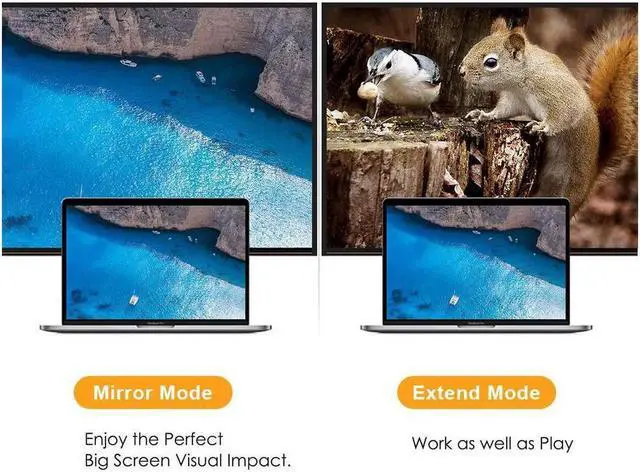
Supports Mirror & Extend Dual ModeUnder mirror mode, you can watch movies orplay games on a big screen; under extend mode, you can work and play atthe same time with 2 screens showing different content.
Mirror and Extend Mode Settings:
-- For Windows 10, press Windows key + P combination commandchoose Duplicate or Extend.
-- For Windows system laptop, if the external monitor couldnot work, please update the BIOS and graphic card driver from laptopofficial website.
Stereo Settings:
-- For Windows 10, please click right bottom of your sound iconchoose your TV as the sound output.
Other Features: Plug and Play, no require any software or drivers or extra power supply; Gold-plated Connectors, ensures a maximum signal quality and stable signal transmissionFoil & braid shielding reduces Electromagnetic interference; Tinned copper conductor enhances cable performance.

HDMI support video resolution up to 4K*2K@60HzVGA support video resolution up to 1920*1200@60Hz or 1080P full HDHDMI, VGA only support 1 display output at a timeAn HDMI/VGA cable (sold separately) is required
Notes & Tips:
It can only transfer signal from DisplayPort source to HDMI or VGA monitors/ displays/ projectors. If both of theoutputs are connected, then only one output can receive the input signal, HDMI output is prior to VGA output.
1. Supports HDMI resolution up to 4k*2K@60Hz UHD
To enjoy ultra HD 4K@60Hz resolution, please make sure to use a 2.0 version HDMI cable, if you use a 1.4 or lower version HDMIcable, then you will get 4K@30Hz or lower resolution.
2. We recommend you to make sure your monitor or TV could supply corresponding output.
That means if your computer supports 4K@60Hz, while your monitor or TVonly supports 1080p, you can only output 1080p rather than 4K.
3. If the resolution of your laptop is higher than the external monitor.
For windows:
Windows Menu Setting Display AdvancedDisplay Settings, set your laptop's resolution same as or lower the resolution of external monitor.
Supports Mirror & Extend Dual ModeUnder mirror mode, you can watch movies orplay games on a big screen; under extend mode, you can work and play atthe same time with 2 screens showing different content.
Mirror and Extend Mode Settings:
-- For Windows 10, press Windows key + P combination commandchoose Duplicate or Extend.
-- For Windows system laptop, if the external monitor couldnot work, please update the BIOS and graphic card driver from laptopofficial website.
Stereo Settings:
-- For Windows 10, please click right bottom of your sound iconchoose your TV as the sound output.
Other Features: Plug and Play, no require any software or drivers or extra power supply; Gold-plated Connectors, ensures a maximum signal quality and stable signal transmissionFoil & braid shielding reduces Electromagnetic interference; Tinned copper conductor enhances cable performance.
Warranty & Returns
Warranty, Returns, And Additional Information
Warranty
- Please contact the Seller directly for warranty information. Warranty information may also be found on the Manufacturer's website.
- CONTACT
Return Policies
- Return for refund within: 30 days
- Return for replacement within: 30 days
- This item is covered by Electronics store Return Policy
Manufacturer Contact Info
- For a directory of all our manufacturers, please click below.
- Manufacturers Directory
LOADING...