

Your Browsing History

Meet Your Seller

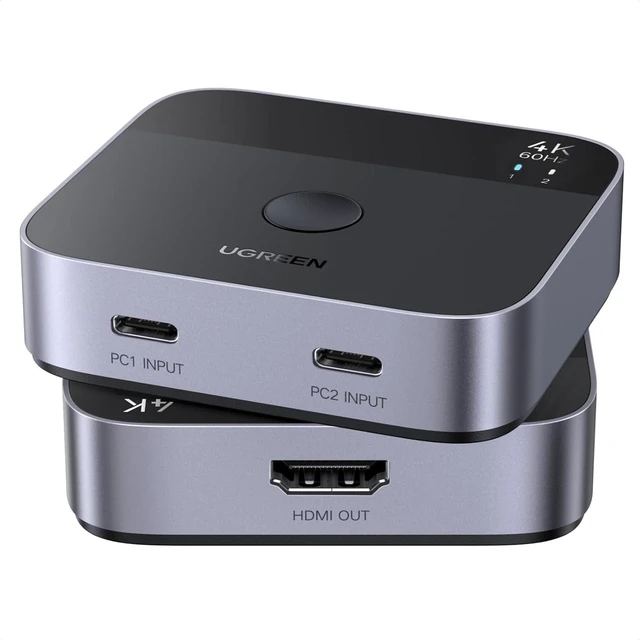


2 USB C in 1 HDMI Out Switch, Aluminum, 4K@60Hz, HDR, HDCP 2.2
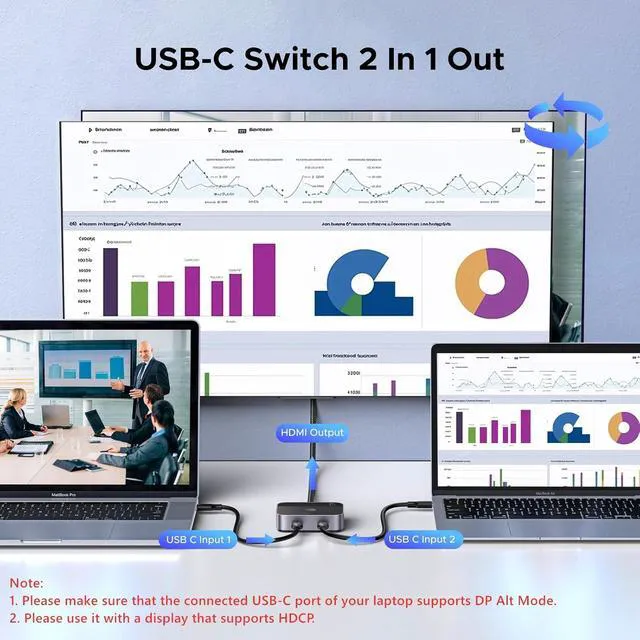
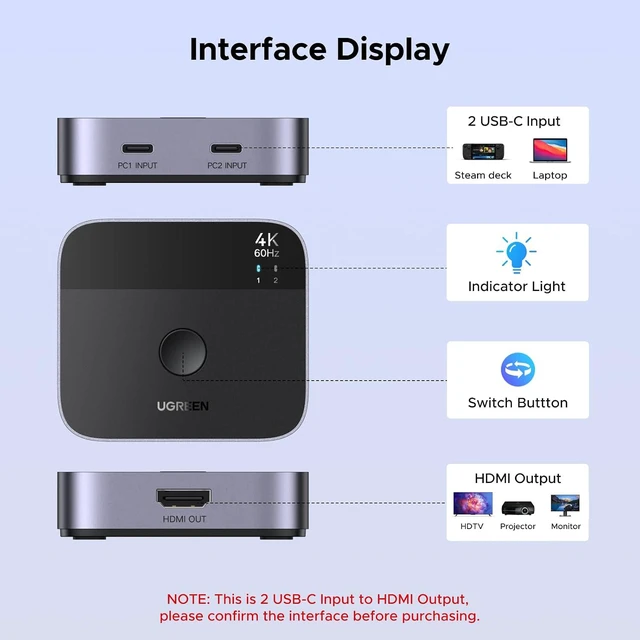
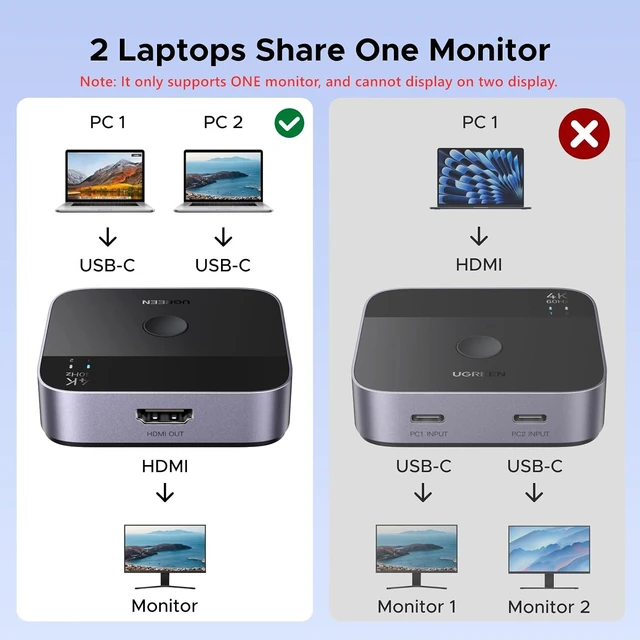
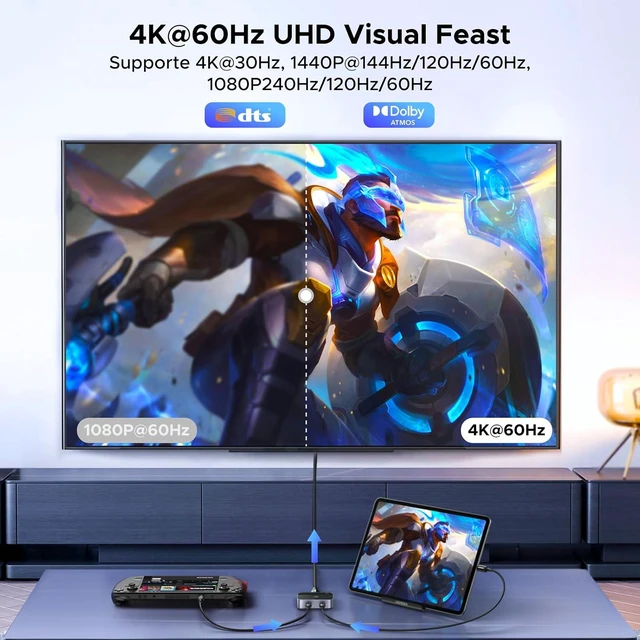
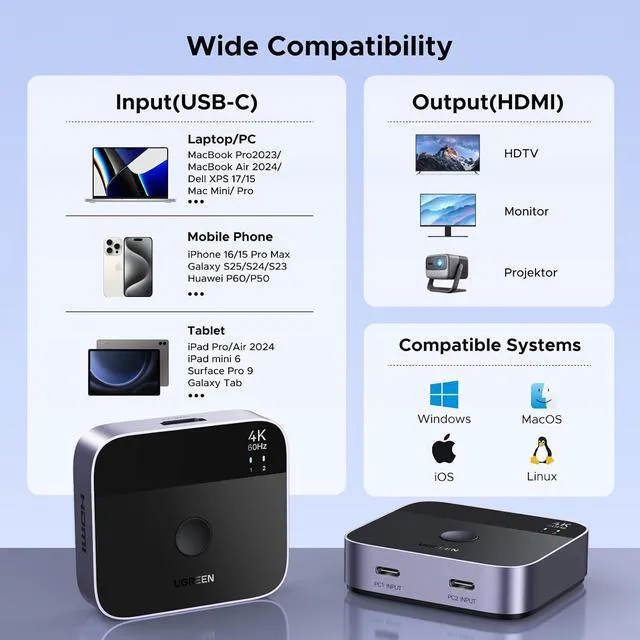
- USB-C Switch 2 Computers: With this USB-C switch 2 in 1 out, you can connect two USB-C sources to one HDMI display and freely switch between two USB-C devices on one device, such as two USB-C laptops. It frees you from plugging and unplugging USB cables and protecting the interface and wire. (NOTE: Please note it is 2 USB-C to 1 HDMI instead of 2 USB-C to 1 USB-C.); 4K@60Hz High Resolution: Support 4K@60Hz and backward compatible with 4K@30Hz, 1080P@60Hz. This USB-C Switcher also supports HDR, HDCP 2.2 and Dolby Atmos, which delivers superb images, clear audio for experiencing immersive scenery as cinema. Note: It is recommended to use a Thunderbolt 4 cable or a fully functional USB-C cable to connect this USB-C switcher, and the length must not exceed 2 meters, otherwise there will be no signal on the monitor; Fast Transmission & Premium Quality: It supports high-bandwidth 18Gbps data transmission. This USB C switcher 2 computers is made of an aluminum shell and ABS material, which makes it scratch-resistant, ensures fast heat dissipation, and provides stable, and fast signal transmission with low latency; Plug and Play & Wide Compatibility: This type c switcher is driver-free and widely compatible with Windows, MacOS, Linux, iOS, iPadOS. It is also compatible with those devices that have a fully functional USB-C port, such as laptops, tablets, MacBook Air/Pro, smartphones, Steam Deck, ASUS ROG Ally, iMac All-in-One Desktop Computer, iPhone 15/16, and Samsung Galaxy S23 Ultr
+
+
Overview
Specs
Reviews

Any questions? Our AI mode will help you find out quickly.
Try me now
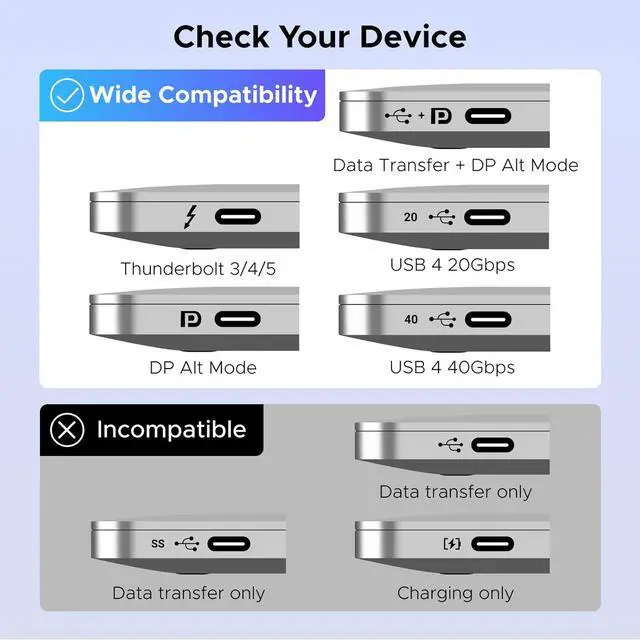
Product description 1, It is NOT Bi-directional, and does NOT support 1 in 2 out mode. It Only Supports ONE monitor. 2, NOT support Automatic Switching. 3, Not support ARC, CEC, or FreeSync. 1 UHD Resolution 2 High Refresh Rate 3 Support HDR 10 1 HQ Audio and Video 2 No Power Required It is recommended to use a Thunderbolt 4 cable or a fully functional USB-C cable to connect this USB-C switcher, and the length must not exceed 2 meters. 1, Before use, please make sure that the USB-C port of the input device supports DP Alt Mode, otherwise the video cannot be output.
2, Do not connect the Thunderbolt Docking Station or the Thunderbolt Hard Drive Enclosure. For Meetings Personal Entertainment For Working
2, Do not connect the Thunderbolt Docking Station or the Thunderbolt Hard Drive Enclosure. For Meetings Personal Entertainment For Working
Warranty & Returns
Warranty, Returns, And Additional Information
Warranty
- Please contact the Seller directly for warranty information. Warranty information may also be found on the Manufacturer's website.
- CONTACT
Return Policies
- Return for refund within: 30 days
- Return for replacement within: 30 days
- This item is covered by CircuitNest Return Policy
Manufacturer Contact Info
- For a directory of all our manufacturers, please click below.
- Manufacturers Directory
LOADING...