











Trouble Shootings
1. How to install the drivers for Windows computers?
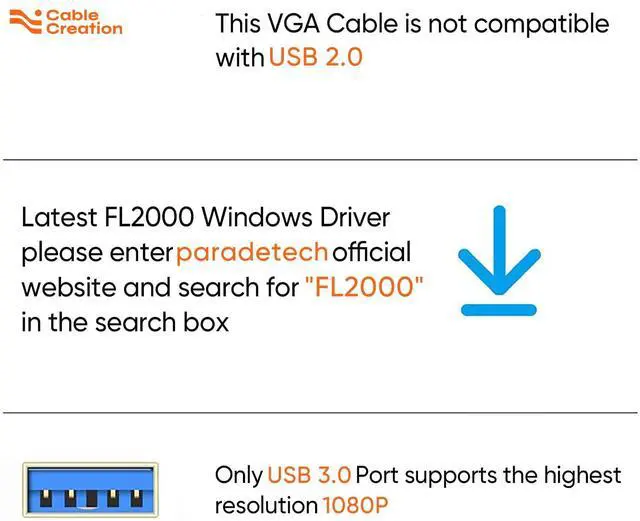
Make sure you have updated the BIOS and graphics driver to the latest, download the driver from the paradetech official website, then run the driver with the Administrator's permission.
2. Is the USB 3.0 port compatible with USB 2.0?
No, this is not compatible with USB 2.0.
3. When I connect the adapter to a second external display, why does it not work?
It depends on your computer in terms of the number of displays you can connect. For example, MacBook Air 2011 supports only 1 external display while MacBook Air 2015 supports two, so please check your computer configuration before you decide to connect to multiple displays.
4. My VGA monitor could not work?
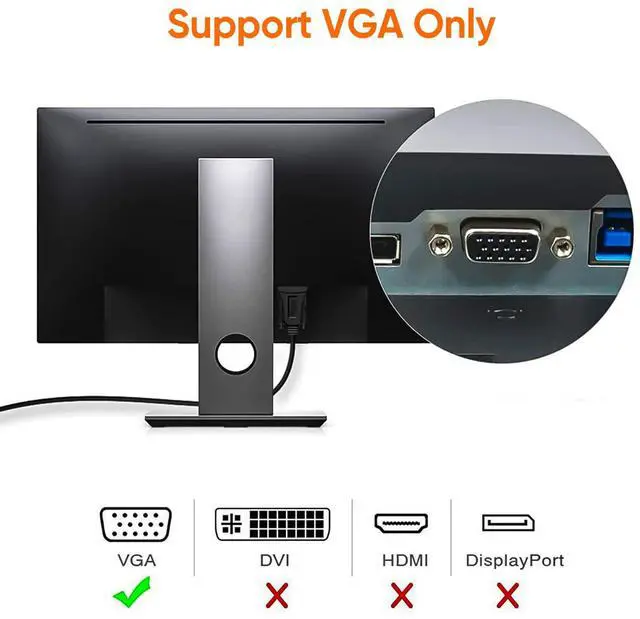
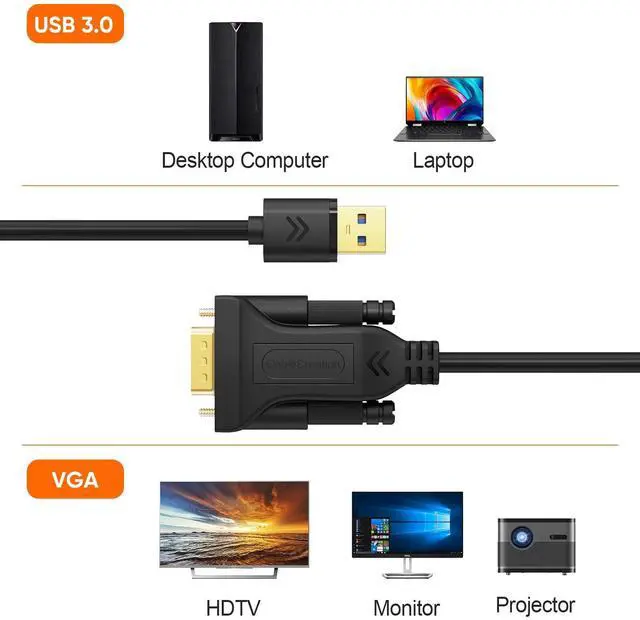
(1) Please connect this adapter USB 3.0 to your PC's (host device) USB 3.0 port, VGA to your VGA Monitor. Set VGA as your monitor’s input source. Your monitor probably has a different input source, please choose the corresponding VGA port as the input source.
(2) Make the connection stable including tightening the VGA screws and the USB 3.0 port.
(3) Install the driver correctly, you can refer to the "User Guidance" for more details.
5. USB 3.0 Controller not working or disappears when devices are connected?
This is usually caused by a lack of power to the card.
Many of the cards using our USB 3.0 host controllers have a power connector that needs to be connected to the system power supply. If a power cable is not connected then the controller may show up in the Windows Device manager but disappear when any USB devices are connected to the controller.
Besides, for PCs, remember to connect the back USB 3.0 port not the front USB 3.0 port, because the front one will not provide power for the cable.
6. How to Mirror or Extend the screen on the Windows system?
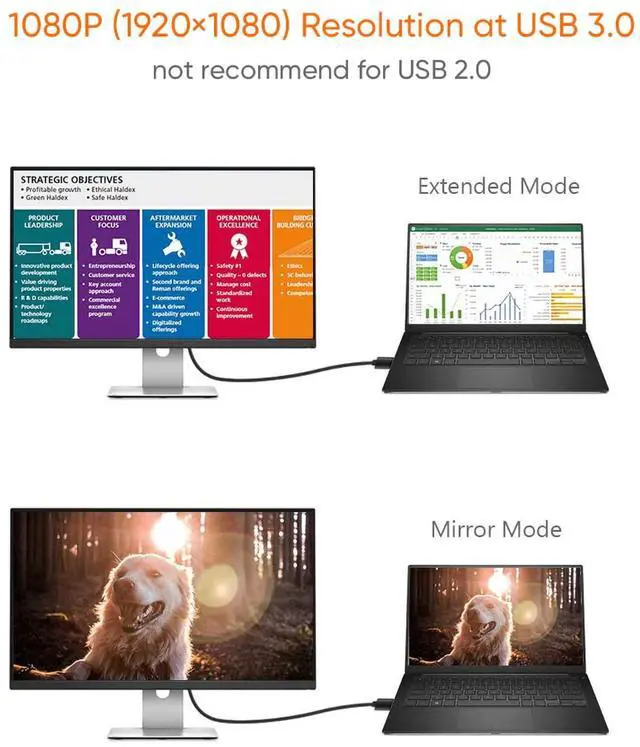
“Windows key+P” to mirror or extend the desktop.
If you want to mirror your desktop, make sure the VGA monitor’s resolution fits the laptop’s resolution. For example, if your laptop’s resolution is 1920*1080P, however, your VGA monitor’s best resolution is 1440*900, you have to make your laptop’s resolution down. You should find the same resolution both your laptop and VGA monitor can accept.
Warm Tips:
Before using this cable, you need to install the driver first, otherwise, it will not work.
It is best to turn off anti-virus software and lower the firewall level before installing the driver.
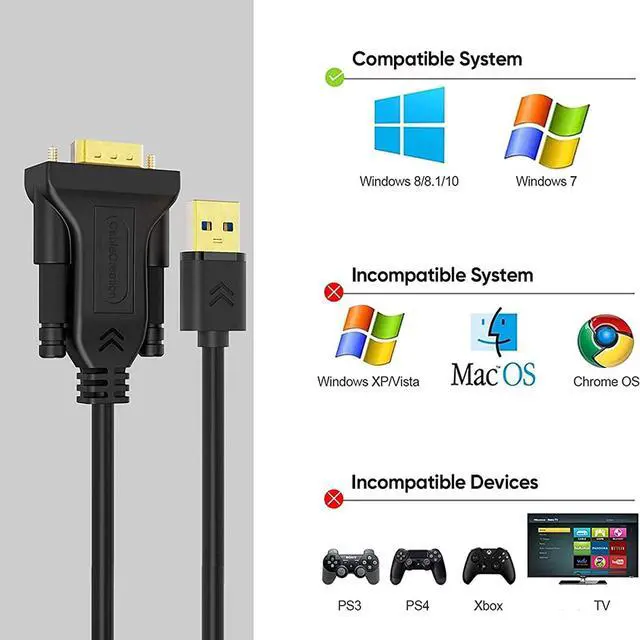
Please notice that this cable can not compatible with Roku TV, macOS / Mac OS X, Linux, Windows Vista /XP, Android, PS3, PS4, Xbox, Chromebook, etc.

When the monitor doesn't work, please try the following steps:
1. When connecting the monitor and the host, make sure to select the appropriate access source.
2. Please update the host to the latest version.
3. Please remember to install the corresponding driver on the host.
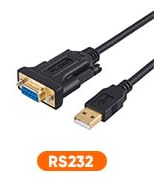
4. This is Not an RS232 Cable, please make sure to choose the appropriate interface type before purchasing
5. Please ensure the length you need before purchasing.
If the above steps don't resolve your issue, please let us know.
 USB C to VGA Adapter |  USB 3.0 to VGA Adapter |  USB 3.0 to HDMI Adapter |  USB C to VGA Cable 6 Feet |  USB 3.0 to VGA Cable |  USB 3.0 to VGA Cord | |
|---|---|---|---|---|---|---|
| Customer Reviews | — | — | — | — | — | — |
| Connector | VGA | VGA | HDMI | VGA | VGA | VGA |
| Resolution | 1920*1200 | 1080P (1920*1080 @60Hz) | 2K (2560*1440) | 1920*1200 | 1920*1200 | 1920*1200 |
| 1080P@60Hz | 1080P@60Hz | 1080P@60Hz | 1080P@60Hz | 1080P@60Hz | ||
| Compatible system | Mac OS, macOS X | Mac OS, macOS X | Mac OS, macOS X | Mac OS, macOS X | no data | |
| Windows | Windows | Windows | Windows | Windows 10/8.1/8 /7 | Windows 10/8.1/8 /7 | |
| Compatible device | Computer, PC, Laptop | Computer, PC, Laptop | Computer, PC, Laptop | Computer, PC, Laptop | Computer, PC, Laptop | Computer, PC, Laptop |
| USB-C Phones | no data | no data | USB-C Phones | no data | no data |
Trouble Shootings
1. How to install the drivers for Windows computers?
Make sure you have updated the BIOS and graphics driver to the latest, download the driver from the paradetech official website, then run the driver with the Administrator's permission.
2. Is the USB 3.0 port compatible with USB 2.0?
No, this is not compatible with USB 2.0.
3. When I connect the adapter to a second external display, why does it not work?
It depends on your computer in terms of the number of displays you can connect. For example, MacBook Air 2011 supports only 1 external display while MacBook Air 2015 supports two, so please check your computer configuration before you decide to connect to multiple displays.
4. My VGA monitor could not work?
(1) Please connect this adapter USB 3.0 to your PC's (host device) USB 3.0 port, VGA to your VGA Monitor. Set VGA as your monitor’s input source. Your monitor probably has a different input source, please choose the corresponding VGA port as the input source.
(2) Make the connection stable including tightening the VGA screws and the USB 3.0 port.
(3) Install the driver correctly, you can refer to the "User Guidance" for more details.
5. USB 3.0 Controller not working or disappears when devices are connected?
This is usually caused by a lack of power to the card.
Many of the cards using our USB 3.0 host controllers have a power connector that needs to be connected to the system power supply. If a power cable is not connected then the controller may show up in the Windows Device manager but disappear when any USB devices are connected to the controller.
Besides, for PCs, remember to connect the back USB 3.0 port not the front USB 3.0 port, because the front one will not provide power for the cable.
6. How to Mirror or Extend the screen on the Windows system?
“Windows key+P” to mirror or extend the desktop.
If you want to mirror your desktop, make sure the VGA monitor’s resolution fits the laptop’s resolution. For example, if your laptop’s resolution is 1920*1080P, however, your VGA monitor’s best resolution is 1440*900, you have to make your laptop’s resolution down. You should find the same resolution both your laptop and VGA monitor can accept.
Warm Tips:
Before using this cable, you need to install the driver first, otherwise, it will not work.
It is best to turn off anti-virus software and lower the firewall level before installing the driver.
Please notice that this cable can not compatible with Roku TV, macOS / Mac OS X, Linux, Windows Vista /XP, Android, PS3, PS4, Xbox, Chromebook, etc.
When the monitor doesn't work, please try the following steps:
1. When connecting the monitor and the host, make sure to select the appropriate access source.
2. Please update the host to the latest version.
3. Please remember to install the corresponding driver on the host.
4. This is Not an RS232 Cable, please make sure to choose the appropriate interface type before purchasing
5. Please ensure the length you need before purchasing.
If the above steps don't resolve your issue, please let us know.
USB C to VGA Adapter | USB 3.0 to VGA Adapter | USB 3.0 to HDMI Adapter | USB C to VGA Cable 6 Feet | USB 3.0 to VGA Cable | USB 3.0 to VGA Cord | |
|---|---|---|---|---|---|---|
| Customer Reviews | — | — | — | — | — | — |
| Connector | VGA | VGA | HDMI | VGA | VGA | VGA |
| Resolution | 1920*1200 | 1080P (1920*1080 @60Hz) | 2K (2560*1440) | 1920*1200 | 1920*1200 | 1920*1200 |
| 1080P@60Hz | 1080P@60Hz | 1080P@60Hz | 1080P@60Hz | 1080P@60Hz | ||
| Compatible system | Mac OS, macOS X | Mac OS, macOS X | Mac OS, macOS X | Mac OS, macOS X | no data | |
| Windows | Windows | Windows | Windows | Windows 10/8.1/8 /7 | Windows 10/8.1/8 /7 | |
| Compatible device | Computer, PC, Laptop | Computer, PC, Laptop | Computer, PC, Laptop | Computer, PC, Laptop | Computer, PC, Laptop | Computer, PC, Laptop |
| USB-C Phones | no data | no data | USB-C Phones | no data | no data |
More Choice
New Arrivals
USB C Hub
Charging Cables
Video Cables
Audio Cables
USB Adapters
Others
Limited-time Monthly Specials
