

Your Browsing History

Meet Your Seller



Visit EmpressTech Store
FOLLOW
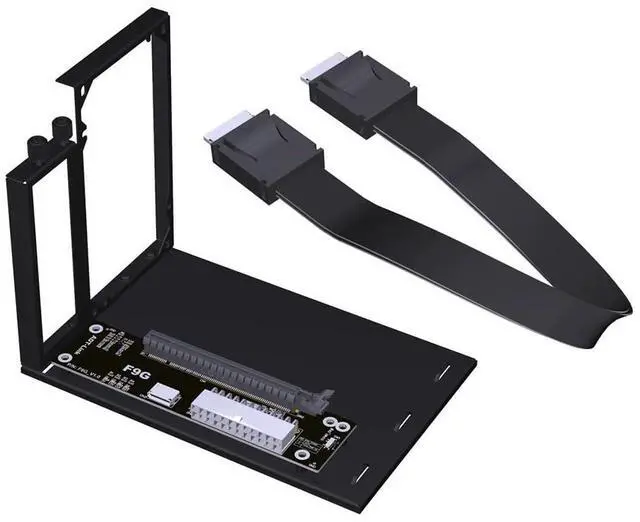
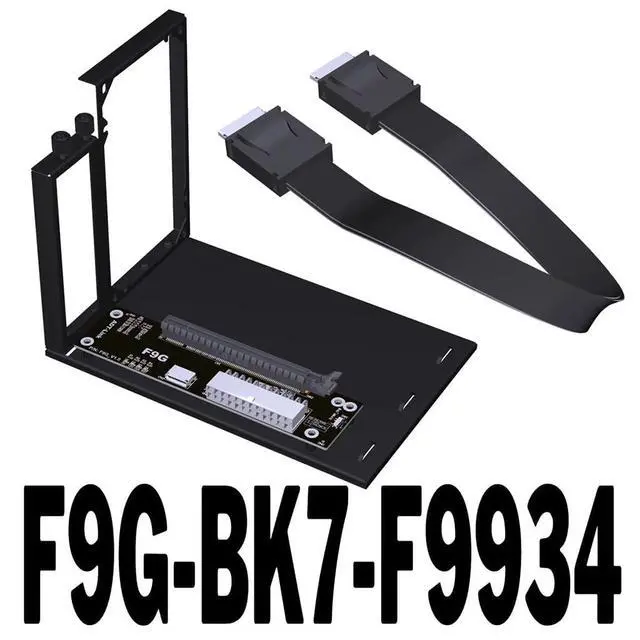
ADT-F9G-BK7 PCIe X16 to OcuLink SFF-8612 Docking Station PCIe4.0 64Gbps External Graphics Extension Card (F9G-BK7-F9934 25cm)
Limited time offer, ends 07/12 By EmpressTech
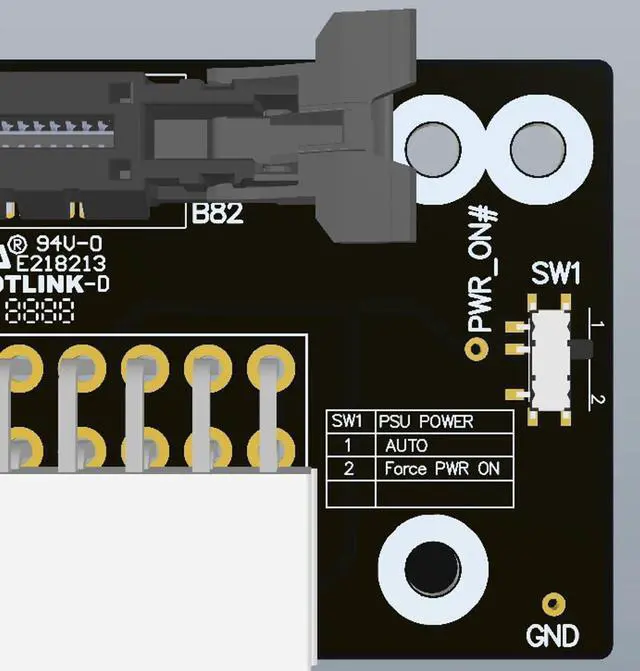
- Support M.2 NVMe Interface: In addition to notebooks, This Docking Station also Compatible with In·tel NUC motherboards, STX motherboards, ITX motherboards, graphics cards external, with M.2 NVMe interface can be used.; Power Supply: Support standard ATX 500W power supply, Please prepare the power supply according to the power of the graphics card.; Transfer Speed: This F9G-BK7 OcuLink Docking Station Can reach 64Gbps under PCIe 4.0 x4, far exceeding Thunder bolt-compatible solutions.; Excellent SI Performance: Signal rates up to PCIe4 16GT/s and SAS 4.0 24Gbps. Support cable to board application, pitch 0.5mm connector. Supports 85 ohm impedance applications, 100 ohm is available on request.; Switch Warm Tips: Switch toggle to 1 is auto-start, you can follow the startup; toggle to 2 is forced startup, directly powering the graphics card docking station, which is risky, toggle to 1 auto-start can be enough.
+
+
Overview
Specs
Reviews

Any questions? Our AI beta will help you find out quickly.
Try me now
JMT ADT-F9G-BK7 PCIe X16 to OcuLink SFF-8612 Docking Station PCIe 4.0 64Gbps External Graphics Extension Card
Product Detail: Product
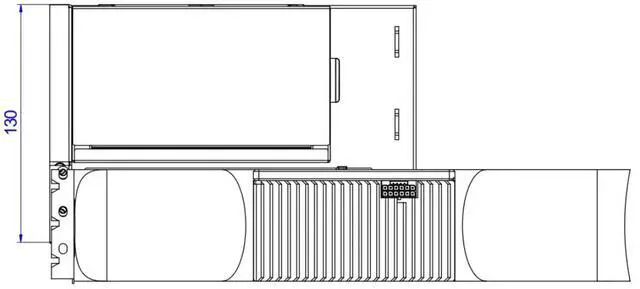
Model: F9G-BK7-F9934
Product Name: Oculink External Graphics Docking Station
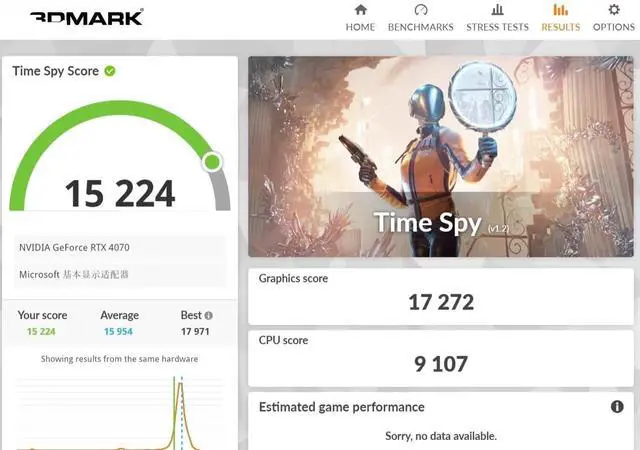
Transmission speed: PCIe 4.0 x4, effective bandwidth 64Gbps
Product use: for graphics card external or other PCIe devices
Product Description: Oculink is an interface that is adapted from the NVME SSD slot on the motherboard of the computer, NVME takes the pure PCIe channel, so the Oculink external graphics docking station also takes the PCIe channel, which has a small performance loss. Compared to traditional Thunder bolt-compatible adapter solutions, Oculink's effective bandwidth can reach 64Gbps under PCIe 4.0 x4, far exceeding Thunder bolt-compatible solutions.
Friendly reminder: OcuLink does not support hot-swap
Power supply: Support standard ATX 500W power supply, power supply needs to be prepared by the buyer.
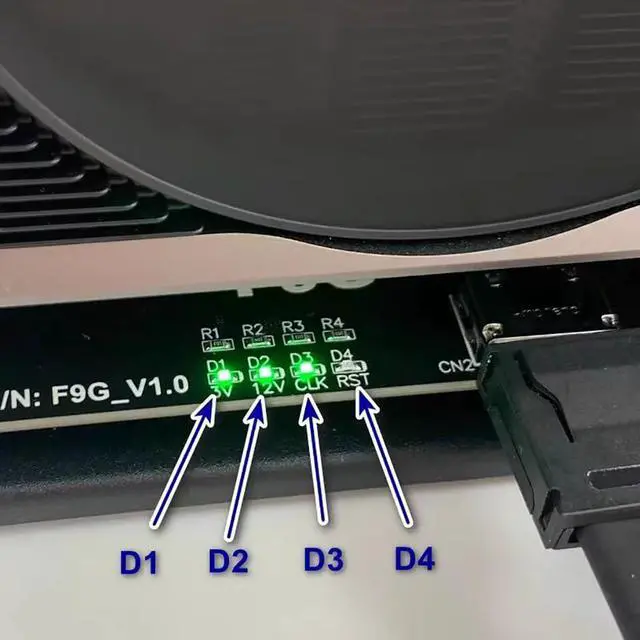
Purchasing tips: Be sure to buy 1~2 samples to test and verify that there is no error before purchasing large quantities. The switch on the graphics card dock: Switch toggle to 1 is auto-start, you can follow the startup; toggle to 2 is forced startup, directly powering the graphics card docking station, which is risky, toggle to 1 auto-start can be enough. D1 light represents cable detection, some cables will cause the D1 light does not light. D2 light represents the power supply status of the docking station, light means that the docking station is in the startup state. D3 light may not light up when using some AMD-compatible graphics cards. D4 light is off under normal conditions, only in the opening and closing will blink a little.
Product Detail: Product
Model: F9G-BK7-F9934
Product Name: Oculink External Graphics Docking Station
Transmission speed: PCIe 4.0 x4, effective bandwidth 64Gbps
Product use: for graphics card external or other PCIe devices
Product Description: Oculink is an interface that is adapted from the NVME SSD slot on the motherboard of the computer, NVME takes the pure PCIe channel, so the Oculink external graphics docking station also takes the PCIe channel, which has a small performance loss. Compared to traditional Thunder bolt-compatible adapter solutions, Oculink's effective bandwidth can reach 64Gbps under PCIe 4.0 x4, far exceeding Thunder bolt-compatible solutions.
Friendly reminder: OcuLink does not support hot-swap
Power supply: Support standard ATX 500W power supply, power supply needs to be prepared by the buyer.
Purchasing tips: Be sure to buy 1~2 samples to test and verify that there is no error before purchasing large quantities. The switch on the graphics card dock: Switch toggle to 1 is auto-start, you can follow the startup; toggle to 2 is forced startup, directly powering the graphics card docking station, which is risky, toggle to 1 auto-start can be enough. D1 light represents cable detection, some cables will cause the D1 light does not light. D2 light represents the power supply status of the docking station, light means that the docking station is in the startup state. D3 light may not light up when using some AMD-compatible graphics cards. D4 light is off under normal conditions, only in the opening and closing will blink a little.
Warranty & Returns
Warranty, Returns, And Additional Information
Warranty
- Please contact the Seller directly for warranty information. Warranty information may also be found on the Manufacturer's website.
- CONTACT
Return Policies
- Return for refund within: 30 days
- Return for replacement within: 30 days
- This item is covered by EmpressTech Return Policy
Manufacturer Contact Info
- For a directory of all our manufacturers, please click below.
- Manufacturers Directory
LOADING...