Your Browsing History
Meet Your Seller
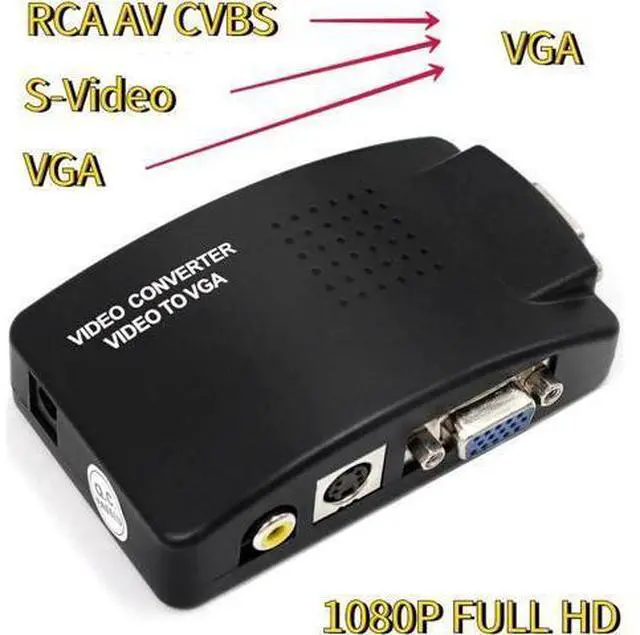
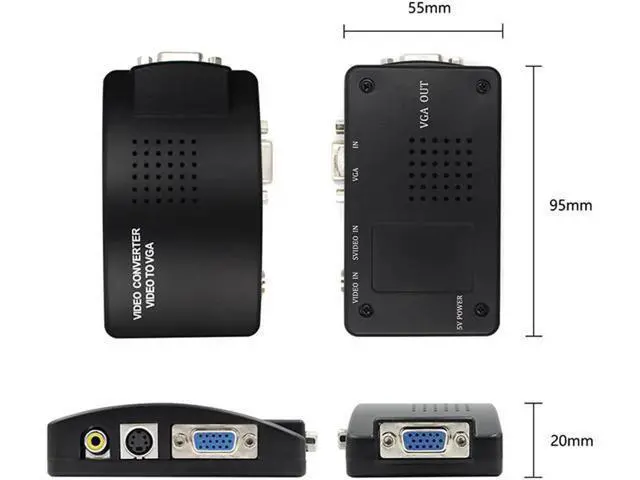
AV to VGA Adapter RCA VGA Converter PC Laptop Video TV RCA Composite S-Video AV In To PC VGA LCD Out Converter Switch Box Black
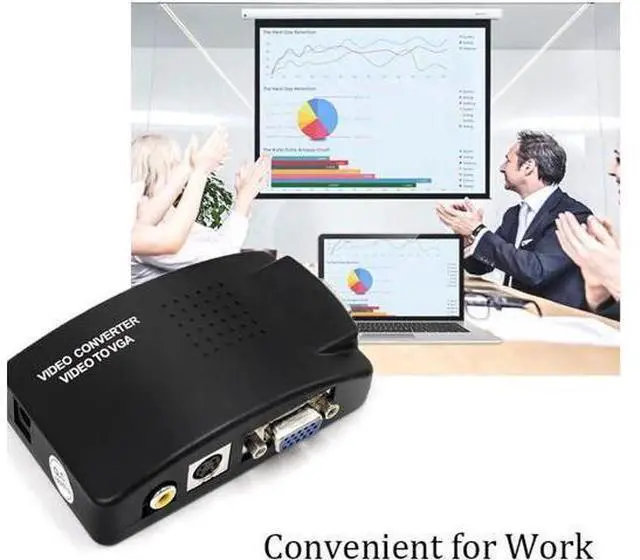
- AV To VGA converter is a video converter designed for security, medical, and home users.; It can convert video signals into VGA signals of various resolutions using advanced digital image processing technology, ranging from 800x600 to 1920x1200.; VGA resolution output to achieve the point-to-point display effect of the display, so as to display the perfect picture.; Can be widely used in teaching, community monitoring, mine monitoring and other fields.
+
+
Overview
Specs
Reviews
Any questions? Our AI beta will help you find out quickly.
Try me now
Features:
Note: Before you purchase it, please check if your device is a CVBS analog camera. This adapter CAN NOT fit the digital camera or AHD/TVI/CVI camera. VGA/ S-video/ RCA to
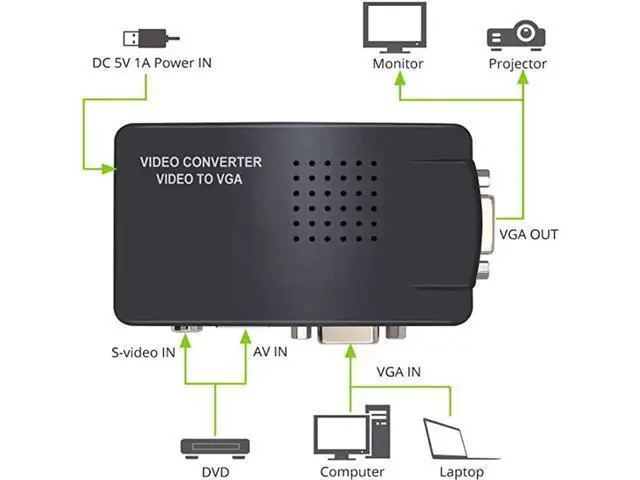
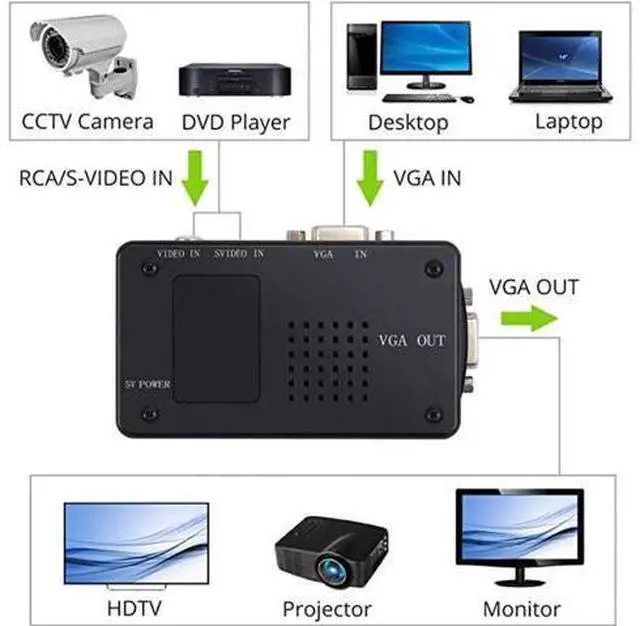
VGA: Convert VGA, 4 pin S-video or RCA Composite Signal to VGA Signal.
Clear Image: Supported
VGA output resolution: 800 x 600@60HZ, 800 X 600@75HZ, 1024 x 768@60/75HZ, 1280 x 1024@60/75HZ, 1680 x1050@60/75HZ, 1920 x 1080@60/75HZ, 1920 x 1200@60/75HZ.
Multifunction: PAL/ NTSC Auto Detecting, Image-freezing Function, OSD (On-Screen-Display) Function, Auto-save Settings and Working Status When Power off. Single Button for Easy Switch. With PIP Function, Users Can Zoom in, Zoom out or Move Pictures Plug and
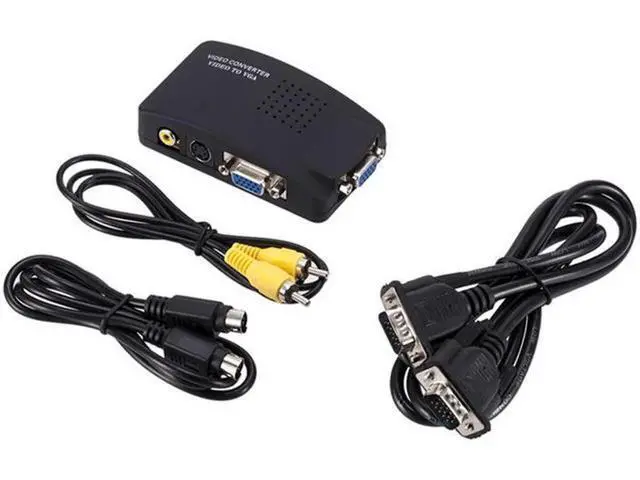
Play: Easy to Install within Seconds, Plug and Play. Powered by DC 5V/1A Adapter (NOT Included). Including AV Video Cable, VGA Male to Male Cable, USB Power Cable, 4-Pin S-video Male to Male Cable for convenient use.
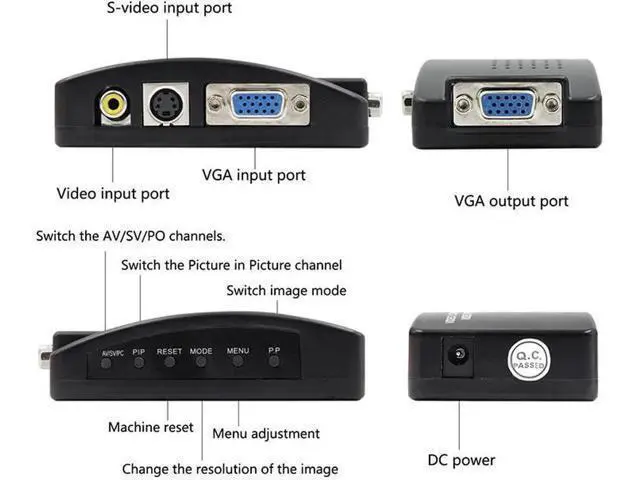
Wide Application: Enable DVD, DVR, CCTV, STB, PC Host, etc to Be Displayed on PC Monitors, VGA Monitors, TV or LCD. Convert VGA/ 4 pin S-video/ RCA to VGA; Enable DVD, DVR PC host, etc to be displayed on PC monitor or LCD. "RESET", "MENU", "AV/SV/VGA", "PIP? ", "MODE", "PP? " function button. Single button for easy switch between different input source.
"RESET": reset
the resolution; "MODE": change
the resolution; "MENU": adjust
the menu; "AV/SV/VGA": choose
input signal; "PIP": choose picture in picture function; "PP": switch picture mode.
Specification:
Color: Black
Product Type: VGA/S-vi

Note: Before you purchase it, please check if your device is a CVBS analog camera. This adapter CAN NOT fit the digital camera or AHD/TVI/CVI camera. VGA/ S-video/ RCA to
VGA: Convert VGA, 4 pin S-video or RCA Composite Signal to VGA Signal.
Clear Image: Supported
VGA output resolution: 800 x 600@60HZ, 800 X 600@75HZ, 1024 x 768@60/75HZ, 1280 x 1024@60/75HZ, 1680 x1050@60/75HZ, 1920 x 1080@60/75HZ, 1920 x 1200@60/75HZ.
Multifunction: PAL/ NTSC Auto Detecting, Image-freezing Function, OSD (On-Screen-Display) Function, Auto-save Settings and Working Status When Power off. Single Button for Easy Switch. With PIP Function, Users Can Zoom in, Zoom out or Move Pictures Plug and
Play: Easy to Install within Seconds, Plug and Play. Powered by DC 5V/1A Adapter (NOT Included). Including AV Video Cable, VGA Male to Male Cable, USB Power Cable, 4-Pin S-video Male to Male Cable for convenient use.
Wide Application: Enable DVD, DVR, CCTV, STB, PC Host, etc to Be Displayed on PC Monitors, VGA Monitors, TV or LCD. Convert VGA/ 4 pin S-video/ RCA to VGA; Enable DVD, DVR PC host, etc to be displayed on PC monitor or LCD. "RESET", "MENU", "AV/SV/VGA", "PIP? ", "MODE", "PP? " function button. Single button for easy switch between different input source.
"RESET": reset
the resolution; "MODE": change
the resolution; "MENU": adjust
the menu; "AV/SV/VGA": choose
input signal; "PIP": choose picture in picture function; "PP": switch picture mode.
Specification:
Color: Black
Product Type: VGA/S-vi
Warranty & Returns
Warranty, Returns, And Additional Information
Warranty
- Please contact the Seller directly for warranty information. Warranty information may also be found on the Manufacturer's website.
- CONTACT
Return Policies
- Return for refund within: 30 days
- Return for replacement within: 30 days
- This item is covered by OUTDOORMAX GEAR Return Policy
Manufacturer Contact Info
- For a directory of all our manufacturers, please click below.
- Manufacturers Directory
LOADING...