Your Browsing History
Best Sellers
- $223.01
Belkin Secure KVM Remote Control 8-Port - F1DN-KVM-REM8
- Secure KVM Remote Control 8-Port
- RJ14-to-RJ14 cable
- Port naming labels
- Quick Start Guide and compliance documentation
+
+
Overview
Specs
Reviews
See all Q & A
Any questions? Ask CelesteSM will help you find out quickly.
Try me now
KVM/MATRIX/MV 8 PORT REMOTE CONTROL W/COLOR
Warranty & Returns
Warranty, Returns, And Additional Information
Return Policies
- Return for refund until: January 31, 2026
- Return for replacement until: January 31, 2026
- This item is covered by Newegg.com's Extended Holiday Return Policy.
- Read full return policy for details.
We want to ensure your holiday shopping this year is hassle-free. That’s why we’re automatically extending our return policies on almost every product! For purchases placed between November 1st, 2025 and December 31, 2025 you will have until January 31, 2026 to return your product.
Manufacturer Contact Info
- Manufacturer Website
- Support Phone: 1-800-223-5546
- Support Website
- View other products from Belkin
LOADING...
LOADING...
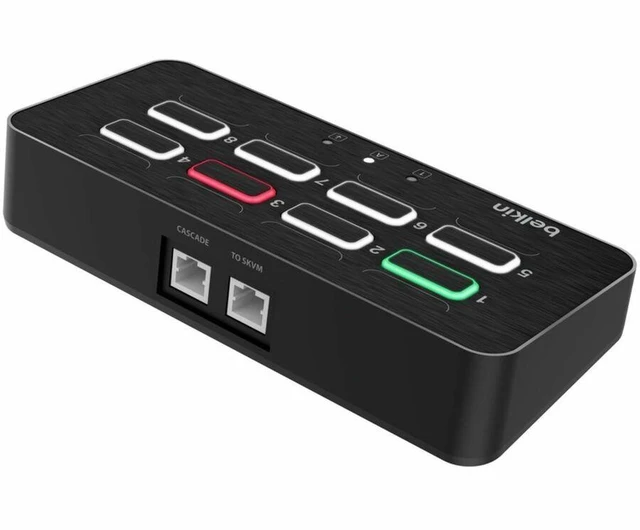
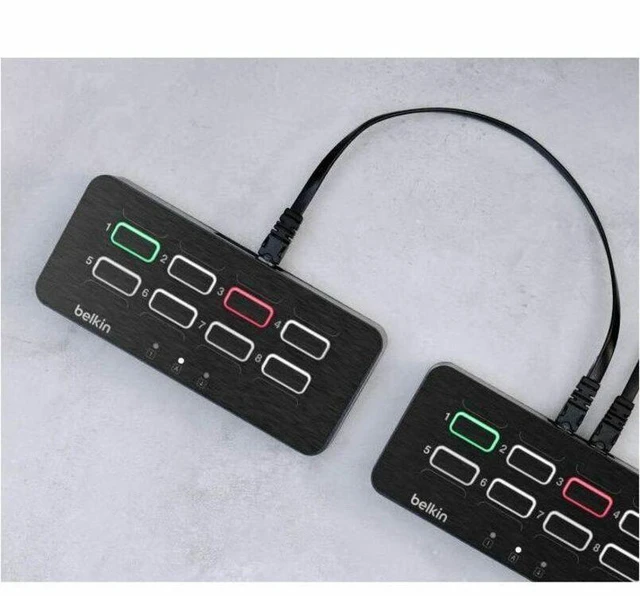
The Belkin F1DN-KVM-REM8 is an 8-port remote control for compatible Belkin secure KVM systems, suited to operators who need to select among connected ports using colorized LED buttons. It includes an RJ14-to-RJ14 cable and port-naming labels.
Recommended For
- Operators who switch among as many as eight systems on a compatible Belkin Secure KVM and want one clearly labeled desktop control for selecting each channel.
- People working across separate security enclaves who want color-coded active-channel indicators to help confirm which system they are controlling.
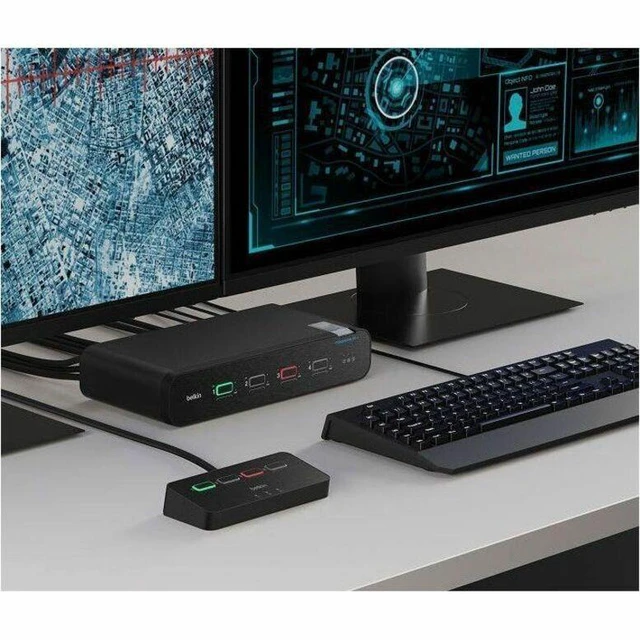
- IT, security, or operations staff who want to place a compatible Belkin SKVM out of the way while keeping channel selection accessible on the desktop.
- Teams using a compatible Belkin Modular SKVM/SKM who can provide the required adapter and want an 8-port remote selector.
Real-World Use Scenarios
- At a workstation connected to several separate secure systems or network enclaves, an operator uses the remote to select the system they need without reaching for the KVM switch; the button color and port label help confirm the selected channel.
- When the secure KVM is mounted under a desk or otherwise out of reach, an operator keeps the remote on the desktop and switches connected systems from their normal working position.
- In a busy multi-system workspace, an operator can use the channel colors and optional port labels to check which system is selected before entering commands, helping avoid choosing the wrong channel.
- For a setup with more connected systems than a 2- or 4-port controller can address, an operator can select among up to eight channels from one desktop control pad, provided it is paired with a compatible Belkin secure KVM.
- During work across multiple secure systems, an operator can check the remote’s Caps Lock, Num Lock, and Scroll Lock indicators at the desk instead of looking at the KVM unit.
Spec Summary
| Attribute | Value |
|---|---|
| Best For | Remote control of an 8-port secure KVM setup with compatible Belkin SKVM products |
| Control And Port Capacity | 8-port secure KVM remote control with colorized LED buttons and a cable connection |
| Compatibility | Belkin All SKVM Product; works with Belkin Universal 2nd Generation, Universal DisplayPort, and Modular SKVM/SKM |
| Package Contents | RJ14-to-RJ14 cable, port naming labels, Quick Start Guide, and compliance documentation |
| Model Identifiers | Model and part number: F1DN-KVM-REM8 |