

Your Browsing History
- Free 30-day Returns
$900.99

Meet Your Seller


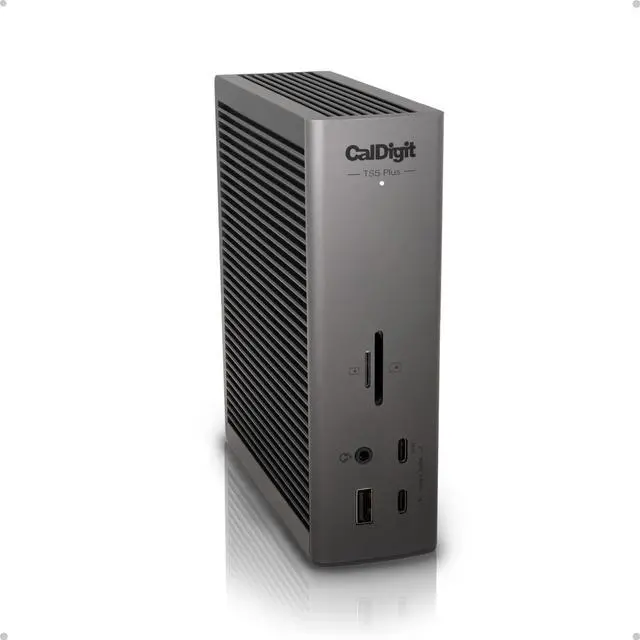
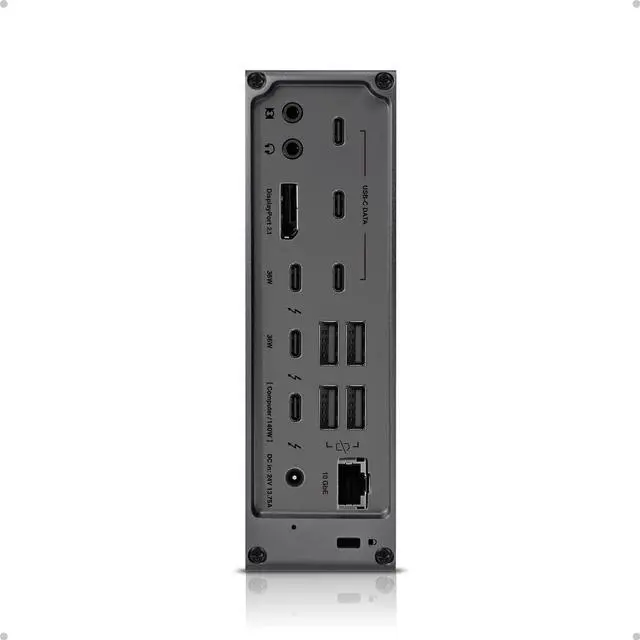


CalDigit TS5 PLUS - Thunderbolt 5 Dock - 20 Port, 10Gb Ethernet, 140W dedicated host Charging, TBT-5 x 3, USB 10Gb/s x10, Dual USB Controllers, Up to Two 8K 60Hz Displays, 1.0m Braided Cable, 330W PSU
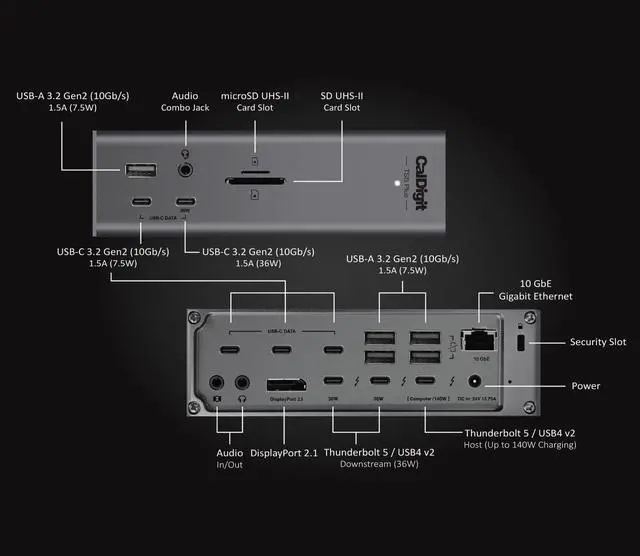
- 20 Ports of Extreme Connectivity - Featuring next-level connectivity, the TS5 Plus has more than enough ports for any workflow. The TS5 Plus includes 3x 80Gb/s Thunderbolt 5 ports, 5x USB-A 10Gb/s ports, 5x USB-C 10Gb/s ports, DisplayPort 2.1, SD 4.0 & microSD 4.0 UHS-II card readers, 10Gb Ethernet, and 3 x audio ports. Thunderbolt 5 supports 64Gb/s PCIe which is ideal for connecting ultra-fast Thunderbolt SSDs to the TS5 Plus.
- More Power than Ever - The TS5 Plus host charging port provides up to 140W of dedicated power delivery. This makes it ideal for power hungry laptops such as the 16 M3/M4/M5 Pro & Max series MacBook Pro which charges at 140W. The TS5 Plus includes a 330W power supply that allows the dock to provide sustained power delivery at all times, not only for the host charging port, but for all of the remaining ports. In addition to all of this power, the downstream Thunderbolt 5 ports, and one of the front USB-C ports provide up to 36W of dedicated power delivery for c
+
+
Overview
Specs
Reviews

Any questions? Our AI mode will help you find out quickly.
Try me now
20 Ports of Extreme Connectivity - Featuring next-level connectivity, the TS5 Plus has more than enough ports for any workflow. The TS5 Plus includes 3x 80Gb/s Thunderbolt 5 ports, 5x USB-A 10Gb/s ports, 5x USB-C 10Gb/s ports, DisplayPort 2.1, SD 4.0 & microSD 4.0 UHS-II card readers, 10Gb Ethernet, and 3 x audio ports. Thunderbolt 5 supports 64Gb/s PCIe which is ideal for connecting ultra-fast Thunderbolt SSDs to the TS5 Plus.
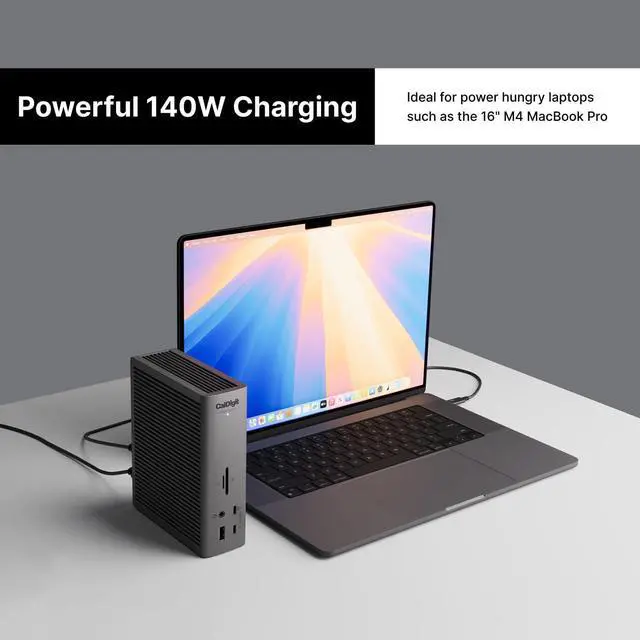
More Power than Ever - The TS5 Plus host charging port provides up to 140W of dedicated power delivery. This makes it ideal for power hungry laptops such as the 16 M3/M4/M5 Pro & Max series MacBook Pro which charges at 140W. The TS5 Plus includes a 330W power supply that allows the dock to provide sustained power delivery at all times, not only for the host charging port, but for all of the remaining ports. In addition to all of this power, the downstream Thunderbolt 5 ports, and one of the front USB-C ports provide up to 36W of dedicated power delivery for charging accessories, enough power to charge a MacBook Air at full power!
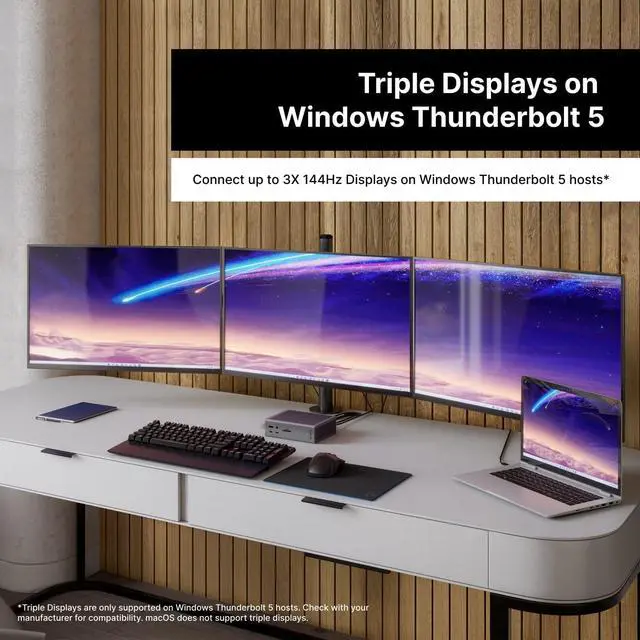
Flexible Display Configurations - The TS5 Plus on macOS devices can connect up to Dual 6K 60Hz displays, or even Dual 8K 60Hz displays on Macs that support those resolutions. The TS5 Plus supports high-refresh rates at up to Dual 4K 240Hz. On Windows, the TS5 Plus supports up to dual 6K 60Hz on Thunderbolt 4 hosts, and up to Dual 8K 60Hz on Thunderbolt 5 hosts. Thunderbolt 5 Windows users can also connect up to Triple 4K 144Hz displays on supported Windows Thunderbolt 5 hosts (macOS does not support Triple displays).*Check with your manufacturer to see how many displays your computer supports.
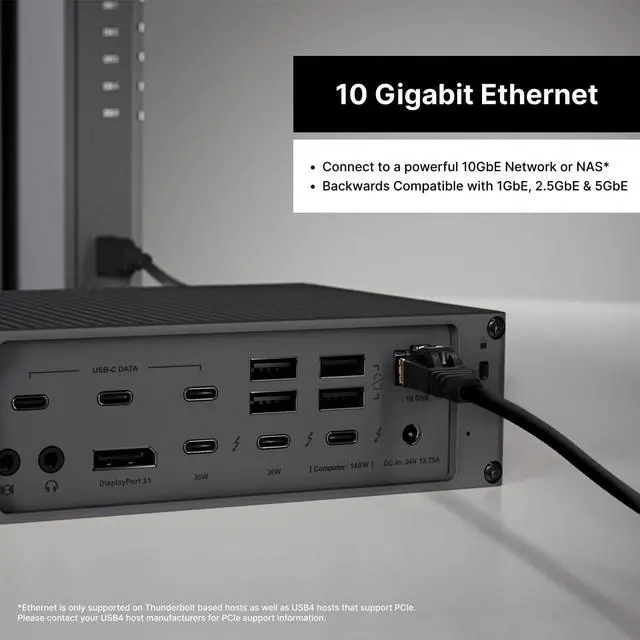
10 Gigabit Ethernet - The TS5 Plus seamlessly integrates powerful 10GbE workflows with ease. 10GbE is 10X faster than traditional 1GbE found on the majority of docking stations. Users can connect to ultra fast 10GbE networks in order to transfer files faster than ever, or connect to 10GbE equipped NAS storage devices. The 10GbE port is backwards compatible with 1GbE, 2.5GbE, and 5GbE. *Ethernet is only supported on Thunderbolt based hosts as well as USB4 hosts that support PCIe.
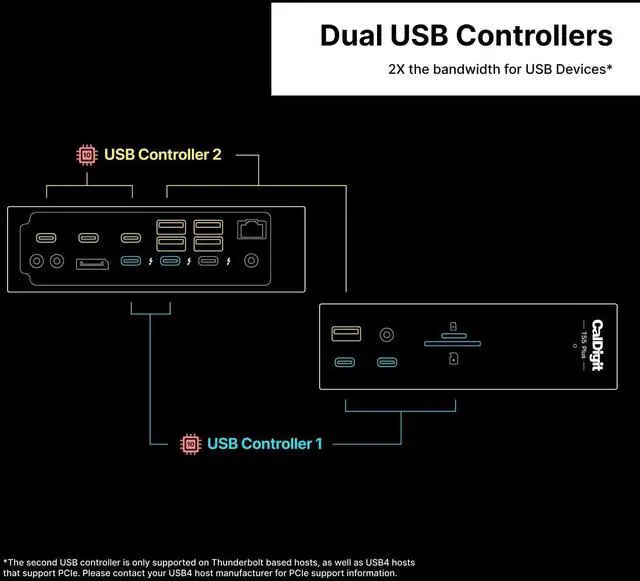
Dual USB Controllers - A unique feature of the TS5 Plus is that it includes Dual USB Controllers. This means that the ports on the front of the dock have one 10Gb/s USB controller for all of the attached devices, and the rear ports have a second 10Gb/s controller for the devices on the back ports. This avoids any bottlenecks when multiple high speed USB devices are connected, and is an ideal feature to complement the total of 10x USB ports on the dock.
Compatibility - The TS5 Plus is compatible with Thunderbolt and USB4 host devices. To get the maximum performance out of the TS5 Plus a Thunderbolt 5 (80Gb/s) or USB4 v2 (80Gb/s) host connection is required. Users on Thunderbolt 3, Thunderbolt 4, or USB4 hosts will see reduced functionality. The TS5 Plus also supports Thunderbolt based tablet devices. *The TS5 Plus does not support non-Thunderbolt based host devices.
80Gb/s Performance & 120Gb/s Bandwidth Boost - The TS5 Plus offers unparalleled 80Gb/s performance when transmitting and receiving files. This makes it ideal for the unmatched 20 ports of connectivity this dock delivers. When users connect ultra high-refresh rate displays to the TS5 Plus, this device will shift its allocation and provide up to 120Gb/s to the displays without the user ever thinking about it.
More Power than Ever - The TS5 Plus host charging port provides up to 140W of dedicated power delivery. This makes it ideal for power hungry laptops such as the 16 M3/M4/M5 Pro & Max series MacBook Pro which charges at 140W. The TS5 Plus includes a 330W power supply that allows the dock to provide sustained power delivery at all times, not only for the host charging port, but for all of the remaining ports. In addition to all of this power, the downstream Thunderbolt 5 ports, and one of the front USB-C ports provide up to 36W of dedicated power delivery for charging accessories, enough power to charge a MacBook Air at full power!
Flexible Display Configurations - The TS5 Plus on macOS devices can connect up to Dual 6K 60Hz displays, or even Dual 8K 60Hz displays on Macs that support those resolutions. The TS5 Plus supports high-refresh rates at up to Dual 4K 240Hz. On Windows, the TS5 Plus supports up to dual 6K 60Hz on Thunderbolt 4 hosts, and up to Dual 8K 60Hz on Thunderbolt 5 hosts. Thunderbolt 5 Windows users can also connect up to Triple 4K 144Hz displays on supported Windows Thunderbolt 5 hosts (macOS does not support Triple displays).*Check with your manufacturer to see how many displays your computer supports.
10 Gigabit Ethernet - The TS5 Plus seamlessly integrates powerful 10GbE workflows with ease. 10GbE is 10X faster than traditional 1GbE found on the majority of docking stations. Users can connect to ultra fast 10GbE networks in order to transfer files faster than ever, or connect to 10GbE equipped NAS storage devices. The 10GbE port is backwards compatible with 1GbE, 2.5GbE, and 5GbE. *Ethernet is only supported on Thunderbolt based hosts as well as USB4 hosts that support PCIe.
Dual USB Controllers - A unique feature of the TS5 Plus is that it includes Dual USB Controllers. This means that the ports on the front of the dock have one 10Gb/s USB controller for all of the attached devices, and the rear ports have a second 10Gb/s controller for the devices on the back ports. This avoids any bottlenecks when multiple high speed USB devices are connected, and is an ideal feature to complement the total of 10x USB ports on the dock.
Compatibility - The TS5 Plus is compatible with Thunderbolt and USB4 host devices. To get the maximum performance out of the TS5 Plus a Thunderbolt 5 (80Gb/s) or USB4 v2 (80Gb/s) host connection is required. Users on Thunderbolt 3, Thunderbolt 4, or USB4 hosts will see reduced functionality. The TS5 Plus also supports Thunderbolt based tablet devices. *The TS5 Plus does not support non-Thunderbolt based host devices.
80Gb/s Performance & 120Gb/s Bandwidth Boost - The TS5 Plus offers unparalleled 80Gb/s performance when transmitting and receiving files. This makes it ideal for the unmatched 20 ports of connectivity this dock delivers. When users connect ultra high-refresh rate displays to the TS5 Plus, this device will shift its allocation and provide up to 120Gb/s to the displays without the user ever thinking about it.
Warranty & Returns
Warranty, Returns, And Additional Information
Warranty
- Please contact the Seller directly for warranty information. Warranty information may also be found on the Manufacturer's website.
- CONTACT
Return Policies
- Return for refund within: 30 days
- Return for replacement within: 30 days
- This item is covered by PrimeVolt’Shop Return Policy
Manufacturer Contact Info
- For a directory of all our manufacturers, please click below.
- Manufacturers Directory
LOADING...