Your Browsing History
Meet Your Seller
New Surface Dock Triple Displays Dual HDMI+VGA with Power Adapter,12 in 1 Surface Docking Station for Surface Pro 12/11/10/9/8/X/7/6/5/4/3,Surface Laptop 7/6/5/4/3/2/1,Surface Book Go
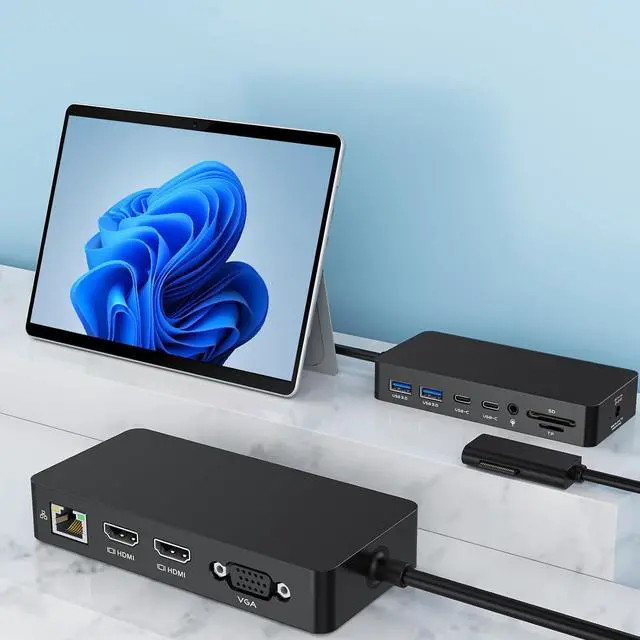
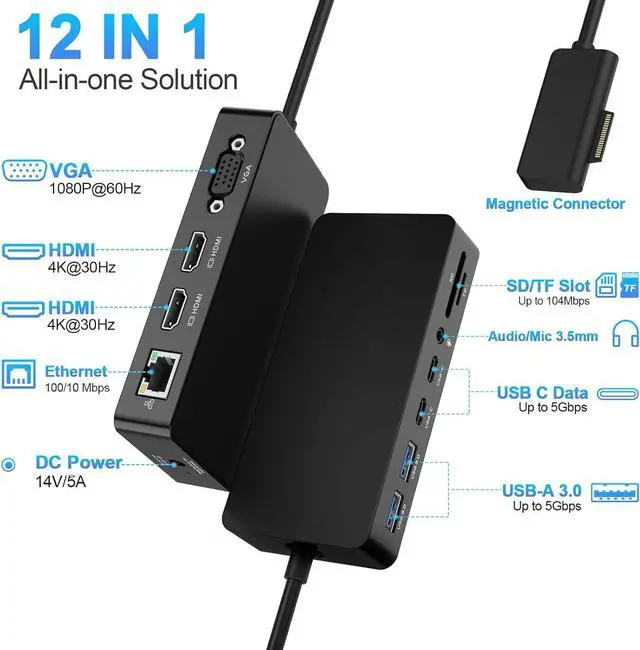
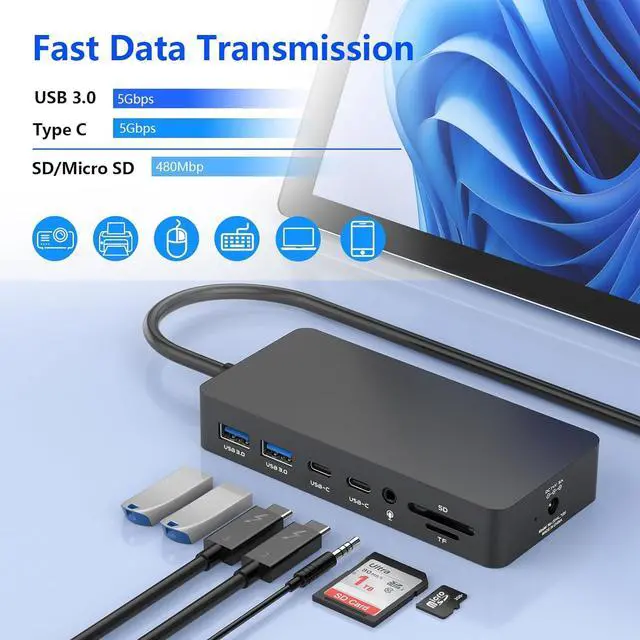
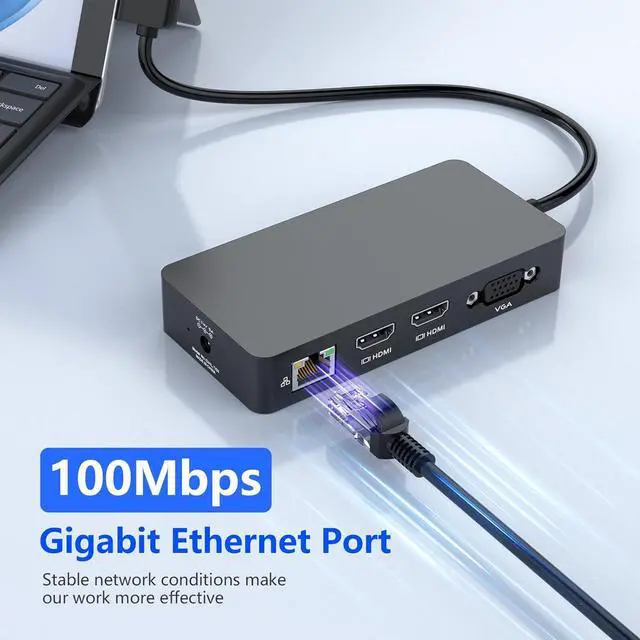
- 12 IN 1 Versatile Surface DockEquipped with Surface Connection technology, this Surface docking station offers a range of connectivity options for all your peripherals with 2x HDMI*4K@30Hz, VGA*1080P@60Hz, 100Mbps RJ45 Ethernet port, 2x USB C data port, 2x USB A 3.0 Ports, SD/TF card slot, 3.5mm Headphone Jack Port, DC Power Port, Surface dock With simple plug and play connectivity.
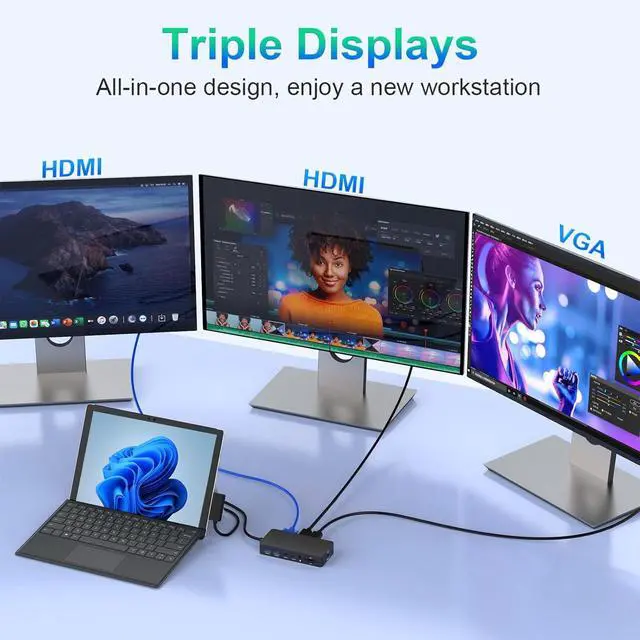
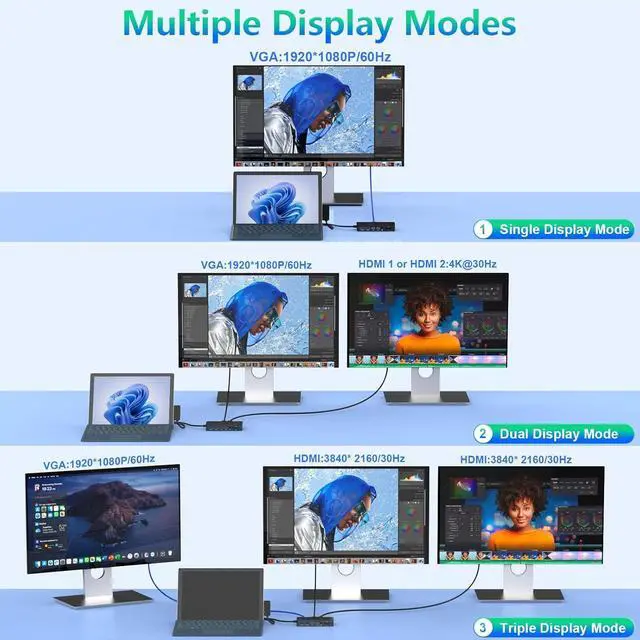
- Ultra HD 4K output & Triple Displays Surface Dock HubSurface Triple Displays(HDMI+HDMI+VAG) with extend or mirror mode, boost your efficiency 3 times, Surface Pro Dock Provide your Surface with excellent 4K HDMI and VAG ports. 4K HDMI support resolutions up to 3840 x 2160@30Hz. VGA port supports display resolutions up to 1920 x 1080@60Hz. *Note: when connecting your Surface with up to 3 extra screens and reach three displays (HDMI/HDMI/VGA +Surface), you need to turn off the Surface screen.
- Super Speed Data Transfer Surface Docking StationThis Surface Pro docking station comes with 2 usb 3.0 ports
+
+
Overview
Specs
Reviews
Any questions? Our AI beta will help you find out quickly.
Try me now
1Multi-Monitor Support24K HDMI31080P VGA15Gbps USB Ports2Ehternet & Audio3SD & TF Slots Which device is it compaitble with?
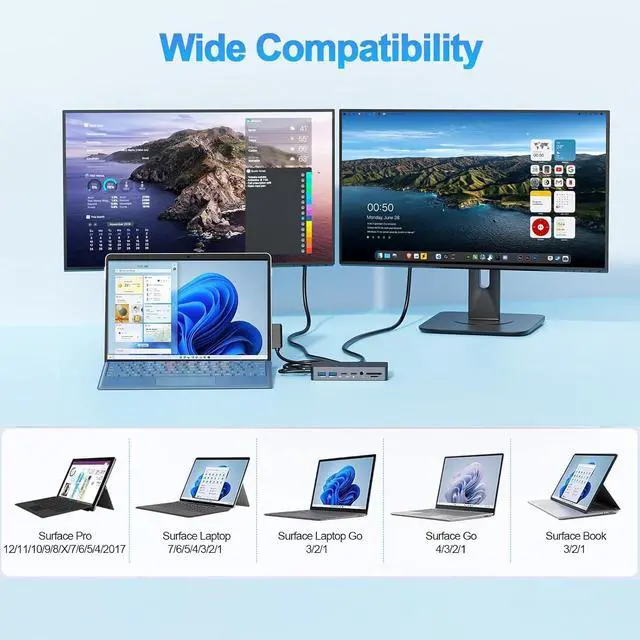
It works with Surface Pro 12/11/10/9/8/X/7/6/4/3/2017, Surface Laptop 7/6/5/4/3/2/1, Surface Laptop Go 3/2/1, Surface Go 4/3/2/1, Surface Book 3/2/1.
Why my product can't work?
Please plug the DC Power Adapter when using the docking station.
Why cannot extend to 3 monitors?
If your CPU is older than 11th Gen Intel Core, when you extend to 3 monitors, you need to close your device screen and connect the DC power supply port and set up the right resolution.
If CPU Above 11th, no need to close the device Screen.
surface docking station What You Will Get! Which device is it compaitble with?
Why my product can't work?
Why cannot extend to 3 monitors?

It works with Surface Pro 12/11/10/9/8/X/7/6/4/3/2017, Surface Laptop 7/6/5/4/3/2/1, Surface Laptop Go 3/2/1, Surface Go 4/3/2/1, Surface Book 3/2/1.
Why my product can't work?
Please plug the DC Power Adapter when using the docking station.
Why cannot extend to 3 monitors?
If your CPU is older than 11th Gen Intel Core, when you extend to 3 monitors, you need to close your device screen and connect the DC power supply port and set up the right resolution.
If CPU Above 11th, no need to close the device Screen.
surface docking station What You Will Get! Which device is it compaitble with?
Why my product can't work?
Why cannot extend to 3 monitors?
Warranty & Returns
Warranty, Returns, And Additional Information
Warranty
- Please contact the Seller directly for warranty information. Warranty information may also be found on the Manufacturer's website.
- CONTACT
Return Policies
- Return for refund within: 30 days
- Return for replacement within: 30 days
- This item is covered by PrimeVolt’Shop Return Policy
Manufacturer Contact Info
- For a directory of all our manufacturers, please click below.
- Manufacturers Directory
LOADING...